Solved

Mass actions - Print Sales Order

  • July 8, 2026
  • 5 replies
  • 52 views

mohammadnawaz51
Varsity I
Forum|alt.badge.img+7

Hi Everyone,

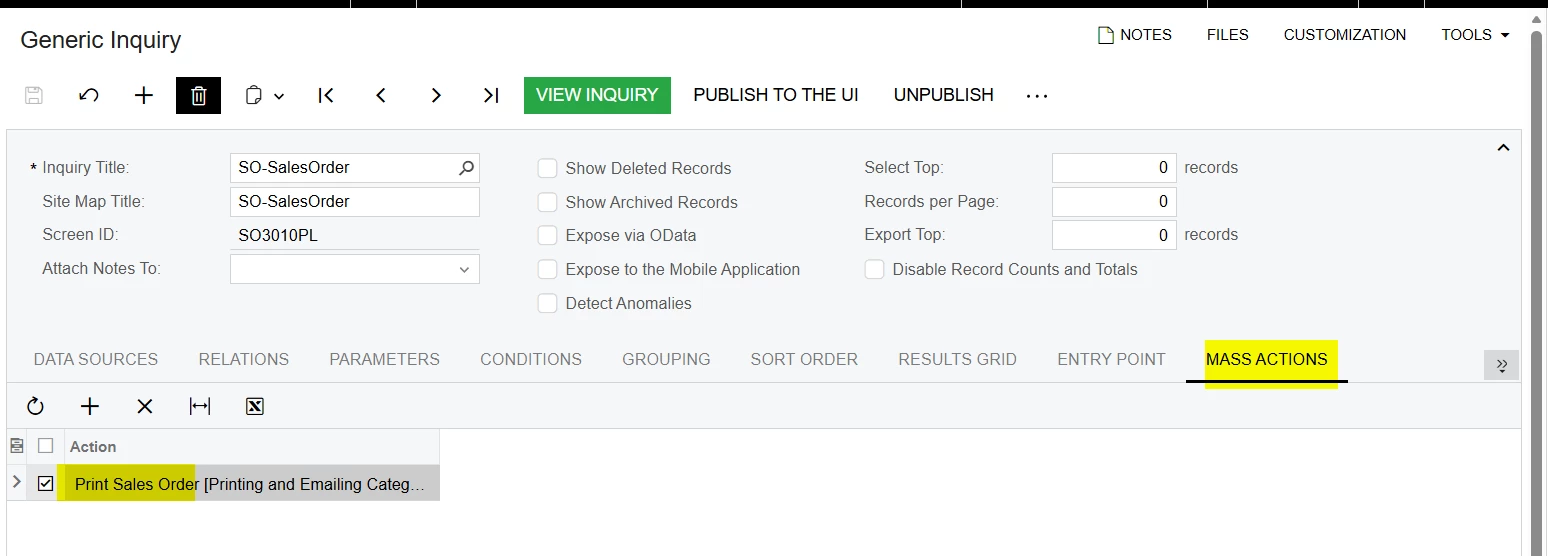
When attempting to use the Mass Action from the Sales Order Generic Inquiry (GI) screen to print multiple Sales Orders, the system generates the report for only a single Sales Order, even though multiple records have been selected.

Could you please advise if this is expected behavior or if there is any additional configuration or customization required to enable printing multiple Sales Orders in a single operation?

Thank you.
 

Best answer by mohammadnawaz51

@ranjithduraisamy72 ​@Dipak Nilkanth We have a customized report that needs to be printed in bulk based on specific business conditions. As part of this requirement, I designed and developed a custom processing screen that enables users to generate and print the customized reports in bulk while applying the required conditions.

5 replies

Forum|alt.badge.img+3

@mohammadnawaz51 This is looks standard system behavior. Generic Inquiries are primarily for data retrieval, and the Mass Actions functionality typically processes records individually rather than batching them into a single report output. To achieve bulk printing, you generally need to use the dedicated "Print/Email Sales Orders" screen rather than the Generic Inquiry.


Dipak Nilkanth
Pro III
Forum|alt.badge.img+14

Hi ​@mohammadnawaz51,

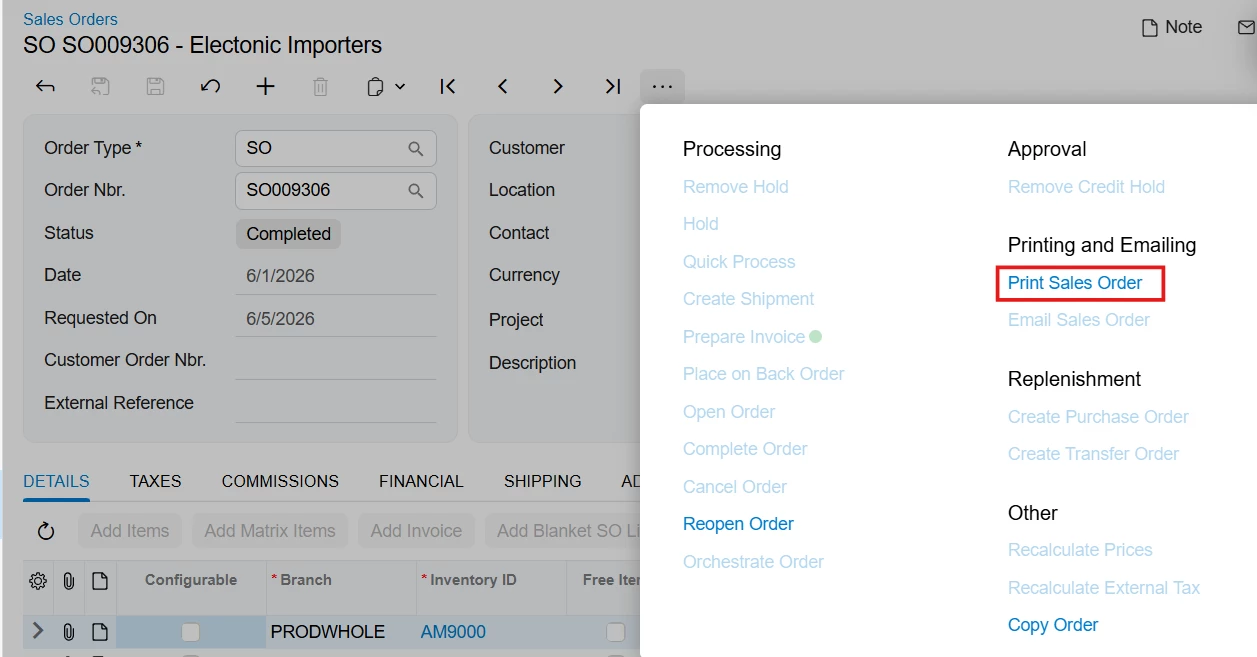
If you add the Print Sales Order action to a Generic Inquiry (GI) from the Mass Actions tab, it invokes the Print Sales Order action from the Sales Orders screen. That action is designed to print only a single Sales Order at a time and does not support processing multiple records.
 

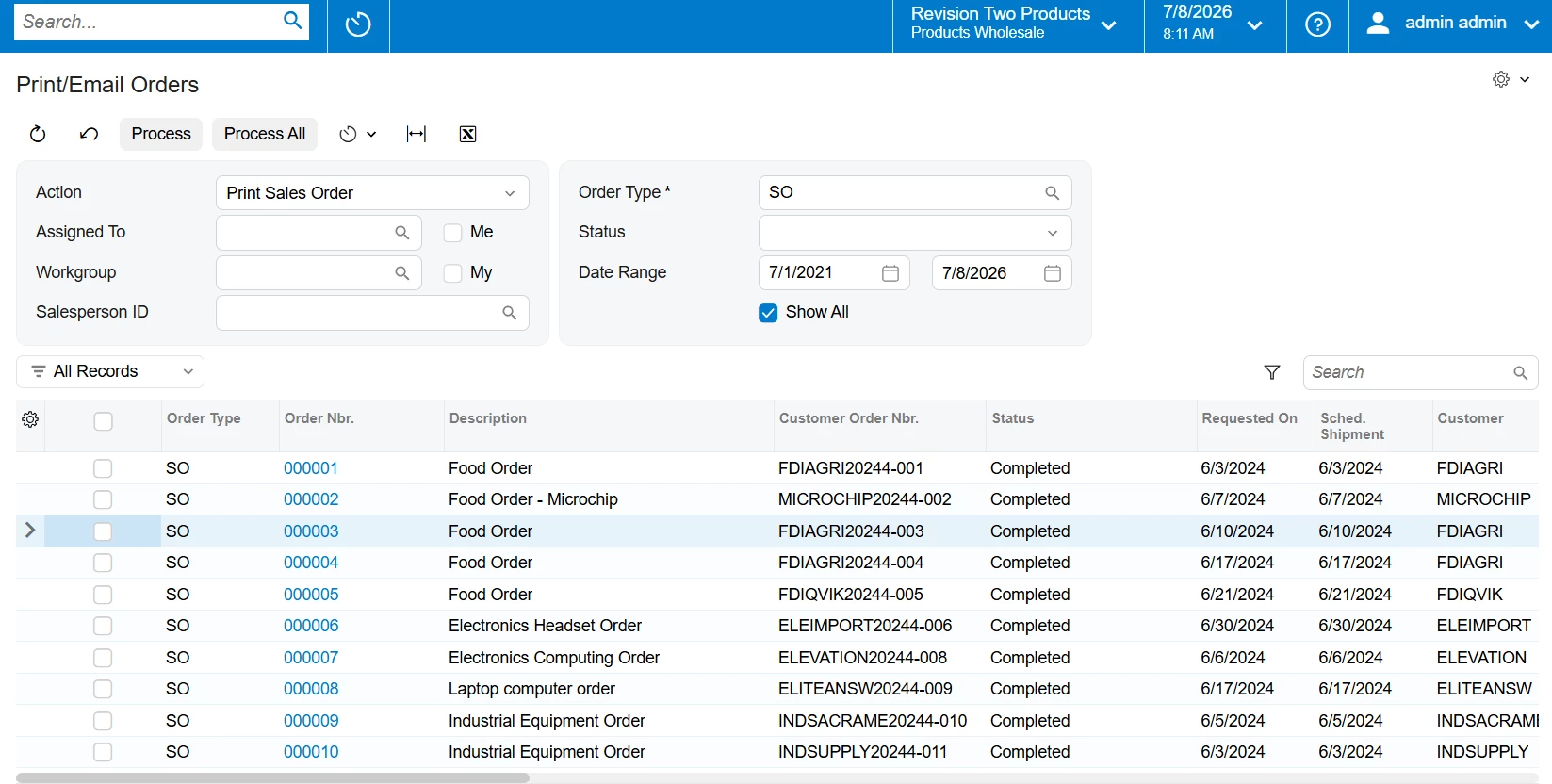
If your requirement is to print multiple Sales Orders in one go, you should use Acumatica's standard Print/Email Orders screen (SO502000). From that screen, select Print Sales Order from the Action dropdown.
 

The Print/Email Orders screen is specifically designed for batch processing and allows you to print multiple Sales Orders by filtering records based on criteria such as Order Type, Status, Date Range, Workgroup, and other available filters. This is the recommended approach for printing multiple Sales Orders simultaneously.


mohammadnawaz51
Varsity I
Forum|alt.badge.img+7

@ranjithduraisamy72 ​@Dipak Nilkanth We have a customized report that needs to be printed in bulk based on specific business conditions. As part of this requirement, I designed and developed a custom processing screen that enables users to generate and print the customized reports in bulk while applying the required conditions.


Forum|alt.badge.img+3

@mohammadnawaz51 Thanks for sharing the solution.

I initially thought you were using an existing report for mass printing from the GI. If your requirement is to print a custom report, you can add it as an action menu of that specific screen. You can then customize the existing processing screen to mass print the custom report, so there is no need to create a new processing screen when an existing one is already available for screens such as Sales Orders, Shipments etc.


mohammadnawaz51
Varsity I
Forum|alt.badge.img+7

@ranjithduraisamy72 Yup, but I want to show the list of Line items in the sales order which is required as per the requirement because in the processing screen we are able to select the PO Source= Drop ship line items kind of workflow we are looking so creating a new processing screen.