Solved

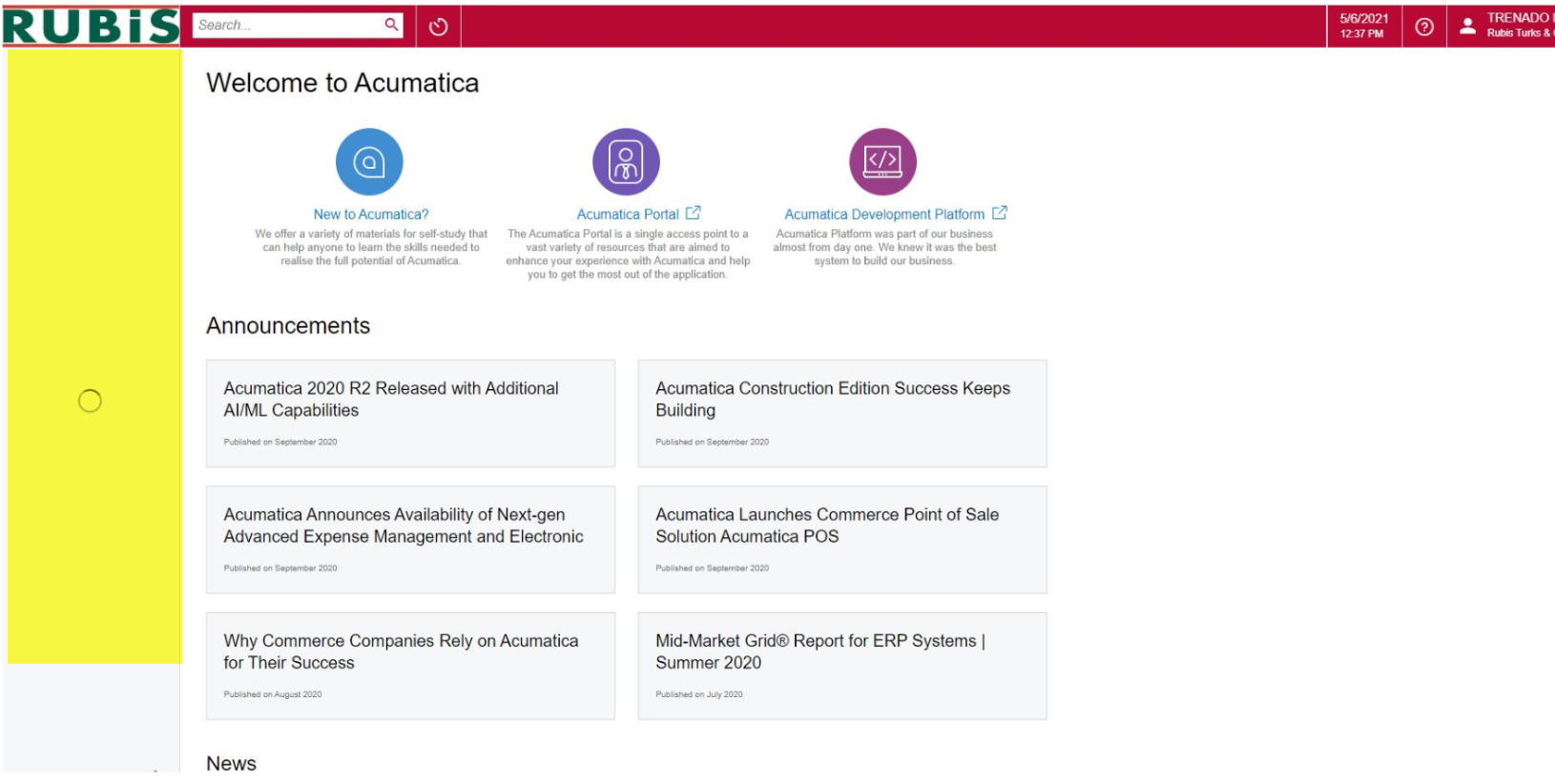
It does not load the module tabs in acumatica in Chrome

  • May 6, 2021 4:54 PM UTC
  • 7 replies
  • 860 views
  • Translate All

jenniferflores43
Freshman I

Hello everyone, Can anyone show me how to enable the Acumatica menu highlighted in yellow color?
I am using google chrome.
Thanks in advance!

 

Best answer by yisroel39

Try to clear the browser's cache.

View original

7 replies

Forum|alt.badge.img
  • Semi-Pro I
  • Answer
  • May 6, 2021 7:27 PM UTC

Try to clear the browser's cache.

Translate

jwaldron46
Freshman II
Forum|alt.badge.img+1
  • Freshman II
  • Dec 28, 2021 1:14 PM UTC

I am having to clear the browser cache daily at this point.  Very annoying.  Anyone figure out a better fix? 2020R2

Translate

Forum|alt.badge.img
  • Jr Varsity II
  • Jun 29, 2022 12:59 PM UTC

Has anyone ever figured out a fix for this? 

Translate

annetrockman27
Freshman I
Forum|alt.badge.img

We have one user that is reporting the same issue when using Chrome. We are on 2021R2. He is using Safari without issue. Any updated information about this? 

Translate

jwaldron46
Freshman II
Forum|alt.badge.img+1
  • Freshman II
  • Sep 22, 2022 1:41 PM UTC

One thing I noticed that helps is not leaving Acumatica open in Chrome overnight.  For some reason this happens more often if tabs of Acumatica are left open long enough to be auto-logged-out.  On days where I leave the office with a bunch of tabs open, I often see this occur and have to clear my cache to fix it.

Translate

  • Freshman I
  • May 5, 2023 1:52 PM UTC

I have a user that has this problem. Clearing site data and cookies for the Acumatica site does not help but launching Acumatica in incognito (private browser session) does work. 

Translate

abhijit
Varsity I
Forum|alt.badge.img
  • May 11, 2023 6:19 PM UTC

I have a user that has this problem. Clearing site data and cookies for the Acumatica site does not help but launching Acumatica in incognito (private browser session) does work. 

That is a good suggestion.

Translate