Answer

How to use Shared Column Configuration?

  • February 9, 2024
  • 4 replies
  • 595 views

Forum|alt.badge.img

Hello all,

I have been trying to work on Shared Column Configuration, but it is not getting applied. Kindly let me know if i am following the correct steps:

Setting up the list of the columns, to be displayed, using Column Configurator → Selecting Shared Column Configuration.

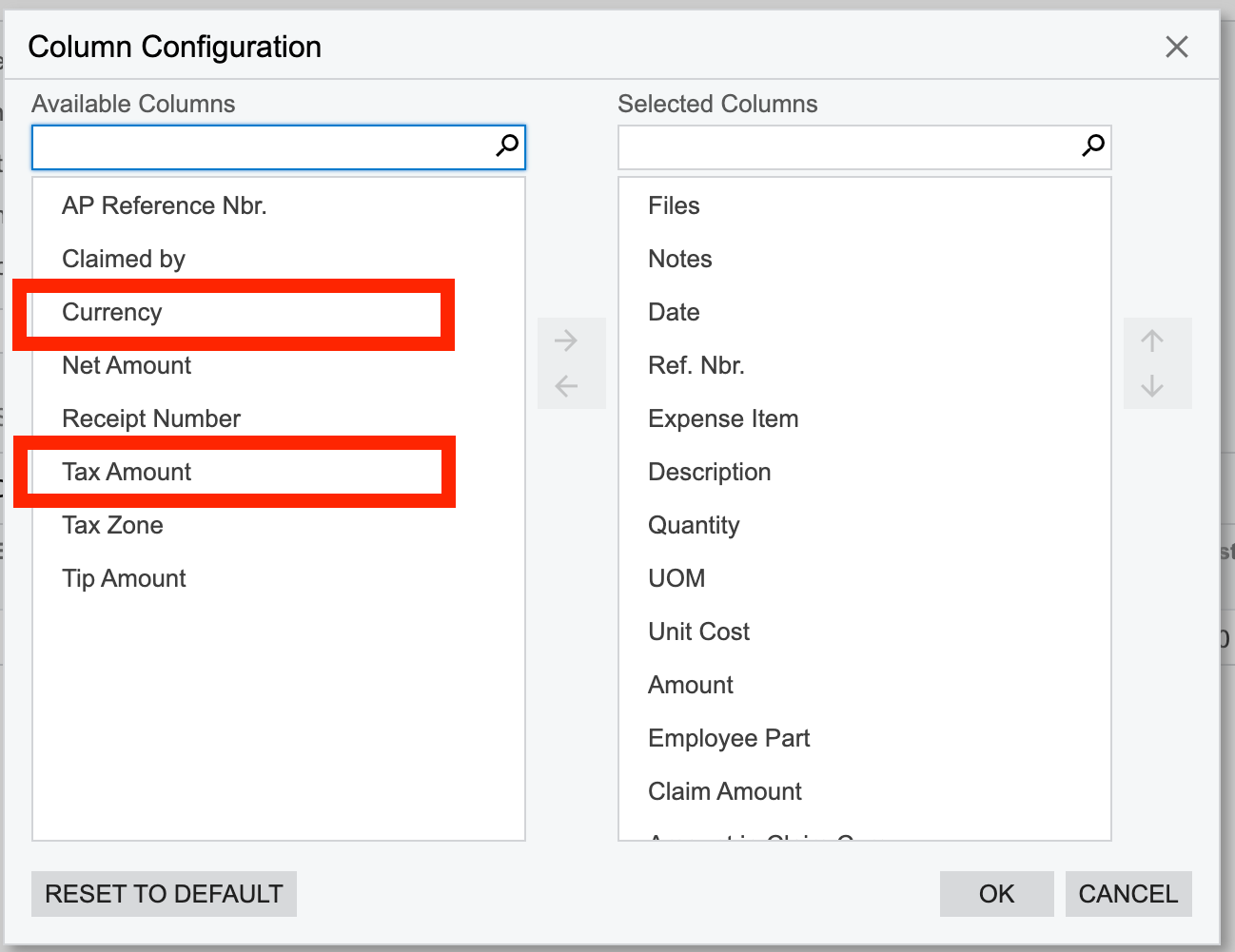
I am looking to hide the Currency field for all the users except for admin. And there would be some other fields too that will be made visible/invisible on regular basis.
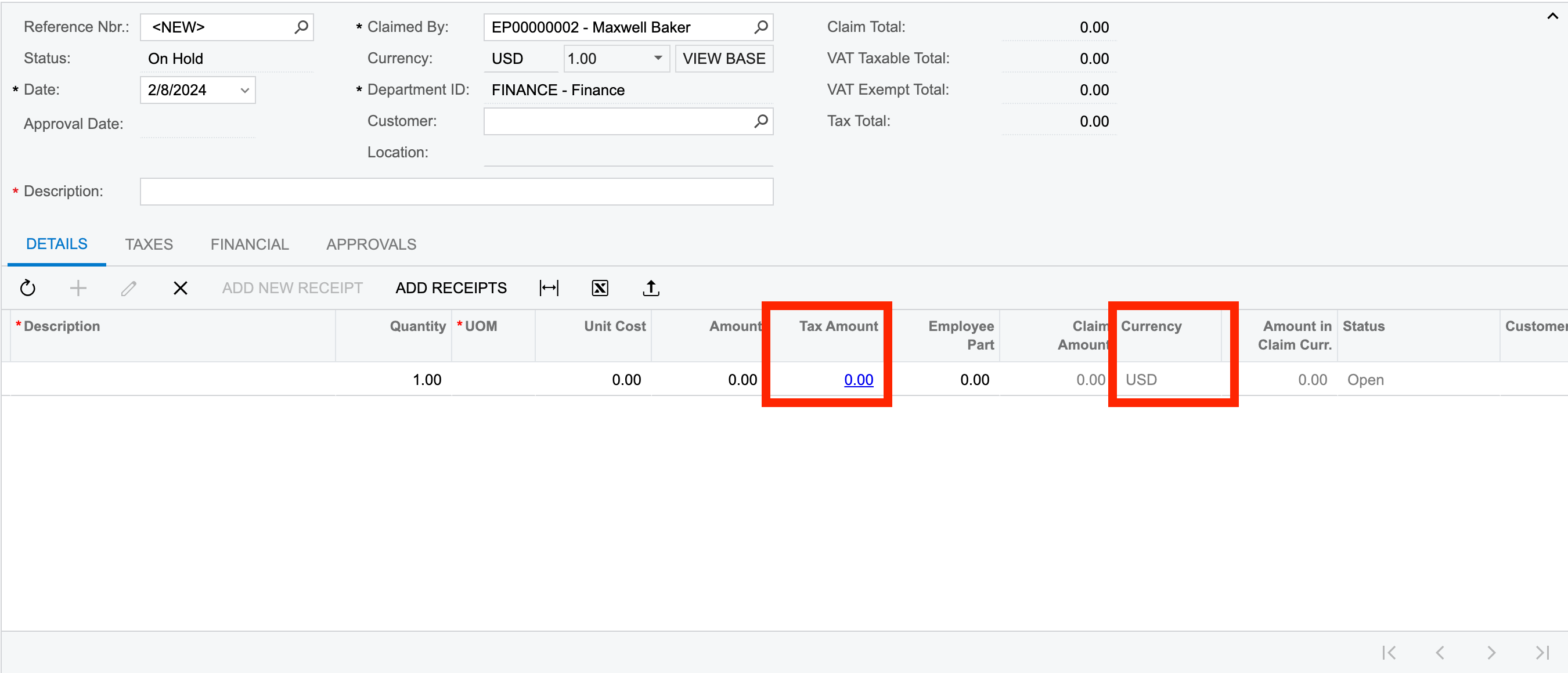
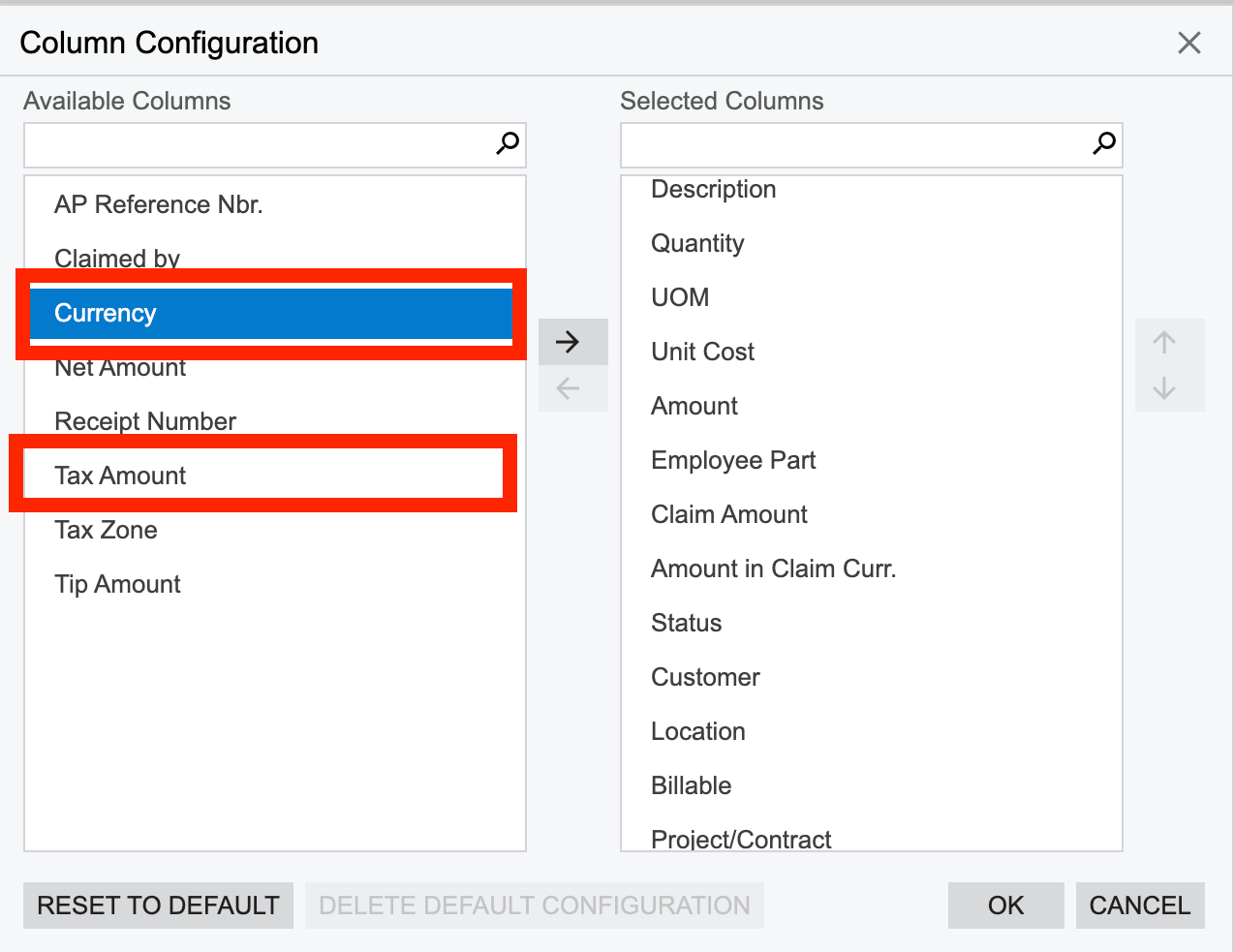
Moving them  to the list of Available columns:
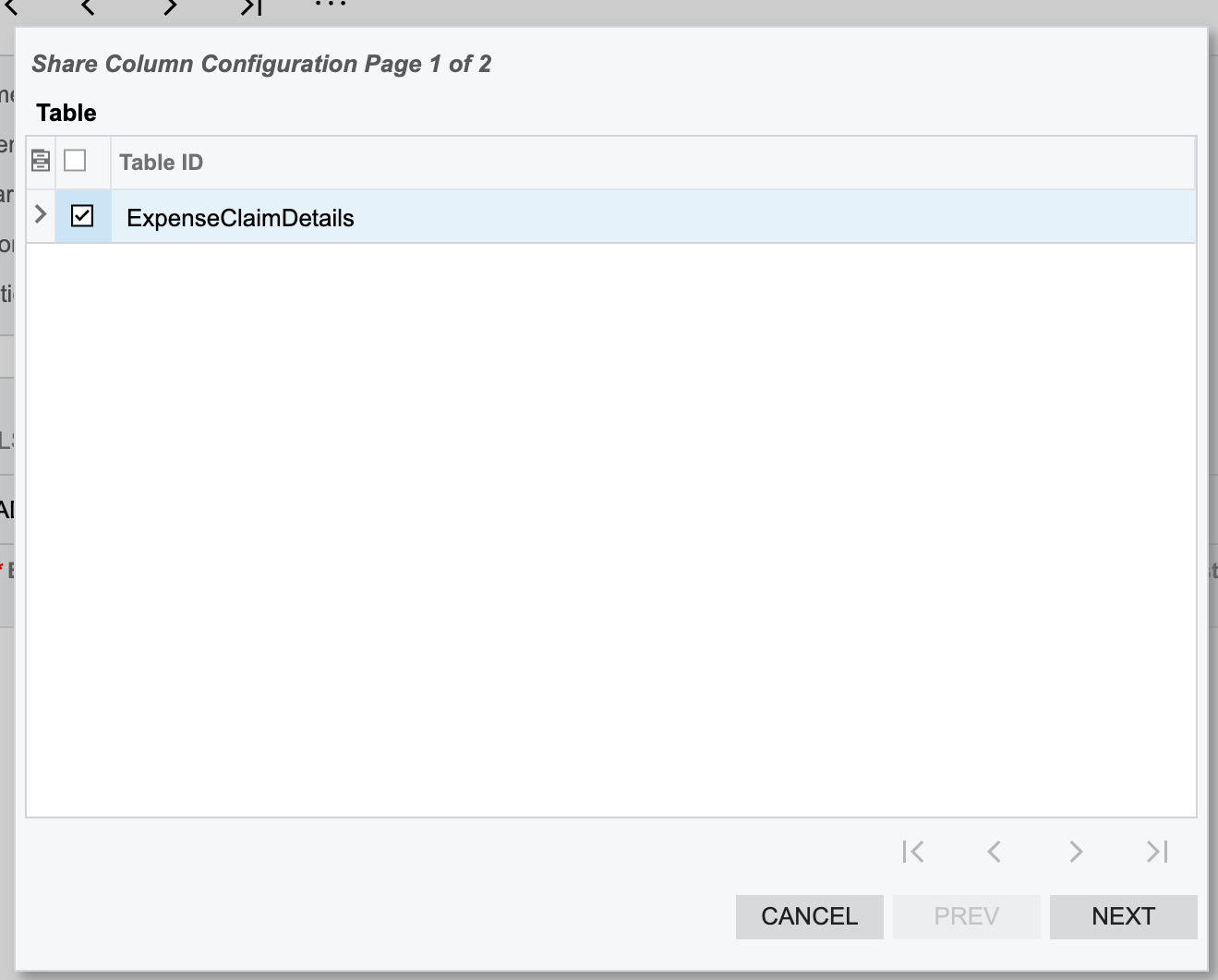
Selecting the table under Shared Column Configuration:
And at last selecting the users for whom the columns shouldn’t be displayed:
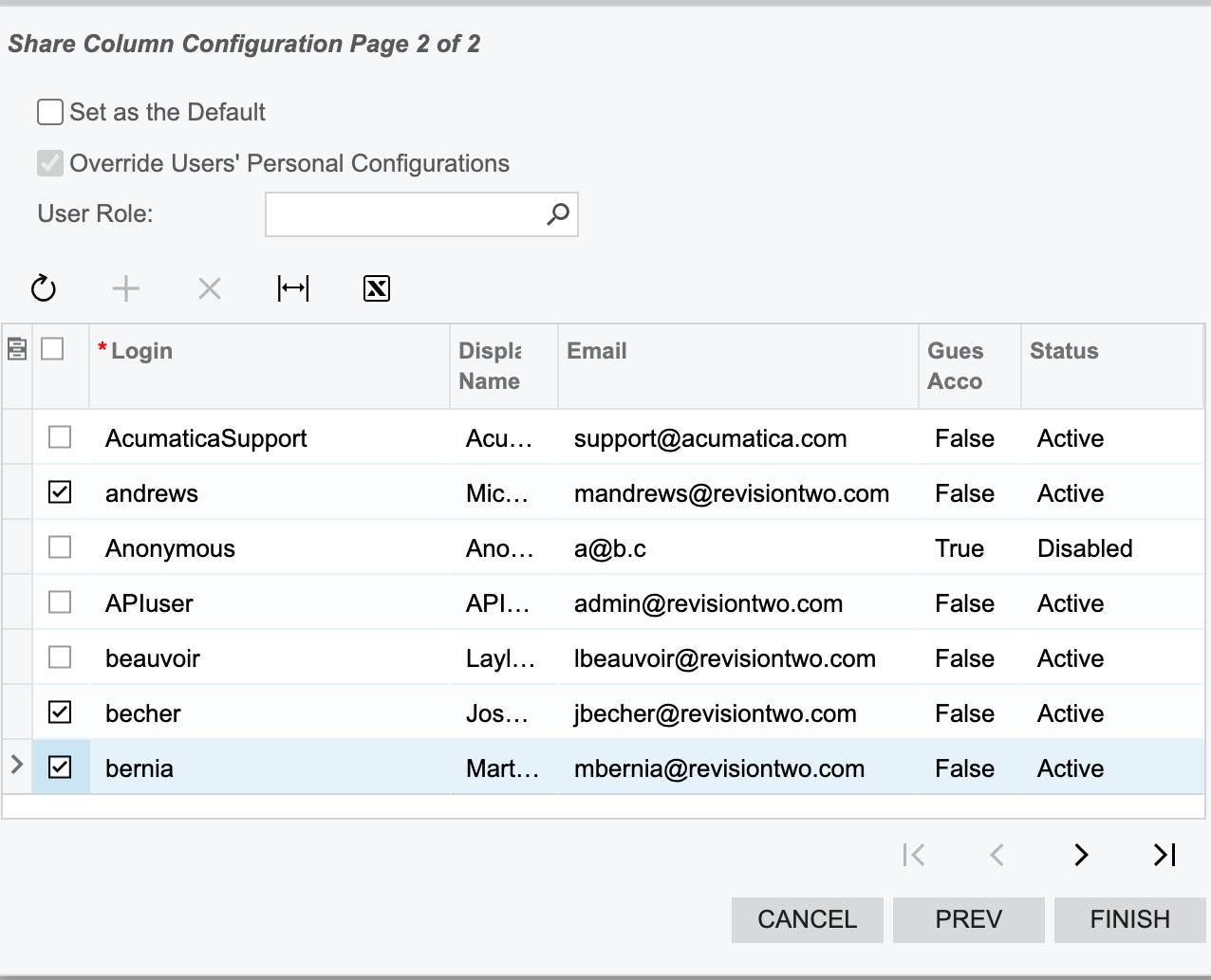
And clicking on Finish.

The columns are getting invisible but after logging into the bernia’s account, I am able to change my columns:
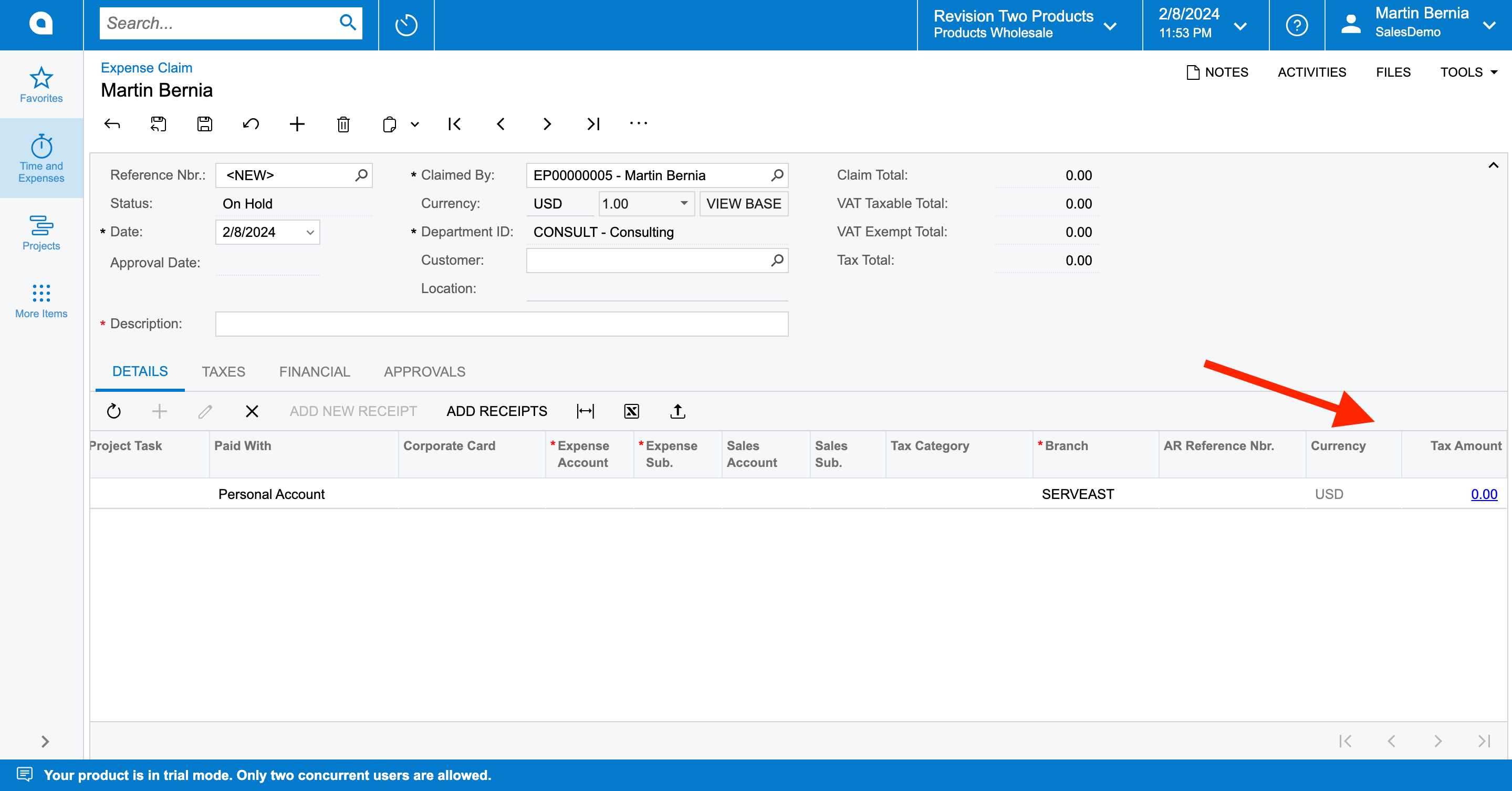
How can I restrict the user to not be able to add it again.

Thanks in advance.

Best answer by dcomerford

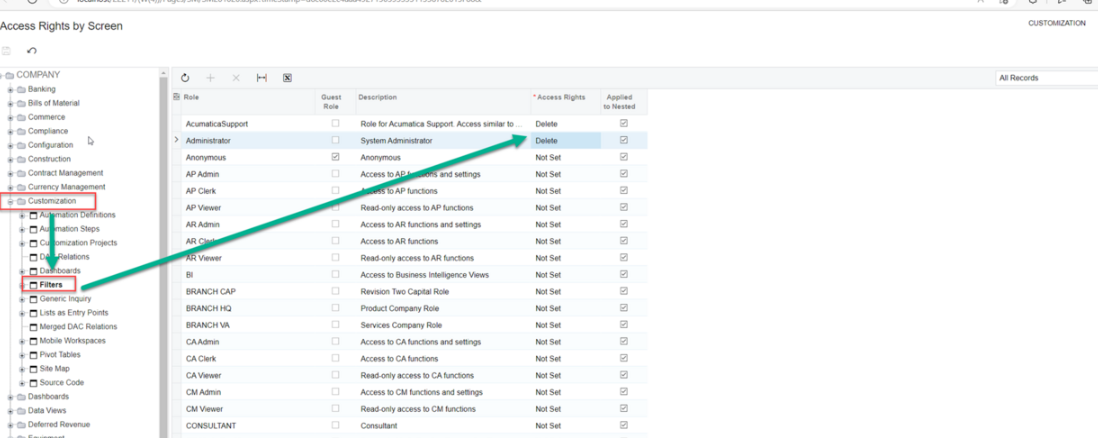
You need to change the access rights on the filter screen under Hidden to ensure that only users whose role you want to allow creating/editing Shared filters are set to delete and all others are set to Not Set

big-image.png

On the filter screen they wont be able to select the Shared and if they select a Shared filter they wont be able to save or remove it. They can still add their own filters.

4 replies

dcomerford
Captain II
Forum|alt.badge.img+15
  • Captain II
  • Answer
  • February 9, 2024

You need to change the access rights on the filter screen under Hidden to ensure that only users whose role you want to allow creating/editing Shared filters are set to delete and all others are set to Not Set

big-image.png

On the filter screen they wont be able to select the Shared and if they select a Shared filter they wont be able to save or remove it. They can still add their own filters.


Forum|alt.badge.img
  • Author
  • Semi-Pro II
  • February 9, 2024

Hey @dcomerford ,

can you please reshare the image? It seems broken to me.


dcomerford
Captain II
Forum|alt.badge.img+15
  • Captain II
  • February 9, 2024


Forum|alt.badge.img+1
  • Jr Varsity III
  • April 24, 2025

I don't know why this discussion was marked as Solved, because it actually wasn't. So, I can't find a way to block users from editing the layout, more specifically restrict access to the Columns Configuration screen, add the desired columns and then save the new layout by clicking the OK button.

Any other ideas to solve this? Or this simply cannot be done?!