Question

How to set up Open Exchange Rate API?

  • May 4, 2026
  • 3 replies
  • 20 views

Forum|alt.badge.img

I am at a loss.  I have read just about everything I can and have no clue what I am doing wrong.  

I have an APP ID for open exchange rate. What do I do with it though?

I have followed steps for setting up multi currency but there is still something missing.

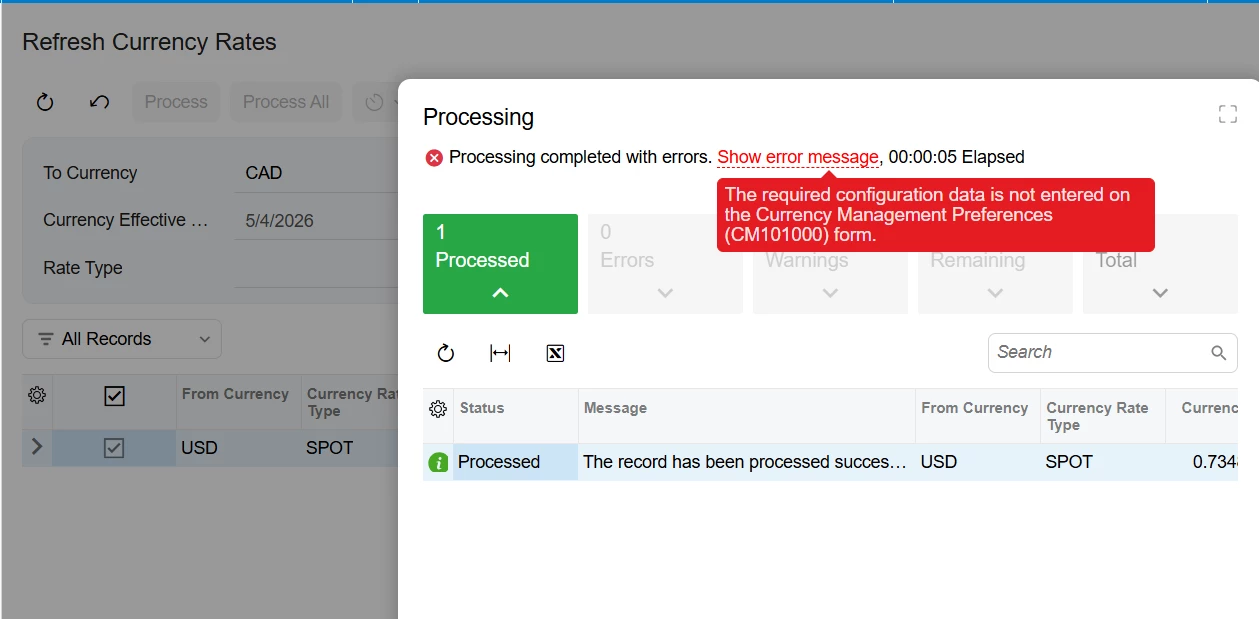
What required data is missing? 
 

3 replies

meganfriesen37
Captain II
Forum|alt.badge.img+13

Hi,

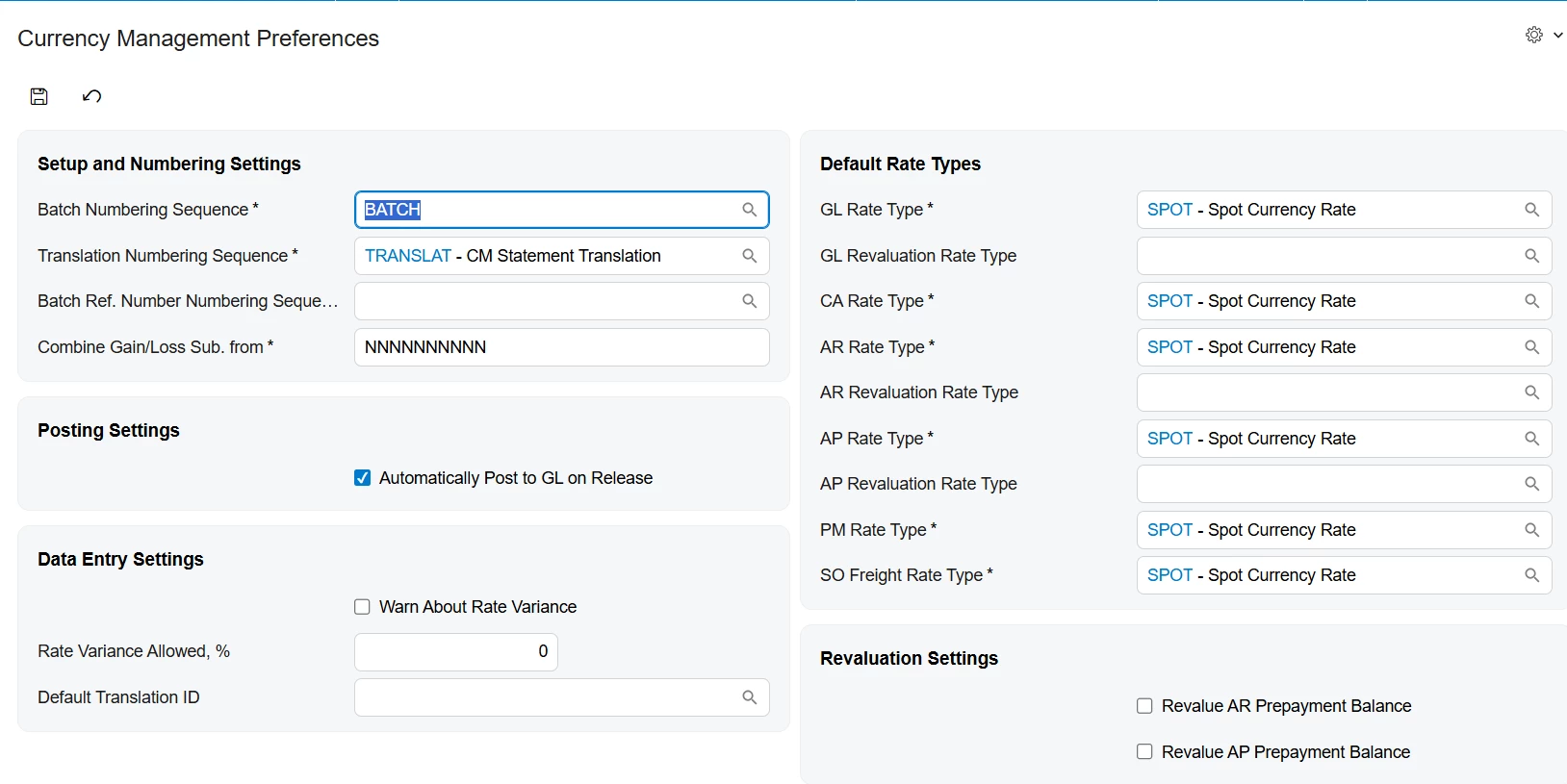
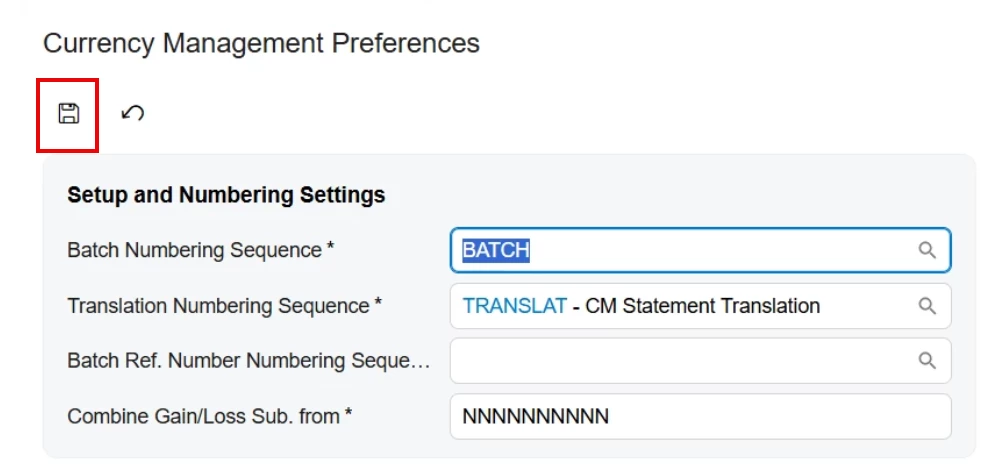
Make sure you save your settings on the currency management preferences.  If it’s a brand new system, there are options pre-populated, but you need to press save (I can see that the “Save” button is black and not greyed out, so try that first)

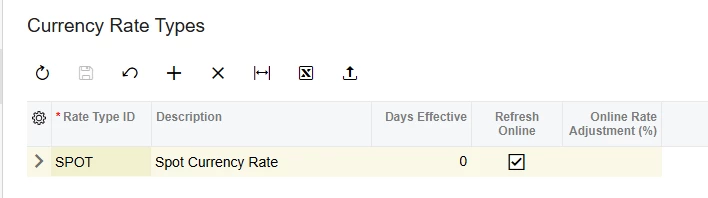
On the Currency Rate Types screen, make sure you’ve got the “refresh online” option selected for the applicable rate types.

Hope this helps.

Megan


MissyMain41
Jr Varsity I
Forum|alt.badge.img
  • Jr Varsity I
  • May 5, 2026

Hi,

Make sure you save your settings on the currency management preferences.  If it’s a brand new system, there are options pre-populated, but you need to press save (I can see that the “Save” button is black and not greyed out, so try that first)

On the Currency Rate Types screen, make sure you’ve got the “refresh online” option selected for the applicable rate types.

Hope this helps.

Megan

This is definitely it, the save button is lit up on Currency Management Preferences. 

Anytime you navigate to a preferences screen and the save button it lit up without making any modifications, usually that entails save needs to be clicked on that preferences screen, almost like an “enable” of that feature through those preferences screens.

This happens in several preferences screen in Acumatica :) Definitely follow what Megan mentions and you should be good to go! 


Forum|alt.badge.img
  • Author
  • Varsity I
  • May 5, 2026

That allowed me to run the process.  I am wondering why everything I have read told me to get an API key when I don’t have to put it anywhere.  I just had to click refresh online.