Solved

How to Restrict User Access to company

  • Nov 24, 2024 11:34 PM UTC
  • 6 replies
  • 376 views
  • Translate All

Forum|alt.badge.img

Hi All,


I have got in total 6 companies and currently any user that log ins has access to all 6 of them. 


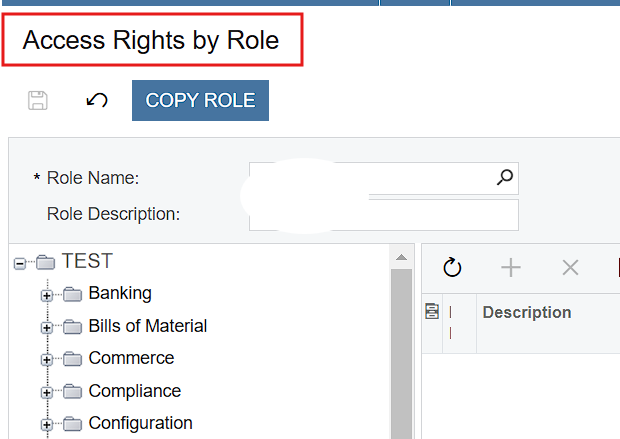
I want users to only have visibility of the company they belong to and restrict access to any other company. I know I will need to create a role, but not sure what settings to change about the role under Access Rights by Role.


Thanks in Advance. 
Best answer by Laura03

Hello,

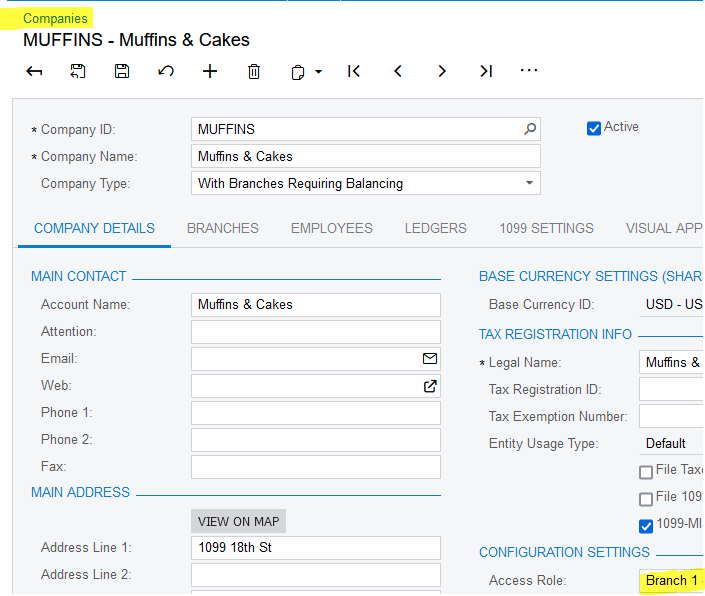
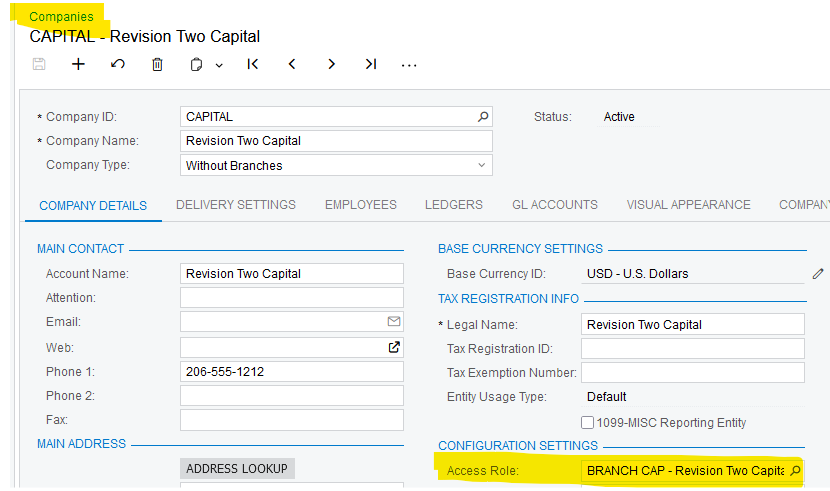
After creating the Company Role, we connect it to one company or Branch in the Company or Branch screen. The Company Role has only the link to Company shown here.

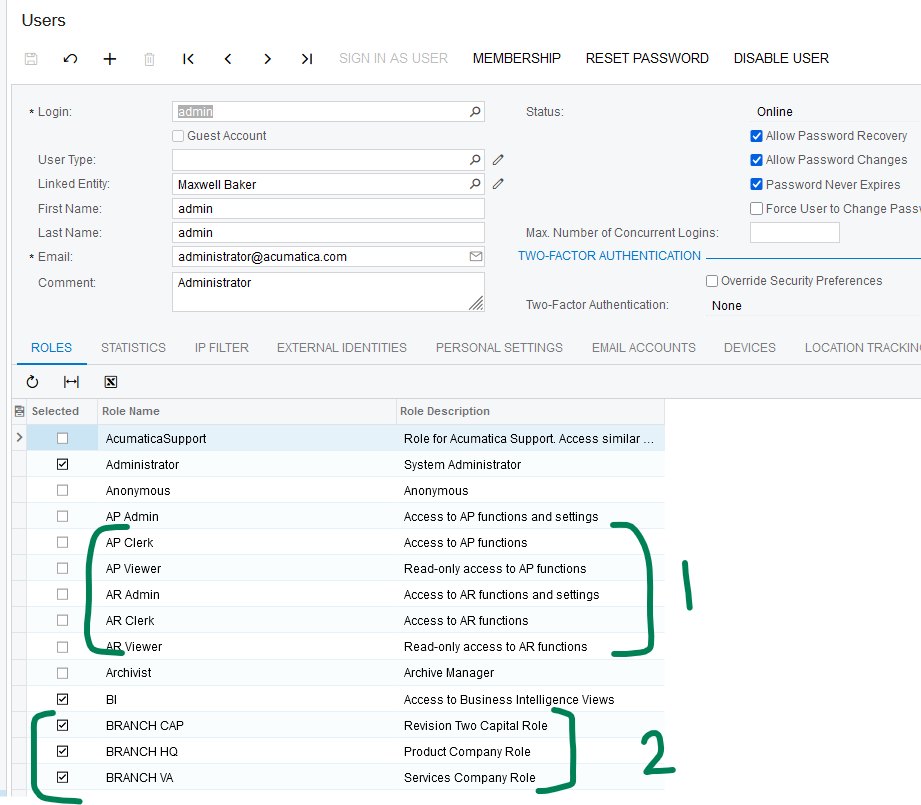
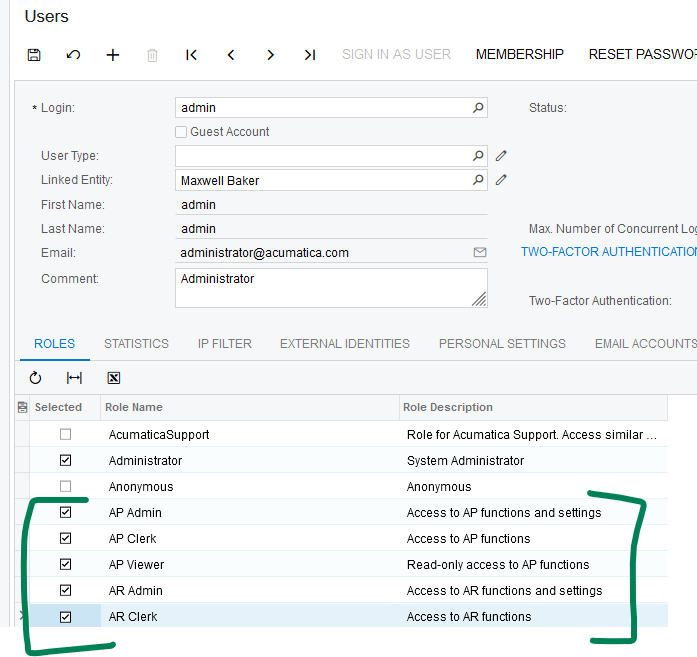
 Users will have BOTH a company/branch role and functional roles like AP and AR as shown here: 


View original

6 replies

Laura03
Captain II
Forum|alt.badge.img+20
  • Captain II
  • Nov 25, 2024 1:07 AM UTC

Hello, 

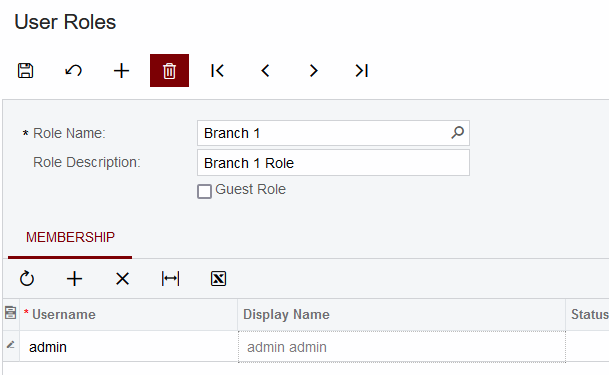
Set up the Branch/Company Role in Roles screen and connect the Users who may use the Branch in the Role  screen.

Next, connect the Branch to the Company or Branch in the  Company or Branch screen .

Company and Branch roles do not need any specific screens added to them. 
 

Users need to be in Branch roles to see the transactions for each branch. Users need to be in functional roles that grant the users right to modules and screens (like accounts payable, accounts receivable, warehouse, purchasing, etc.)


Laura

Translate

Manikanta Dhulipudi
Captain II
Forum|alt.badge.img+16

​@ajeeva 

Please review the screenshots for steps provided by ​@Laura02 in the below article

Create a branch role in User Security → Roles, and attach the Branch Role to the appropriate branch in Configuration → Branches screen (or Companies -- similar Role setting is available in both).  Then add the new role the users who are allowed in that particular branch, in the bottom half of the Users screen. Or, connect users to the role, in the bottom of the Role screen:

Translate

Forum|alt.badge.img
  • Author
  • Nov 25, 2024 10:46 PM UTC

Hi ​@Manikanta Dhulipudi thanks for the screenshot and it’s quite clear I will need to setup a new role. 


However, is there any configuration I need to do tweak on “Access Rights by Role” Screen to make sure user is able to access modules for each branch that I give him/her access to?


Thanks for your help. 

Translate

Laura03
Captain II
Forum|alt.badge.img+20
  • Captain II
  • Nov 25, 2024 10:54 PM UTC

Hello,

Branch Roles do not need any Access Rights in Access Rights by Role screen.

After Branch roles are connected to each companies and/or Branches, each user needs

1) at least one Branch Role and

  1. Each User needs one or more functional roles like these shown, to give access to screens needed for their jobs:

Laura

Translate

Forum|alt.badge.img
  • Author
  • Nov 25, 2024 10:56 PM UTC

Thanks ​@Laura02. I meant Company...how the system knows the new company specific role I have created is for that specific company that I require the user to give access to?


Translate

Laura03
Captain II
Forum|alt.badge.img+20
  • Captain II
  • Answer
  • Nov 25, 2024 11:03 PM UTC

Hello,

After creating the Company Role, we connect it to one company or Branch in the Company or Branch screen. The Company Role has only the link to Company shown here.

 Users will have BOTH a company/branch role and functional roles like AP and AR as shown here: 


Translate