

Solved

How to restrict only specific users to create AR Credit Memo

  • July 19, 2026
  • 4 replies
  • 37 views

Forum|alt.badge.img+6

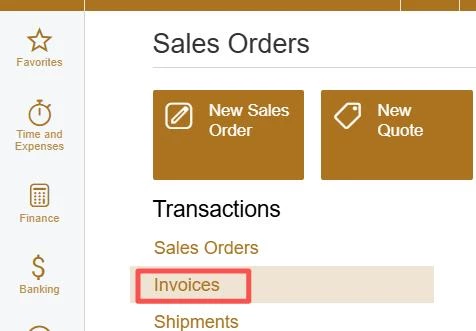
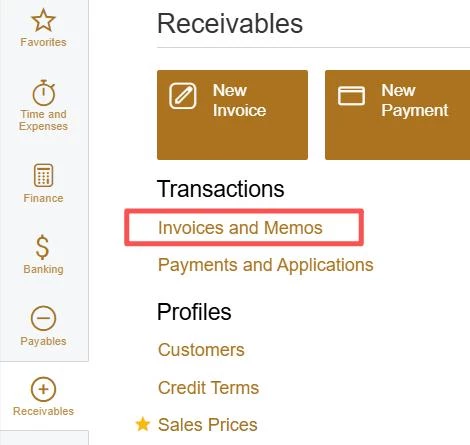
We know that Acumatica supports two entry points to create Credit Memo, I refer to them as SO Credit Memo and AR Credit Memo for short. Is there a way to restrict most users to only create SO Credit Memo from the SO Invoice entry, while only specific people have the permission to directly create AR Credit Memo in "Invoices and Memos"?

The difficulties I encountered:

  1. Although the entry points of these credit memos are different, they seem to be essentially the same entity. SO Credit Memo will be converted into AR Credit Memo.
  2. I only want specific people to be able to create AR Credit Memo, but I also want other users to have permission to create AR Invoice. They are on the same screen and are different types of the same document, so I cannot directly restrict the "+" button on the "Invoices and Memos" screen.


Best answer by nhatnghetinh

Hi ​@ray20 

Acumatica Standard does not support granting permissions for creating documents by Document Type on the same screen (for example, only allowing AR Invoice but not AR Credit Memo).

I have an idea that does not require any customization.

Create the Access Rights that restricts users from creating AR Credit Memos directly from the Invoices and Memos screen by making the Type field read-only (view only, not editable).

Since a new document defaults to Type = Invoice, users will not be able to change the document type to Credit Memo, so they can only create AR Invoices from this screen.

At the same time, they can still open and edit existing AR Credit Memos (if their role permits editing), because the Type field only needs to be displayed, not changed.

Users who need to create Credit Memos should instead use the standard SO Invoice → Create Credit Memo process, while only authorized users are granted permission to change the Type field and create AR Credit Memos directly from the Invoices and Memos screen.


Best Regards,

NNT

4 replies

mohammadnawaz51
Varsity I
Forum|alt.badge.img+7

@ray20 

Hi,

If you restrict the user's access rights to the SO Invoice screen, the user should no longer be able to navigate to or access the SO Invoice screen.

Could you please verify this by configuring the appropriate access rights and let us know the results? If possible, please share screenshots of the access rights configuration and the outcome after testing.

Thank you.


nhatnghetinh
Captain II
Forum|alt.badge.img+13
  • Captain II
  • Answer
  • July 20, 2026

Hi ​@ray20 

Acumatica Standard does not support granting permissions for creating documents by Document Type on the same screen (for example, only allowing AR Invoice but not AR Credit Memo).

I have an idea that does not require any customization.

Create the Access Rights that restricts users from creating AR Credit Memos directly from the Invoices and Memos screen by making the Type field read-only (view only, not editable).

Since a new document defaults to Type = Invoice, users will not be able to change the document type to Credit Memo, so they can only create AR Invoices from this screen.

At the same time, they can still open and edit existing AR Credit Memos (if their role permits editing), because the Type field only needs to be displayed, not changed.

Users who need to create Credit Memos should instead use the standard SO Invoice → Create Credit Memo process, while only authorized users are granted permission to change the Type field and create AR Credit Memos directly from the Invoices and Memos screen.


Best Regards,

NNT


Forum|alt.badge.img+6
  • Author
  • Captain II
  • July 20, 2026

@nhatnghetinh This is a really smart approach, thank you for your talent idea.


Forum|alt.badge.img+6
  • Author
  • Captain II
  • July 20, 2026

@mohammadnawaz51 Maybe I did not explain myself clearly, but ​@nhatnghetinh understand my need and already give a genius solution.


