

Answer

How to Print Stock Items Line Wise in Email Template from Shipment Screen

  • December 31, 2024
  • 4 replies
  • 64 views

maheshc73
Freshman II

I am Trying to Send the Email to customer with Line details on the Action of Print Pick List from Shipment Screen with help of Business Event
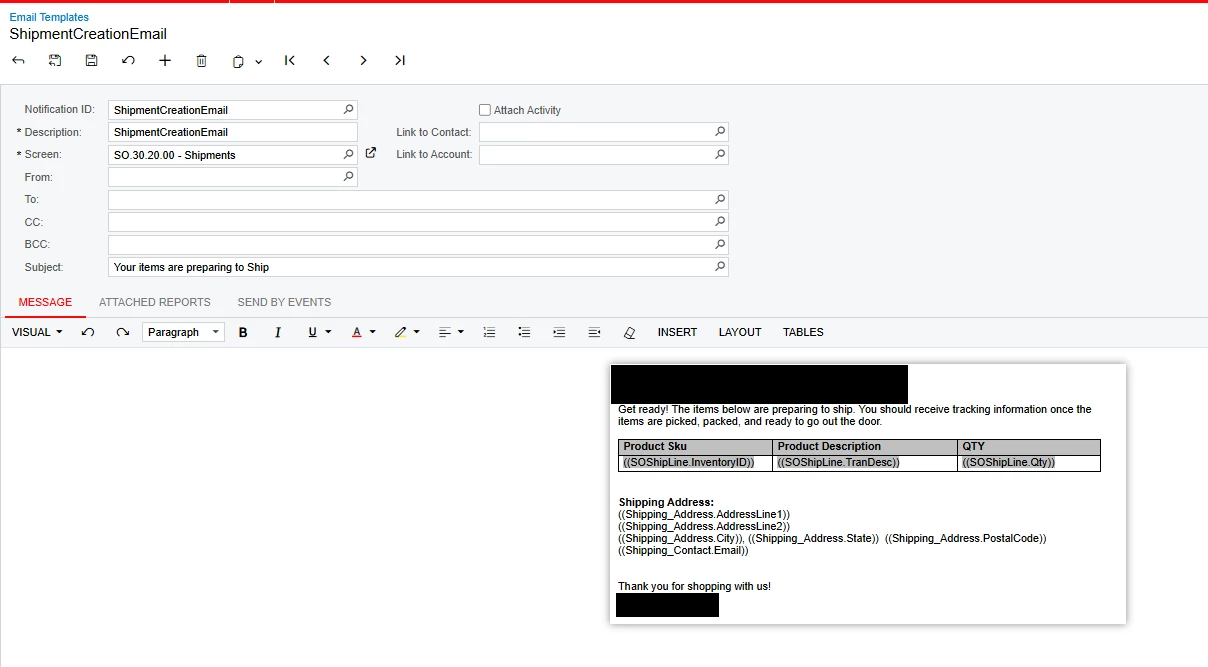
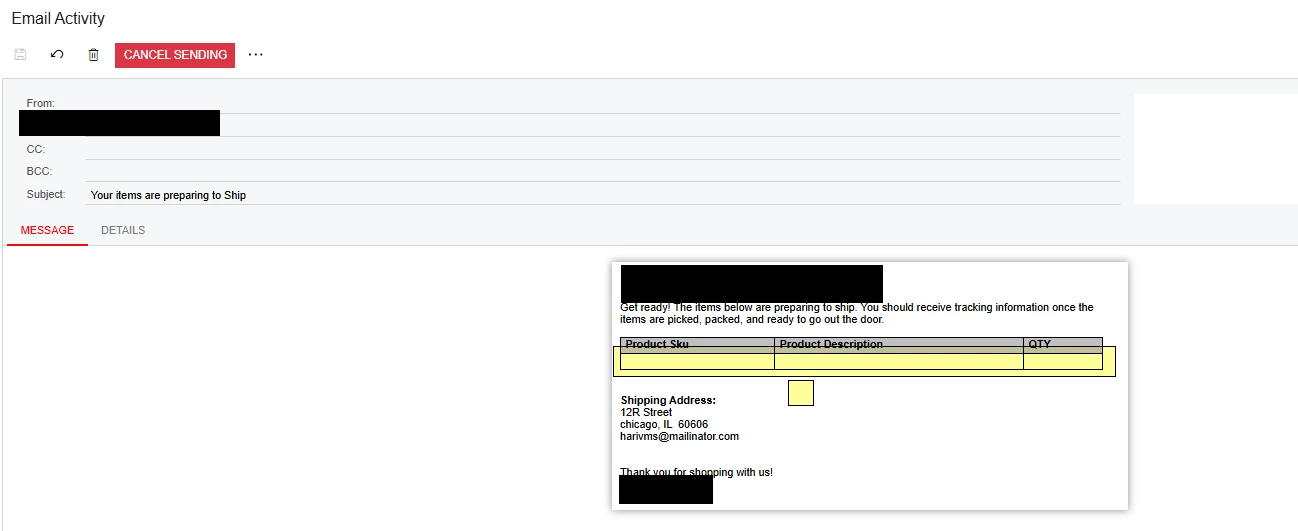
But on Email I am not able to Print the Line details and its showing Empty

 

Best answer by nhatnghetinh

Hi ​@maheshc73 

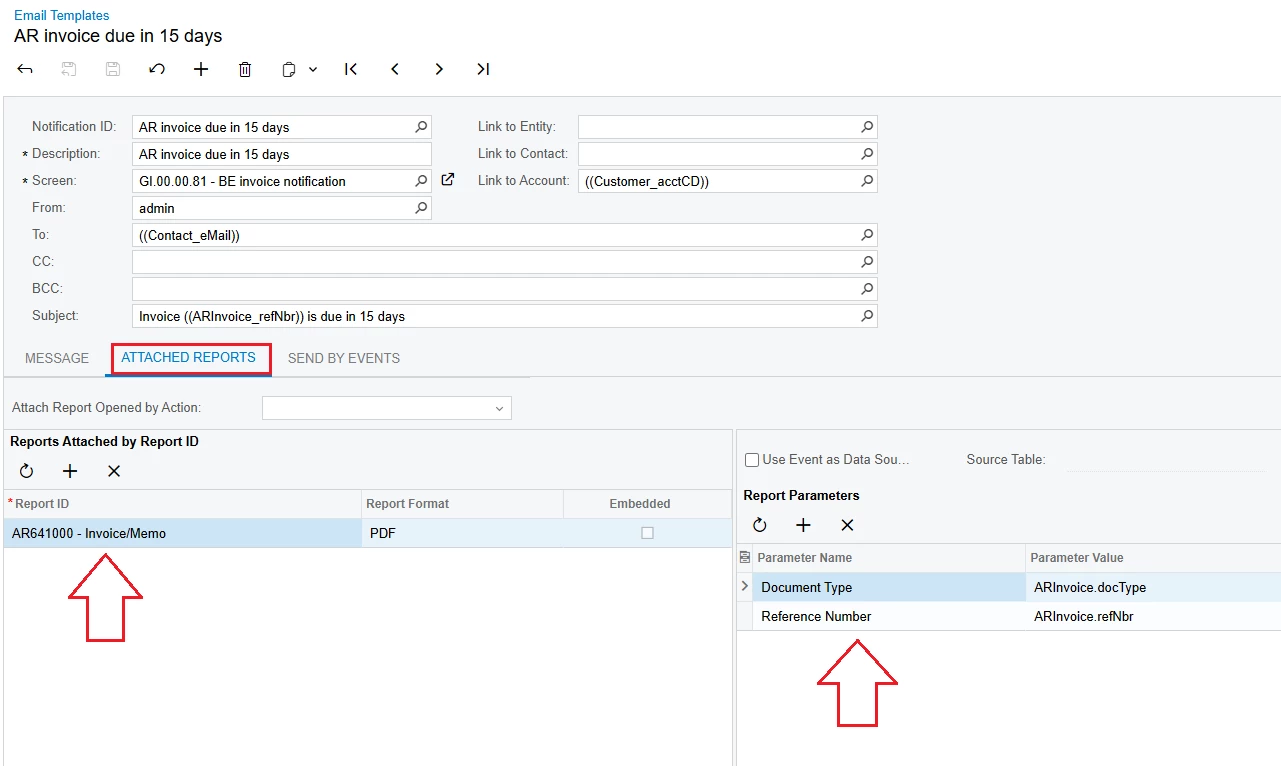
You can attach the report details. Please refer to the screenshot below.
 

Best Regards,

NNT

4 replies

nhatnghetinh
Captain II
Forum|alt.badge.img+11
  • Captain II
  • December 31, 2024

Hi ​@maheshc73 

Maybe the Message area in the Email Template is text format. When retrieving data from multiple lines in the SOShipLine table, it will not be possible to wrap the line so the data will not be displayed.


Best Regards,

NNT


maheshc73
Freshman II
  • Author
  • Freshman II
  • December 31, 2024

@nhatnghetinh 

Is there any other way that we can bring the line items on the Email template from the shipment screen or its the only option to attach the report on Email Template


nhatnghetinh
Captain II
Forum|alt.badge.img+11
  • Captain II
  • Answer
  • December 31, 2024

Hi ​@maheshc73 

You can attach the report details. Please refer to the screenshot below.


Best Regards,

NNT


maheshc73
Freshman II
  • Author
  • Freshman II
  • December 31, 2024

Thanks

