Solved

How to install Acumatica local 26R 1

  • May 26, 2026
  • 11 replies
  • 179 views

Forum|alt.badge.img

Hi,

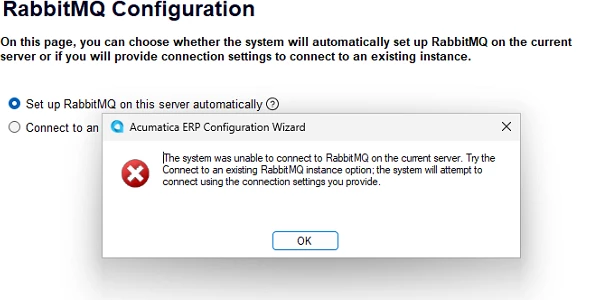
When I tried to install Acumatica 26 R1 local instance, I got below error.

How can I fix this.
 

Best answer by CJayalath49

Hello,

Try following Darin Pauls workaround on this.

Thank you

11 replies

Forum|alt.badge.img+5

Hello ​@michellew86 You can Uninstall old RabbitMQ. after that repeat installation step & it will automatically install RabbitMQ again without error.


Forum|alt.badge.img
  • Author
  • Freshman I
  • May 26, 2026

@Abhishek Niikam  I tried the same and when I try to launch I got an error as Connection to RabbitMQ Failed. I tried restarting IIS, restarting the computer. Yet the same error. Do u have any idea how to fix it


Forum|alt.badge.img+5

@michellew86 I face this issue but when I removed RabbitMQ from system completely & on setup wizard I select “Install RabbitMQ” & that’s work for me.


Dipak Nilkanth
Pro III
Forum|alt.badge.img+14

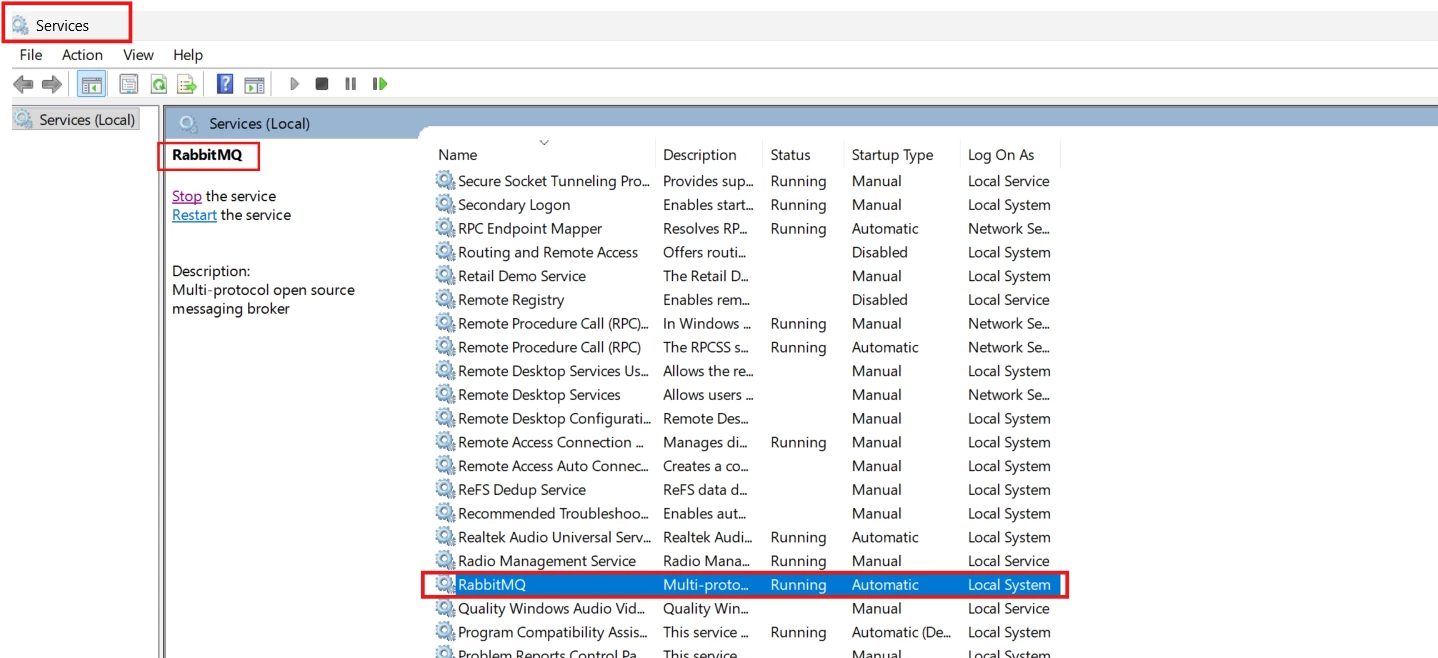
Hi ​@michellew86, Please confirm whether the RabbitMQ services are running under Windows Services. If not running Start the RabbitMQ service.


Forum|alt.badge.img
  • Author
  • Freshman I
  • May 27, 2026

@Dipak Nilkanth , I started it and still getting the error. When I refersh the service again the RabbitMq is not running. Is there any ither changes I can do. This is my remote pc.


Dipak Nilkanth
Pro III
Forum|alt.badge.img+14

@michellew86, Please confirm whether you downloaded compatible versions of Erlang and RabbitMQ, or install latest one. hope it helps!


Forum|alt.badge.img
  • Author
  • Freshman I
  • June 1, 2026

@Dipak Nilkanth , I installed Erlang too. Is there any configuration I have to do to connect erlang with rabbitmq


Forum|alt.badge.img+1
  • Acumatica Employee
  • Answer
  • June 14, 2026

Hello,

Try following Darin Pauls workaround on this.

Thank you


Forum|alt.badge.img

On this post, steps are provided for getting RabbitMQ running.


Dipak Nilkanth
Pro III
Forum|alt.badge.img+14

If the issue is not resolved yet, Could you please try
1) Manually installing RabbitMQ Server 3.13.7 and Erlang 26.2.3.1 (the compatible versions), and then restart IIS.
2) Re-install Acumatica to install rabbit MQ automatically.

After restarting IIS, please check whether the issue still persists and let me know the results. If the problem continues, I'll be happy to help you troubleshoot it further.


Forum|alt.badge.img
  • Author
  • Freshman I
  • June 30, 2026

Hello,

Try following Darin Pauls workaround on this.

Thank you

Thanks! I followed the same and worked successfully