Question

How to assign a user role in the approval maps?

  • October 6, 2026
  • 3 replies
  • 57 views
  • Translate All

Forum|alt.badge.img

hello all,

Is there any option to setup a user role in the approval maps. So if any of the users have been assigned a specific role then they have the right to approve it. Or is it possible only via setting up the workgroups?

3 replies

Forum|alt.badge.img+11
  • Captain II
  • October 6, 2026

​@Harry 


I dont believe you can do this via user role. What you can do instead is hide the action based on user role in the Access Rights by Role screen.


Alternatively, configure a workgroup with the authorised approvers

Translate

Forum|alt.badge.img+3
  • Jr Varsity III
  • October 7, 2026

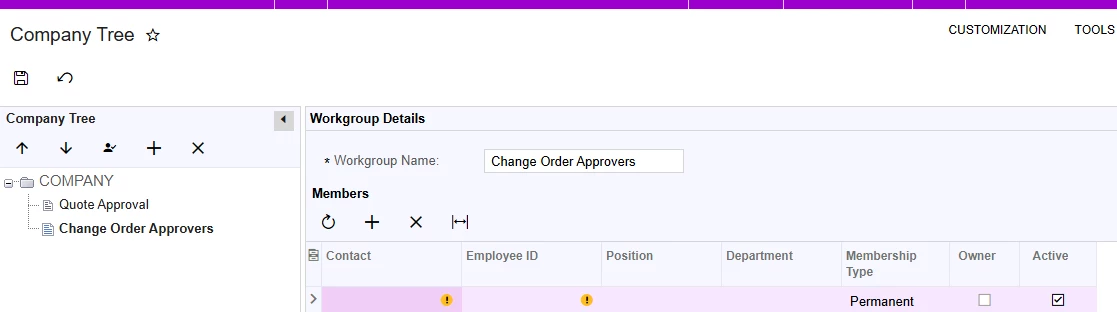
​@Harry  Hi, I’m not sure about the role, but you can do it by employee. In the Company Tree, you can assign the employee and then add them to the Approval Preferences setup of that respective module.


Translate

suejohnson10
Freshman II

Hi ​@Harry 

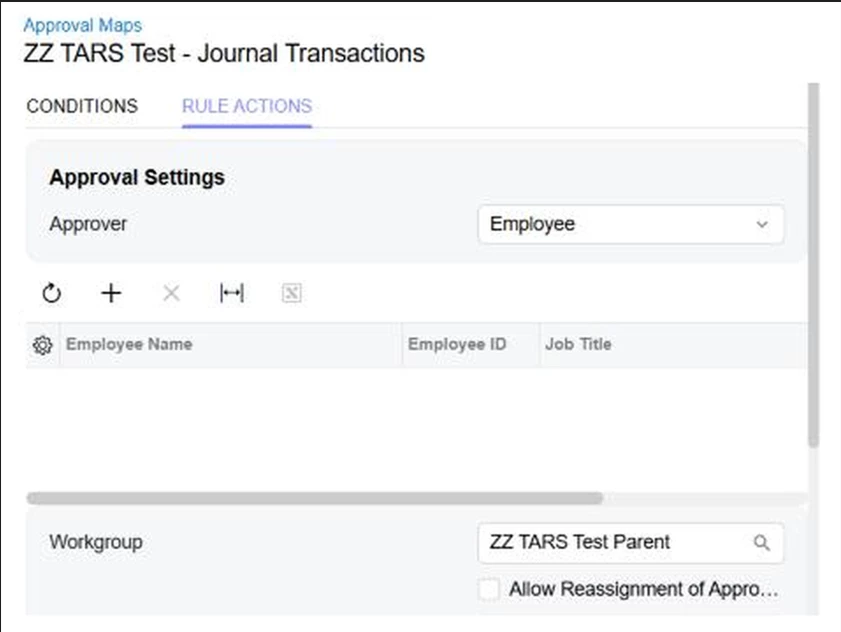
No, a role is not an option on an approval map. On Approval Maps (EP205015), the Approver box on the Rule Actions tab offers only three sources: Employee, Employee from Document and Employees by Filter. A rule can also name a Workgroup. 

The practical way to get “anyone holding this role can approve” is a workgroup:

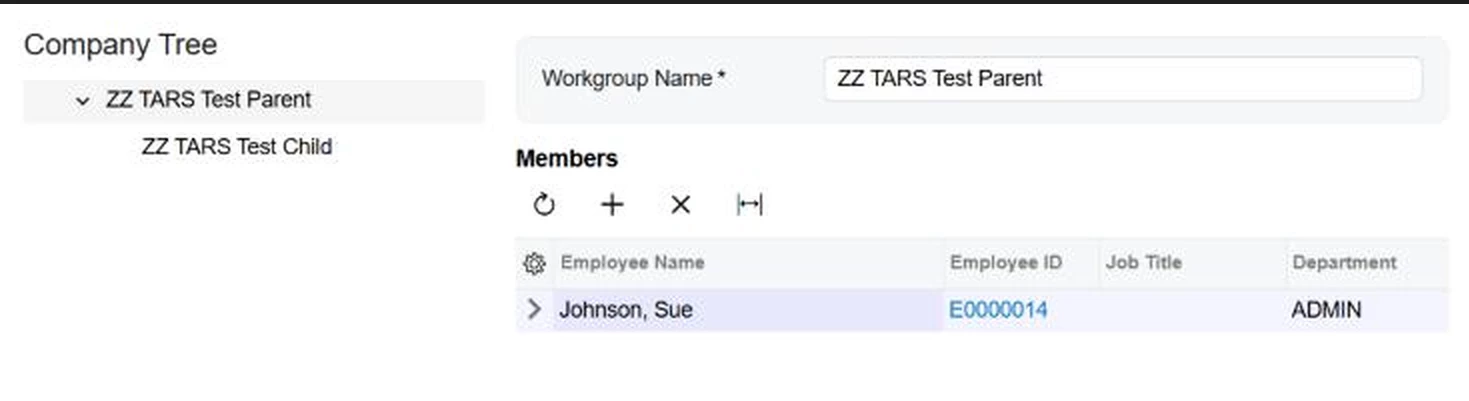
  1. On Company Tree (EP204061), create a workgroup and add the people who hold that role as members. Members are employees, so each person needs an employee record. 
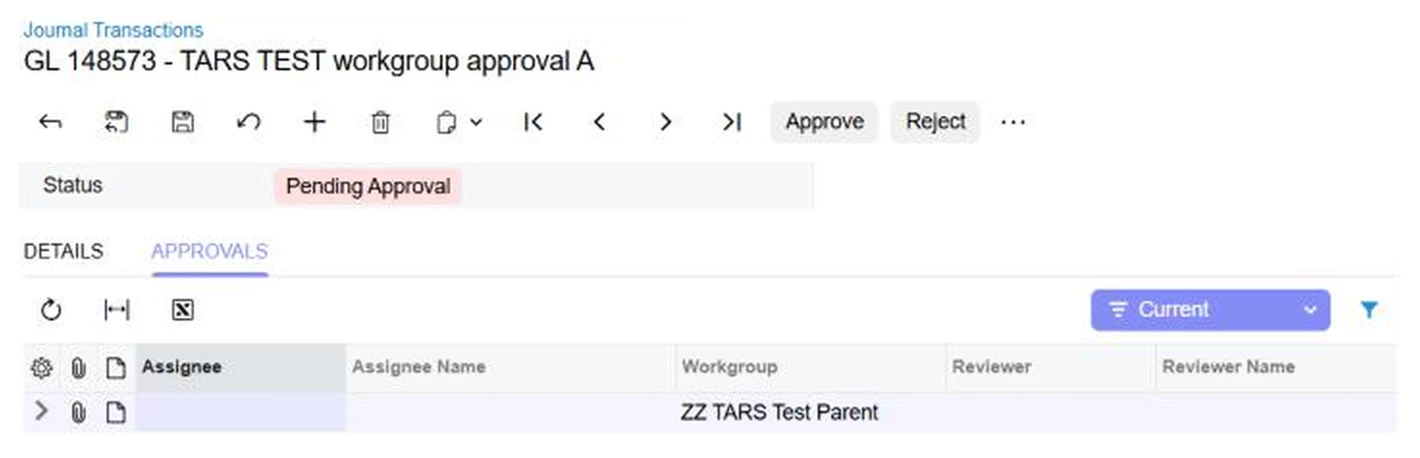
  1. On Approval Maps (EP205015), open the rule and go to the Rule Actions tab. Leave the Approver as Employee, select the workgroup in the Workgroup box, and leave the employee table empty.


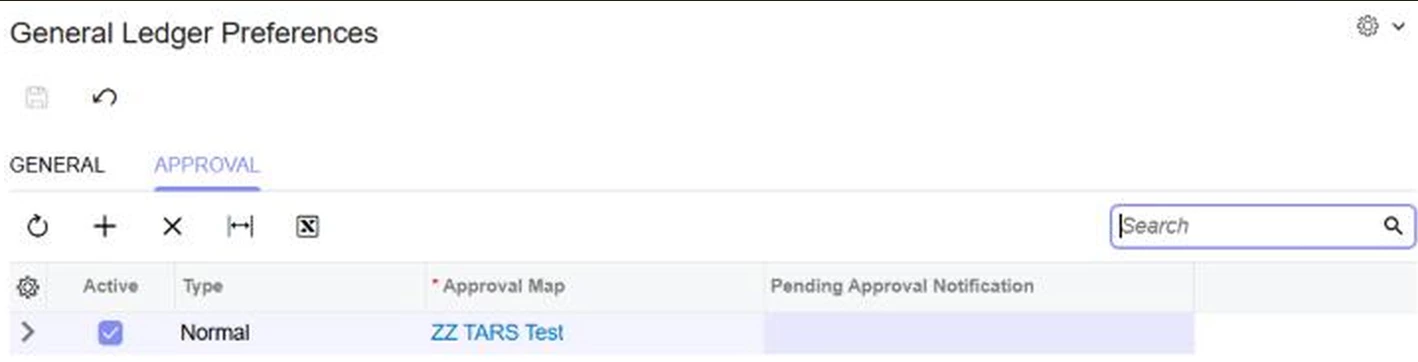
  1. Make sure the map is switched on for the document type. For journal transactions, that means adding it on the Approval tab of General Ledger Preferences (GL102000). 


  1. Any member of the workgroup, or of a workgroup above it in the company hierarchy, can then approve the record. On a journal transaction, someone who is in neither that workgroup nor a workgroup above it gets “You are not an authorized approver for this document”.


The catch is that workgroup membership is not linked to roles, so you have to update the workgroup when someone gains or loses the role. 

Employees by Filter works differently. If the filter returns more than one employee, the system creates an approval for each of them and requires all of them. One person approving does not complete it. So it does not give you “any one of them can approve”.

I tested this in a 2026 R1 sandbox, on Journal Transactions (GL301000): the workgroup assignment, approval by a member and by a member of the workgroup above it, the block for someone outside a multi-member workgroup and the ones above it, and a filter returning two employees creating two approvals.

Hope that helps, thanks!  Sue


Translate