



Using 26R1, I’d like to hide (Revoke) the Vendor tab on the Stock Items screen (IN202500). Can this be done via role security? If yes, ideas on the node that would control this tab? I’ve tried the Stock Items and the Vendor Inventory nodes to no avail.
Solved
Hide a tab on the stock items screen for a specific role
Best answer by Steve Milner
@brucewarrell96 Yes. Stock Items has two vendor nodes, Vendor and Inventory Item Vendor Details. The second one controls the Vendors tab.
In Access Rights by Screen (SM201020), expand Inventory > Stock Items and select Inventory Item Vendor Details. Set Access Rights to Revoked for your role and save.
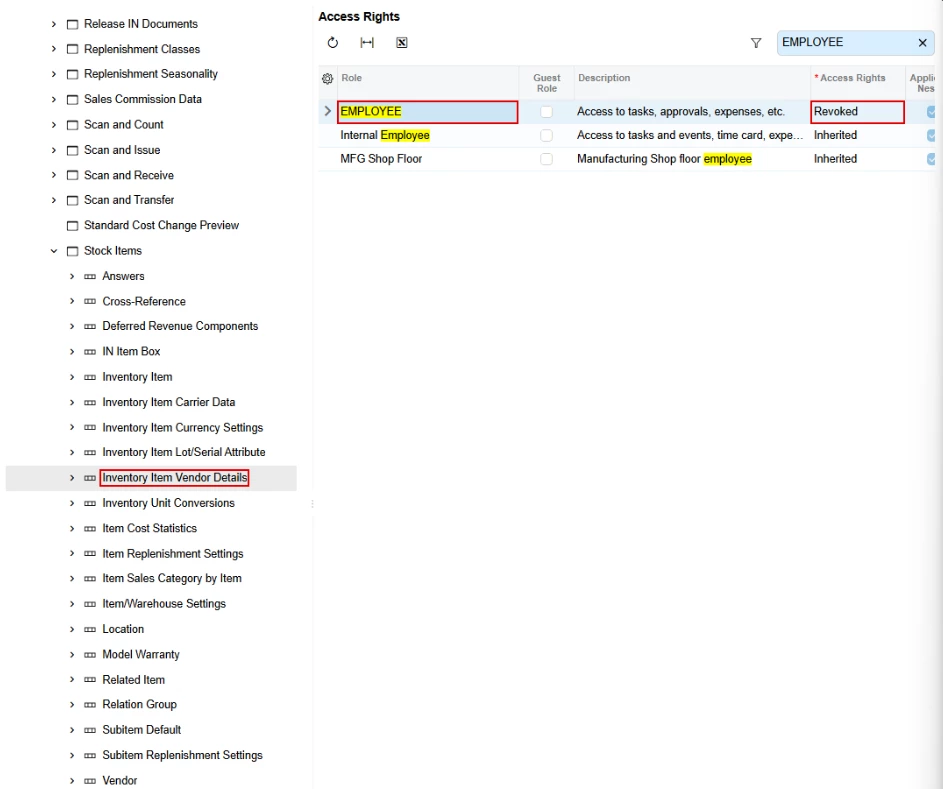
The next time a user with that role opens a stock item, the Vendors tab is gone. Set the node back to Inherited and it comes back.
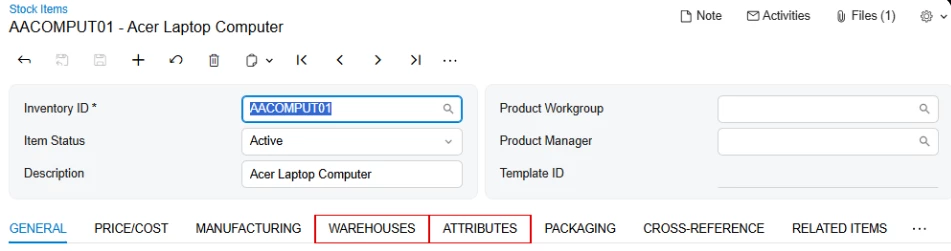
If that's the node you revoked and the tab still showed, check the user's other roles. Roles left at Inherited on that node won't bring it back, but a role with View Only or higher set on it will, since the most permissive explicit setting wins. Access Rights by User shows each role's level: pick the user, find the node, and click View Roles.
Daryl pointed to the same node for vendor insert rights here:
https://community.acumatica.com/configuration-and-installation-114/access-rights-to-add-vendor-to-stock-item-28572







Login to the community
No account yet? Create an account
Social Login
Login with your Acumatica accountEnter your E-mail address. We'll send you an e-mail with instructions to reset your password.