

Solved

Gmail set up with Authentication Method OAuth2 error

  • Jul 26, 2024 7:02 PM UTC
  • 8 replies
  • 356 views
  • Translate All

Forum|alt.badge.img

Hi there,


We wonder if anyone successfully set up gmail with OAuth2 method?  We have created the gmail

s credential, got the Client ID and the Client Secret.
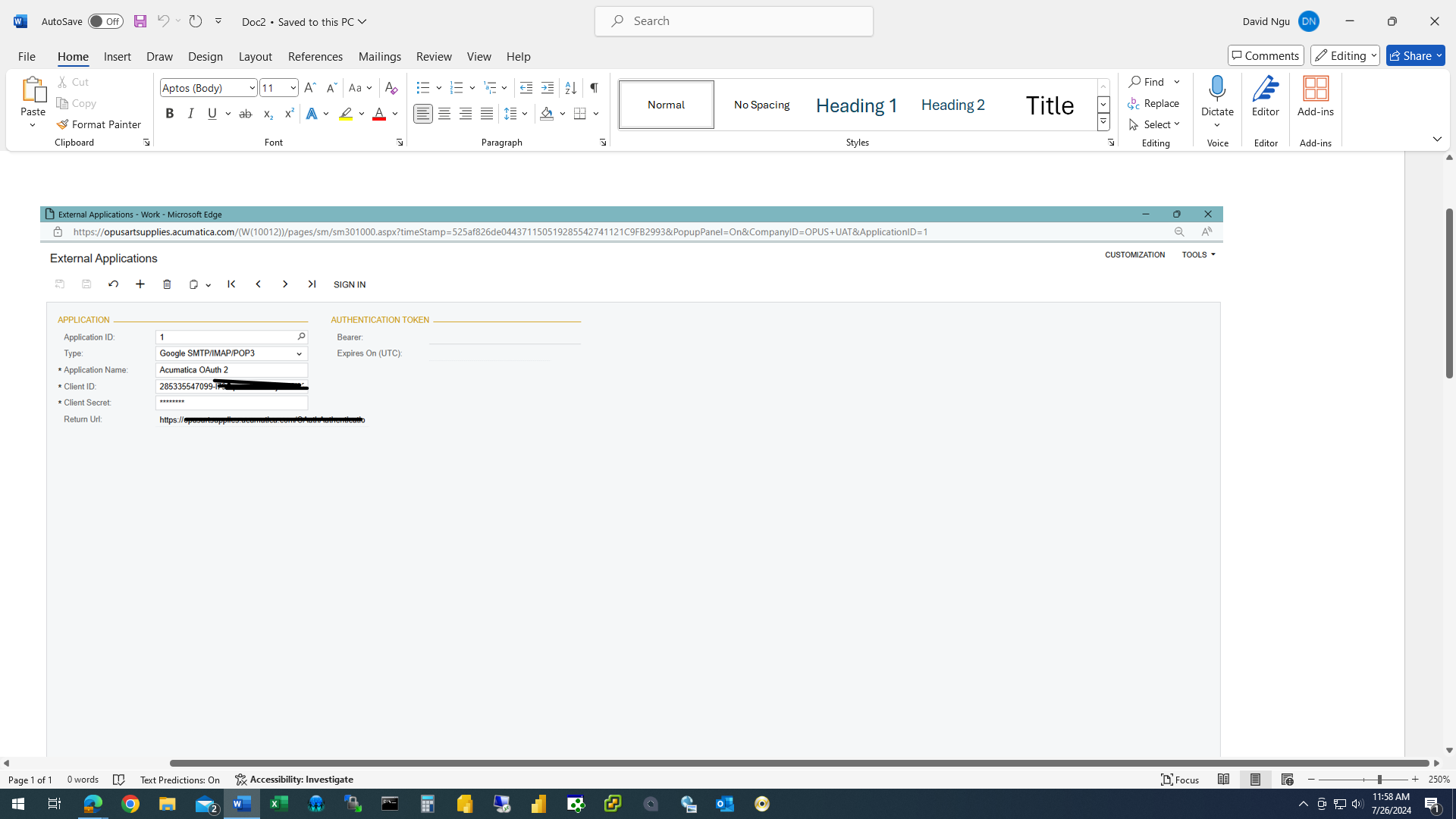
 

However, we get this error when sign in:
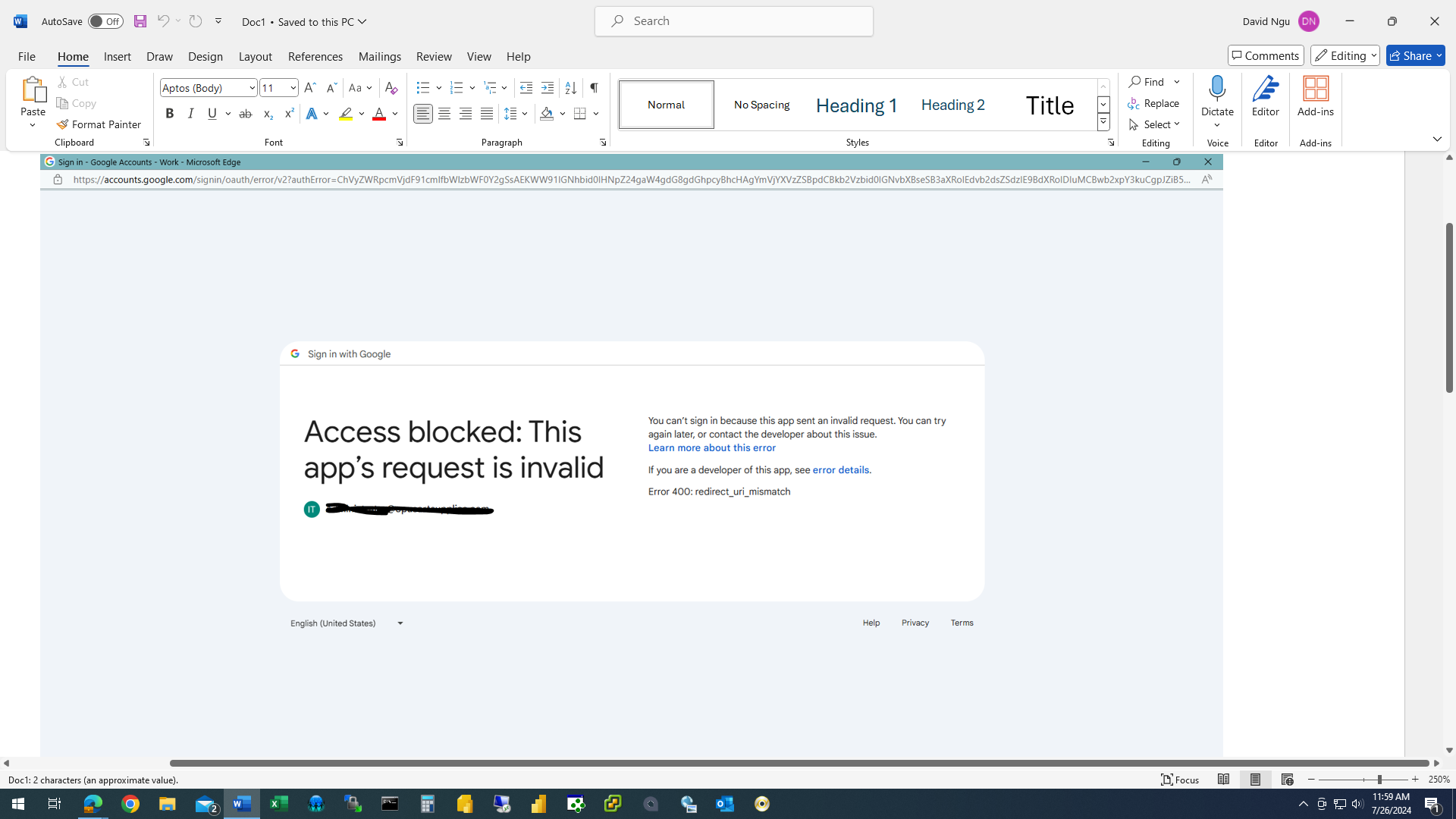
 

Not sure, what step(s) we have missed?  Any advice would be greatly appreciated.  Thanks….

Best answer by Manikanta Dhulipudi

HI @dngu


attached the word document

View original

8 replies

Manikanta Dhulipudi
Captain II
Forum|alt.badge.img+16

Forum|alt.badge.img
  • Author
  • Jr Varsity II
  • Jul 26, 2024 7:08 PM UTC

Hi @Manikanta Dhulipudi  Unfortunately, I don’t have access to the article as I believe it’s only available for Acumatica’s partners.

Translate

Manikanta Dhulipudi
Captain II
Forum|alt.badge.img+16

HI @dngu


attached the word document

Translate

Forum|alt.badge.img
  • Author
  • Jr Varsity II
  • Jul 26, 2024 7:26 PM UTC

Hi @Manikanta Dhulipudi 

Thank you very much for the document, it is very helpful!

Translate

Forum|alt.badge.img+2

Hello @dngu 

Translate

Forum|alt.badge.img
  • Author
  • Jr Varsity II
  • Jul 26, 2024 7:42 PM UTC

Hi @pallikasharma11 

We set up and currently using Basic Authentication method (ie. Less Secure Apps is ON in Gmail).  But this less secure apps option will be gone by September 30th from Gmail.  Thus, we needed to switch over to the OAuth2 method.  Thanks...

Translate

  • Freshman I
  • Sep 9, 2024 1:30 PM UTC

HI @dngu were you able to get this working? We have gone through several attempts based on the instructions in the word document with no success. 

Translate

Forum|alt.badge.img
  • Author
  • Jr Varsity II
  • Sep 9, 2024 3:18 PM UTC

Hi @walker  Nope, we still have no luck with the Oauth2.0 settings yet.  We will keep trying and update this topic once we got it to work.  Thanks...  

Translate

