Answer

Error with "Payments and Applications" screen (AR3020PL) when using Google Chrome

  • January 16, 2024
  • 8 replies
  • 351 views

nhatnghetinh
Captain II
Forum|alt.badge.img+11

Dear ALL,

We encountered an error with the Payments and Applications screen (AR3020PL) and some Generic Inquiry screens when using the Google Chrome. This error only appears on some computers, not all computers.
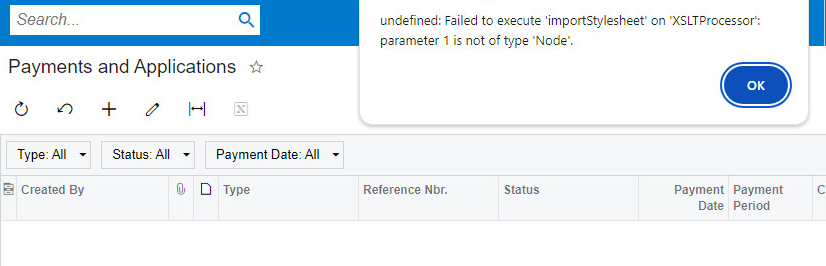
 

When switching to Microsoft Edge browser, there is no error.

Please advise how to fix the error.


Note: Acumatica Version 2020 R1


Best Regards,

NNT
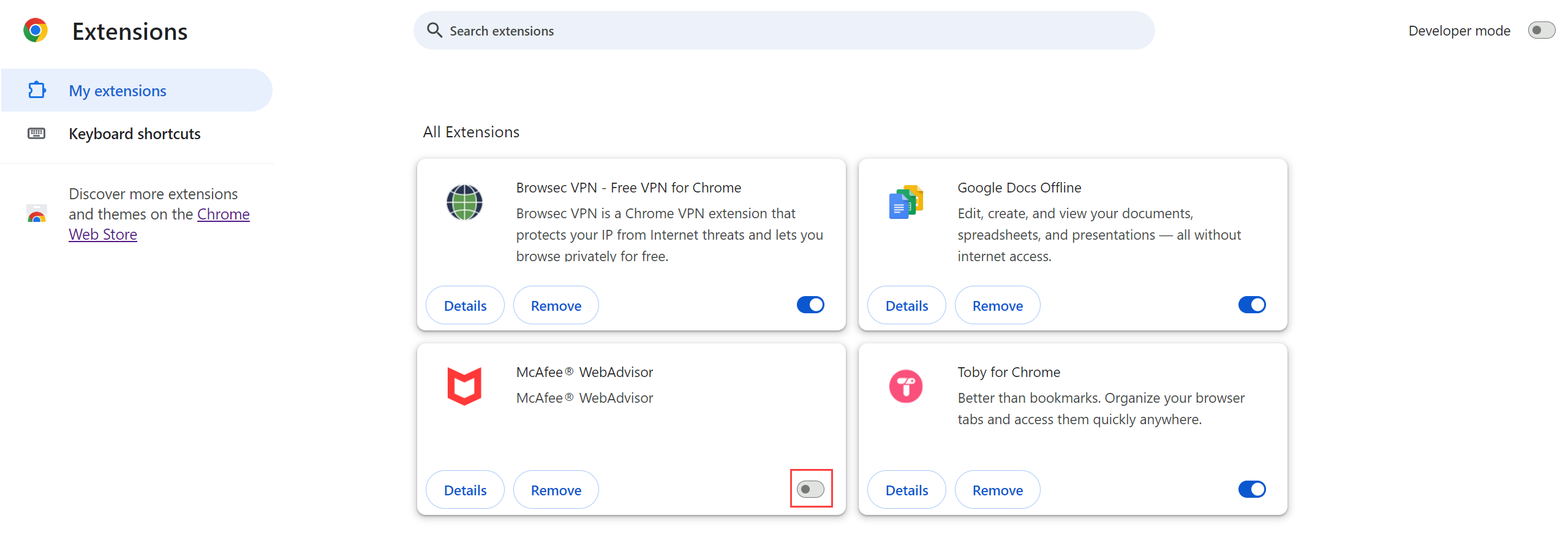
Best answer by bryanb39

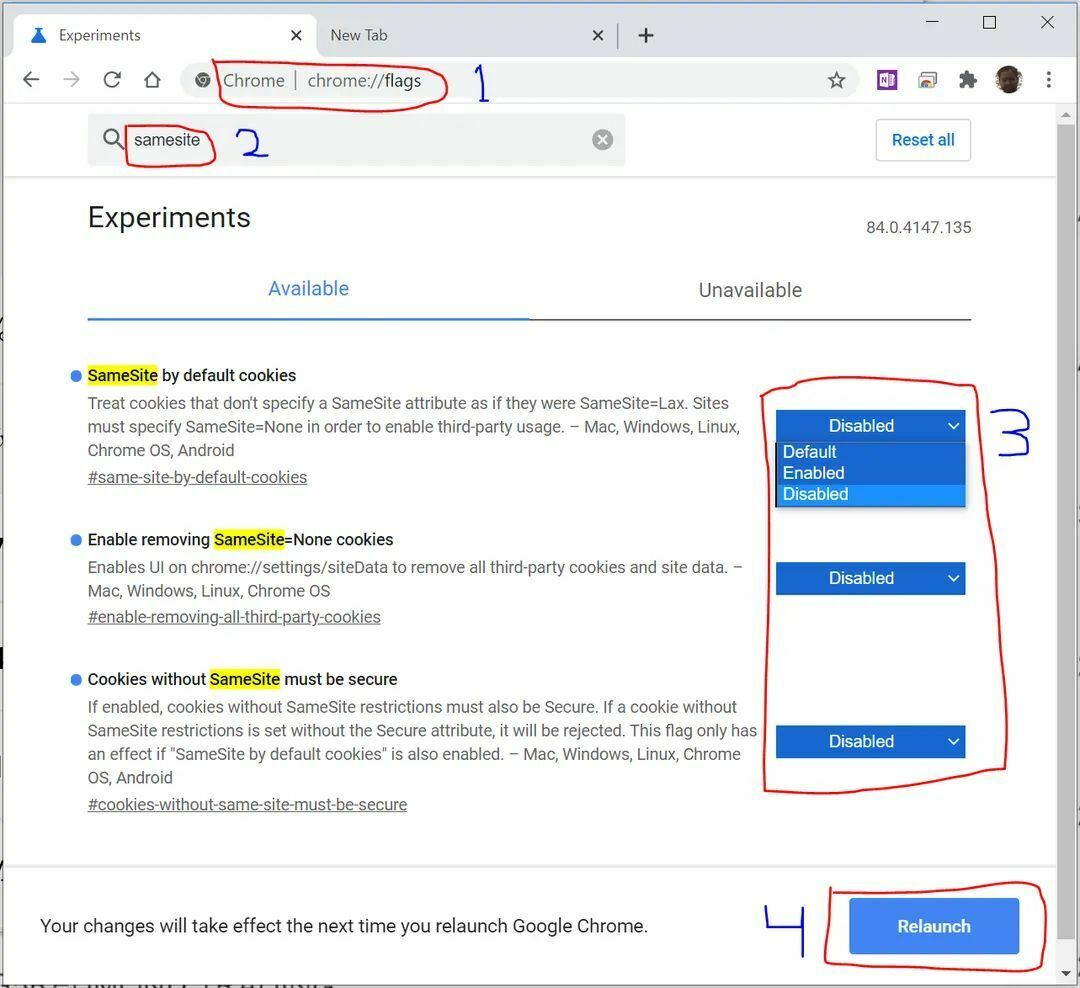
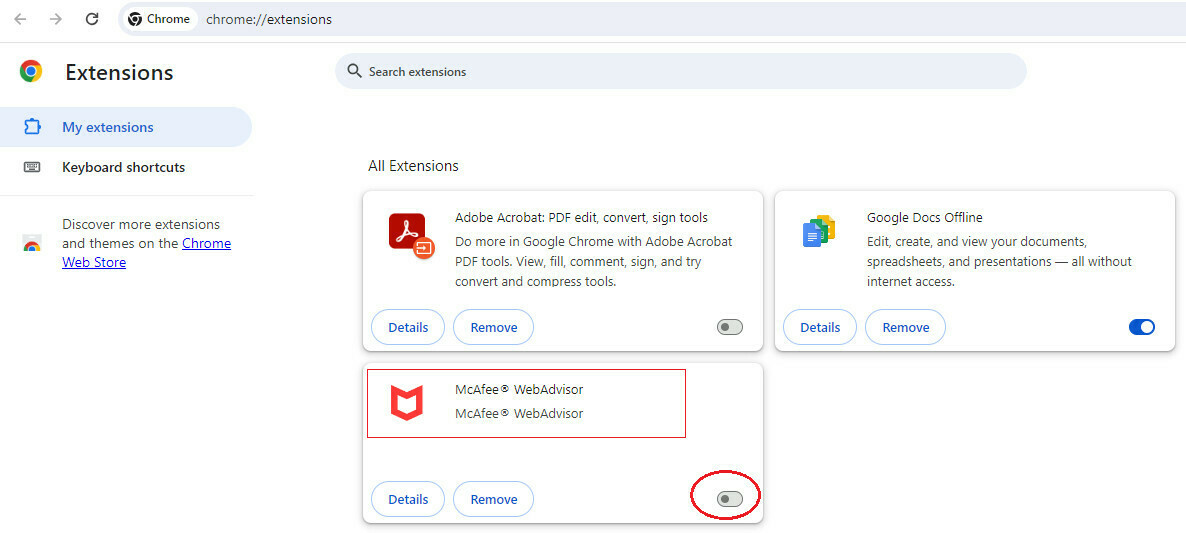
Just need to turn off McAfee.  If you don't have that extension you can also try the following, but don't think it's your issue.  Just pasted it here because you mentioned it's on payments.


8 replies

dcomerford
Captain II
Forum|alt.badge.img+15
  • Captain II
  • January 16, 2024

@nhatnghetinh Have you got the McAfee Web Advisor chrome extension enabled if so disable it. One of my colleagues had same issue yesterday and this fixed it.


dcomerford
Captain II
Forum|alt.badge.img+15
  • Captain II
  • January 16, 2024

Actually just seen there is a post here with same solution 


nhatnghetinh
Captain II
Forum|alt.badge.img+11
  • Author
  • Captain II
  • January 17, 2024

Hi @dcomerford,

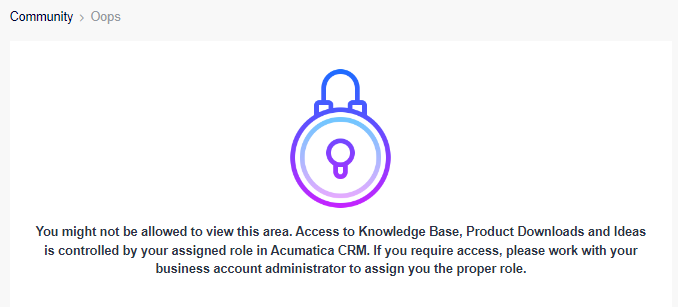
I might not be allowed to see this area.


Could you please copy that content for me?


Best Regards,

NNT


iqraharrison
Captain II
Forum|alt.badge.img+8
  • Captain II
  • January 17, 2024

@nhatnghetinh one of my clients had a similiar issue and it was related to some chrome extension that needed to be disabled (specifically dark mode).  i would see if these users have some sort of extension they they are all using.


nhatnghetinh
Captain II
Forum|alt.badge.img+11
  • Author
  • Captain II
  • January 17, 2024

Hi @iqraharrison48,

Please share the cause and solution once you know the exact problem causing the error.


Best Regards,

NNT


bryanb39
Pro II
Forum|alt.badge.img+6
  • Pro II
  • Answer
  • January 17, 2024
Just need to turn off McAfee.  If you don't have that extension you can also try the following, but don't think it's your issue.  Just pasted it here because you mentioned it's on payments.


Robert Sternberg
Captain II
Forum|alt.badge.img+7

Interesting find, probably worth opening a case with Acumatica so they log this issue internally.  I imagine there are a considerable number of corporate users using some sort of internet safety extension across the chromium browser project. 


nhatnghetinh
Captain II
Forum|alt.badge.img+11
  • Author
  • Captain II
  • January 17, 2024

Dear ALL,

The error was resolved after disabling the McAfee WebAdvisor extension on Google Chrome.


Thank you very much for your support !


Best Regards,

NNT