Question

Error while installing Acumatica

  • Nov 3, 2026 6:26 AM UTC
  • 7 replies
  • 38 views
  • Translate All

Forum|alt.badge.img

Hello all,

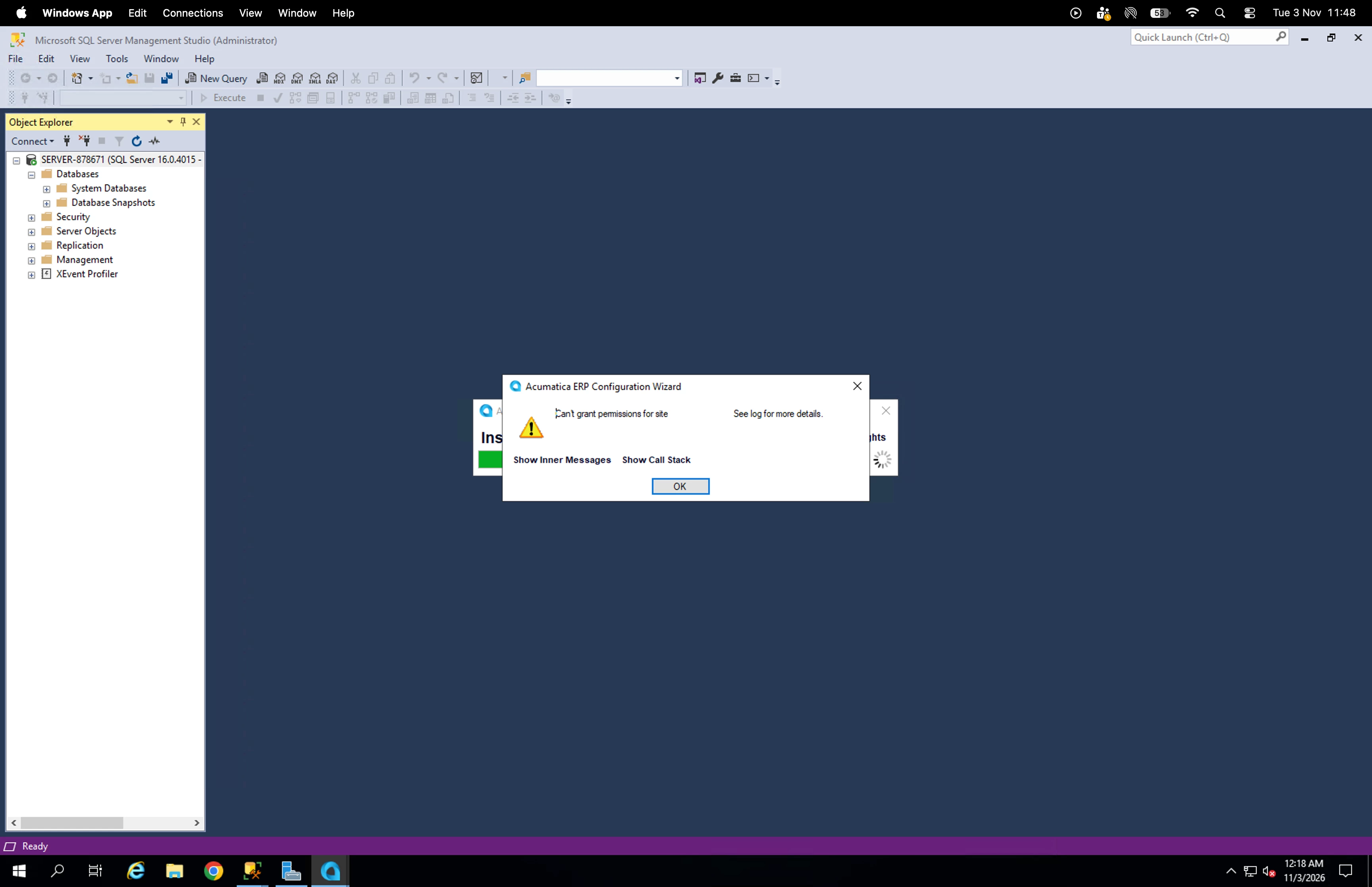
I’ve been trying to install Acumatica on cloud server however it is triggering the below error:
 

7 replies

mohammadnawaz51
Varsity I
Forum|alt.badge.img+8

​@Harry 

Did you follow the steps?

https://help.acumatica.com/Wiki/(W(5))/Show.aspx?pageid=3fc73ca9-0ddd-4cc4-b21f-6fb63f6db7e9


he error "cannot get site from file" during an Acumatica installation or instance creation typically happens when the Acumatica ERP Configuration Wizard cannot read, parse, or locate the required template, package, or configuration file needed to build the IIS web site.

Common Causes & Fixes

  • Corrupted or Incomplete Installer / Build Files:
    • The .msi or the extracted installation/update package may be missing core XML or site template files.
    • Fix: Re-download the Acumatica ERP installation package from the official portal and extract/run the installer again. Ensure the archive wasn't blocked or partially unzipped by Windows Defender.
  • Insufficient Permissions on Deployment Directories:
    • The installer or the account running the Acumatica Configuration Wizard lacks read/write access to the target deployment folder (e.g., C:\Program Files\Acumatica ERP\ or your custom site directory).
    • Fix: Run the Acumatica ERP Configuration Wizard as a local Administrator (right-click -> Run as administrator). Verify that the IIS_IUSRS and local SYSTEM accounts have full control permissions over the target folders. [1]
Translate

Forum|alt.badge.img

​@Harry 

Hi,

It appears that the issue may be related to application pool permissions.

Could you please click on “Show Inner Messages” and share the detailed error message? This will help us investigate the issue further and identify the root cause.

Thank you!

Translate

Forum|alt.badge.img
  • Author
  • Semi-Pro III
  • Nov 3, 2026 6:39 AM UTC

​@Harry 

Hi,

It appears that the issue may be related to application pool permissions.

Could you please click on “Show Inner Messages” and share the detailed error message? This will help us investigate the issue further and identify the root cause.

Thank you!

Hi ​@Srinivas Kota ,
here’s the inner stack message:

Can't grant permissions for the folder 'C:\Program Files\Acumatica ERP\Customization\AcumaticaInstance', to user 'IIS APPPOOL\DefaultAppPool'. You can do it manually.

 Inner Exception:

 This access control list is not in canonical form and therefore cannot be modified.


Translate

Forum|alt.badge.img

​@Harry 

Hi,

It appears that the issue may be related to application pool permissions.

Could you please click on “Show Inner Messages” and share the detailed error message? This will help us investigate the issue further and identify the root cause.

Thank you!

Hi ​@Srinivas Kota ,
here’s the inner stack message:

Can't grant permissions for the folder 'C:\Program Files\Acumatica ERP\Customization\AcumaticaInstance', to user 'IIS APPPOOL\DefaultAppPool'. You can do it manually.

 Inner Exception:

 This access control list is not in canonical form and therefore cannot be modified.


​@Harry 
Try below approach it may help.
 

Resolution : Fix ACL inheritance (recommended)

  1. Open File Explorer.
  2. Navigate to:

C:\Program Files\Acumatica ERP\Customization\

  1. Right-click AcumaticaInstance → Properties.
  2. Select Security → Advanced.
  3. If you see:

Enable inheritance

click it.

  1. Select:

Replace all child permission entries with inheritable permission entries

  1. Apply changes.

  2. Retry the Acumatica publish/customization operation.

Translate

Forum|alt.badge.img
  • Author
  • Semi-Pro III
  • Nov 3, 2026 2:30 PM UTC

Hi ​@Srinivas Kota ,

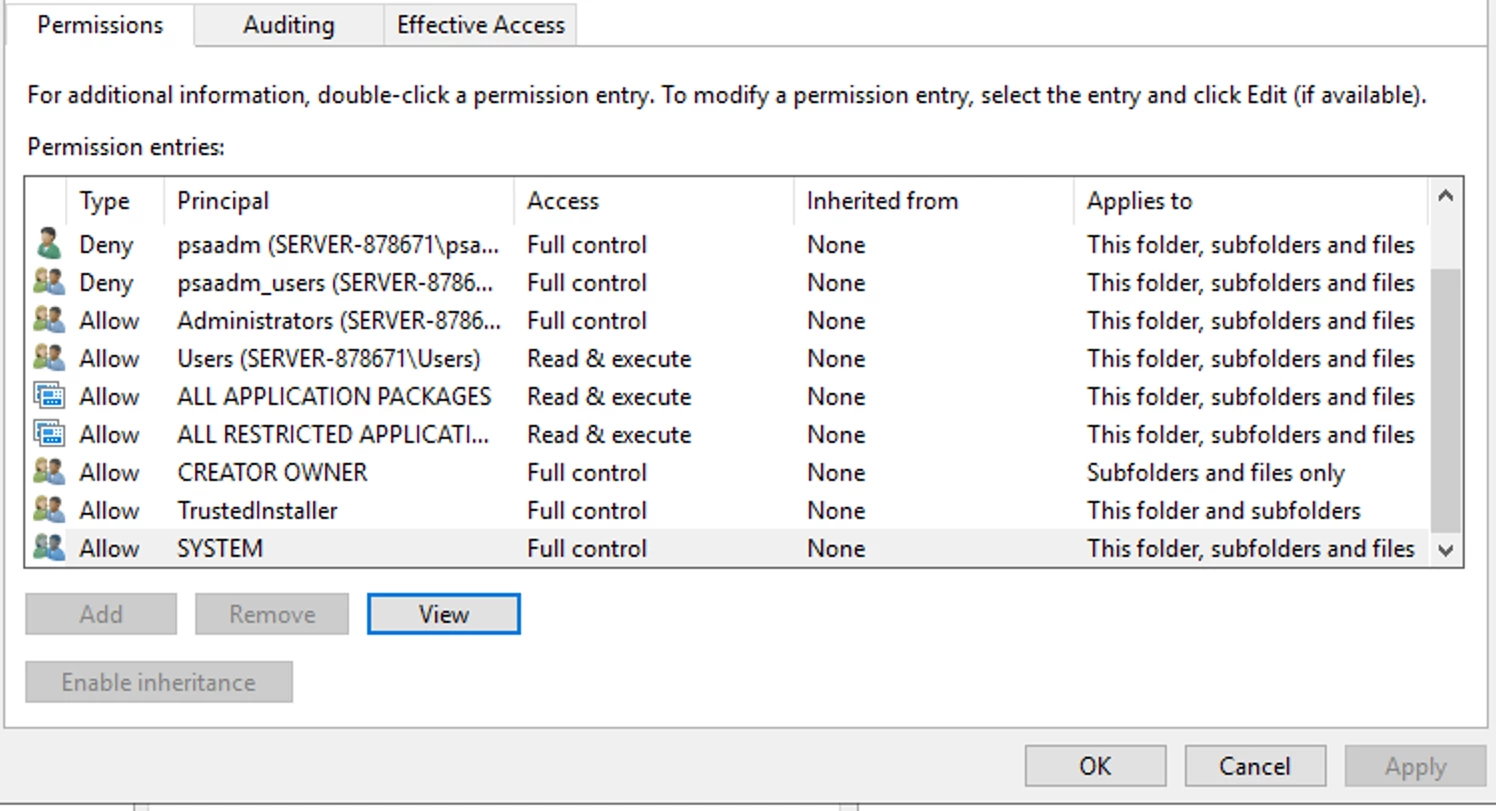
Shall I “Enable Inheritance” for all the Principals in the list displayed in the screenshot below?

Do you know how can I make the button active as it is disabled on my end?

Translate

Forum|alt.badge.img
  • Author
  • Semi-Pro III
  • Nov 3, 2026 2:37 PM UTC

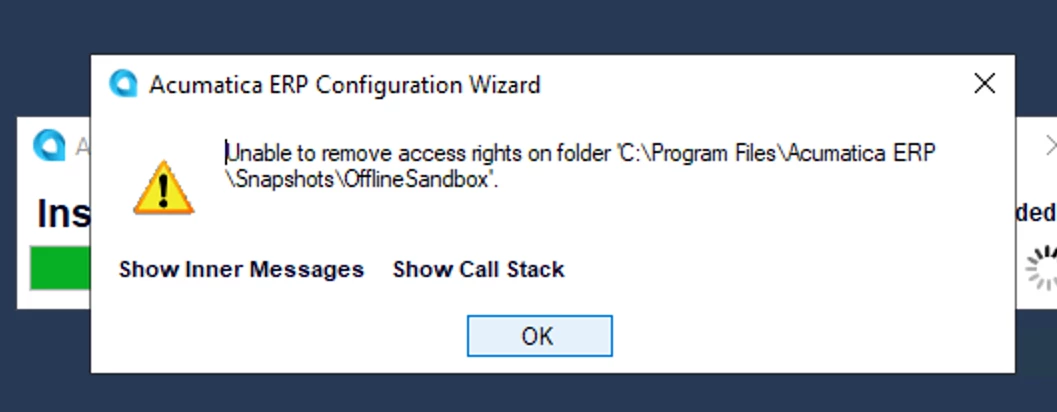
Hi ​@Srinivas Kota ,

i tried to install a new instance and now it triggered the below error for some files in Acumatica.


Translate

Forum|alt.badge.img
  • Author
  • Semi-Pro III
  • Nov 3, 2026 2:47 PM UTC

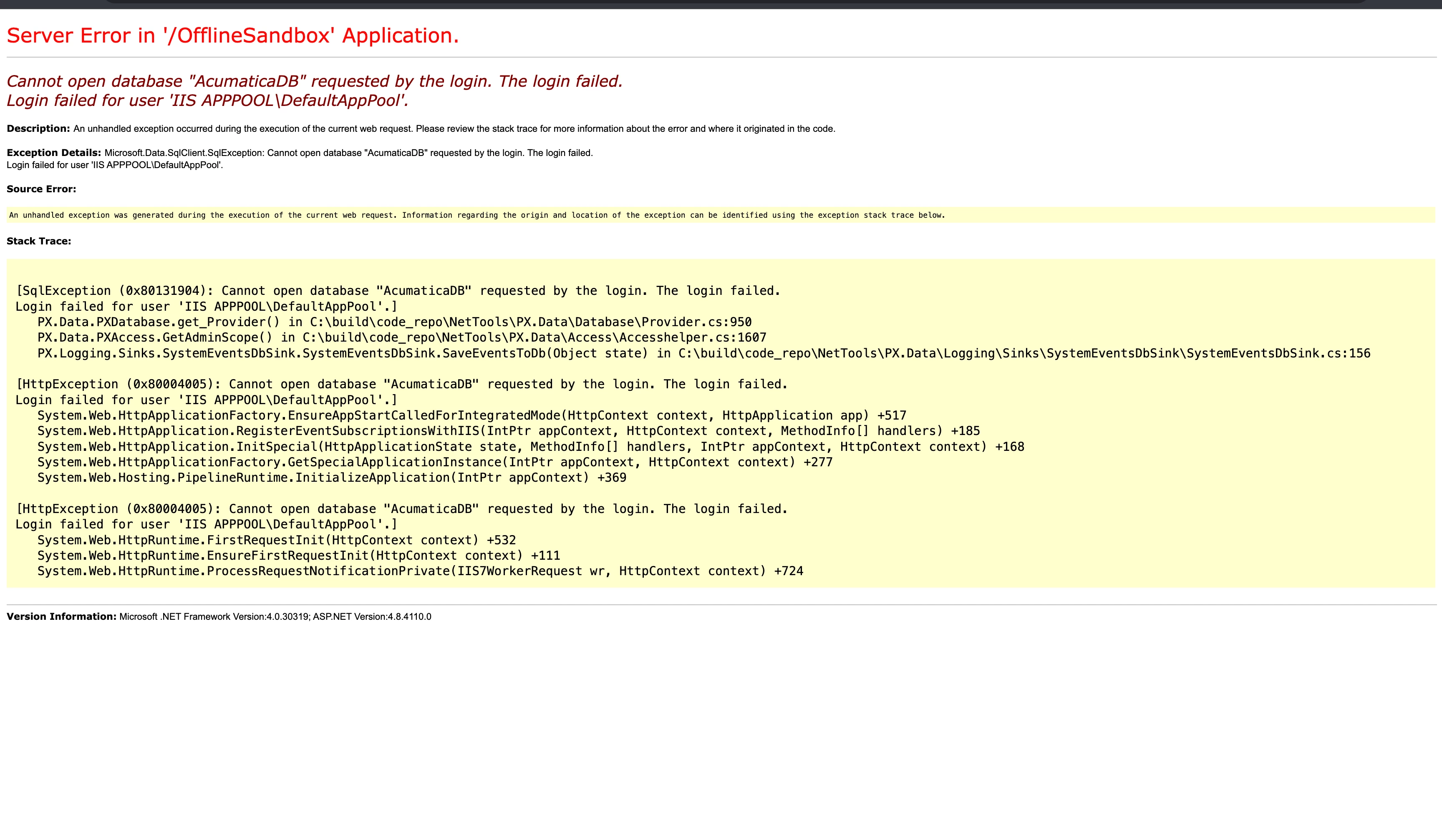
Hi ​@Srinivas Kota ,

Upon installing a new instance, unable to run:


Translate