

Answer

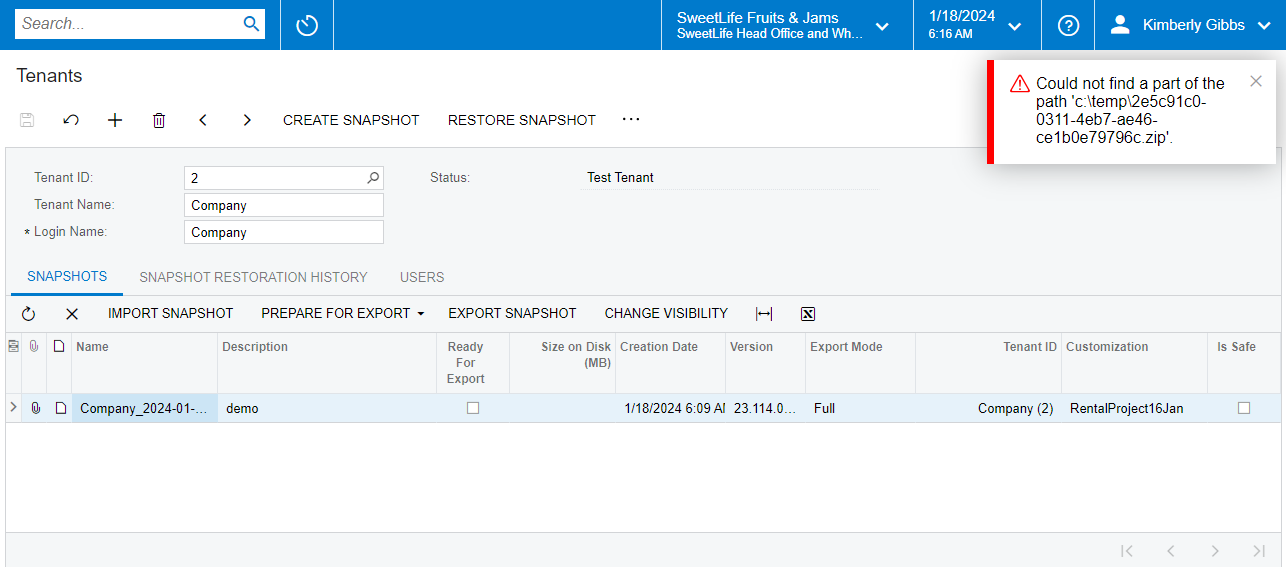
Error: Could not find a part of the path 'c:\temp\2e5c91c0-0311-4eb7-ae46-ce1b0e79796c.zip'.

  • January 19, 2024
  • 5 replies
  • 505 views

Hi Team,

I am facing an error. Could not find a part of the path 'c:\temp\2e5c91c0-0311-4eb7-ae46-ce1b0e79796c.zip'. When creating a snapshot,
.

Best answer by philr75

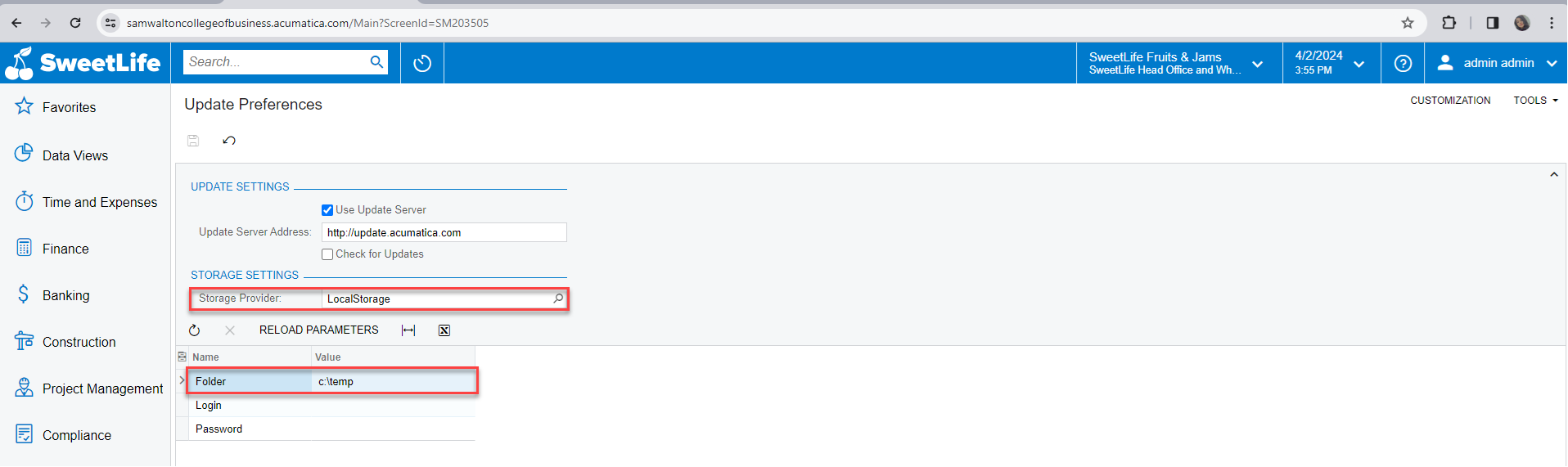
I had a similar error when attempting to save a new snapshot on top of a U100 dataset. Support advised me to remove the path and storage provider information from the Update Preferences screen.

If you are able to remove the provider and folder path and turn off the use update server, I believe you’ll be able to save the snapshot.
 

5 replies

Forum|alt.badge.img
  • Freshman II
  • Answer
  • April 3, 2024

I had a similar error when attempting to save a new snapshot on top of a U100 dataset. Support advised me to remove the path and storage provider information from the Update Preferences screen.

If you are able to remove the provider and folder path and turn off the use update server, I believe you’ll be able to save the snapshot.


  • Freshman I
  • January 30, 2025

Hello, I am also facing this same error. I attempted to do the same technique with removing the provider and folder path, as well as turning off the use update server…. but I am still getting the same error. I am currently running acumaticaerp r2 update 7 edition. Perhaps I’m using downloading the zip from the wrong key. Does anyone know what build I should be downloading that zip from on the AWS directory? Currently I’m taking it from the 24.2/24.207.0011 path. Thanks!


@s3raph777 is your snapshot build the same with your Acumatica instance build? Also, did you turn off the Use Update Server button? I just tried mine today and was able to import the snapshot successfully by making sure I have the same Snapshot build and followed ​@philr75 answer.


  • Freshman I
  • February 6, 2025

@s3raph777 is your snapshot build the same with your Acumatica instance build? Also, did you turn off the Use Update Server button? I just tried mine today and was able to import the snapshot successfully by making sure I have the same Snapshot build and followed ​@philr75 answer.

I believe the snapshot is the same as the instance build. 24.2/24.207.0011 path is intended for the r2 update 7 edition correct? I made sure to manually turn off the Use Update Server button, and made sure to check and then turn it back off in case the service was not registering the change. I had the same issue, so I swapped my SQL version from 2022 Express to 2022 Dev and am going to try a new download of the zip to see if the file download was just bad. Thanks for the help!


  • Freshman I
  • July 7, 2025

Hi guys. For the record, I ran into this problem today and my C:/temp directory had gotten deleted. I created the directory and was able to import the snapshot. Hopefully it helps the next person in line.