

Solved

Error Connecting after Upgrade from Acumatica 2022R1 to Acumatica 2023R2

  • Apr 5, 2025 6:43 AM UTC
  • 4 replies
  • 131 views
  • Translate All

Forum|alt.badge.img
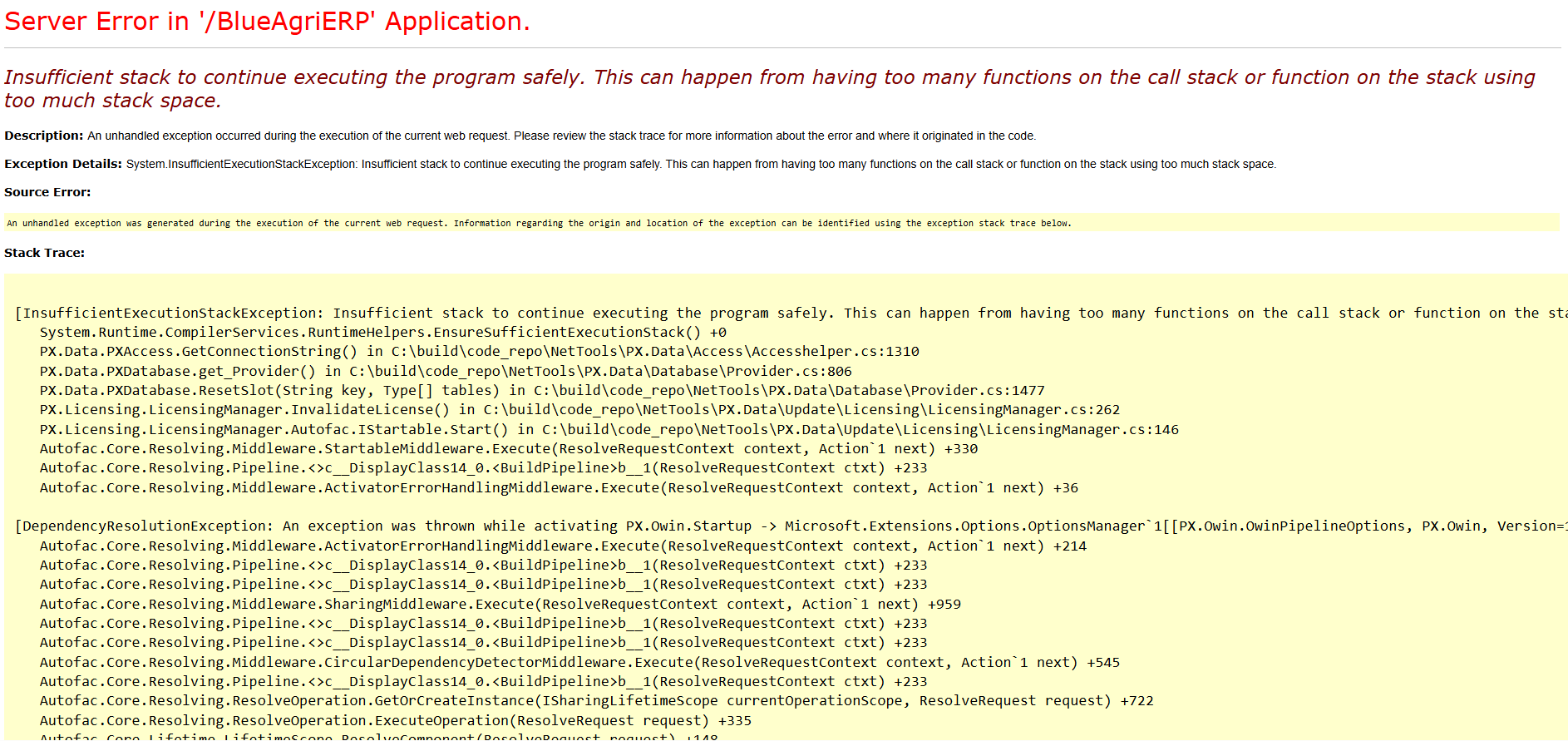
Facing attached error after upgrading my enviroment from 2022R1 to 2023R2
Database is MySQL 8.0, Windows 2019 server Standard

Insufficient stack to continue executing the program safely. This can happen from having too many functions on the call stack or function on the stack using too much stack space.


Any Help Appreciated

Best answer by Dipak Nilkanth

Which version of 22 R2 you have upgraded to 23 R2?
 

Acumatica ERP 2023 R2 can be upgraded from the following particular versions:

• 2023 R1 Update 7 (23.107.0022) and earlier

• 2022 R2 Update 15 (22.215.0056) and earlier

• 2022 R1 Update 22 (22.122.0019) and earlier

Hope, it helps!

View original

4 replies

Forum|alt.badge.img
  • Author
  • Jr Varsity II
  • Apr 5, 2025 6:45 AM UTC

I also tried installing a new Database and still getting same error

Translate

Dipak Nilkanth
Pro III
Forum|alt.badge.img+14

Hi ​@fmrubi11,

Are you getting this error on every screen you are trying to open or only for some screens?

Is it for specific screens , Can you just try to unpublish the customizations?

Translate

Forum|alt.badge.img
  • Author
  • Jr Varsity II
  • Apr 5, 2025 6:56 AM UTC

It is not opening even the login screen

The site also do not have customizations

Translate

Dipak Nilkanth
Pro III
Forum|alt.badge.img+14

Which version of 22 R2 you have upgraded to 23 R2?
 

Acumatica ERP 2023 R2 can be upgraded from the following particular versions:

• 2023 R1 Update 7 (23.107.0022) and earlier

• 2022 R2 Update 15 (22.215.0056) and earlier

• 2022 R1 Update 22 (22.122.0019) and earlier

Hope, it helps!

Translate
