

Solved

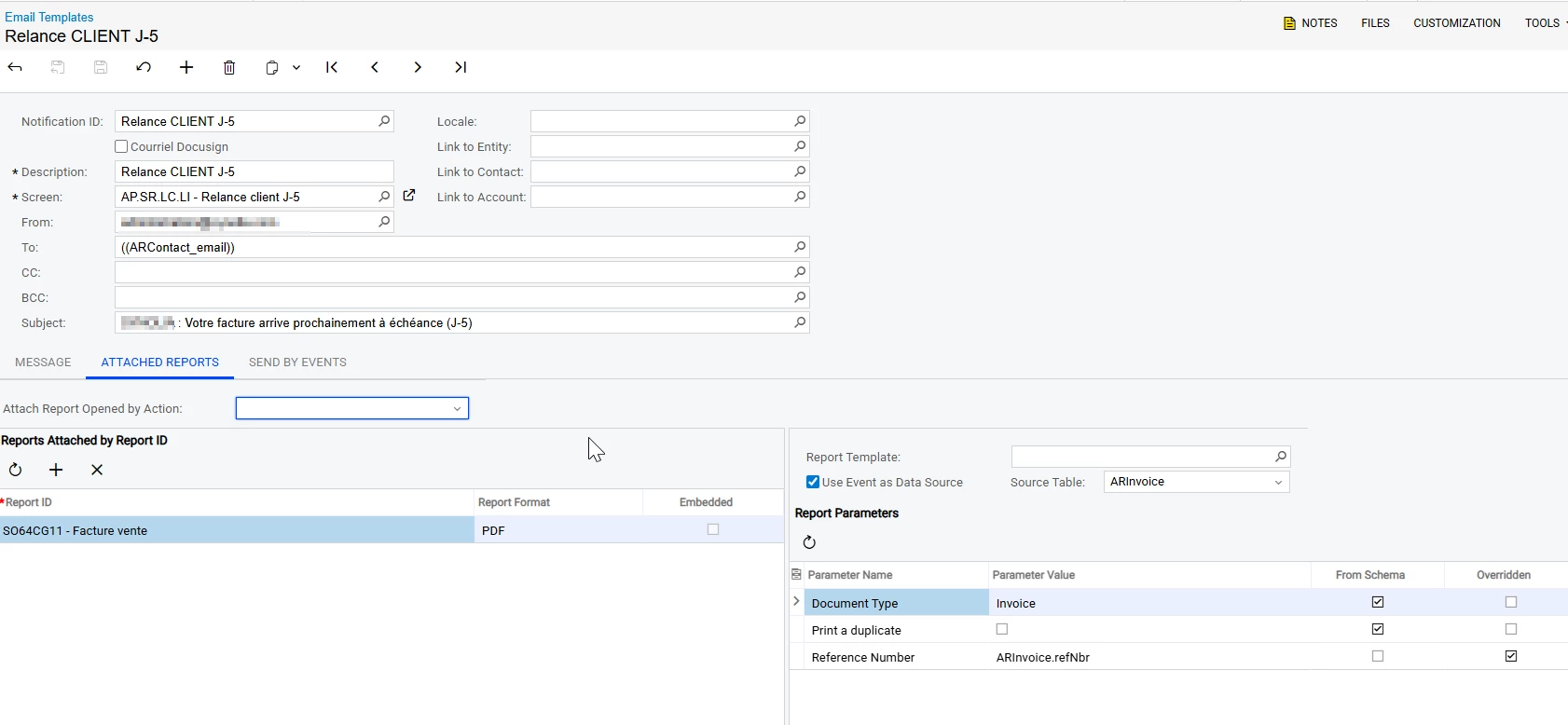
Email notification PDF attached report failed to be sent :error "Object reference not set to an instance of an object."

  • January 26, 2026
  • 3 replies
  • 96 views

Hi everyone, 


We try to attached pdf report to an email notification.

But every try system failed with Object reference not set to an instance of an object.

=> I try many other report = same error

=> I try the invoice report but in html format = It works

=> When I retry to sent the email with business event history resume and rexecute, it works totally.


We aren’t currently using the last version of Acumatica but have you face this king of error ?

Thnak for your help.
Regards.  

Best answer by zherring

I have not dealt with this exactly but dealt with the "Object reference not set to an instance of an object" error itself many times. Typically this error means that during the process, it is trying to use a field to pull data but that field is not set. That is a very generic overview of that type of error.

Verify that the report you are trying to generate has all required fields populated before running the report.

3 replies

zherring
Varsity I
Forum|alt.badge.img
  • Varsity I
  • Answer
  • January 31, 2026

I have not dealt with this exactly but dealt with the "Object reference not set to an instance of an object" error itself many times. Typically this error means that during the process, it is trying to use a field to pull data but that field is not set. That is a very generic overview of that type of error.

Verify that the report you are trying to generate has all required fields populated before running the report.


zherring
Varsity I
Forum|alt.badge.img
  • Varsity I
  • April 22, 2026

I see my generic answer was chosen as the answer. What ended up being the fix for this?


  • Freshman I
  • August 21, 2026

Hi everyone, 


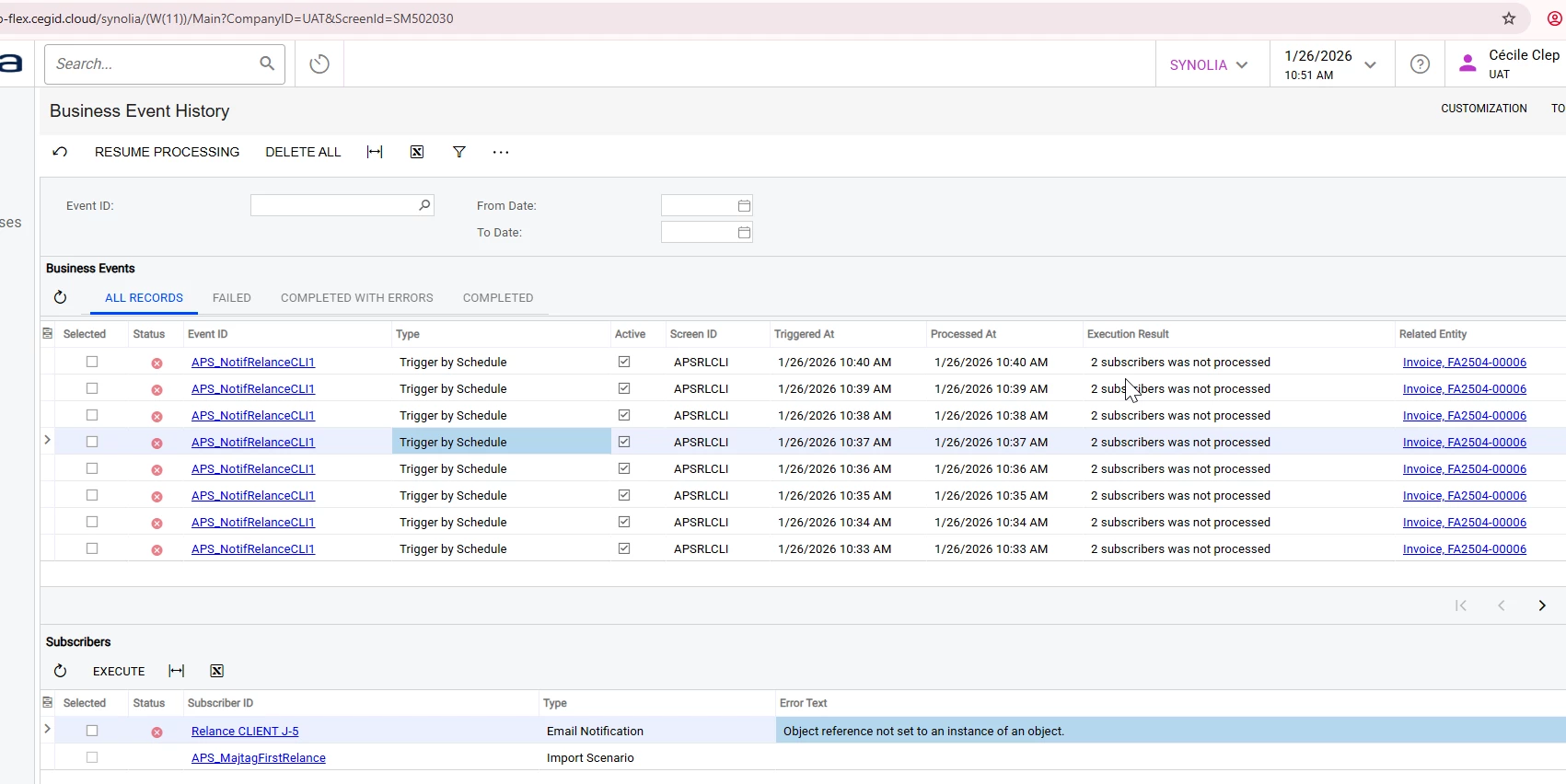
We try to attached pdf report to an email notification.

But every try system failed with Object reference not set to an instance of an object.

=> I try many other report = same error

=> I try the invoice report but in html format = It works

=> When I retry to send the email with business event history, resume and re-execute, it works totally, and I’m also looking for a way to convert PDF to grayscale before sending it.


We aren’t currently using the last version of Acumatica but have you face this king of error ?

Thnak for your help.
Regards.  

Hi, The fact that the email works when you retry the Business Event is a strong indication that this is related to the timing of the Business Event rather than the PDF report itself. I would first check whether the Business Event is executing before all the related data is committed and available to the report. The fact that HTML works while PDF fails could also point to an issue during the PDF rendering process. I’d recommend checking the Trace Log when the error occurs and comparing the report parameters/data between the initial execution and the successful retry. Also test the same report manually as PDF using the exact record. If you’re on an older Acumatica version, I’d also check whether there are any updates or fixes related to Business Events and PDF report attachments.