


Solved

Dashboard chart - Legend Display

  • August 21, 2026
  • 2 replies
  • 28 views

debbiereed72
Varsity II
Forum|alt.badge.img

I have found several entries in Community on this topic, but it seems there is no solution yet. 

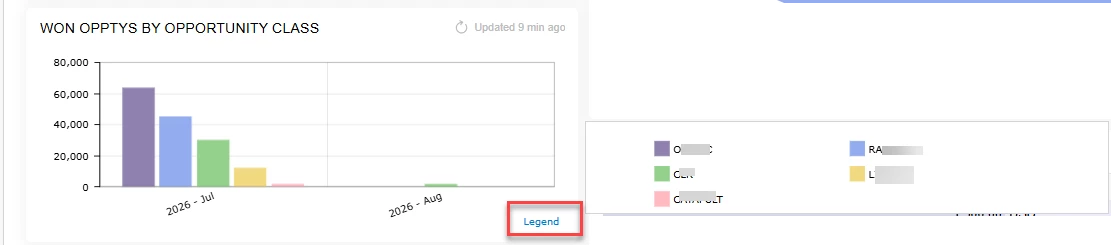
It would be nice to not have to click the Legend to see the values.  Ideally, the value could display at the top of each bar.  It seems that in previous versions, you could at least control the Legend to be at the top, bottom or side of the graph. But in 26R1 and Modern UI I do not find any way to do this.


Best answer by Samvel Petrosov

This is still supported on Classic Dashboards, but for some reason the setting is not available in the Modern UI Dashboards.

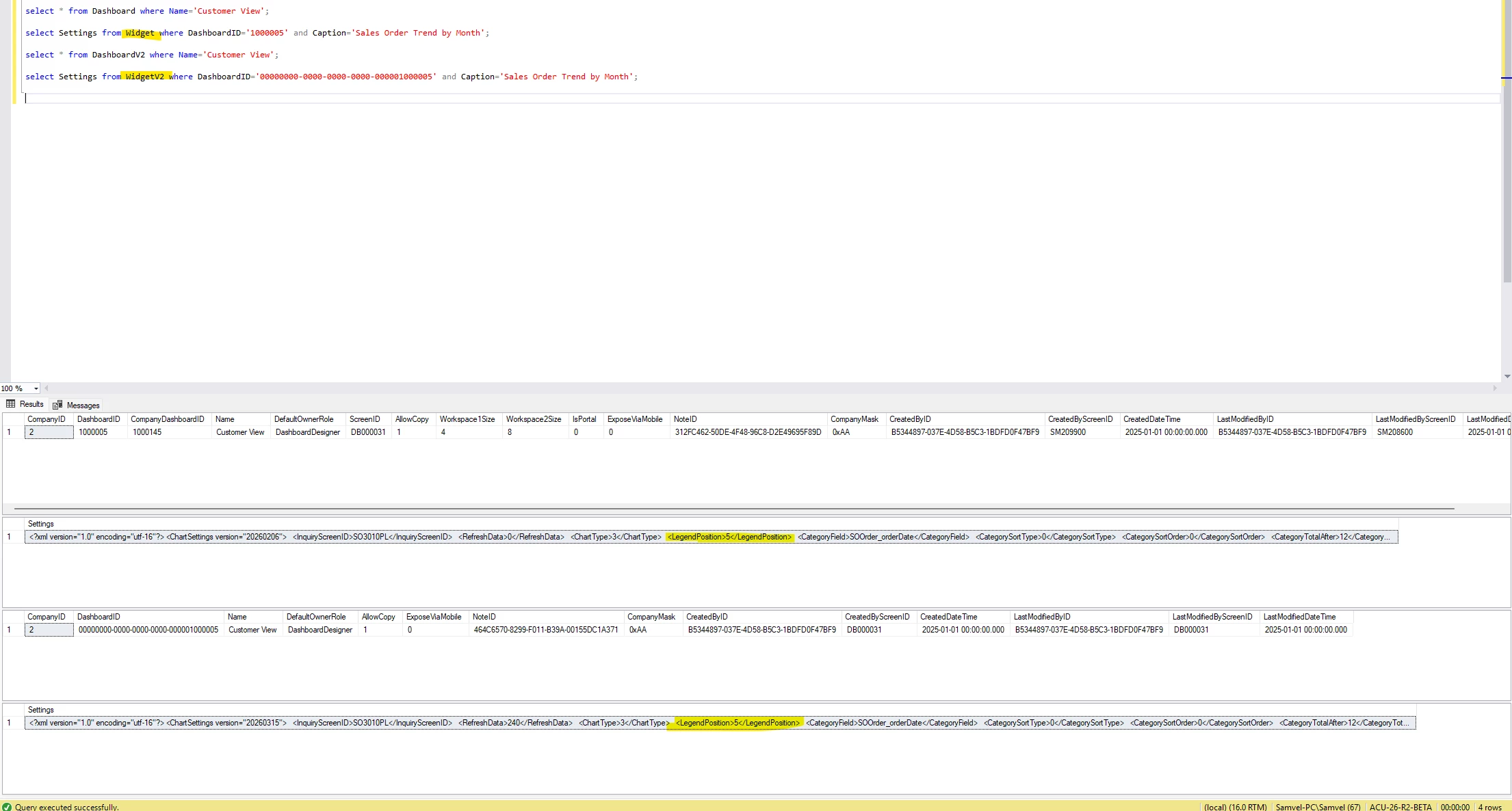
Although, the value for legend position is still kept in the database, just defaulted to 5 ( “Popup”).

Technically, it can be changed with SQL, but I don’t recommend doing that.


2 replies

Samvel Petrosov
Jr Varsity III
Forum|alt.badge.img+9

This is still supported on Classic Dashboards, but for some reason the setting is not available in the Modern UI Dashboards.

Although, the value for legend position is still kept in the database, just defaulted to 5 ( “Popup”).

Technically, it can be changed with SQL, but I don’t recommend doing that.


debbiereed72
Varsity II
Forum|alt.badge.img
  • Author
  • Varsity II
  • August 21, 2026

If anyone else agrees this is needed, please upvote my entry - thank you!


Dashboard Chart - Legend Display | Community

