Answer

Creating parent Folder for Wiki page

  • January 2, 2024
  • 4 replies
  • 159 views

Forum|alt.badge.img

Hello all,
Is it possible to create a new parent folder so that we can create extra wikis for internal ops?


Best answer by jinin

Hi @Harry ,

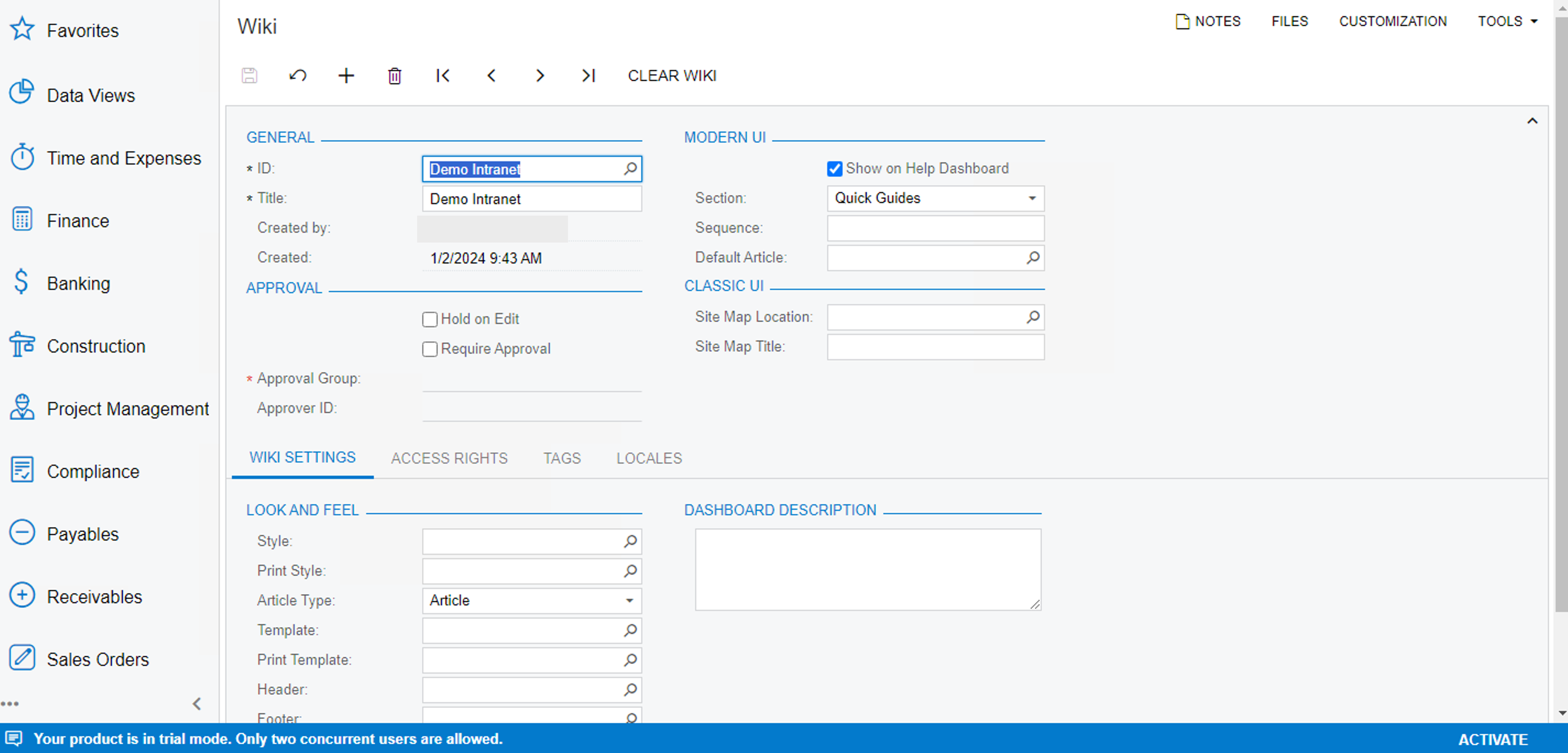
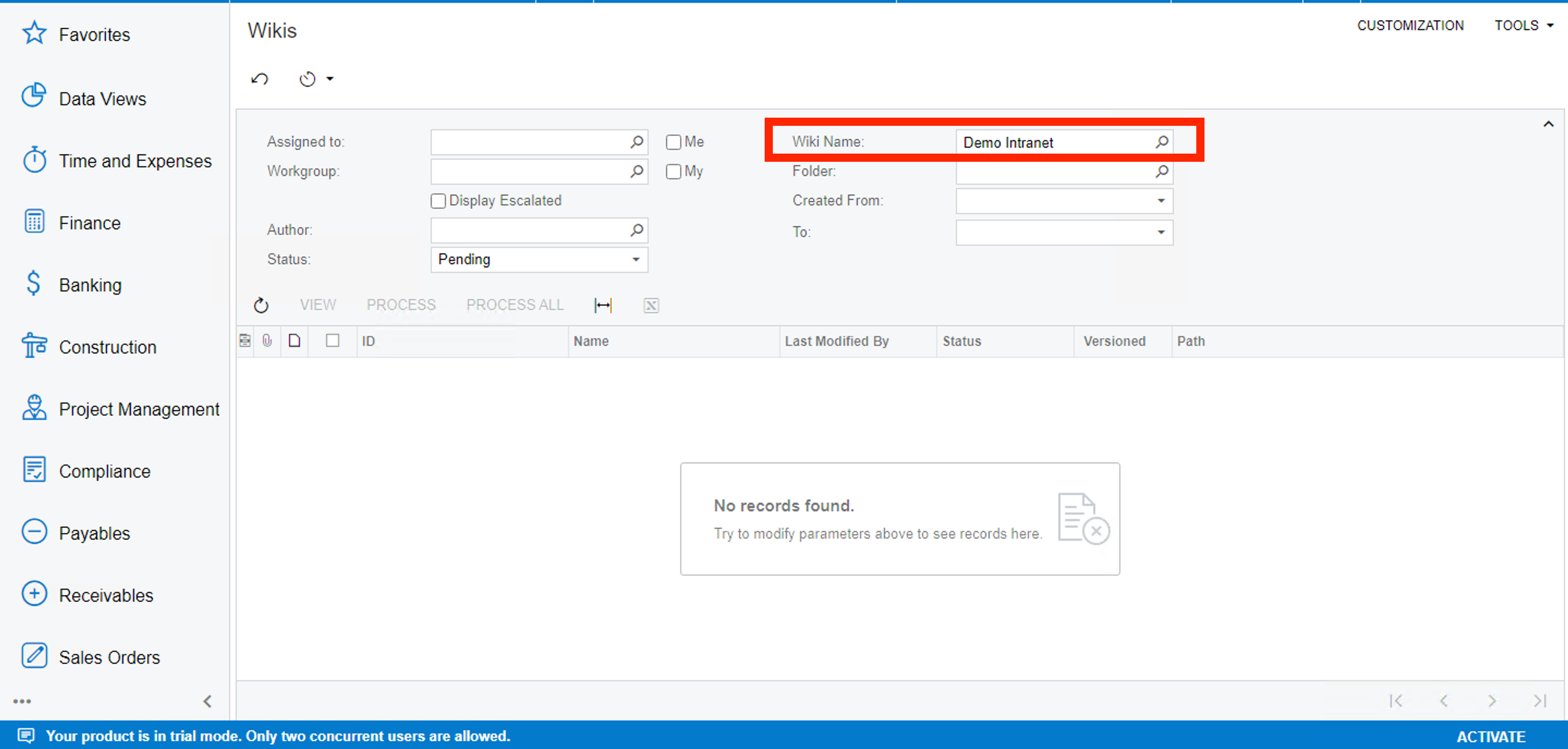
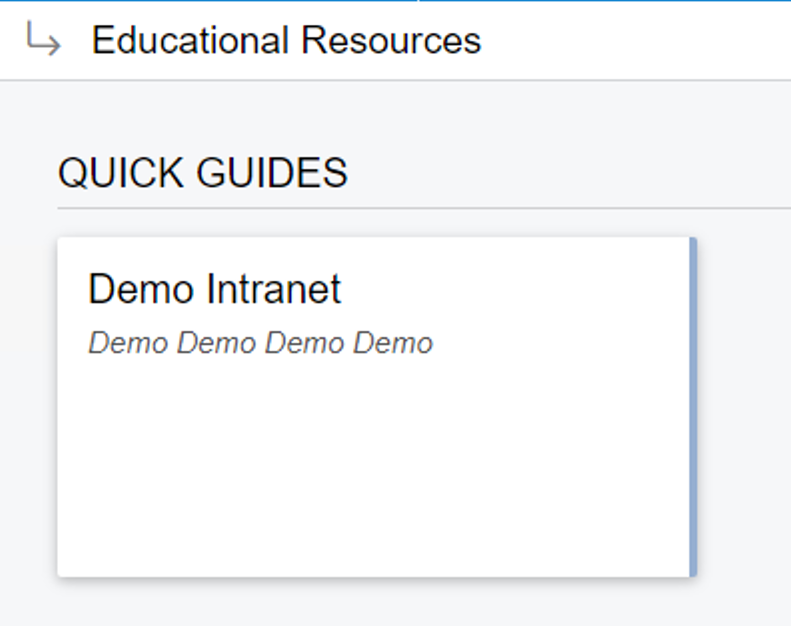
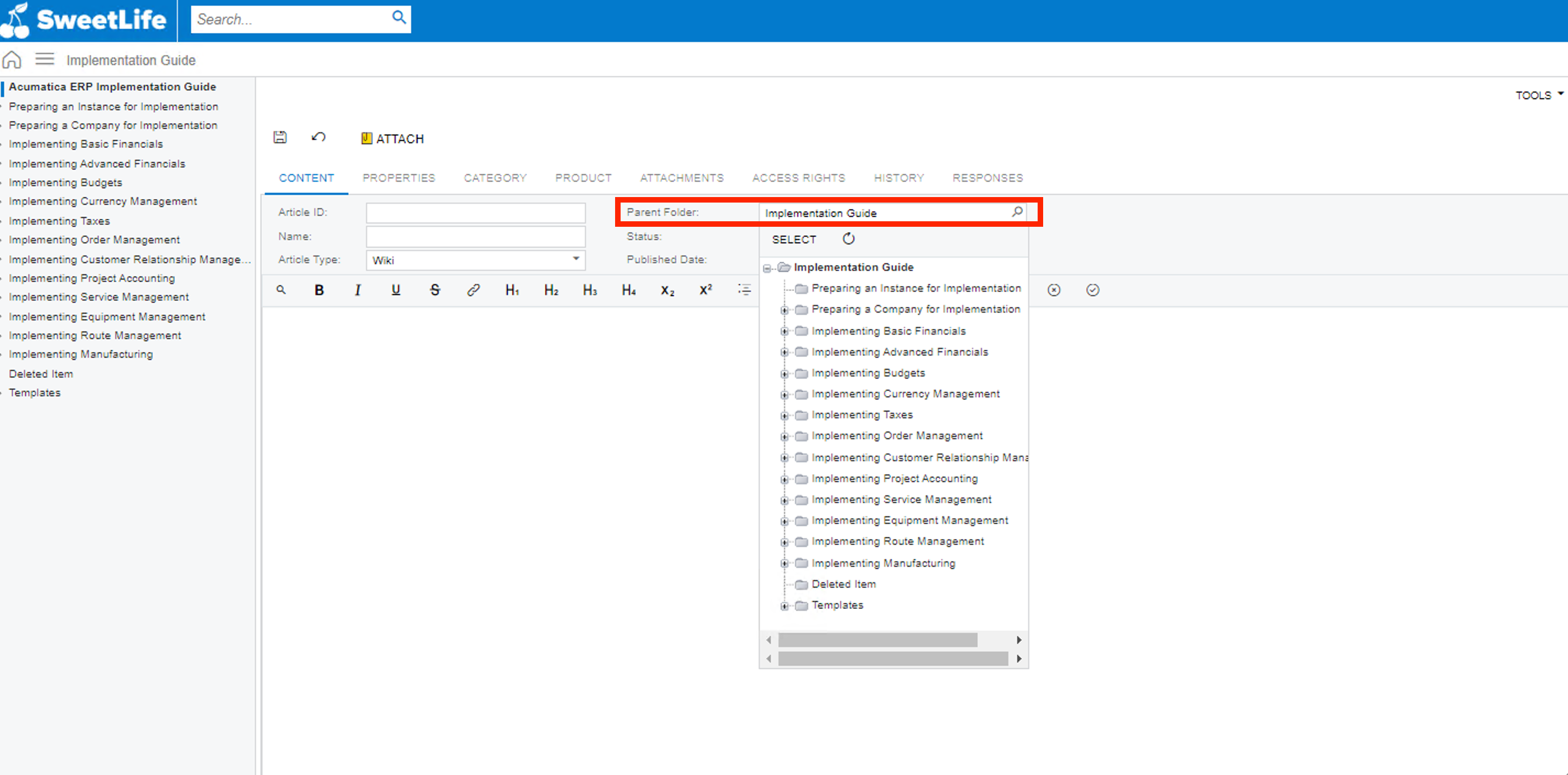
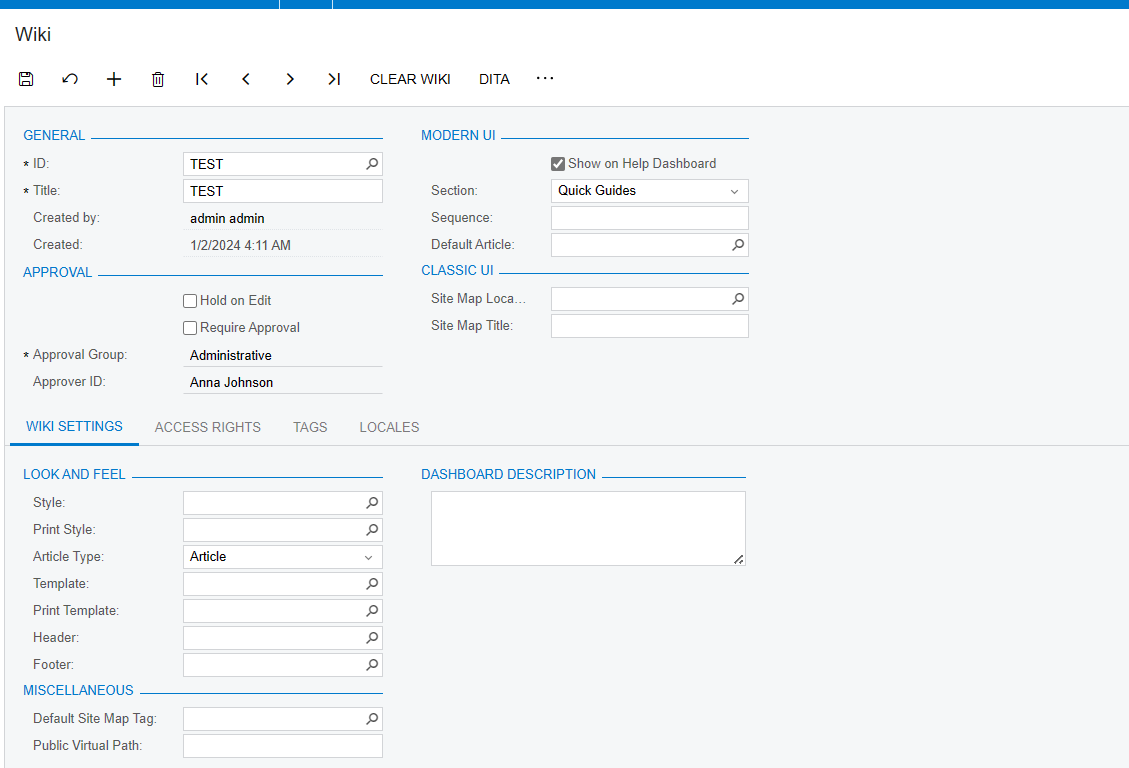
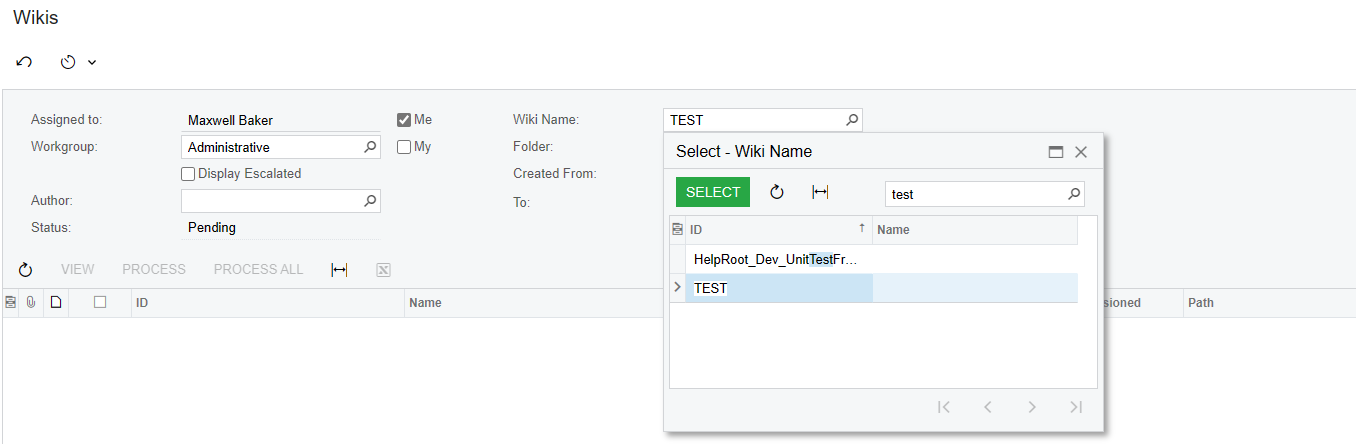
Yes, you can create it using the Wiki screen (ScreenID - SM202005). Once the Wiki page is created, you will be able to see the parent folder on the Wikis page. You should select the Proper section, sequence, and default article (if required) as per your requirement.

Refer to the below screenshots,
 

4 replies

RaphaelPfaff12
Semi-Pro III

Hi @Harry 

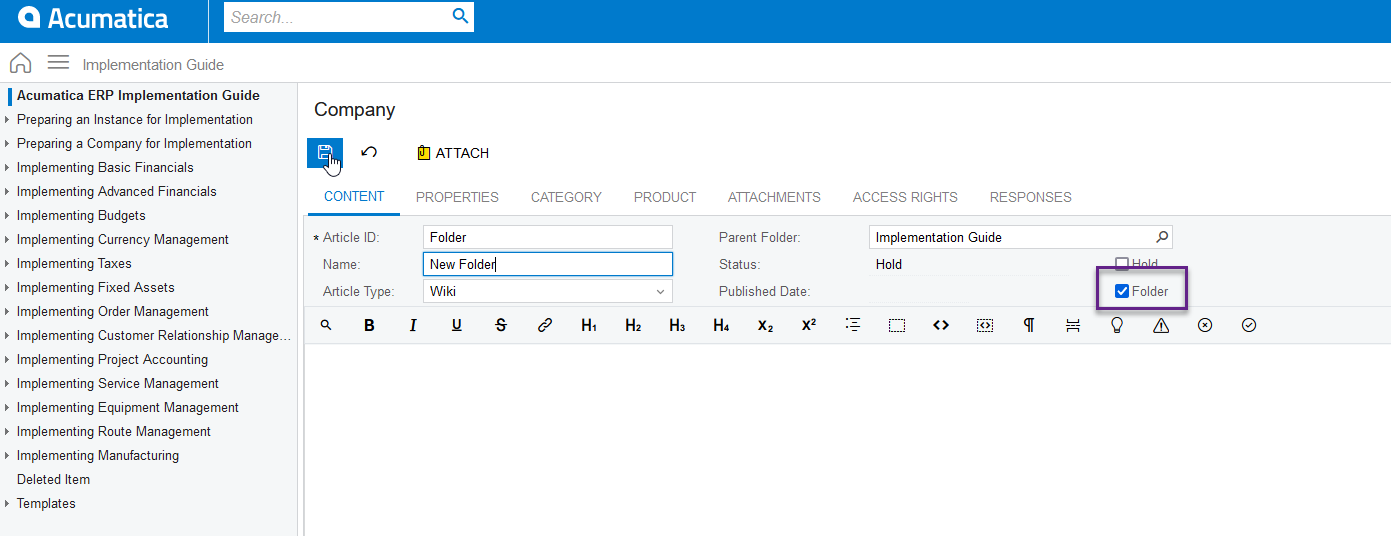
You only need to activate the Folder checkbox. Then you can also save sub-articles there.
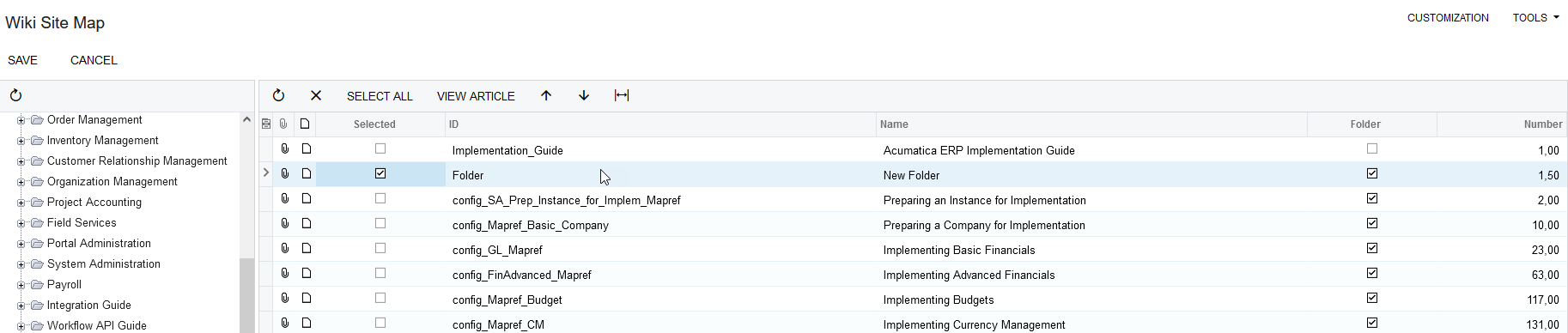
The easiest way to place the folder is to go to the Wiki Site Map screen.


Edit: I saw too late that you wanted to create a new section. To do this, proceed as described by @jinin 


jinin
Pro I
Forum|alt.badge.img+11
  • Pro I
  • Answer
  • January 2, 2024

Hi @Harry ,

Yes, you can create it using the Wiki screen (ScreenID - SM202005). Once the Wiki page is created, you will be able to see the parent folder on the Wikis page. You should select the Proper section, sequence, and default article (if required) as per your requirement.

Refer to the below screenshots,


Forum|alt.badge.img
  • Author
  • Semi-Pro II
  • January 2, 2024

Hi @Harry ,

Yes, you can create it using the Wiki screen (ScreenID - SM202005). Once the Wiki page is created, you will be able to see the parent folder on the Wikis page. You should select the Proper section, sequence, and default article (if required) as per your requirement.

Refer to the below screenshots,


Hey @jinin ,
I have created till this and now what?


Forum|alt.badge.img
  • Author
  • Semi-Pro II
  • January 2, 2024

Hello @jinin ,
I have got it. Just had to add the Site Map location in the Wiki form.
 

Thanks a lot @jinin & @RaphaelPfaff12  for your prompt responses.  😄