Answer

Contact .... already associated with another user

  • August 19, 2025
  • 3 replies
  • 66 views

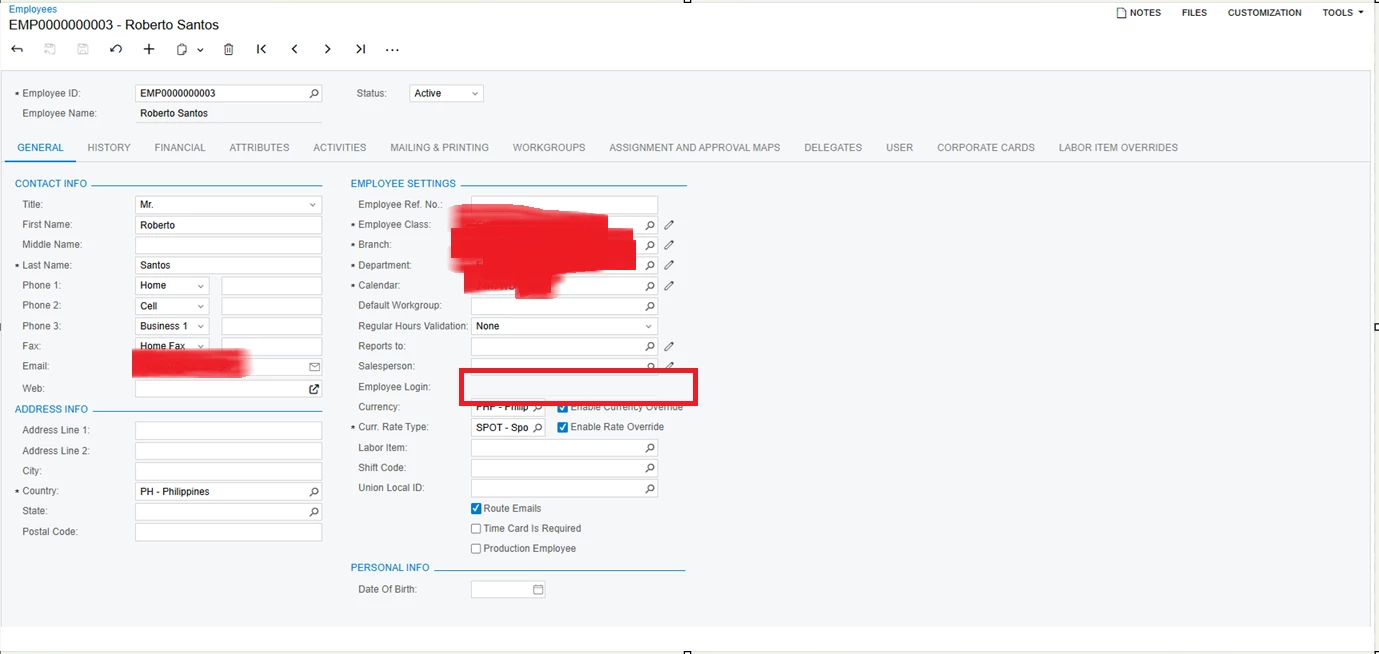
Hi I need help because apparently, this contact is already connected with another user. When I checked the Employees tab, there is not even an Employee login. How do I fix this?


Best answer by nhatnghetinh

Hi ​@aronandrade16 

Try another alternative solution which is to create a new User similar to Santos User. Then select Linked Entity to "Reberto Santos" Employee.


Best Regards,

NNT

3 replies

nhatnghetinh
Captain II
Forum|alt.badge.img+11
  • Captain II
  • August 19, 2025

Hi ​@aronandrade16 

Try the following. On the Santos Users screen > in the Linked Entity section, delete "Roberto Santos" > Click Save. Then go back to Linked Entity > select the contact "Roberto Santos" > Click Save


On the Employees screen > Check if the Employee login field displays information?


Best Regards,

NNT


  • Author
  • Freshman I
  • August 19, 2025

Hi ​@aronandrade16 

Try the following. On the Santos Users screen > in the Linked Entity section, delete "Roberto Santos" > Click Save. Then go back to Linked Entity > select the contact "Roberto Santos" > Click Save


On the Employees screen > Check if the Employee login field displays information?


Best Regards,

NNT

Hi, I appreciate your response. I tried it.

I haven't been clear with my problem, so the thing is


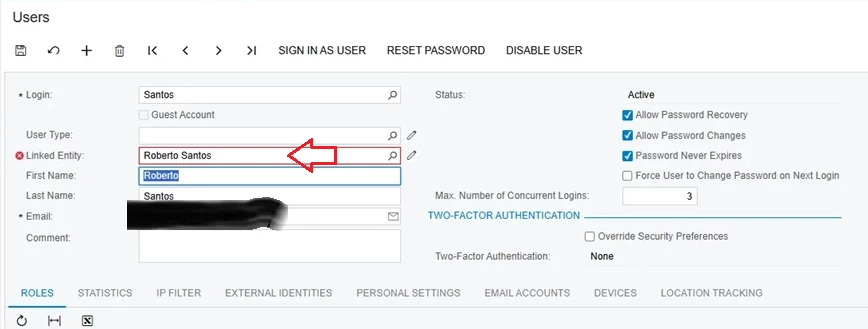
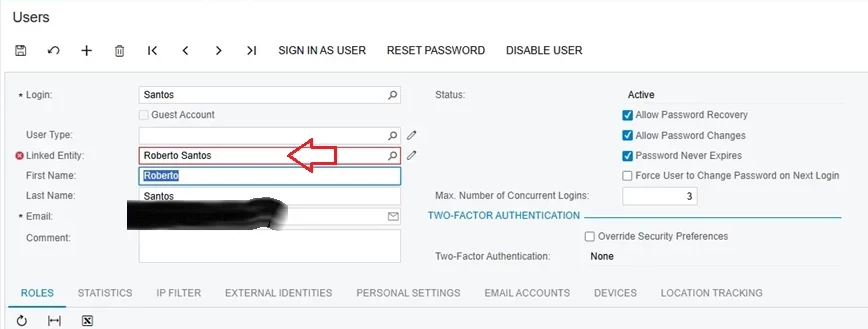
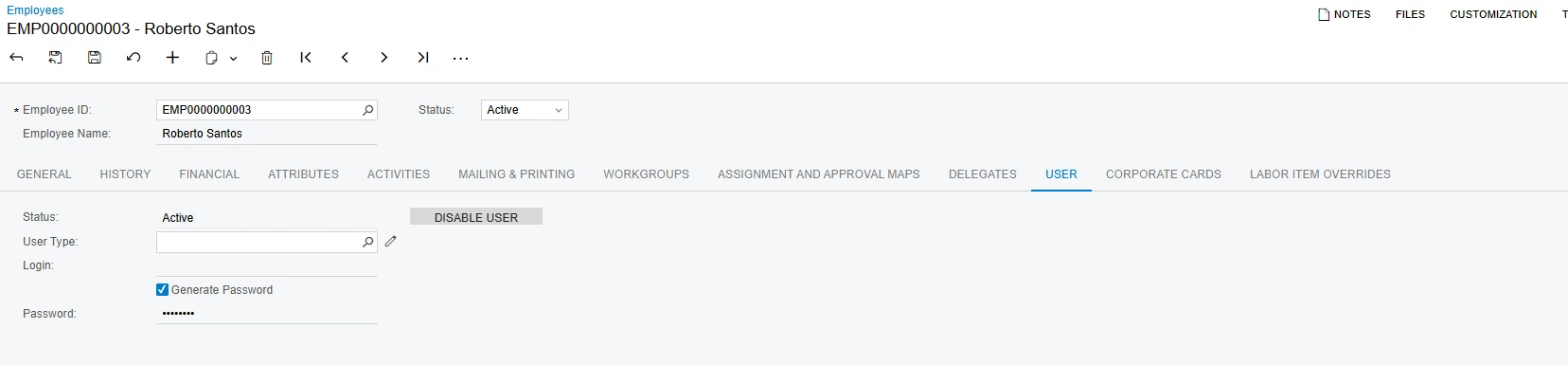
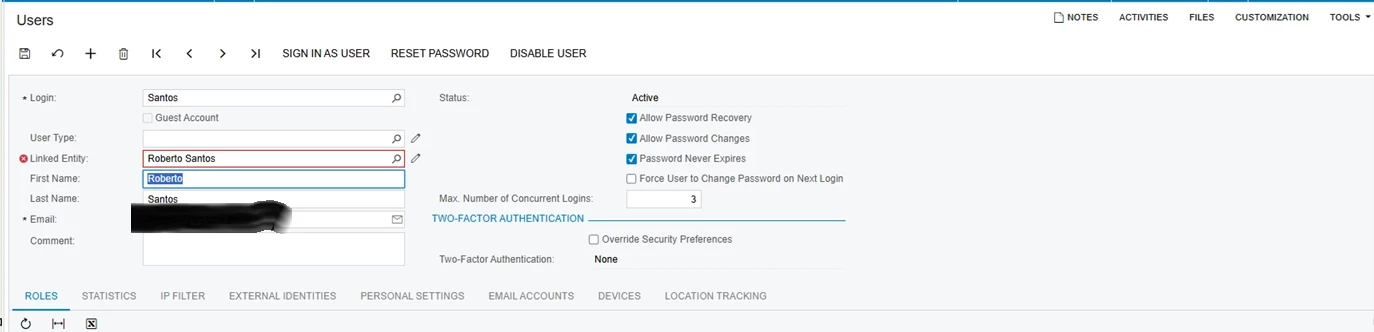
I want Roberto Santos to be linked with that User (Santos). Still, I cannot link him since it states “Contact Roberto Santos is already associated with another user,” to which I didn't even associate him with any users, since this is the first time configuring his account. I also checked the look-up field in the Linked Entity section, but I couldn't find him anywhere. I just typed his name, which is why it shows there in the Linked Entity section (screenshot above), and that's the response I got, which is the “associate with another user” message (the red x mark beside Linked Entity). When I check the Employees, there is no Employee Login under Employee Settings or in the User Tab (screenshot below) that links him with another User. 


I appreciate your response!


nhatnghetinh
Captain II
Forum|alt.badge.img+11
  • Captain II
  • Answer
  • August 19, 2025

Hi ​@aronandrade16 

Try another alternative solution which is to create a new User similar to Santos User. Then select Linked Entity to "Reberto Santos" Employee.


Best Regards,

NNT