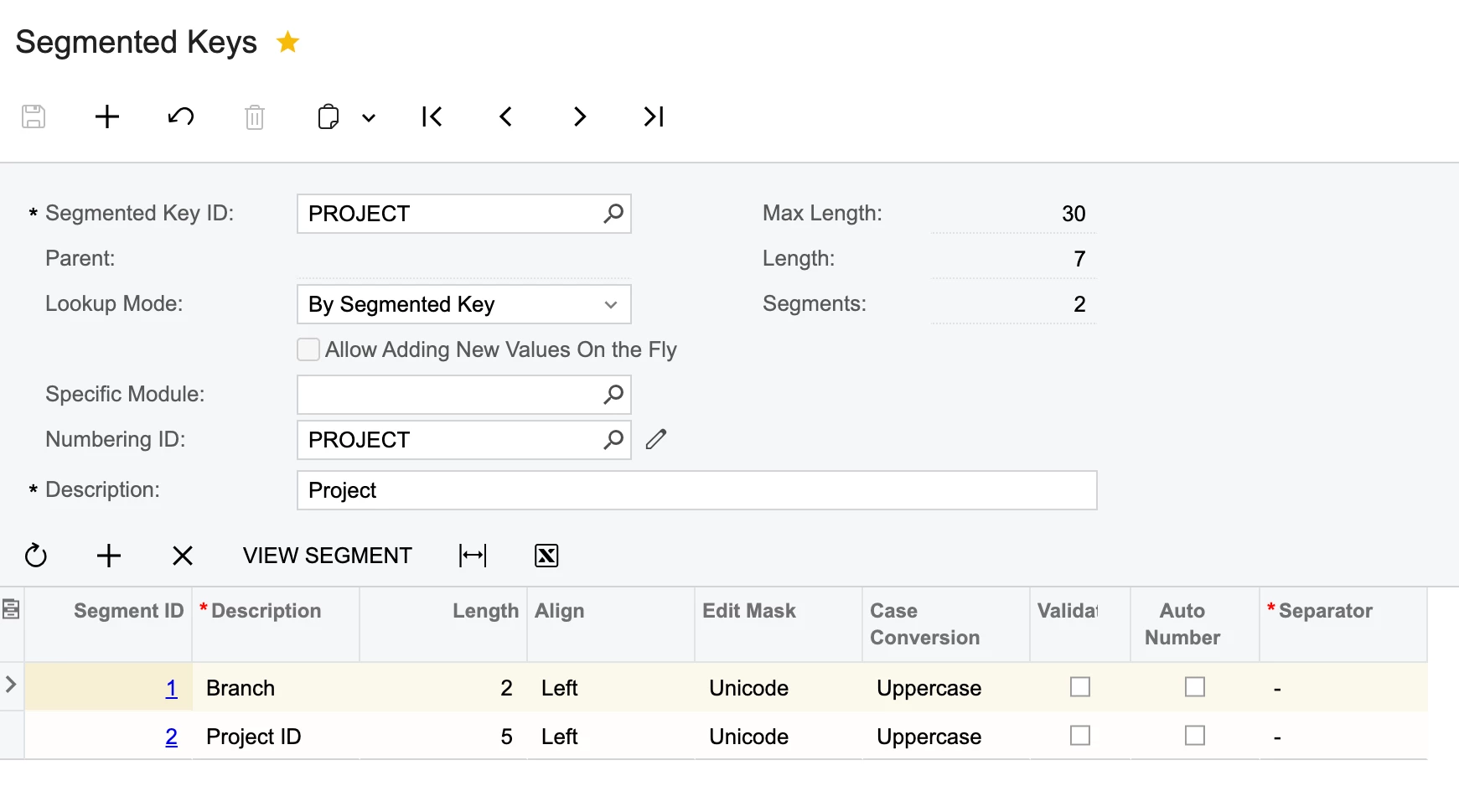
i have been trying to setup auto numbering on the segmented keys screen as below:
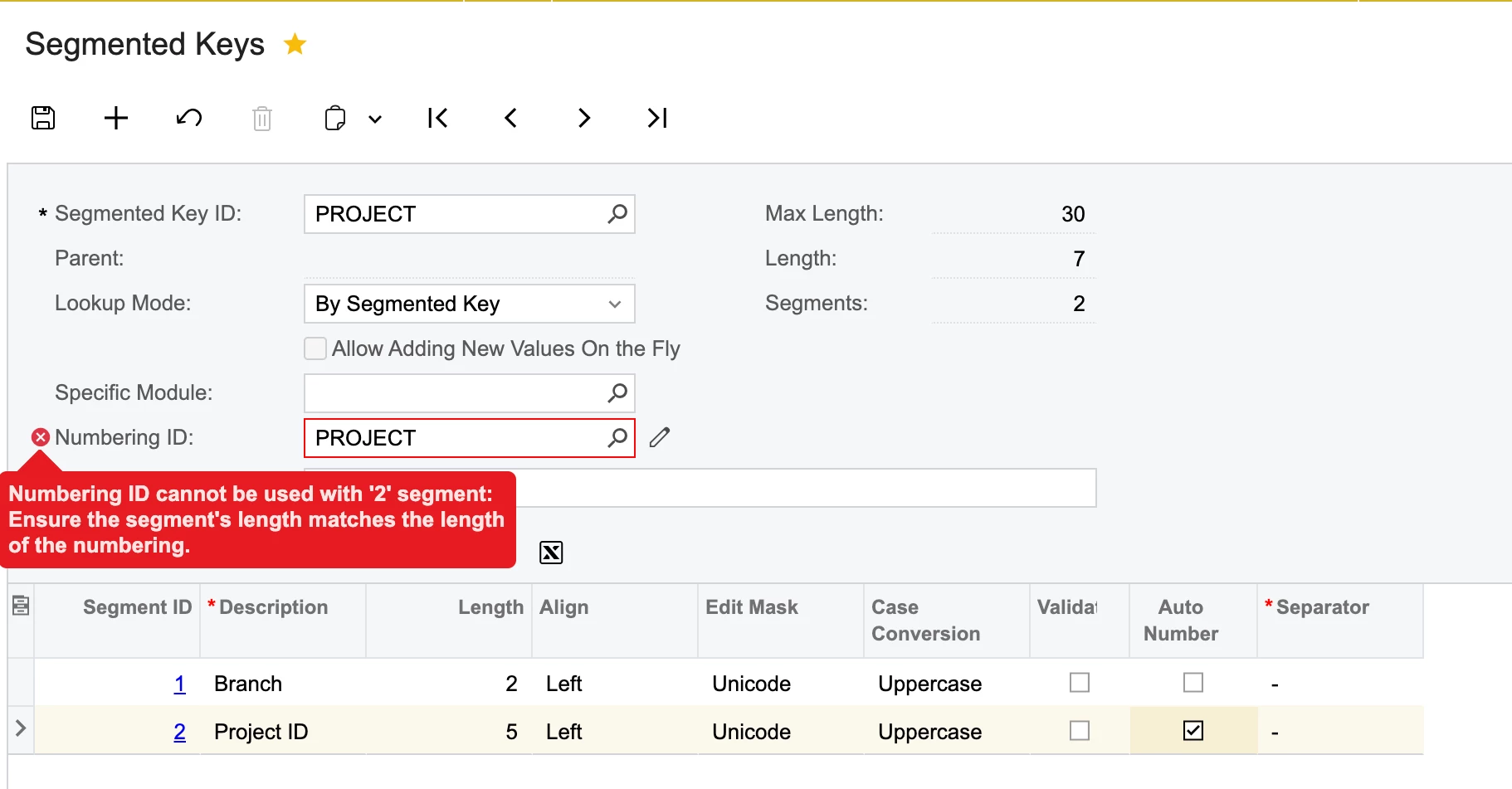
While, I’m trying to activate auto numbering in here, it triggers the following error:
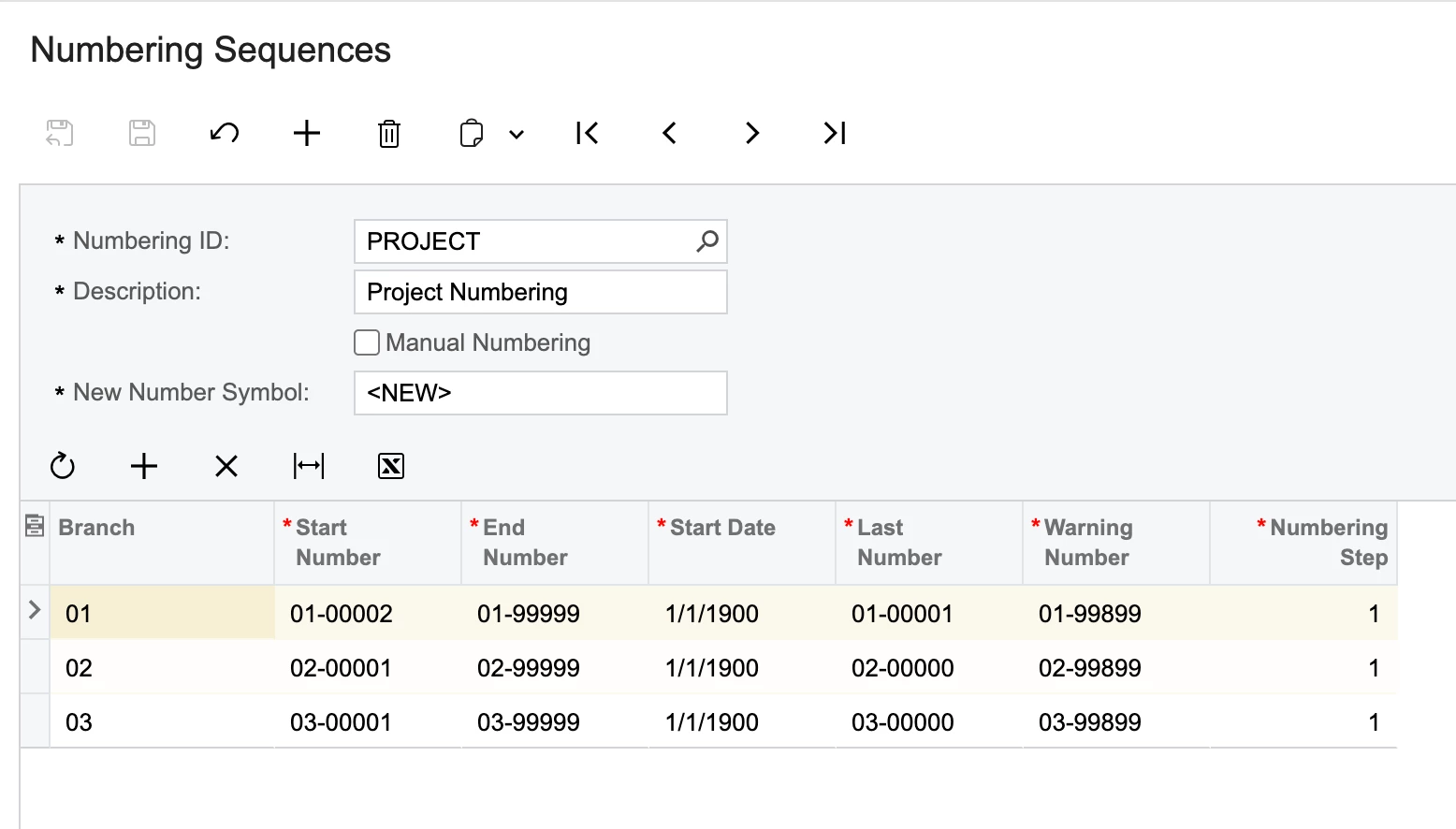
We already have 2 project entries in the system and below is the project numbering seq:
How to resolve this?
Best answer by pranavkhare34
Hi @harshitasethia74
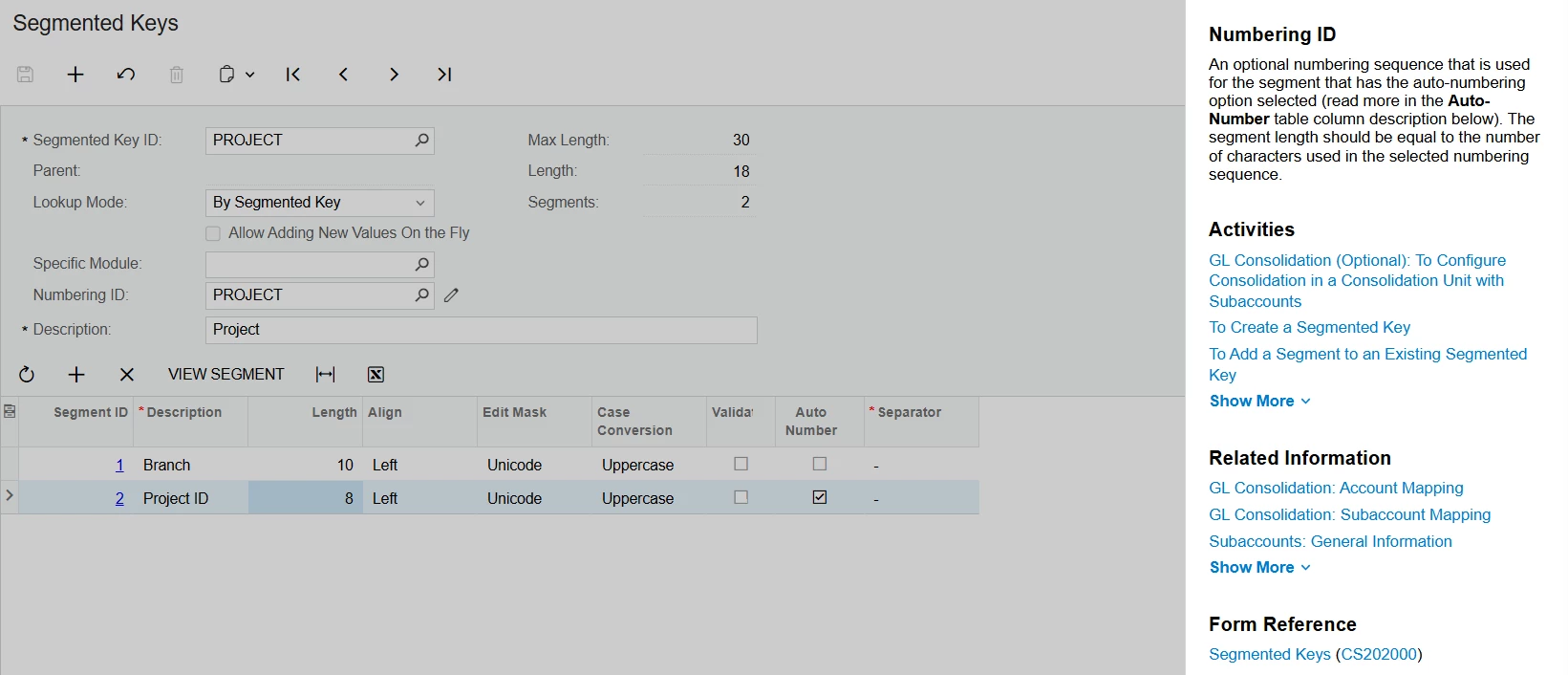
The following screenshot shows more information about the field where you are experiencing an error. It shows that the length of the segment should be equal to the numbering sequence. According to your screenshot for the numbering sequence, the length appears to be 8 characters.
For project ID, instead of entering 5, please try entering 8.
The following screenshot shows more information about the field where you are experiencing an error. It shows that the length of the segment should be equal to the numbering sequence. According to your screenshot for the numbering sequence, the length appears to be 8 characters.
For project ID, instead of entering 5, please try entering 8.