Solved

Approval Map for Credit Memos

  • January 17, 2024
  • 7 replies
  • 216 views

Trying to add Approval Map to Credid Memos


Best answer by Laura03

Hello,

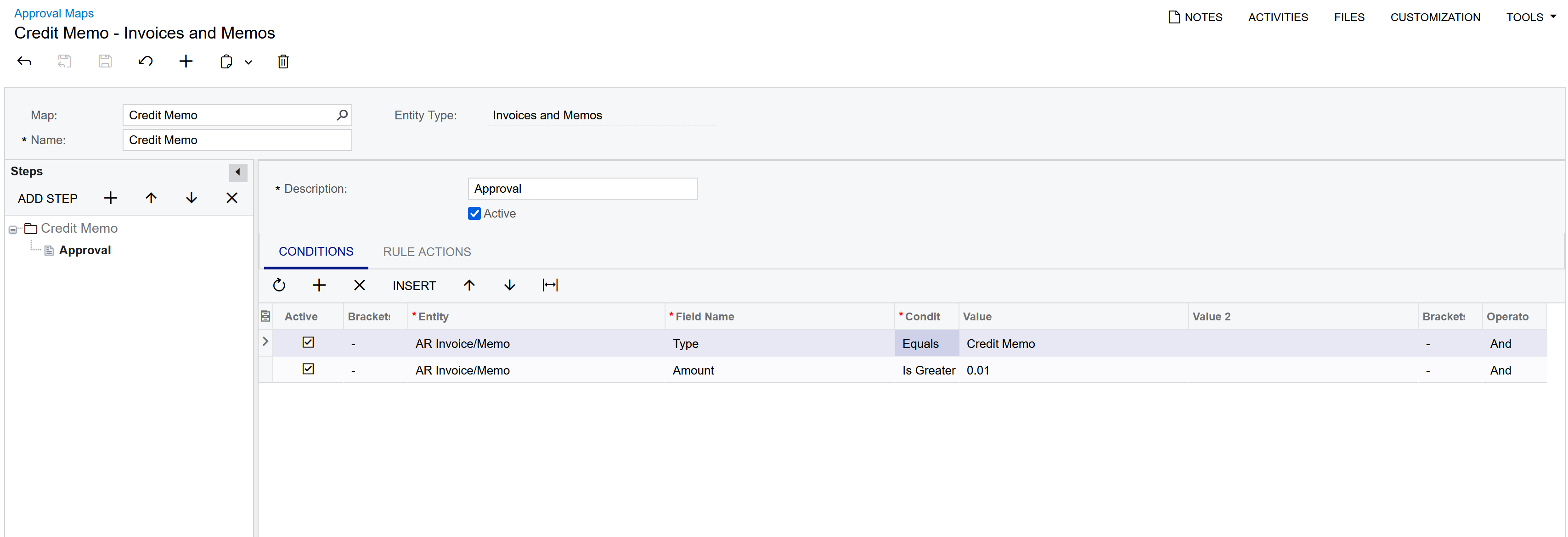
To add a new Approval map for ALL Credit memos, leave Conditions tab blank and add the

Approver (Employee name or Workgroup) to the Rule Actions tab of Approval Maps screen.

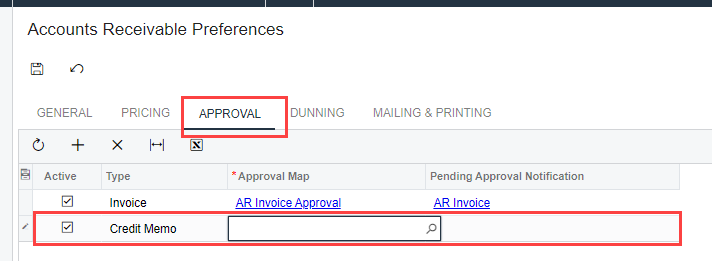
Then connect new Approval map to the Approvals tab of AR Preferences, for Type = Credit Memo only.
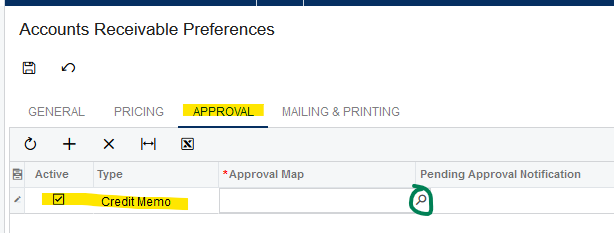
Connect your Approval Map to Credit Memo on Approval tab of AR Preferences.


7 replies

Laura03
Captain II
Forum|alt.badge.img+20
  • Captain II
  • Answer
  • January 17, 2024

Hello,

To add a new Approval map for ALL Credit memos, leave Conditions tab blank and add the

Approver (Employee name or Workgroup) to the Rule Actions tab of Approval Maps screen.

Then connect new Approval map to the Approvals tab of AR Preferences, for Type = Credit Memo only.

Connect your Approval Map to Credit Memo on Approval tab of AR Preferences.


meganfriesen37
Captain II
Forum|alt.badge.img+13

It looks like you’re off to a good start on your approval map.

Once you’ve got your approval map ready to go, make sure to update the “approvals” tab of the Accounts Receivable Preferences tab

  • Activate the Row
  • Select the “Credit Memo” type
  • Select the Approval Map
  • Select a notification template (if required)
  • Press Save


  • Author
  • Freshman I
  • January 18, 2024

Thanks!


  • Freshman I
  • January 26, 2026

Hi,

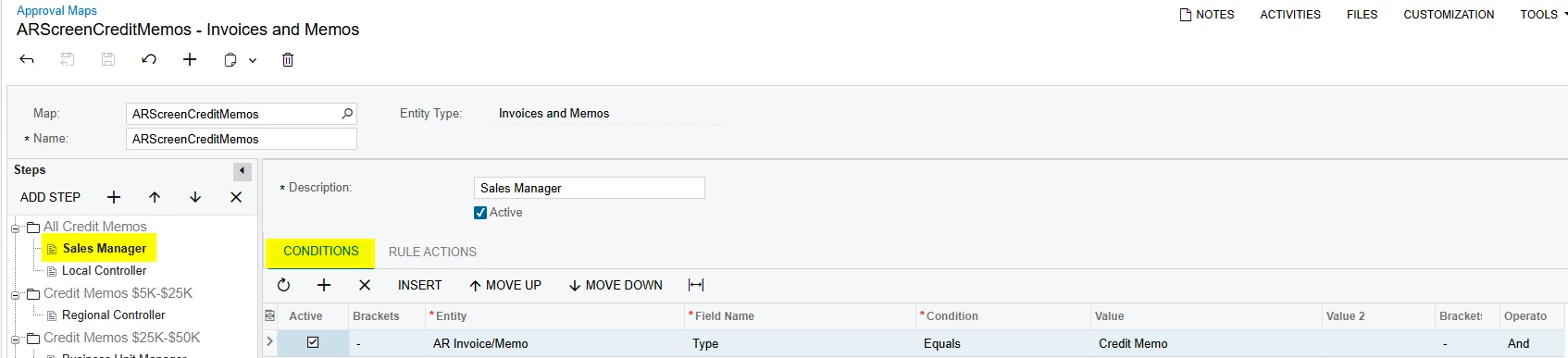
i am just wondering how can i set properly the workflow for approving credit memos, so that Sales Manager will always be the first to confirm new credit memo. Right now our AR map for credit notes is the Sales manager on the top and then the local controller, but in reality is other way around. The first the crontorller is getting the memos and then sales manager. Do you know maybe what is causing this flow?

Thank you,

Andreja Špindler


meganfriesen37
Captain II
Forum|alt.badge.img+13

@aspindler without seeing the approval map, it’s hard to say why it might not be behaving as intended.

  • Are the conditions such that the system is just skipping the first step (i.e. the conditions to trigger the first step for the sales manager are always false) and it’s just going to the 2nd step and never collecting the Sales Manager approval?  Is the Sales Manager step active?
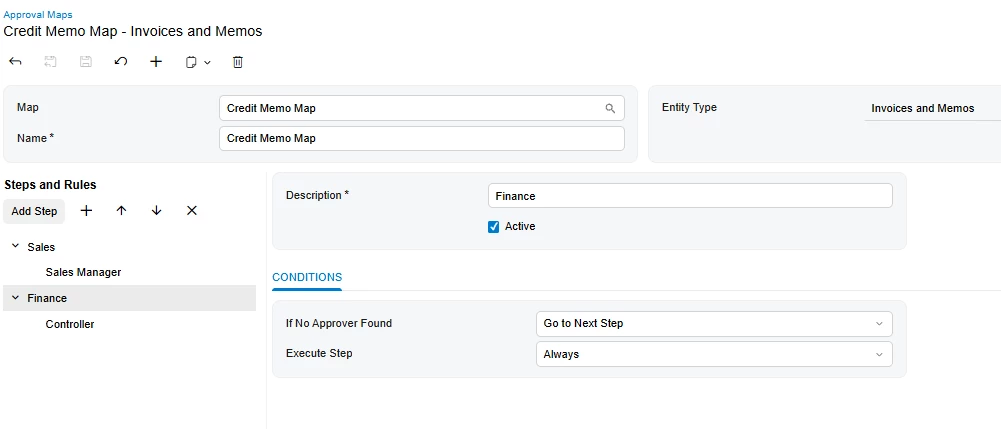
  • Is each rule (Sales Manager) and (Controller) in a the same step?  (i.e are they happening simultaneously) or are they in different steps?

I’d recommend setting them up each in their own step.  Check on your conditions to ensure that nothing is slipping through the cracks.


  • Freshman I
  • January 28, 2026

Hi meganfriesen37,

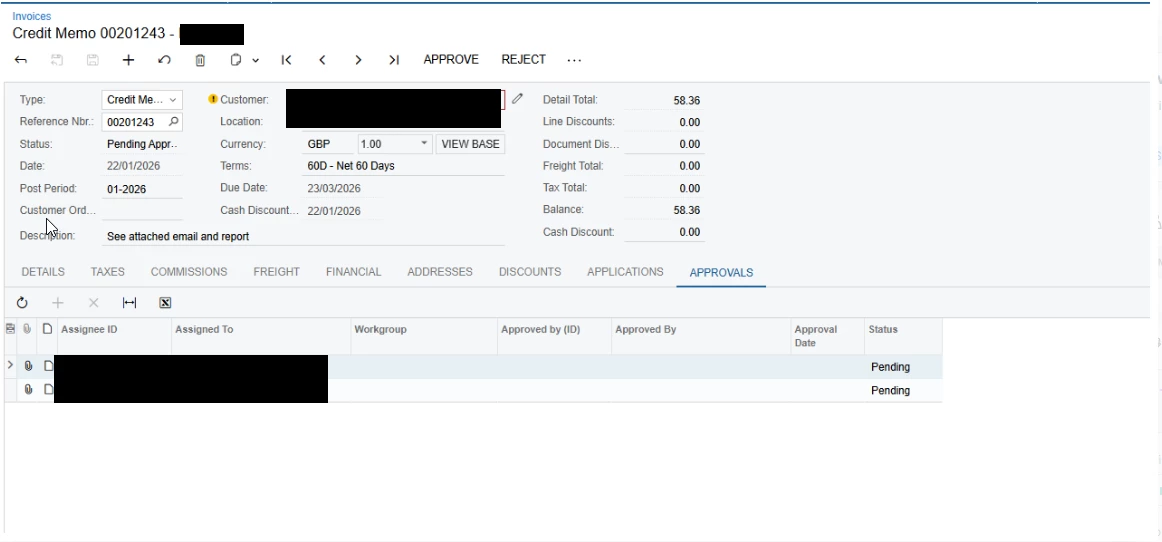
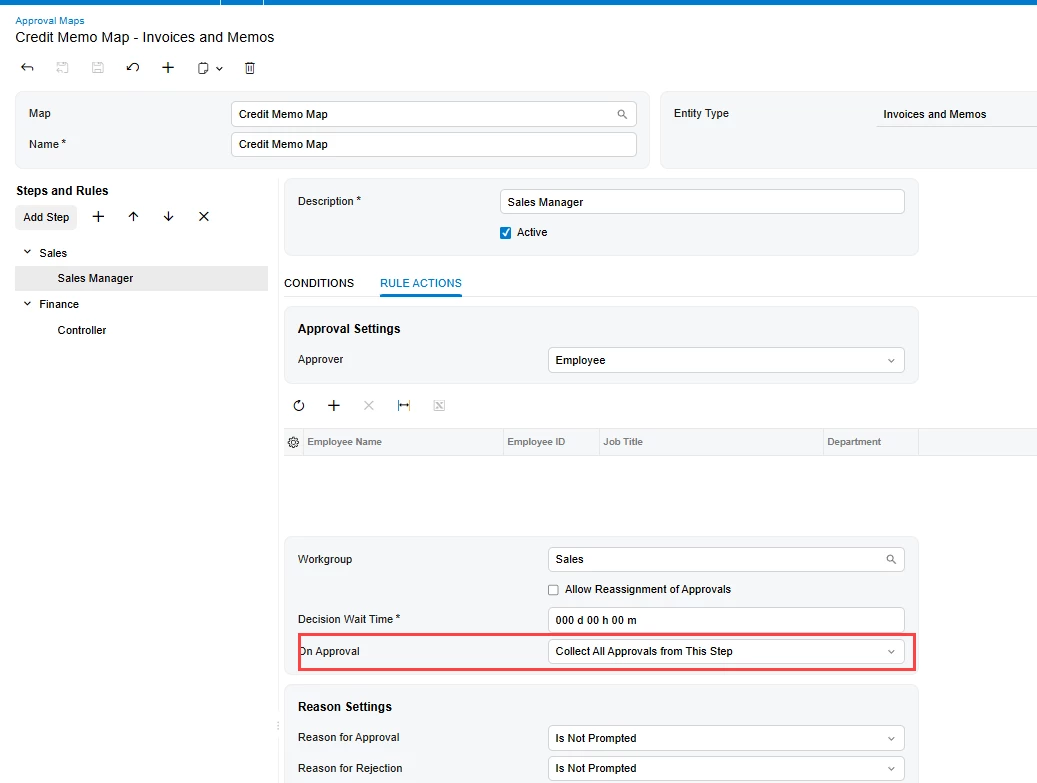
It look like this now. And i think that Sales manager and Local controller are getting in the same time the approval requests, and we want  to get first to Sales Manager and then to Local Controller and they have the same set ups as you can see below:


meganfriesen37
Captain II
Forum|alt.badge.img+13

With the current setup, it will be sending to both at the same time.  If you want it to complete the Sales Manager step prior to the Controller step, you will need to split it out into two separate steps as I’ve got it below.  Also watch which “on approval” action you have selected.