Answer

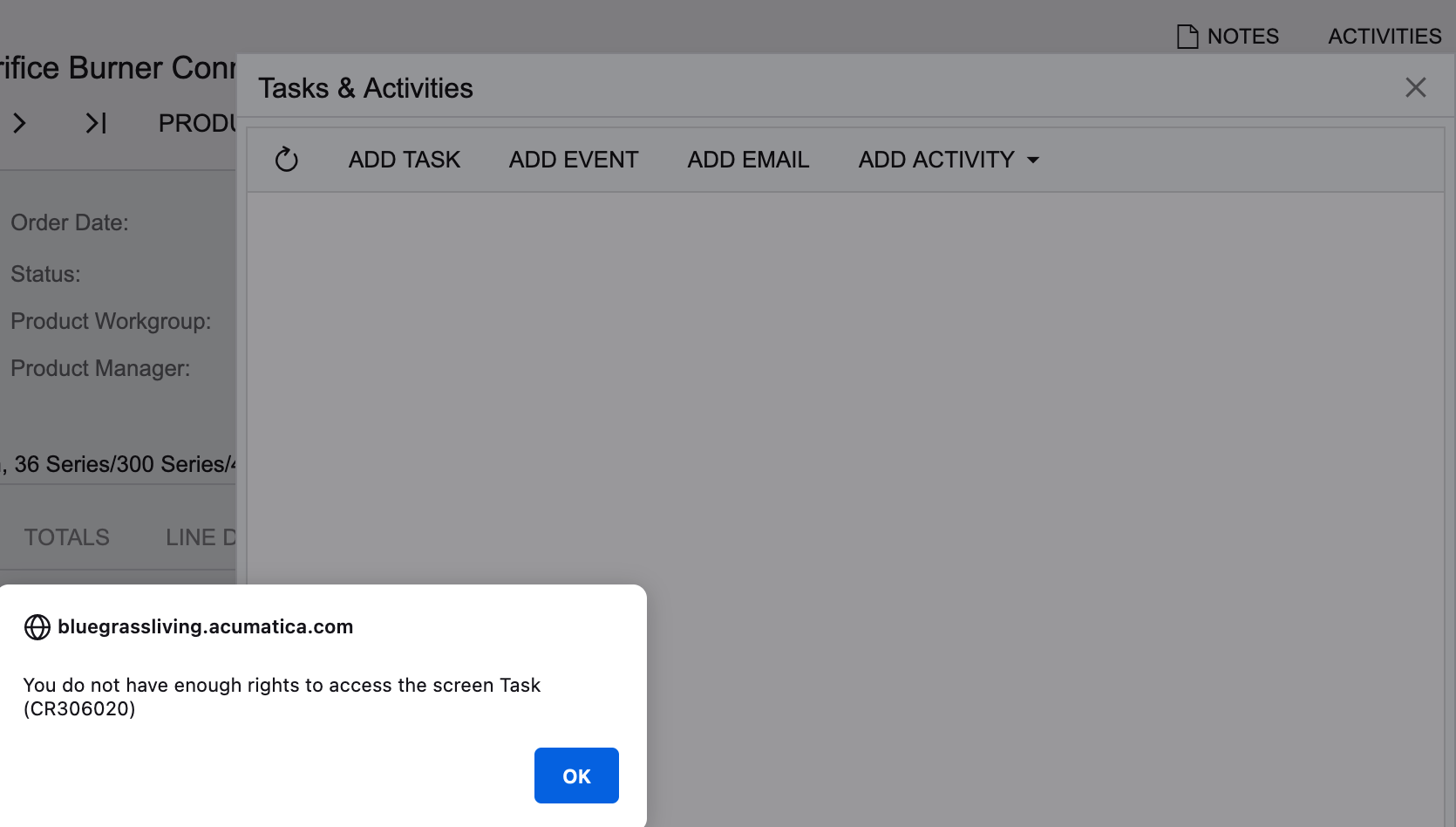
Add Task > You do not have enough rights to access the screen Task (CR306020)

  • April 3, 2023
  • 9 replies
  • 386 views

AndrewBGL
Pro I
Forum|alt.badge.img

Hello,

I am going through user permissions and I am getting this error message when log into a users account and click on Activities , Add Task.
 

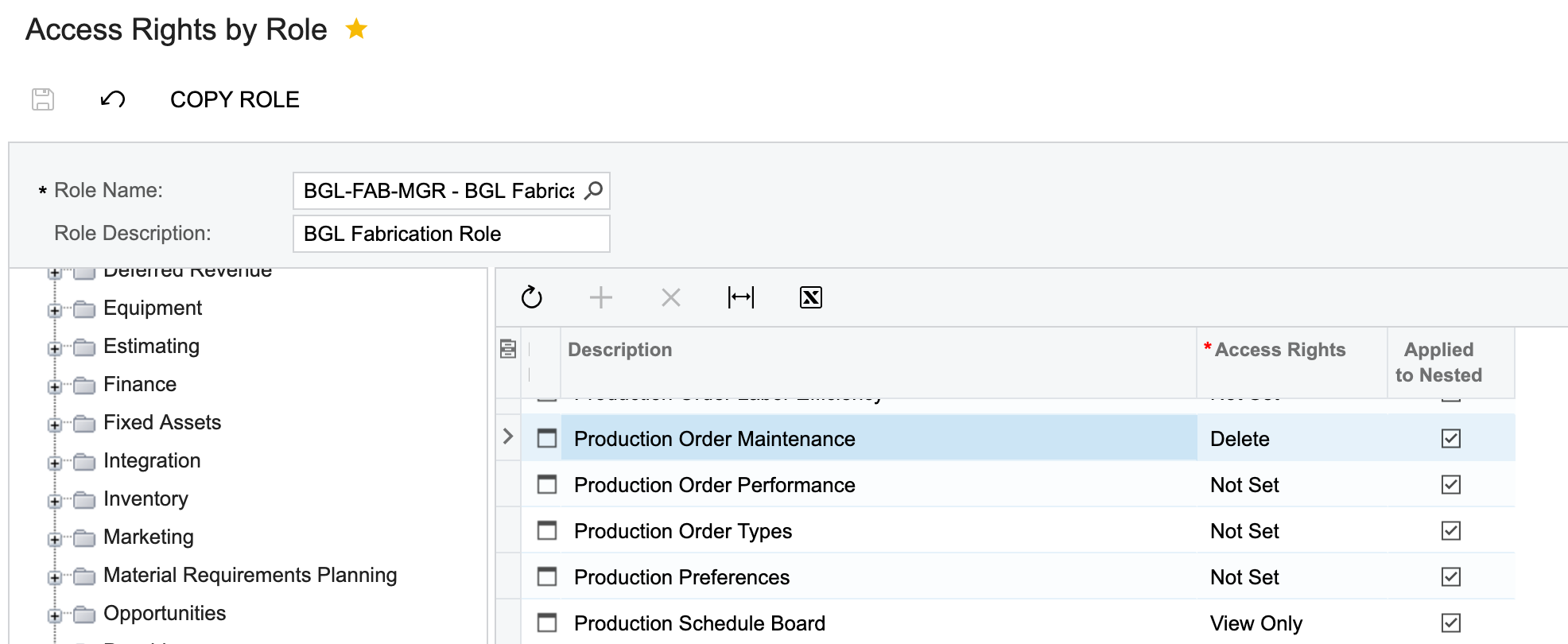
Under the Access Rights by Role page under Time and Expenses I have given the role Delete under access rights and they still cannot access the tasks.

Any idea on what Access rights I need to add?
 

Best answer by vkumar

Hi @AndrewBGL 

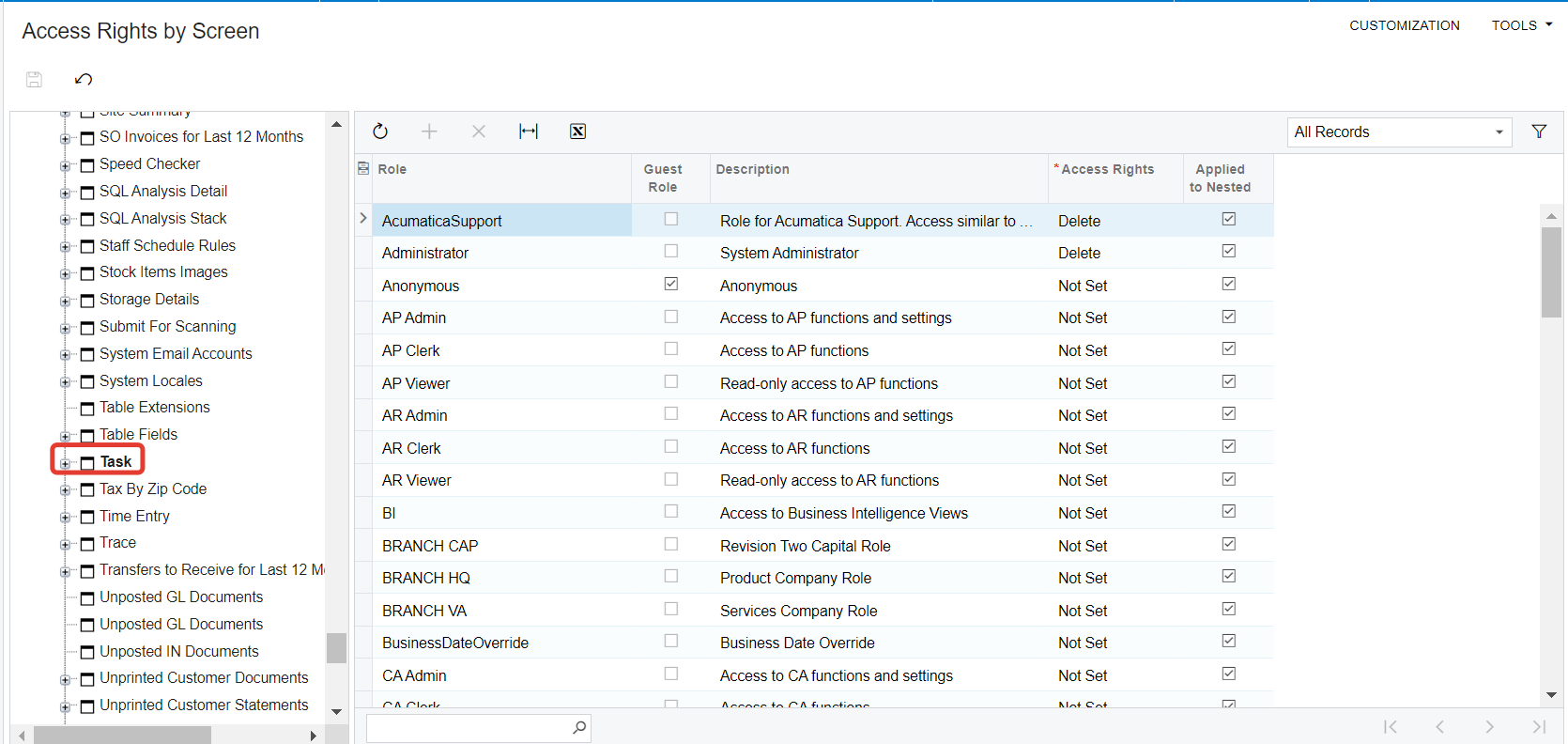
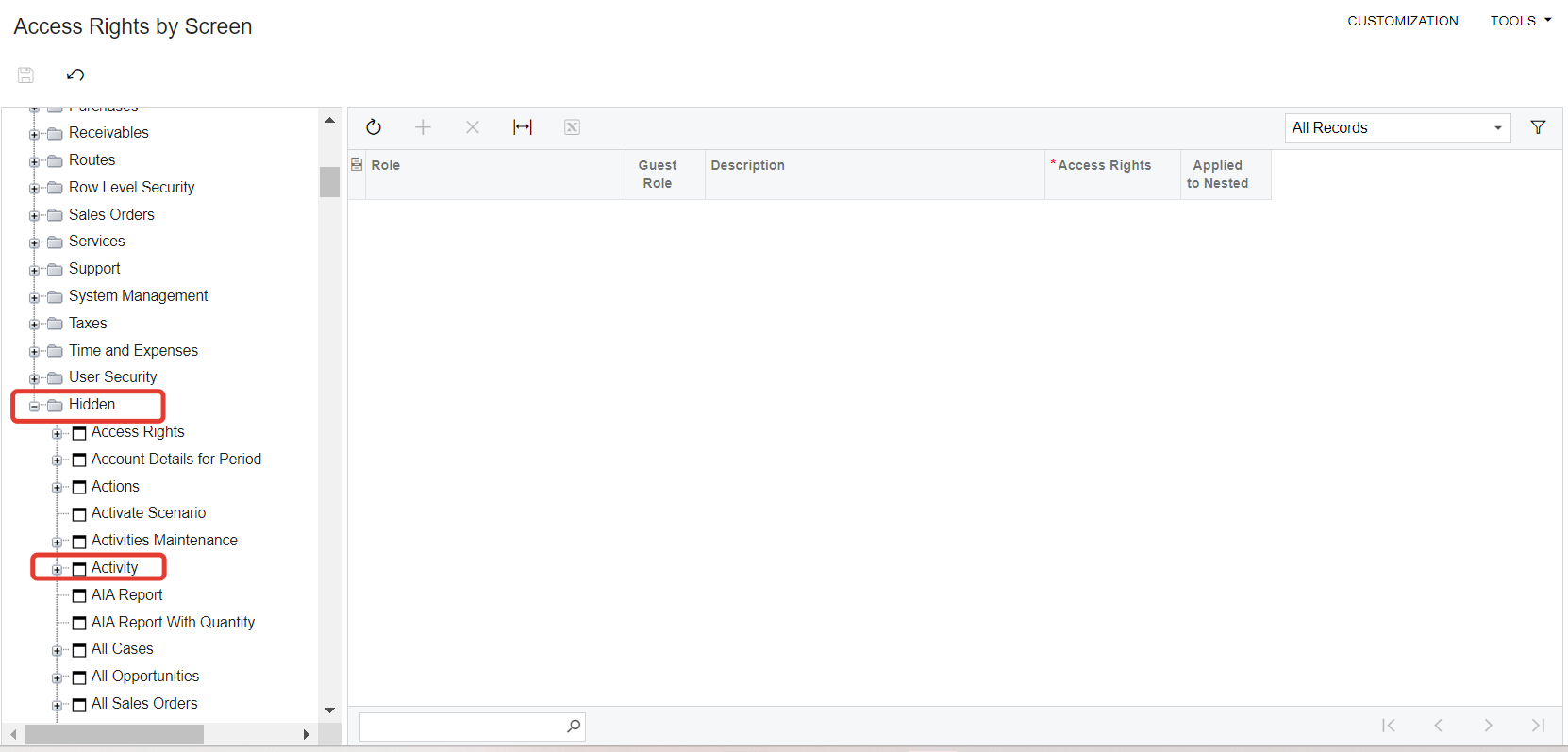
On Access rights by Screen > Under ‘Hidden’ category, give access to ‘Activity’ and ‘Task’ nodes.

Hope this helps,

Regards,

9 replies

AndrewBGL
Pro I
Forum|alt.badge.img
  • Author
  • Pro I
  • April 3, 2023

I have been going through the Access Rights by Role page and also read the help menu.


darylbowman
Captain II
Forum|alt.badge.img+15

What screen is the ‘Activities’ button on? That’s where the permissions lack.


AndrewBGL
Pro I
Forum|alt.badge.img
  • Author
  • Pro I
  • April 3, 2023

What screen is the ‘Activities’ button on? That’s where the permissions lack.

It was on the production orders maintenance. I checked the access rights by role and they have delete for the access rights.


AndrewBGL
Pro I
Forum|alt.badge.img
  • Author
  • Pro I
  • April 3, 2023

Also under the Access Rights by Role for Time and Expenses they have the Delete Access rights for the Activities description.


darylbowman
Captain II
Forum|alt.badge.img+15

If you expand the node for that screen on the left, does it contain anything Activity related? Are the sub-rights 'inherited' or something else?


Forum|alt.badge.img+12
  • Acumatica Support Team
  • Answer
  • April 4, 2023

Hi @AndrewBGL 

On Access rights by Screen > Under ‘Hidden’ category, give access to ‘Activity’ and ‘Task’ nodes.

Hope this helps,

Regards,


AndrewBGL
Pro I
Forum|alt.badge.img
  • Author
  • Pro I
  • April 4, 2023

If you expand the node for that screen on the left, does it contain anything Activity related? Are the sub-rights 'inherited' or something else?

I did expand the node and Activity was set


AndrewBGL
Pro I
Forum|alt.badge.img
  • Author
  • Pro I
  • April 4, 2023

Hi @AndrewBGL 

On Access rights by Screen > Under ‘Hidden’ category, give access to ‘Activity’ and ‘Task’ nodes.

Hope this helps,

Regards,

Hello,

Yes this fixed the issue.


AndrewBGL
Pro I
Forum|alt.badge.img
  • Author
  • Pro I
  • April 4, 2023

Hello Everyone,

Thanks for the replies I was able to fix the issue and created a basic role so everyone on our team can access tasks.