Question

Add create contacts action to a user role

  • Nov 25, 2026 3:36 PM UTC
  • 4 replies
  • 16 views
  • Translate All

Forum|alt.badge.img

Hello,

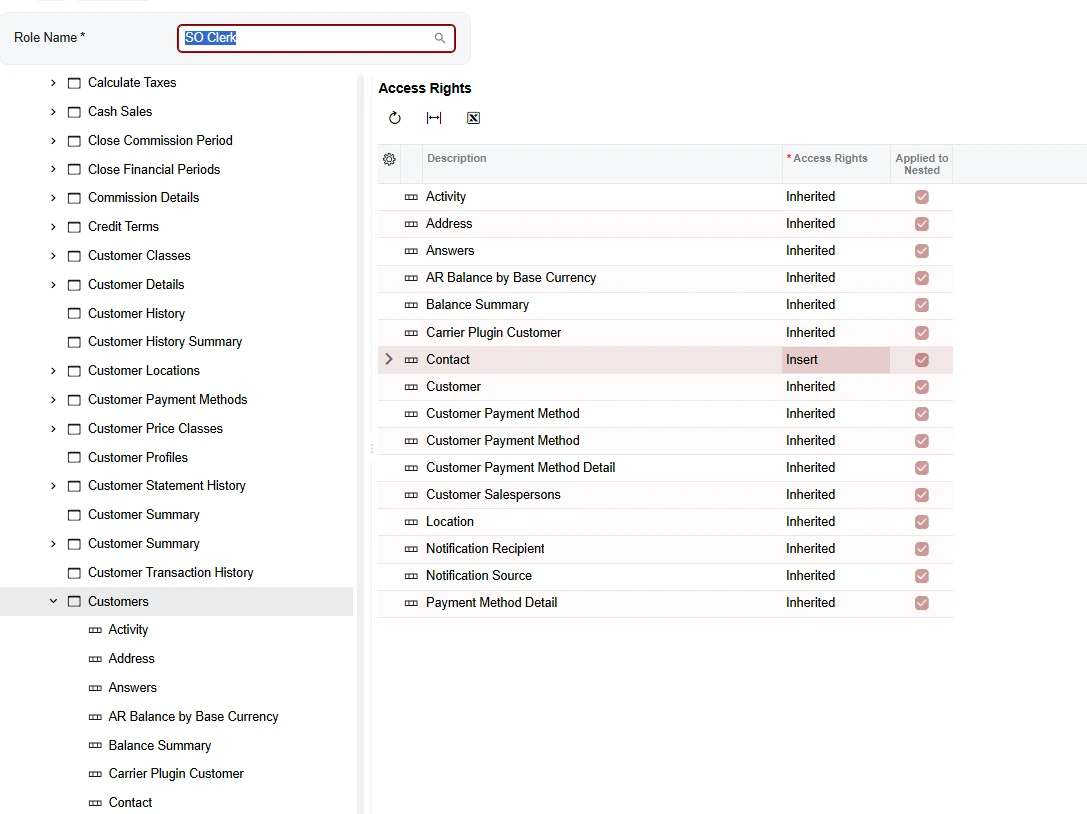
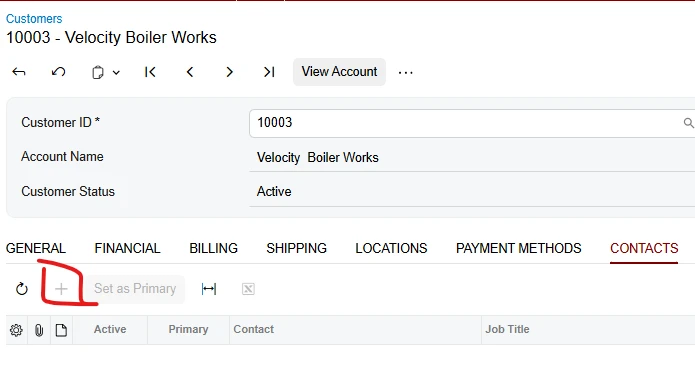
We have a request to allow a user to create customer contacts. While attempting this, I’m having a difficult time locating the correct action within the security tree to assign? Not sure if anyone knows a better way to navigate the tree and understand the hierarchy, but we can’t find the correct location to grant security.

 

4 replies

Eric Ratté
Jr Varsity I
Forum|alt.badge.img+5
  • Jr Varsity I
  • Nov 25, 2026 3:45 PM UTC

Hi,

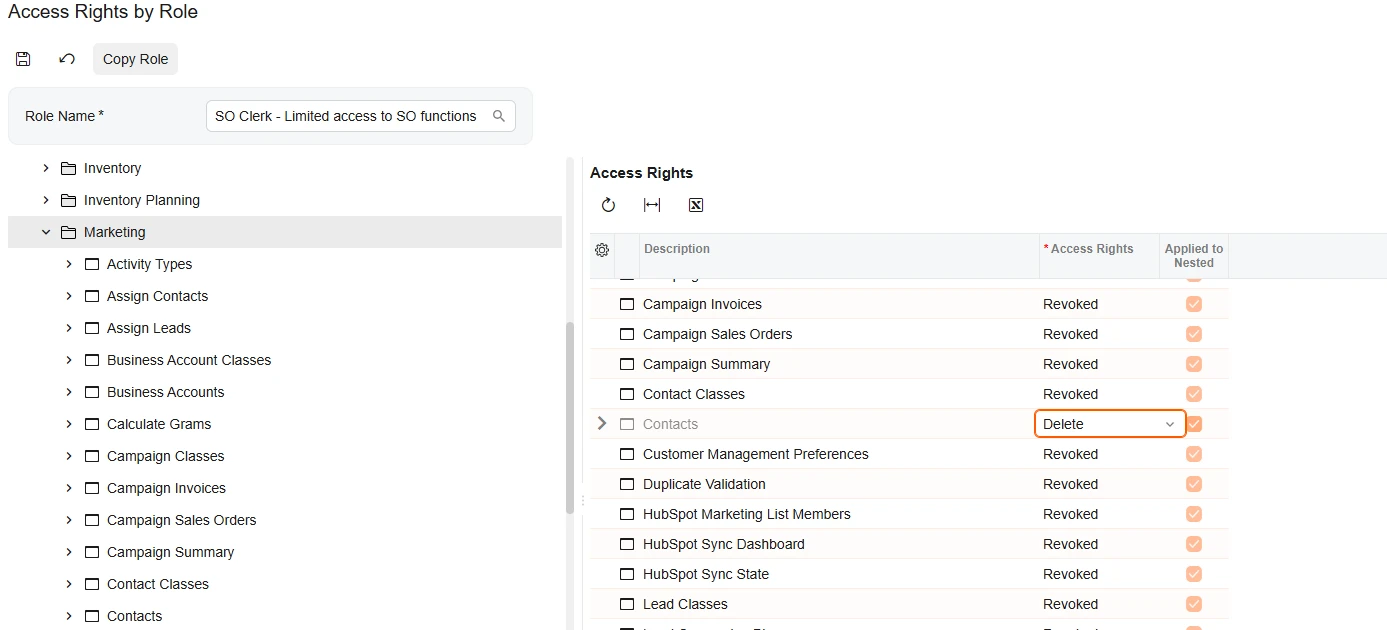
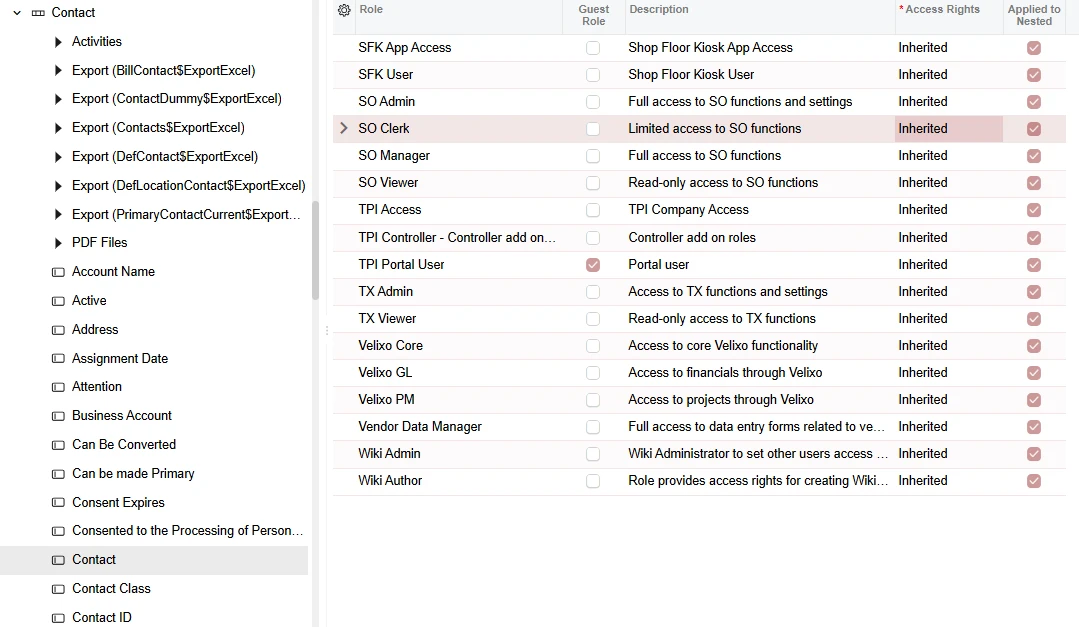
From the screen Access Rights by Role, you first select the Role that you want to modify.


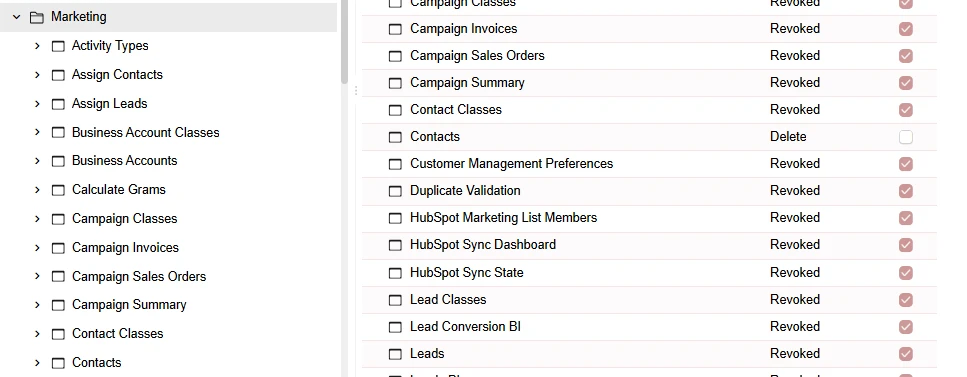
Then, here is the screen capture to help you out.


Translate

Forum|alt.badge.img
  • Author
  • Freshman I
  • Nov 25, 2026 4:27 PM UTC

Hi,

From the screen Access Rights by Role, you first select the Role that you want to modify.


Then, here is the screen capture to help you out.


Thanks for the response Eric, this still doesn’t work though. I think I’m misunderstanding something here. 


Translate

Eric Ratté
Jr Varsity I
Forum|alt.badge.img+5
  • Jr Varsity I
  • Nov 25, 2026 5:20 PM UTC

I apologize, there is at least a step missing.

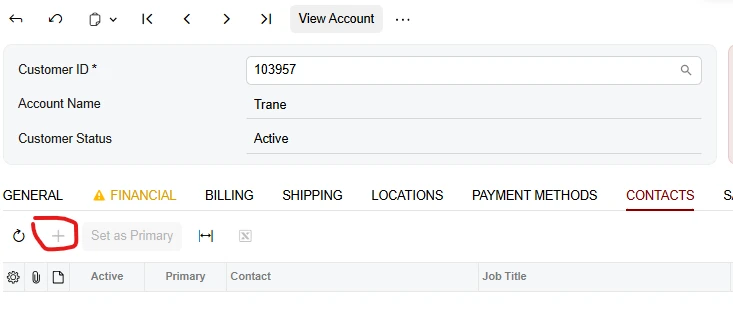
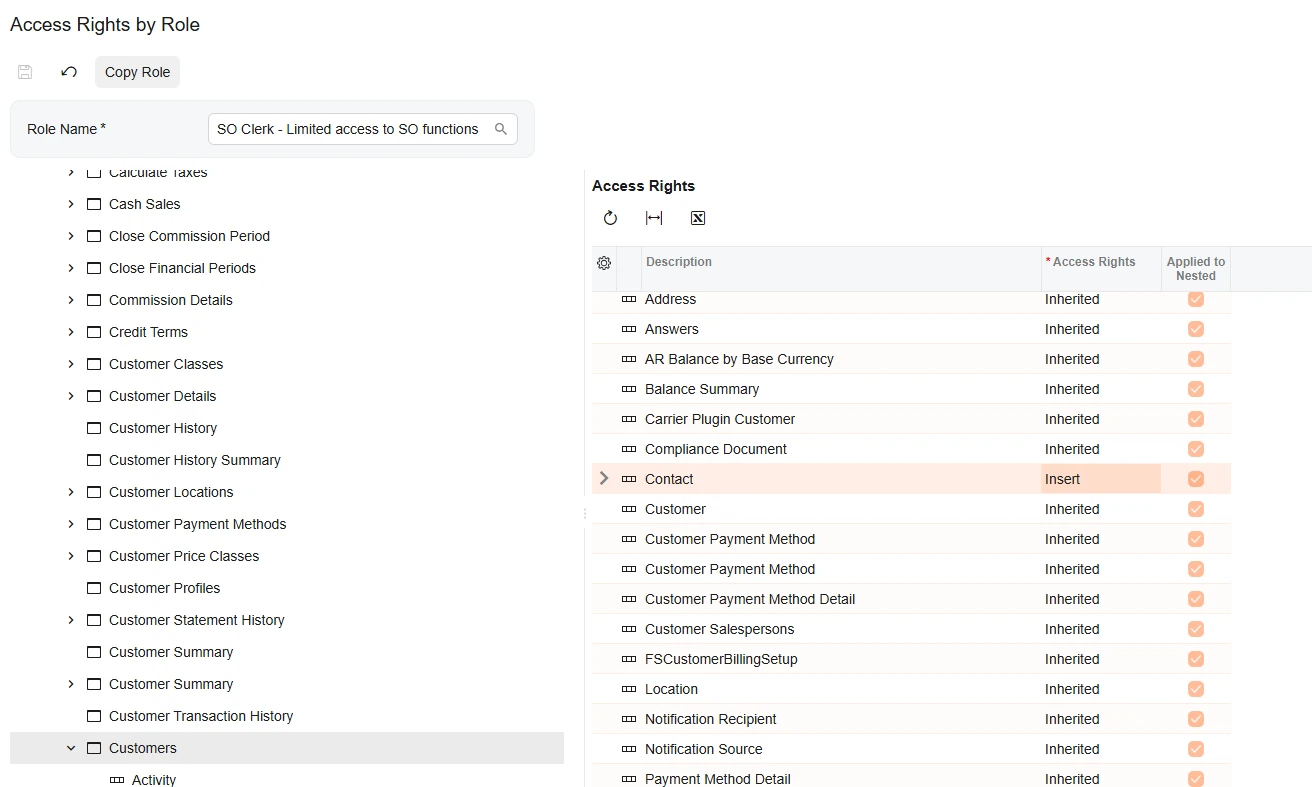
Now, the user will be able to create contacts from the Contacts screen. However, To be able to create contacts from the Customers screen.

From the Receivables section on the Access By Role screen, you have to make sure that this is set:


Translate

Forum|alt.badge.img
  • Author
  • Freshman I
  • Nov 25, 2026 6:01 PM UTC

I apologize, there is at least a step missing.

Now, the user will be able to create contacts from the Contacts screen. However, To be able to create contacts from the Customers screen.

From the Receivables section on the Access By Role screen, you have to make sure that this is set:


Hi Eric, I really appreciate your willingness to help here. Following along, but still no luck.


Translate