
Solved

Can we increase customer iD lenght

  • Jun 25, 2024 7:48 AM UTC
  • 6 replies
  • 341 views
  • Translate All

Hello Acumatica comunity,

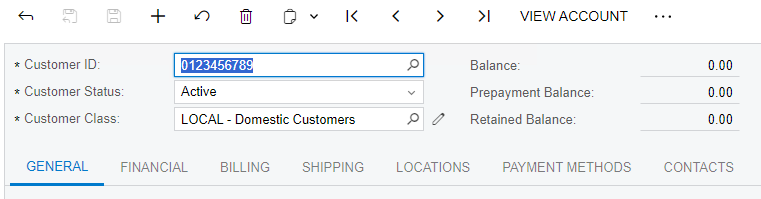
i have many customers. i have a question if somehow i need to increase customer number more than (10digit) 1000000000 + 1. how we can modify or the customerid field to accept more than 10.
Currently acumatica with default settings accpets only 10 Digit CustomerID
 

Best answer by nhatnghetinh

Hi @FaizanSaeed 

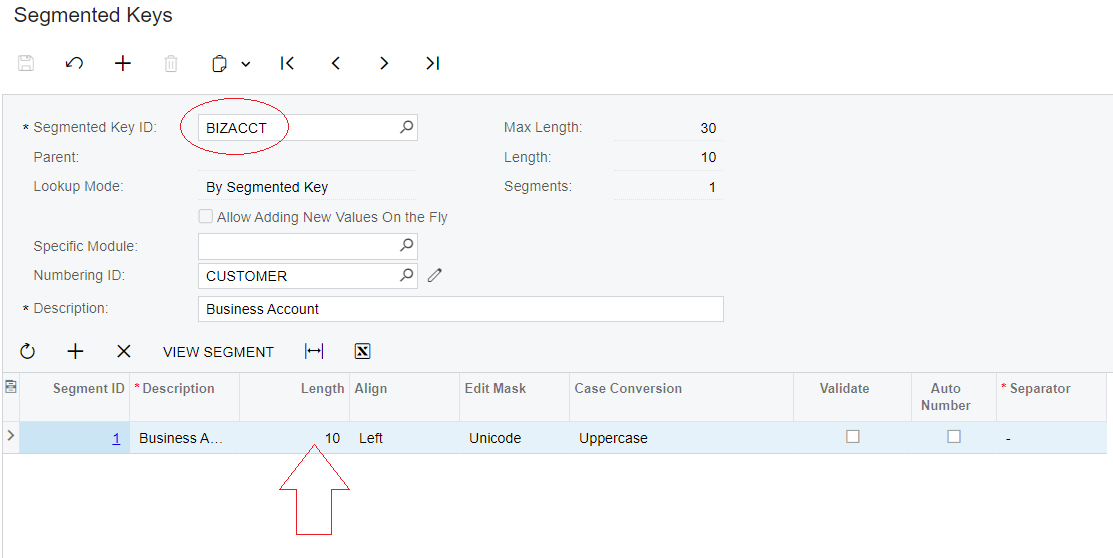
In the Segmented Keys ID. Please choose BIZACCT because BIZACCT is the Parent of CUSTOMER.


Best Regards,

NNT

View original

6 replies

Naveen Boga
Captain II
Forum|alt.badge.img+20
  • Captain II
  • Jun 25, 2024 9:21 AM UTC

@FaizanSaeed  

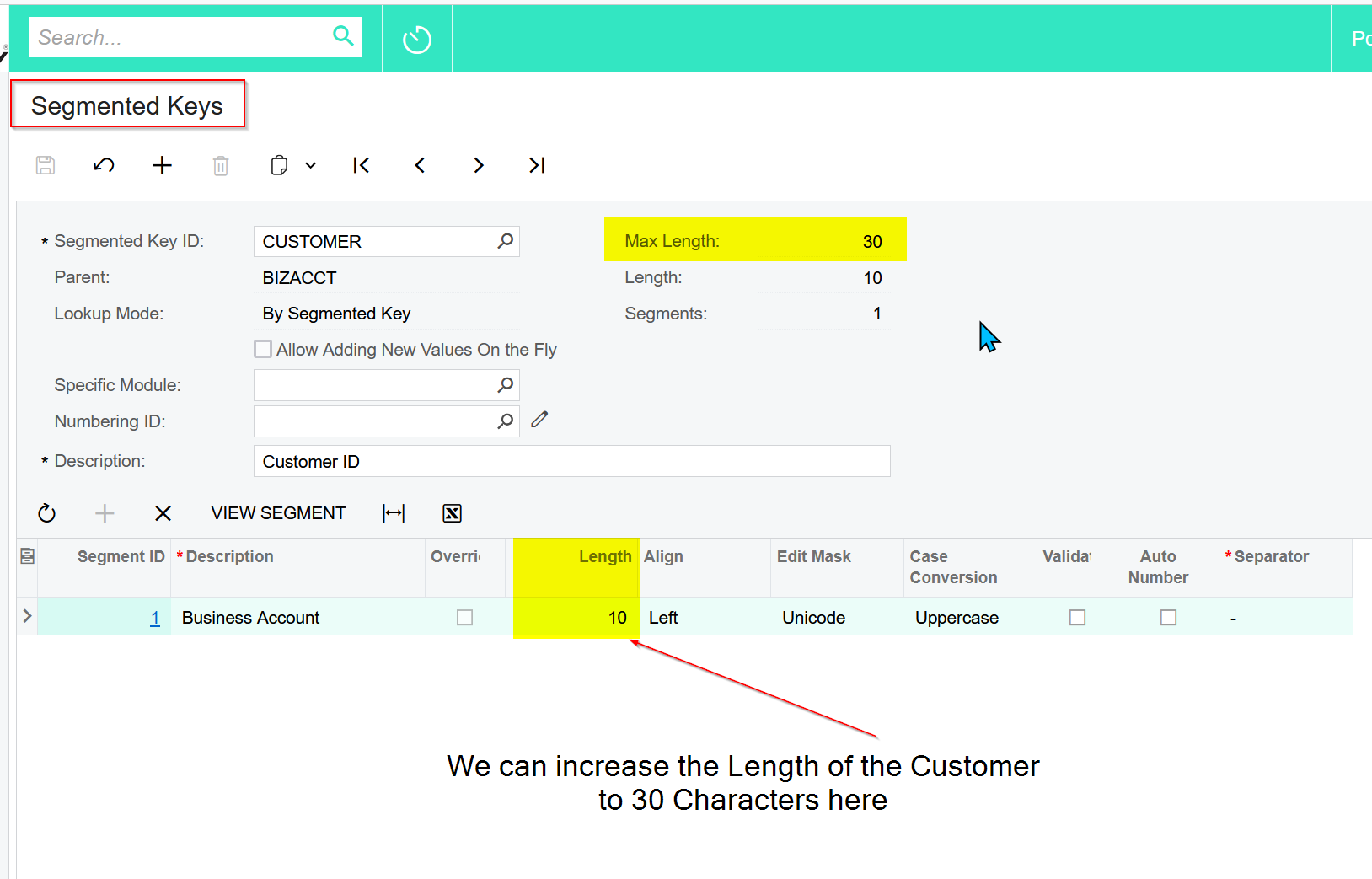
 yes we can increase the length of the customer in the Segmented Keys screen to MAX 30 Characters.


Translate

  • Author
  • Freshman I
  • Jun 25, 2024 10:15 AM UTC

@FaizanSaeed  

 yes we can increase the length of the customer in the Segmented Keys screen to MAX 30 Characters.


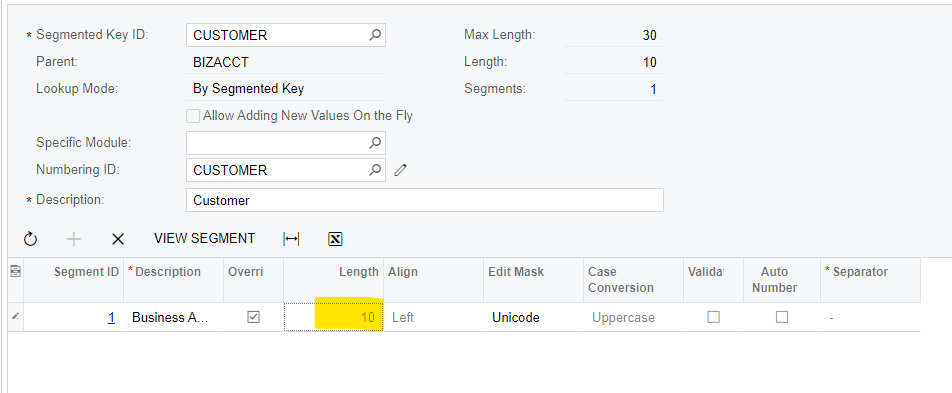
But it is disabled! it doesn’t allow to change/ modify.


Translate

nhatnghetinh
Captain II
Forum|alt.badge.img+15
  • Captain II
  • Answer
  • Jun 25, 2024 10:22 AM UTC

Hi @FaizanSaeed 

In the Segmented Keys ID. Please choose BIZACCT because BIZACCT is the Parent of CUSTOMER.


Best Regards,

NNT

Translate

  • Freshman I
  • Oct 27, 2025 3:48 PM UTC

I have tried to increase the size of the BizAccount but it gives me an error, says there are values in segment 1 even though I have deleted all customers and vendors, we are pre-go live.  Any reason why I cannot increase it

Translate

Ghazalshokrollahi
Jr Varsity III
Forum|alt.badge.img

Hi,

​@jmorris30 you already have data in it, it is referring to your data which is linked to business account being ( Supplier, Customer, Employee,...)

Translate

Forum|alt.badge.img+1
  • Varsity III
  • Mar 26, 2026 3:12 PM UTC

Thank you for this. I was able to identify how to enable/ disable auto-numbering for Customer ID during customer creation using this.

Translate