



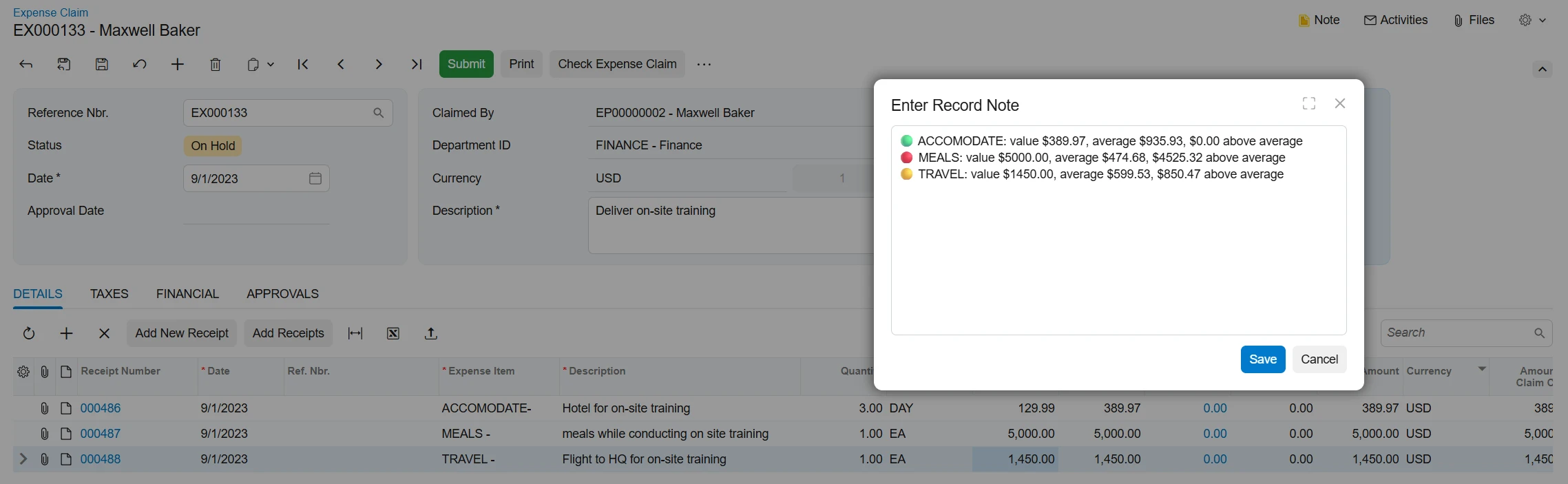
The purpose of this Agent is to assist the Finance team in reviewing expense claims prior to approval. It analyzes each expense claim line item and compares it against an average benchmark retrieved from a Generic Inquiry (GI), helping identify expenses that may require additional review or validation before approval. It writes it’s recommendation to the notes on the expense claim form
Instructions to install
- Import GI that returns expense items average amounts “SA-AverageExpenses.xml”
- Import the AI Agent, please make sure to change your LLM Connection “REVEXPCLAIM.xml”
How to run it
- Create an expense claim with several line items.
- click check expense claim, the check values written to the notes field