



Known Issue: Update license function stopped working on late evening 09/08/2025. Customers who need to update license or activate new license on any Acumatica version will be affected.
When a user clicks Update license on the Activate License form (SM201510) the following error is shown: “The license server returned an error. For detailed information, see the trace.”
Root cause: The issue is now resolved for all affected users
Workaround: Use Upload License File function instead of entering the license key.
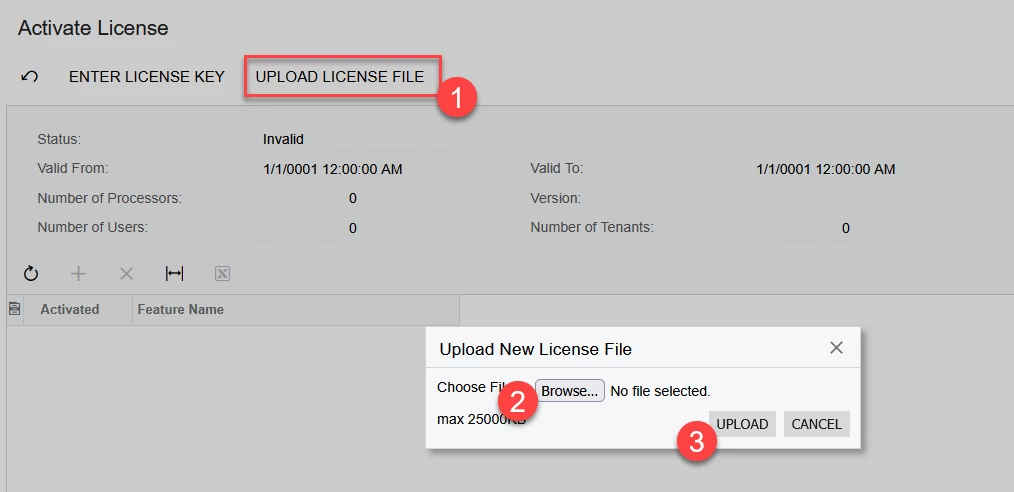
Actions needed: If you haven’t used the workaround yet, apply license through the Enter License Key as usual.
We apologize for any inconvenience experienced.