



Have a question? Instead of searching through multiple pages, you can now get needed answers through a conversation.
Introducing Beacon AI Chatbot, a smarter way to find information and navigate resources.
What Is Beacon AI Chatbot?
Beacon AI Chatbot helps you find answers by understanding your questions and guiding you toward the information you need. It works like a helpful assistant that helps you discover relevant content faster.
As it responds to you, AI Chatbot takes into consideration what information you can access. You may get different answers based on whether you are a customer or a guest.
Please note that we’ve deliberately excluded knowledge base articles, known issues, materials from the Download page, and videos from the chatbot to avoid any accidental display of secure information. This means that the AI Chatbot cannot respond to the questions about them. Our team is working on a solution—stay tuned.
One more wonderful feature of this chatbot is that you can ask your questions in the language you want to. Whether it is English, French, Spanish or any other language, try it out.
Before You Start
Sign in to your Beacon account to access AI Chatbot as it is only available to authenticated Acumatica users.
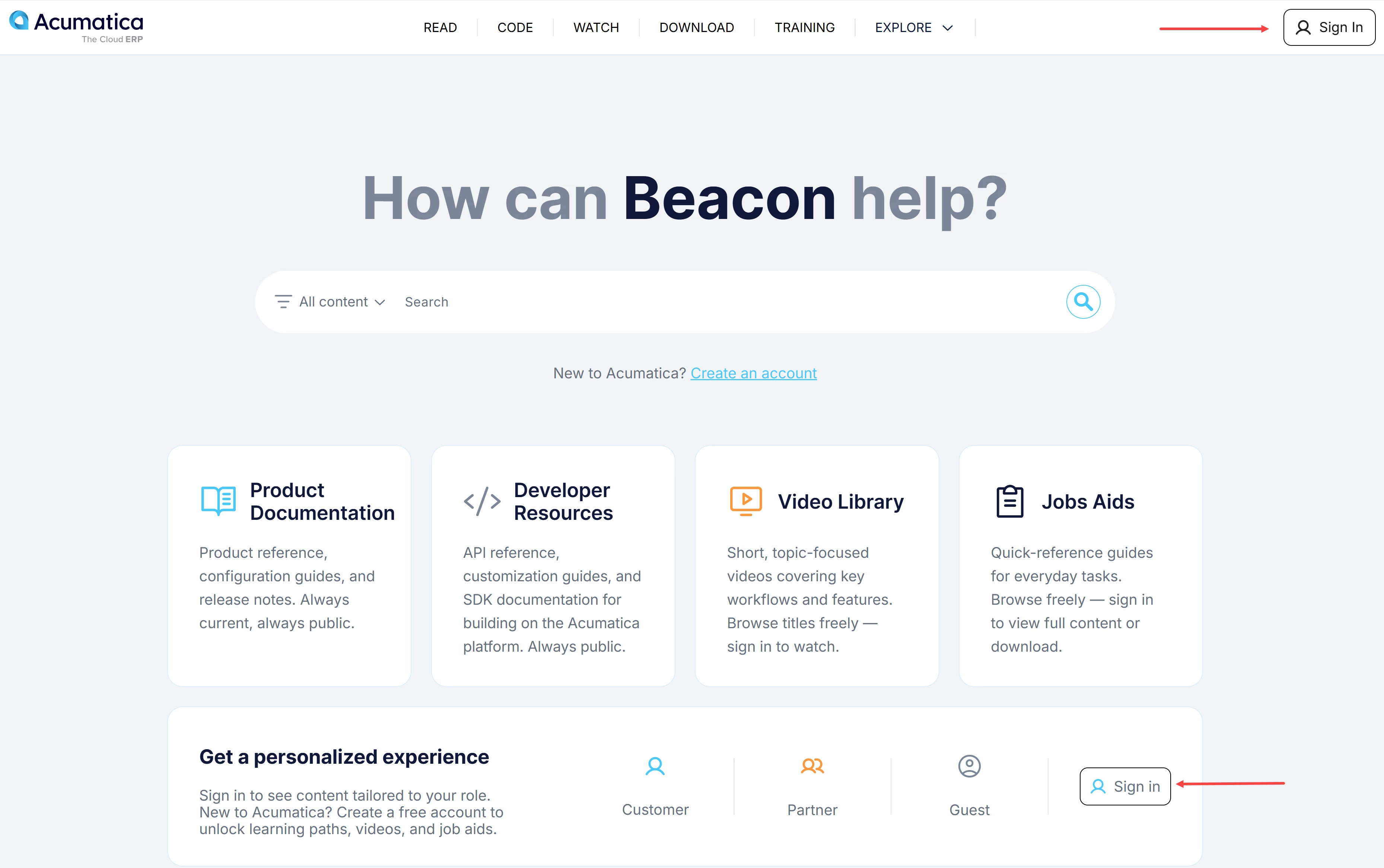
Need help with your account? See Beacon: How to Create an Account.
How to Use AI Chatbot
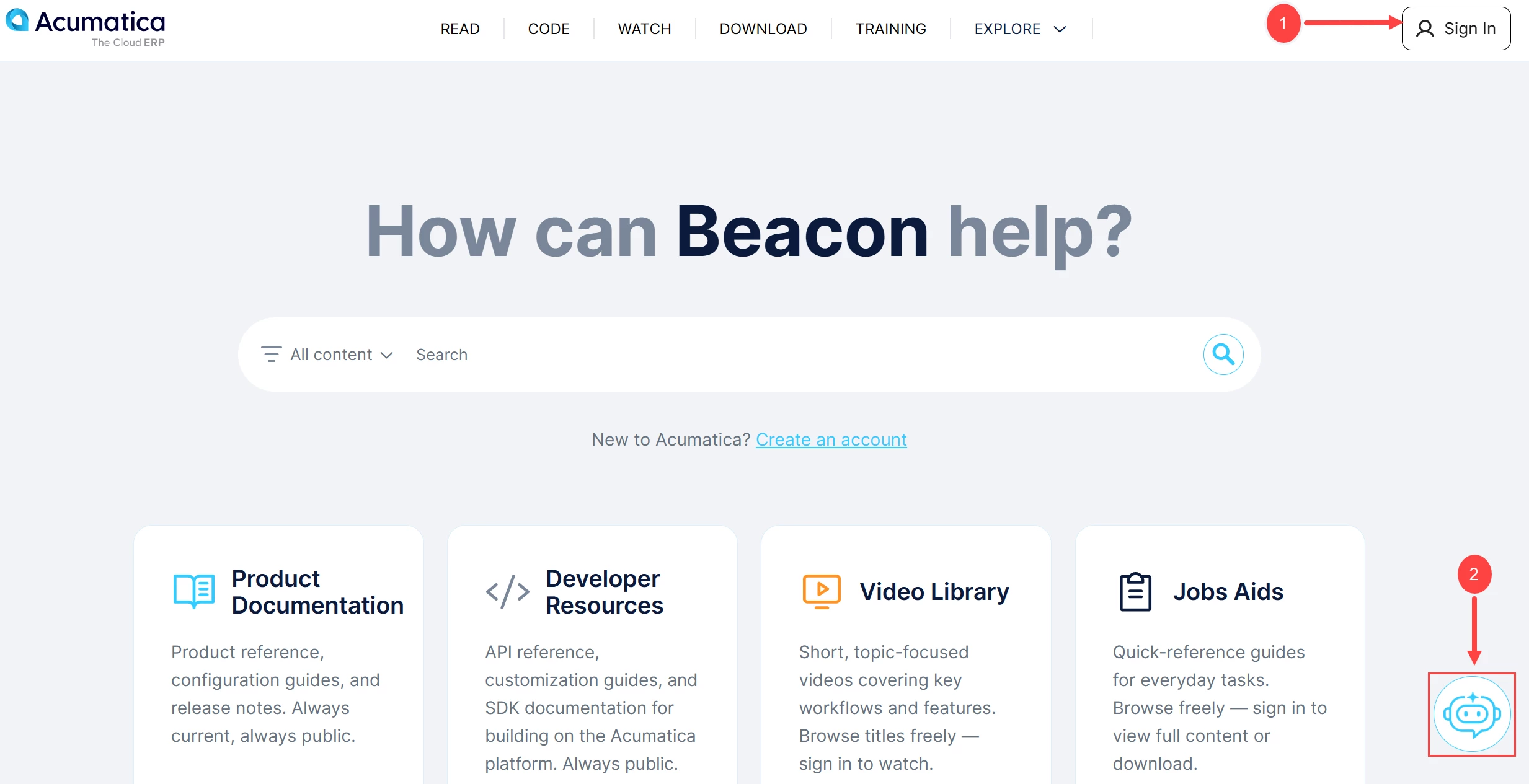
- After signing in (Item 1 below), locate the AI Chatbot icon at the bottom of the page (Item 2).
- Click the Beacon AI Chatbot icon and type your question or request in the "Write a message" box (Item 3 below).
- Select Send to submit your message (Item 4).
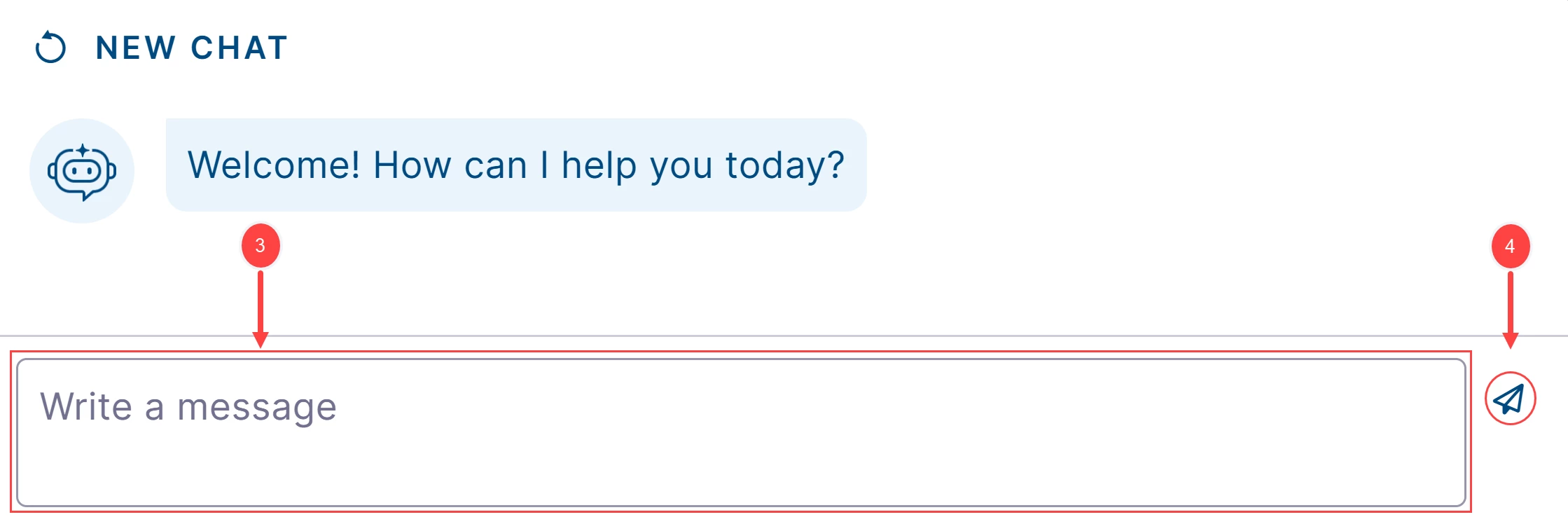
- Review AI Chatbot's response and explore any recommended information or suggested resources.
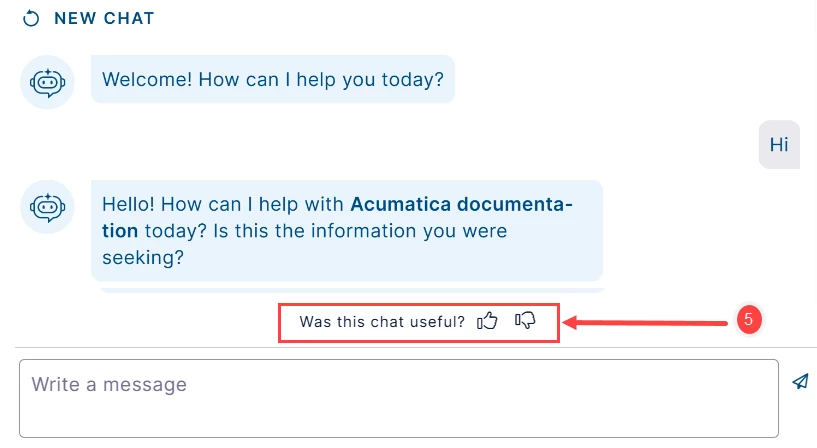
- After your chat, you can provide feedback by selecting 👍 or 👎 under the Was this chat useful? (Item 5 below).
See how AI Chatbot can help you: Start a conversation and discover a smarter way to find answers.