



Your feedback helps us make the platform better for everyone.
Whether you have suggestions, encounter an issue, or simply want to share your experience, we'd love to hear from you. Your comments and ratings help us understand what's working well and where we can improve.
Before You Begin
In Beacon, you can quickly rate any Help topic without signing in, while the detailed feedback option is available to signed-in users. So be sure to sign in to give us your feedback.
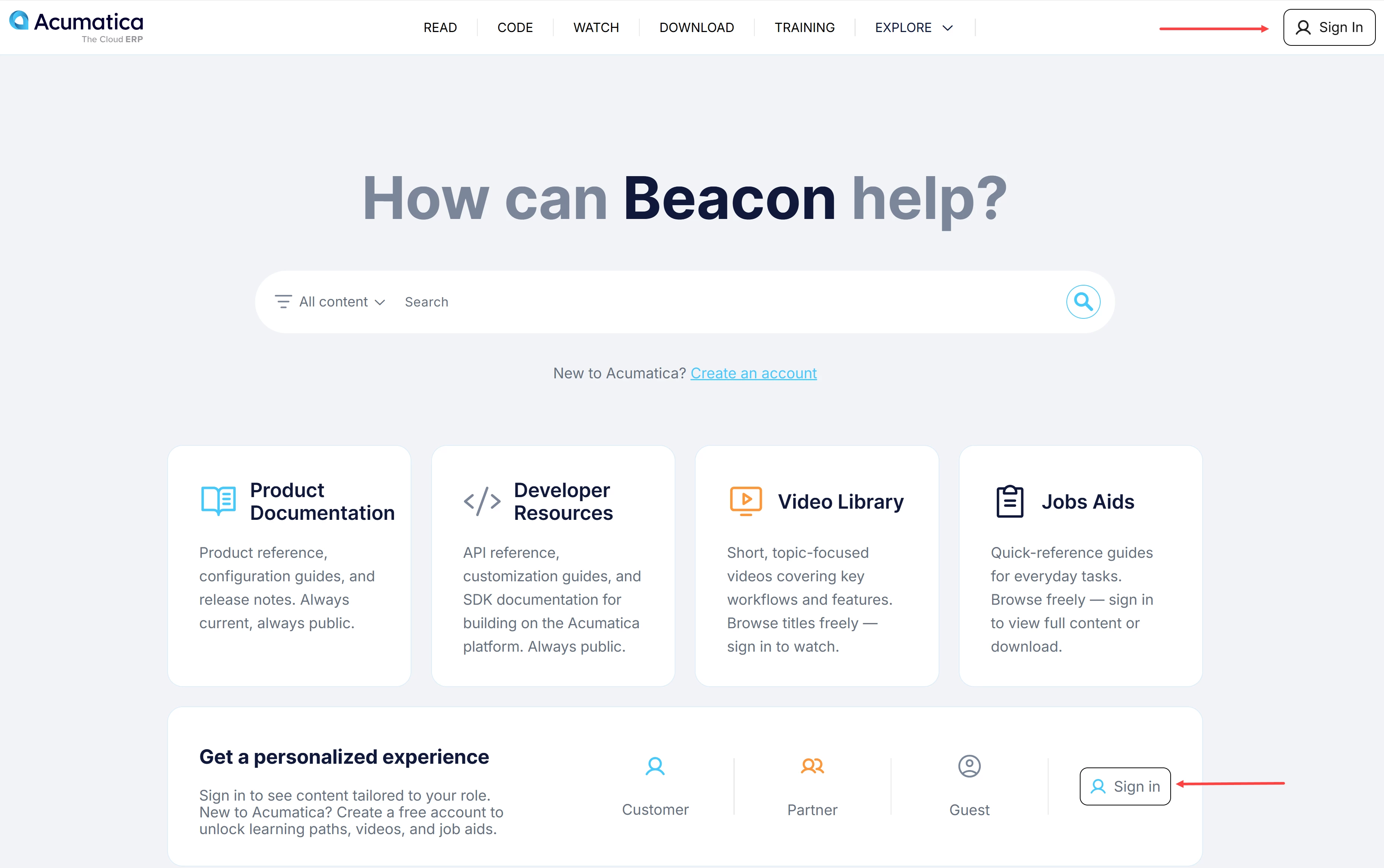
Need help with your account? See Beacon: How to Create an Account.
How to Rate a Topic
-
Open the topic you want to review.
-
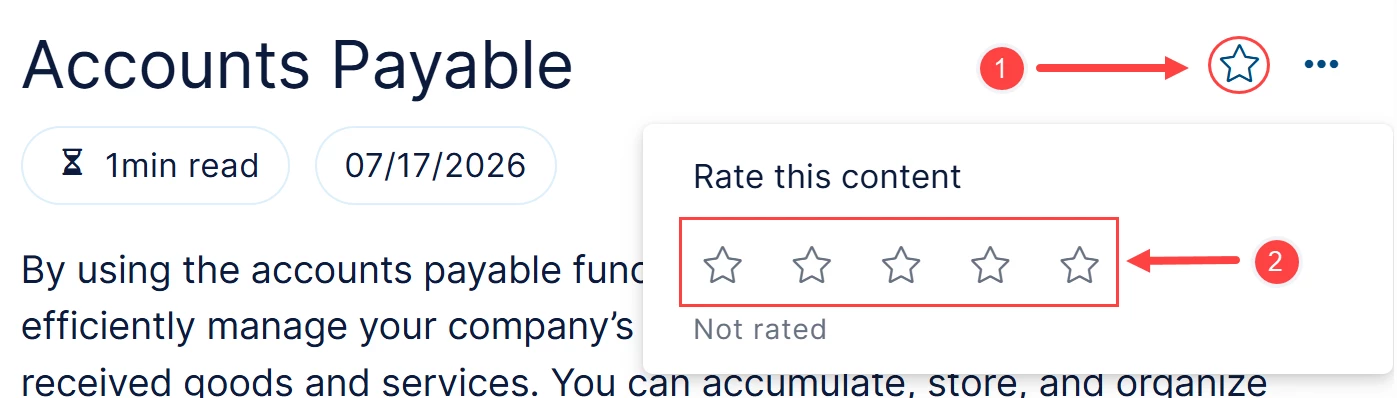
Click the star icon (Item 1 below).
-
Select the star that represents your rating in the Rate this content section (Item 2).
How to Send Feedback on a Topic
-
Open the topic you want to provide feedback on.
-
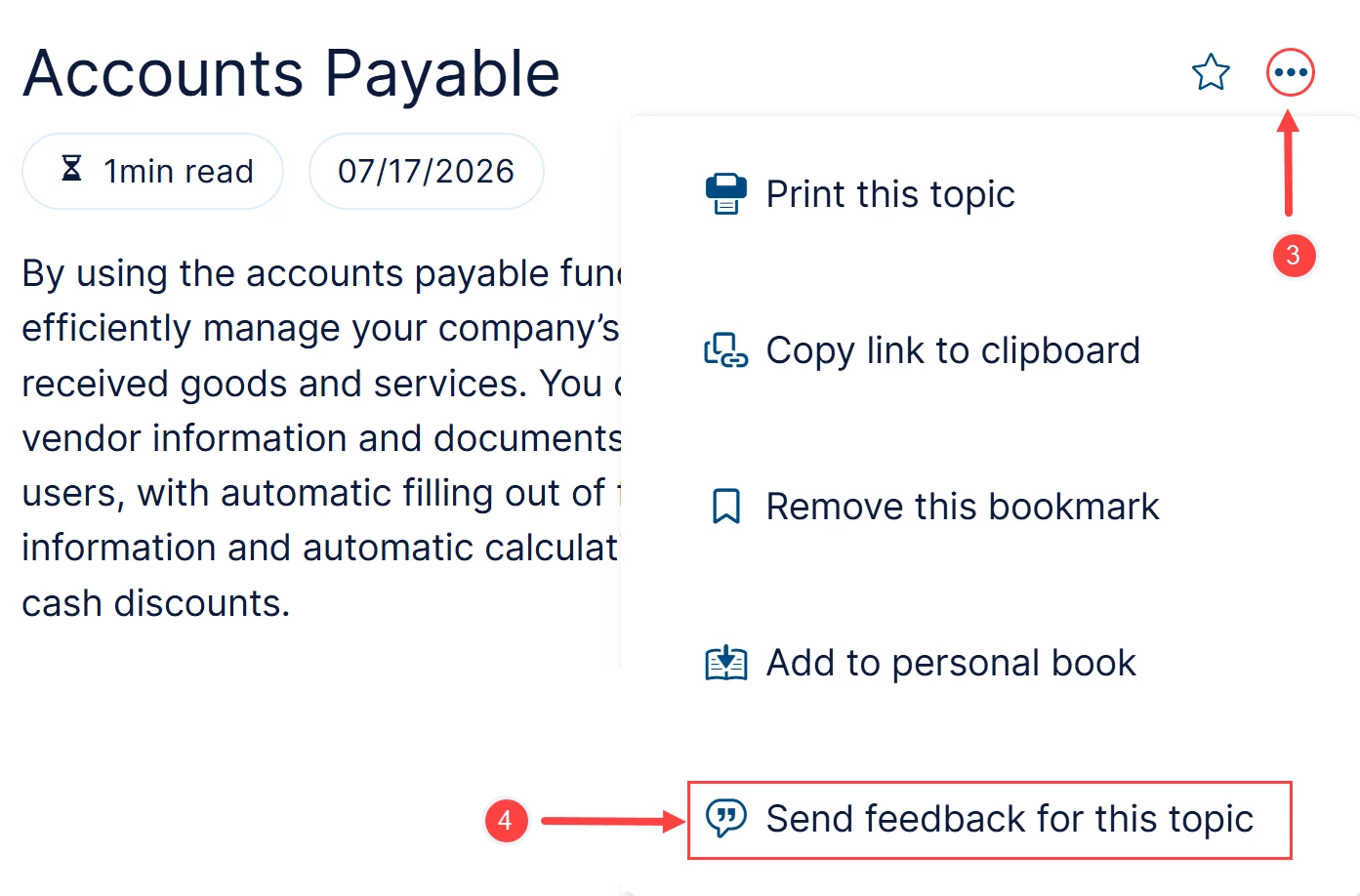
Click the More menu (three dots) right of the topic title (Item 3 below).
-
Select Send Feedback for This Topic (Item 4).
-
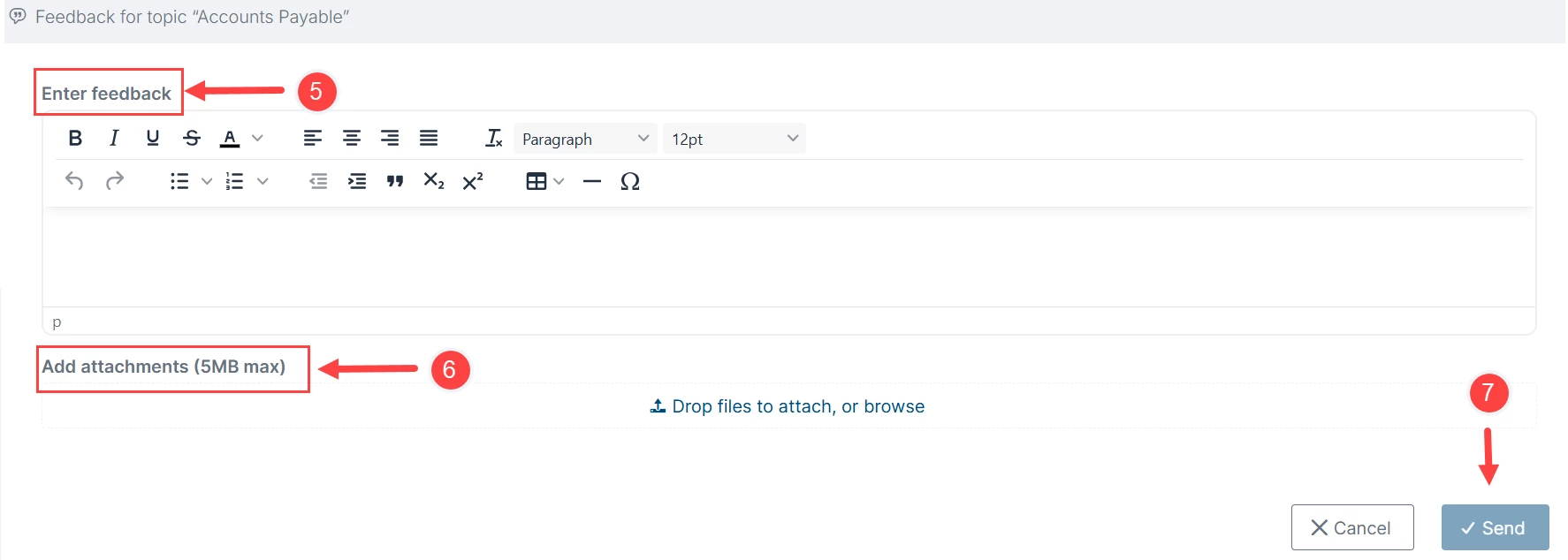
In the pop-up window, enter your feedback in the Enter Feedback box (Item 5).
-
If needed, attach supporting files or screenshots in the Add Attachments area (Item 6).
-
Click Send to submit your feedback (Item 7).
Every Opinion Makes a Difference
As you interact with Help topics, take a moment to rate your experience and share your thoughts. Your feedback helps us create a better platform for everyone.