



We all have those pages we return to—and need to search for—regularly.
With Beacon’s bookmarks, you can save important resources and quickly access them whenever you need them.
Before You Begin
Sign in to your Beacon account to save and manage bookmarks. The feature is available to authenticated users.
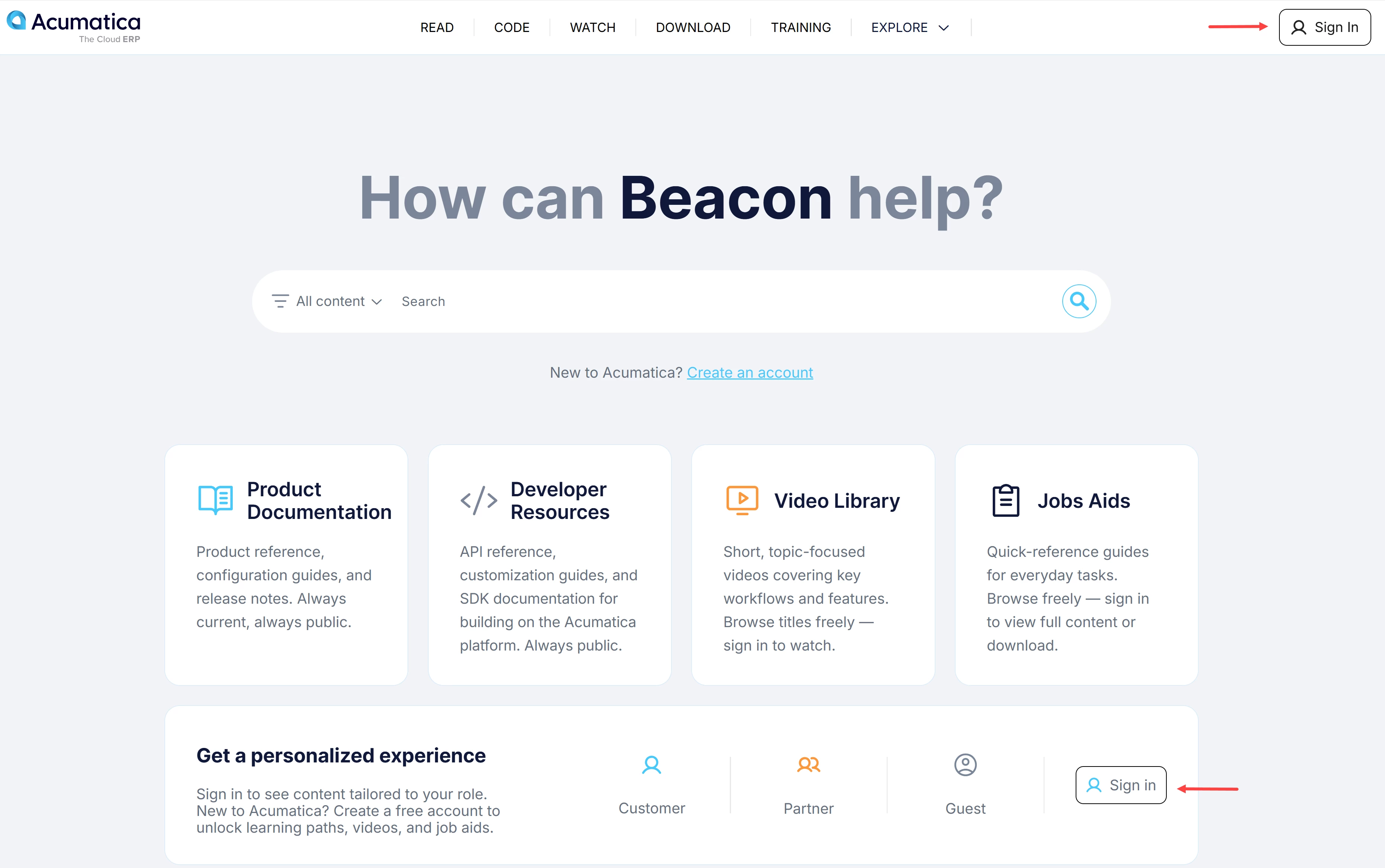
Need help with your account? See Beacon: How to Create an Account.
How to Add a Bookmark
-
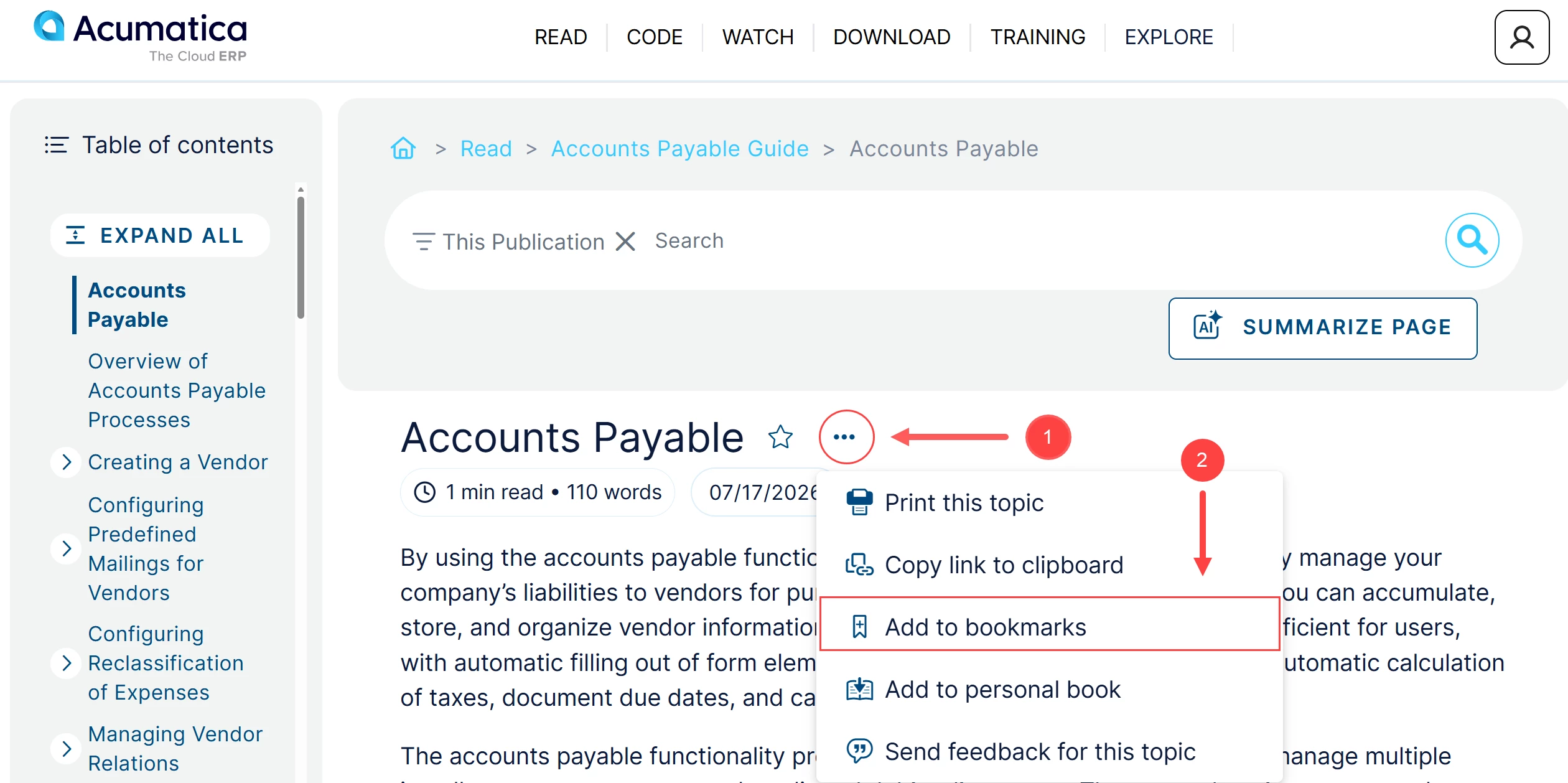
Go to the article you want to bookmark.
-
Click the More button (three dots) right of the title (Item 1 below).
-
Select Add to Bookmarks (Item 2).
-
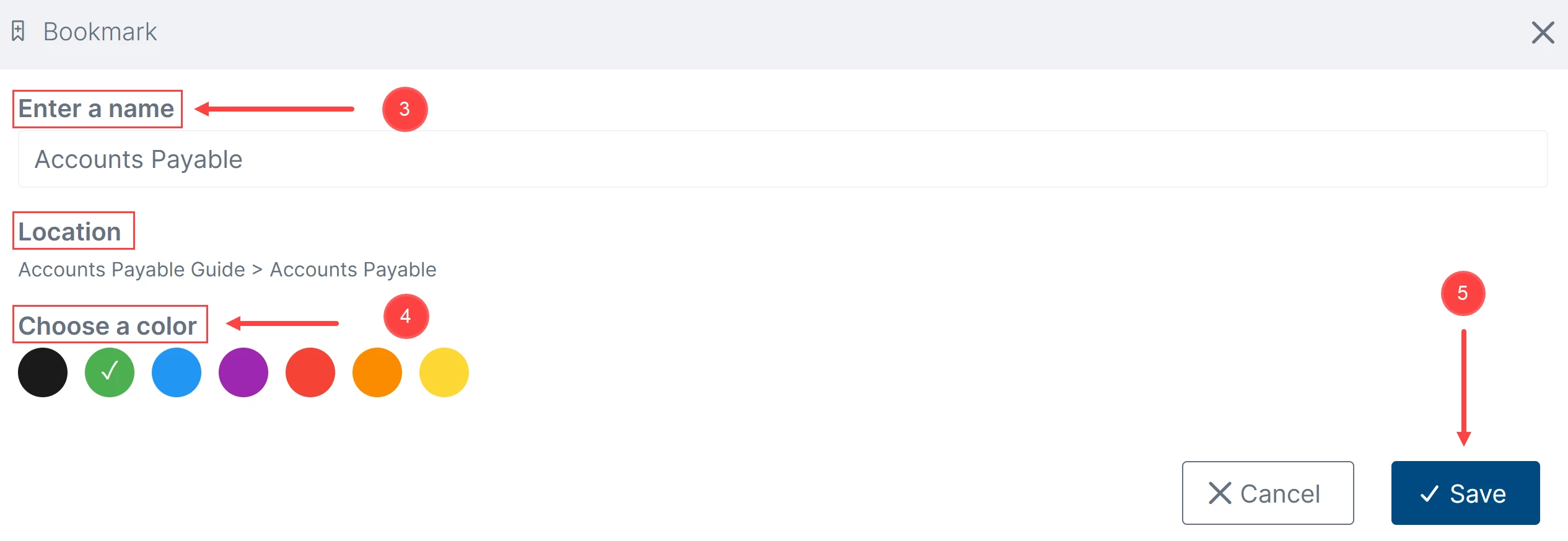
Enter a name for the bookmark (Item 3).
The location will be added automatically.
-
Choose a color for the bookmark (Item 4).
-
Click Save (Item 5).
How to Find and Delete a Bookmark
-
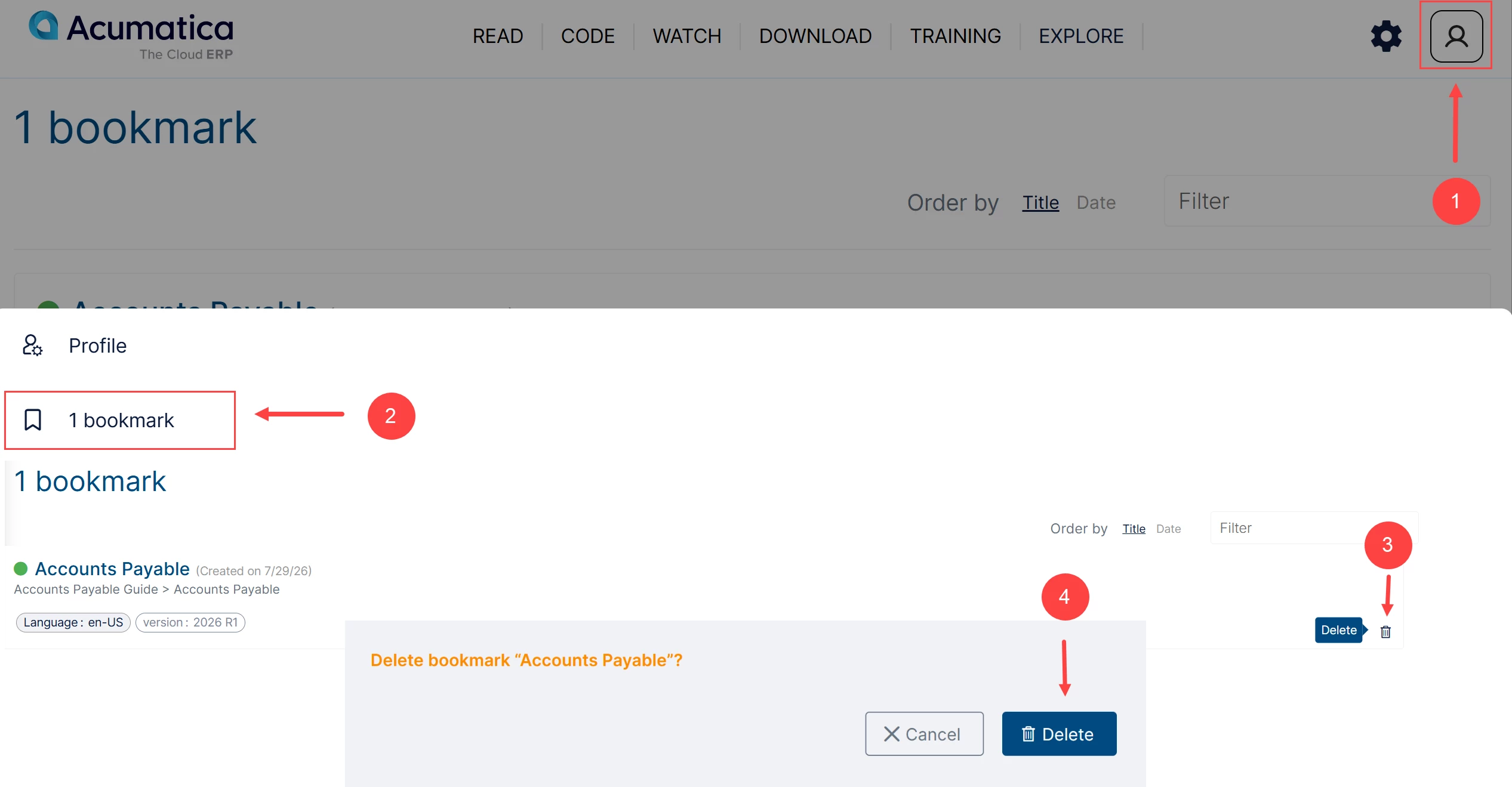
Click the Profile icon (Item 1 below).
-
Select bookmark (Item 2).
-
Find the bookmark you want to delete.
-
Click the Delete (bin) button next to the collection (Item 3).
-
Confirm the deletion when prompted (Item 4).
Ready to Save Time?
Create your personal list of bookmarked resources for faster navigation.