
Update September 30, 2026: With the release of 2026 R2, the AI Assistant Managed Availability program has concluded. AI Assistant is now generally available to all customers on 2026 R1 and later. If you are interested in AI Assistant, contact your Acumatica VAR or CSM to get started.
Getting Started
How do I get AI Assistant?
Contact your Acumatica VAR or CSM to discuss AI Assistant and get it added to your subscription.
How do I turn on AI Assistant?
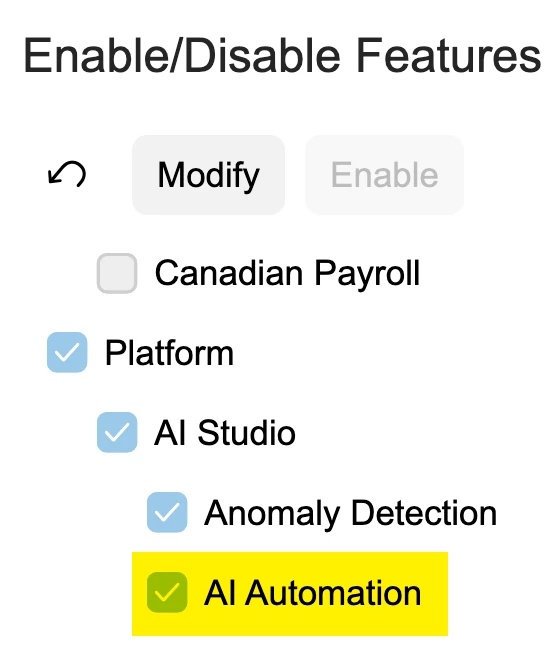
Follow the Working with AI Assistant guide on how to enable it in your instance.
AI Units & Usage
What are AI Units?
AI Units are Acumatica's currency for measuring AI Assistant consumption. AI Assistant uses a blend of models to optimize its answers, and AI Units reflect a blend of input, output, and cache tokens across those models.
How do I monitor my AI Unit consumption?
You can monitor your AI Unit usage on new AI Unit Consumption (ML900000) screen, as well as the License Monitoring Console screen, under the Constraint History tab, in the "AI Units by Month (% of Limit)" column.
What happens if I use all my AI Units before the month ends?
If you exhaust your monthly AI Units allocation, AI Assistant will no longer be available until your allocation resets at the start of the next month. You can also purchase additional AI Units.
Capabilities & Limitations
How do I enable AI Assistant for my users?
Only administrators have access to AI Assistant by default. To grant access to additional users, go to the Users screen and enable the "AI Assistant User" role for each user who needs it.
What can AI Assistant do?
AI Assistant is a natural language chat interface embedded directly in Acumatica, accessible from anywhere in the application. Users can ask questions in plain language and receive answers as tables, charts, or pivot tables. The assistant works from your organization's own data through Generic Inquiries configured by your administrator, and maintains context within persistent chat threads so follow-up questions build on previous ones. Results can be promoted to dashboard widgets with a single click. Because AI Assistant inherits the access rights defined on each Generic Inquiry, users only see data they are authorized to view, so no additional security configuration is required.
What are AI Assistant's limitations?
AI Assistant is limited to querying data through Generic Inquiries configured and exposed by your administrator. It currently cannot perform actions, update records, or access data outside of the configured inquiries.
Which version of Acumatica do I need to use AI Assistant?
AI Assistant requires Acumatica 2026 R1 or later.
What's new with AI Assistant in 2026 R2?
- General Availability: AI Assistant is now a standard part of the product, not a managed release.
- Self-aware skill: AI Assistant can honestly tell you what it can and can't do.
- Context-aware skill: AI Assistant already knows what you're looking at, without you having to explain it.
- New Help Agent: Answers how-do-I questions on the spot, tuned to the exact version you're running. Powered by Beacon.
- Managing Widgets: Turn a plain-language question into a chart, then drag it straight onto a dashboard as a live tile.
Data & Privacy
Does AI Assistant store my data?
AI Assistant temporarily stores your prompt along with a record that a tool call succeeded, not the underlying data itself. This lets follow-up questions in the same session build on earlier ones without repeating yourself. Failed tool calls aren't stored. This information is purged after your request.
Does AI Assistant use my data to train AI models?
AI Assistant currently uses existing foundational models, so your data is not used to train any models. For additional information refer to Acumatica's Artificial Intelligence Terms in https://www.acumatica.com/agreements/
Feedback & Support
How do I report an issue with AI Assistant?
If you encounter an issue with AI Assistant, please submit a support case through the standard Acumatica support process. When logging the case, indicate that the issue is related to AI Assistant so it can be appropriately prioritized.
How do I share feedback about my experience?
We welcome feedback from all AI Assistant customers. Please share your feedback through the Acumatica Community or directly with your Acumatica partner, who can ensure it reaches the product team. Acumatica product managers may also reach out to you directly to learn more about your experience.