Solved

Template Items Not Respecting BigCommerce Default Availability Setting

  • September 11, 2024
  • 7 replies
  • 223 views

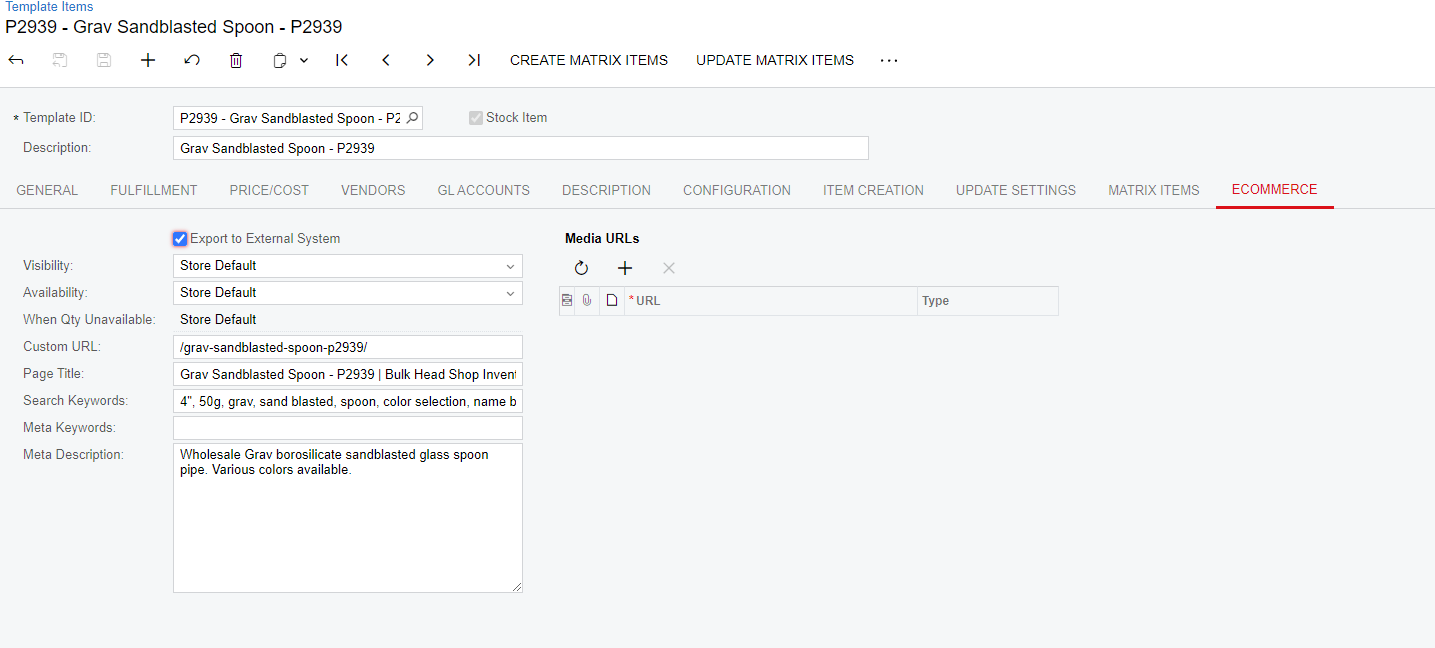
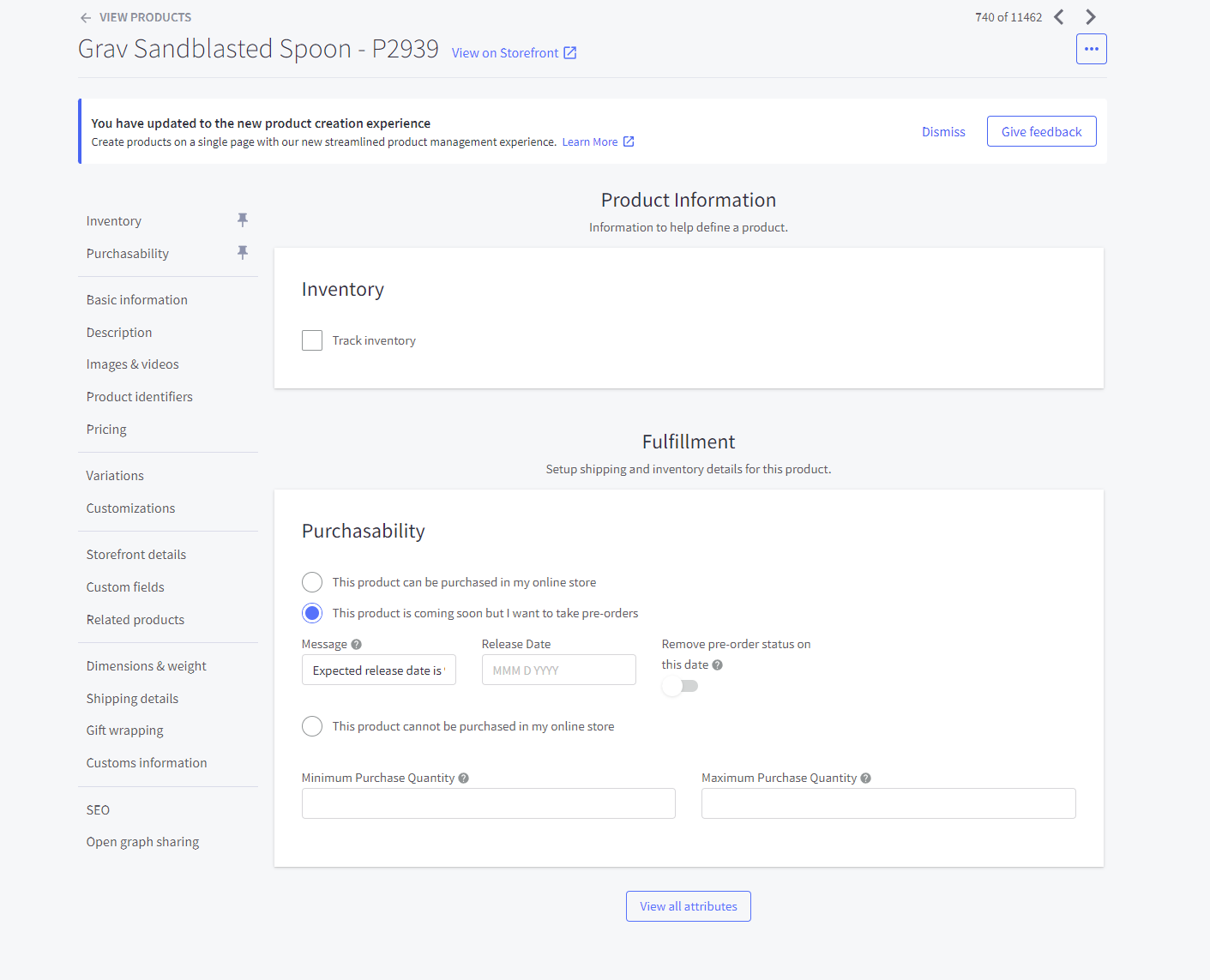
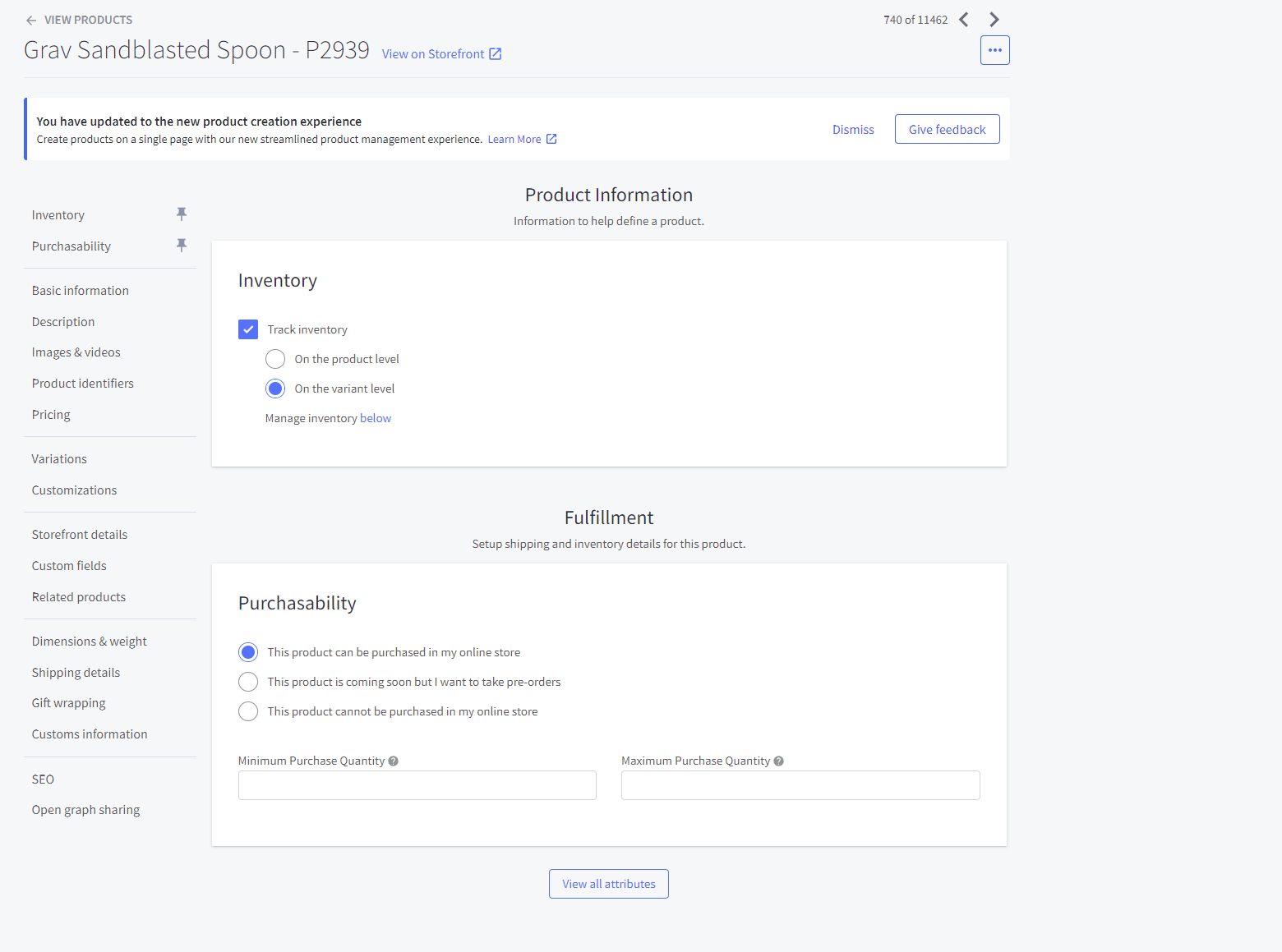
Since the update to 24R1 we’re experiencing an issue with Template Items’ BigCommerce Qty Unavailable setting behaving as “Set as Pre-Order” instead of our BigCommerce Default setting (which is “Do Nothing”). This only affects template items. (Stock items behave as expected.)This results in these items being made available to customers on our website as pre-order despite us having no intention of allowing pre-orders. I’m just checking to see if anyone else is experiencing this issue and if it’s been raised at all yet.

I’ve attached some screenshots for visualization.
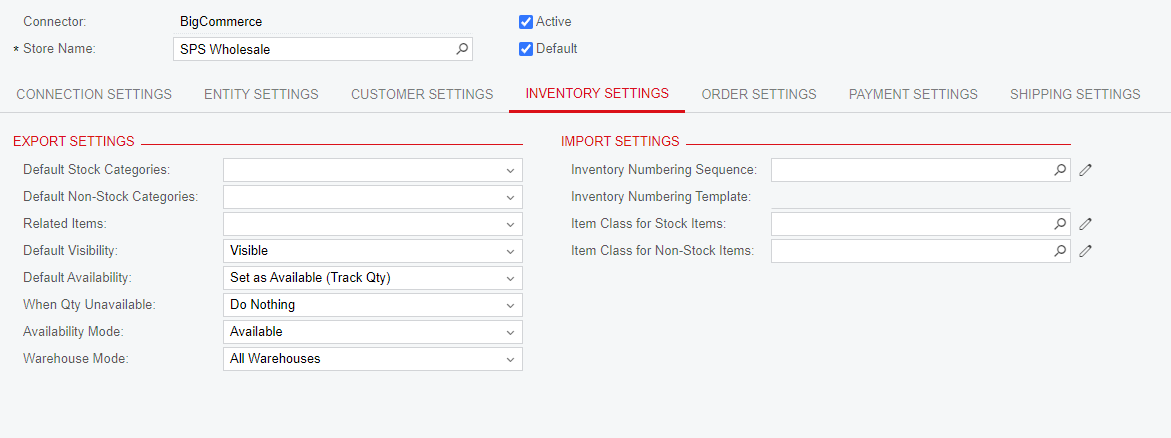
Default BigCommerce Inventory Settings
Inventory Settings for Specific Template Item (to show no settings are overriden)
How Template Items are actually behaving in BigCommerce when qty reaches 0
How Template Items SHOULD behave in BigCommerce based on default settings (and historically worked prior to 24R1)


Best answer by kphillips63

@Chris Hackett Not a good one. We set the export mapping for the Template Item to “available” (See attached photo) That seemed to work for a little bit, but then it didn’t work. 

The next step was to manually “Skip” that Template Item’s Product Availability in the Sync History screen. When the product comes back in stock, we have to remember to re-sync it. That seems to be holding. 

I’m not sure if you have to do both or if skipping the product availability sync will work on alone. 

7 replies

  • Freshman II
  • May 12, 2025

Hi! Did you figure out a solution to this issue? We are experiencing the same thing. 


  • Author
  • Freshman I
  • May 12, 2025

No resolution. We’ve been manually changing the visibility in Acumatica whenever an item runs out of stock. You could change your store default to make items unavailable when quantity is unavailable but then the product is completely hidden from the website which isn’t preferable in our case.


  • Freshman II
  • May 12, 2025

We tried doing that. Each time the Product Availability would update, the settings would reset on us. I tried changing all the Stock Items eCommerce settings from “Store Default” to “Set as Available (Track Qty)” and “Do Nothing”. That didn’t help either.

My last attempt was to adjust the EXPORT MAPPING settings for the Template Item. I chose Product - Availability - «Unmap» - ERP Field (Blank). So far, this has been holding for us. We’re going to continue to monitor to make sure I didn’t mess up the actual quantities of the other Template Items…. 


kkeating24
Semi-Pro I
Forum|alt.badge.img+1
  • Semi-Pro I
  • June 17, 2025

@KarthikGajendran  -  have you heard of this one?  

Cheers


Chris Hackett
Community Manager
Forum|alt.badge.img
  • Acumatica Community Manager
  • September 23, 2025

Hi ​@kphillips63 were you able to find a solution? Thank you!


  • Freshman II
  • Answer
  • September 26, 2025

@Chris Hackett Not a good one. We set the export mapping for the Template Item to “available” (See attached photo) That seemed to work for a little bit, but then it didn’t work. 

The next step was to manually “Skip” that Template Item’s Product Availability in the Sync History screen. When the product comes back in stock, we have to remember to re-sync it. That seems to be holding. 

I’m not sure if you have to do both or if skipping the product availability sync will work on alone. 


Phil
Jr Varsity III
Forum|alt.badge.img
  • Jr Varsity III
  • February 19, 2026

Is anyone else still dealing with this issue? We have two separate BigCommerce storefronts, one on the updated V3 product experience and one on the legacy V2 that I have not yet updated. Setting ‘When Quantity Unavailable’ value to ‘Set as unavailable’ (as opposed to the prior Do Nothing value, which had worked for a long time) on both Template Item and associated Matrix item settings produces the desired result of writing true stock level to the web item (ie, 0 in stock for variants when 0 OH, instead of defaulting to Do No Track Inventory and Set as Preorder) on my V2 store, but not behaving the same way on my V3 store. Release version is of course the same between tenants (2025 R1) and the entity settings are configured exactly the same. Thankfully our V2 store has 10x as many template items with a lot more stock movement, but the fact that you can’t reliably sync actual inventory values, even if 0, in any scenario is frustrating. 

@StacieJurczak41, any comments on this?