

Answer

Simple Import Scenario for Item Attribute

  • December 26, 2023
  • 2 replies
  • 758 views

Forum|alt.badge.img

I’m trying to do a very simple Attribute Import. I created a Data Provider with an Excel doc that has 2 columns:

  • Inventory ID
  • INSZINPLNT

INSZINPLNT is the Attribute ID. I am trying to test import just 1 Item (Inventory ID = FIHYW2). I want the Attribute Value to = ‘2’ 
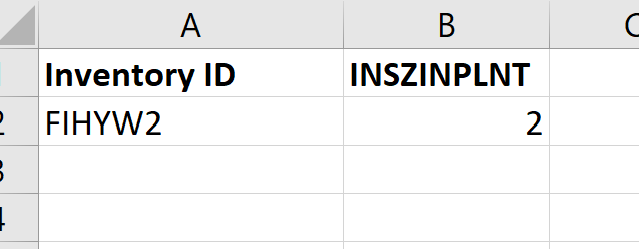


2 does exist as an Attribute Value and the Attribute has a Control Type = Combo. I confirmed that I added this attribute to the Item Class for this item. 

Below is what the Import Scenario looks like. I’ve read all the community articles and help articles on this topic and believe I set it up consistently. 
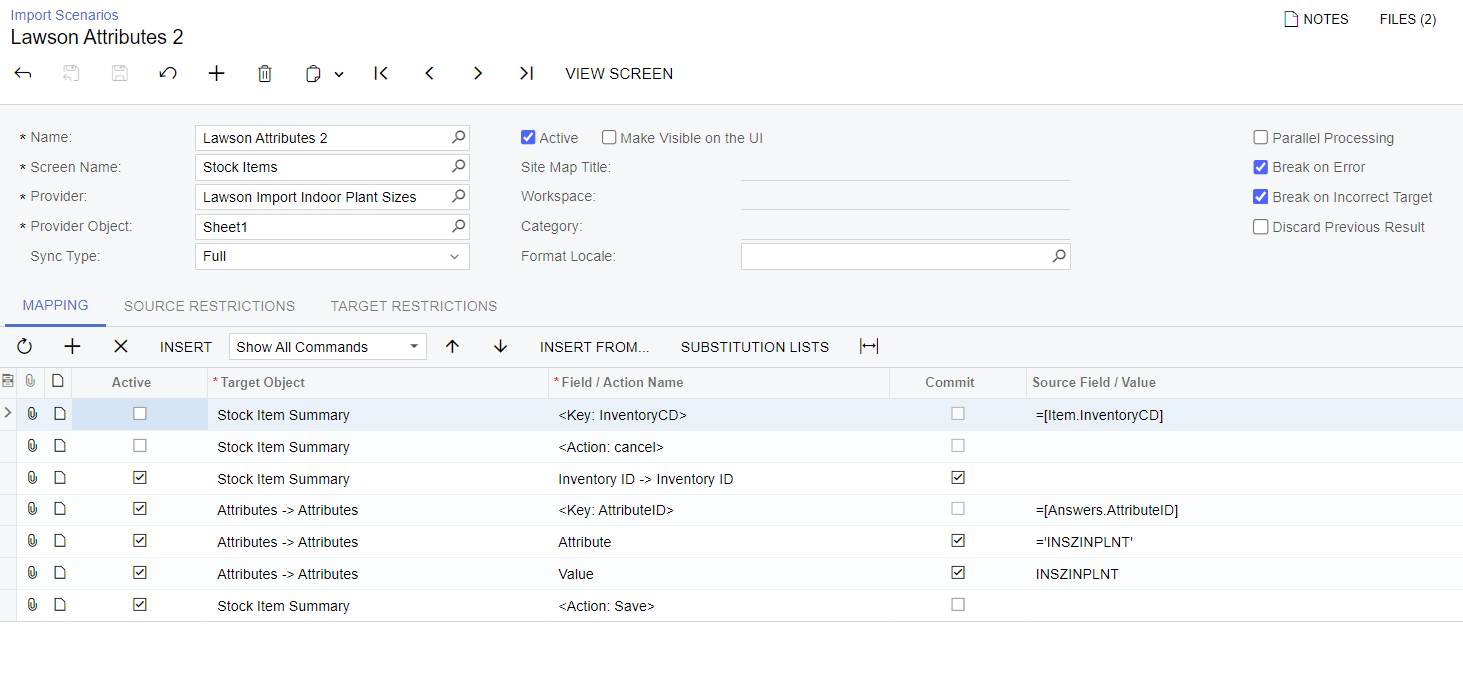
 

When I try to Import the Import Scenario, I get the following error: 

Field: Value, Value: 2, Error: The 406 class does not have the INSZINPLNT attribute. Make sure the attribute name is correct or consider adding the attribute to the class.

I thought I accounted for the Item Class. Is it another class that I’m missing? 

Best answer by Yuri Karpenko

@lawsont , hi! There are a few things you need to fix with your mapping:

  1. Make the first 2 lines both active.
  2. In line #3, replace Inventory → Inventory ID with simply Inventory ID.
  3. In line #3, in the Source Field / Value, select Inventory ID from the dropdown.

Save and retry. It should work now :) 

2 replies

Yuri Karpenko
Captain II
Forum|alt.badge.img+6
  • Captain II
  • Answer
  • December 26, 2023

@lawsont , hi! There are a few things you need to fix with your mapping:

  1. Make the first 2 lines both active.
  2. In line #3, replace Inventory → Inventory ID with simply Inventory ID.
  3. In line #3, in the Source Field / Value, select Inventory ID from the dropdown.

Save and retry. It should work now :) 


Forum|alt.badge.img
  • Author
  • Jr Varsity III
  • December 26, 2023

That did the trick! Sometimes you just need a second pair of eyes I guess 😀 Thanks @Yuri Karpenko
