Answer

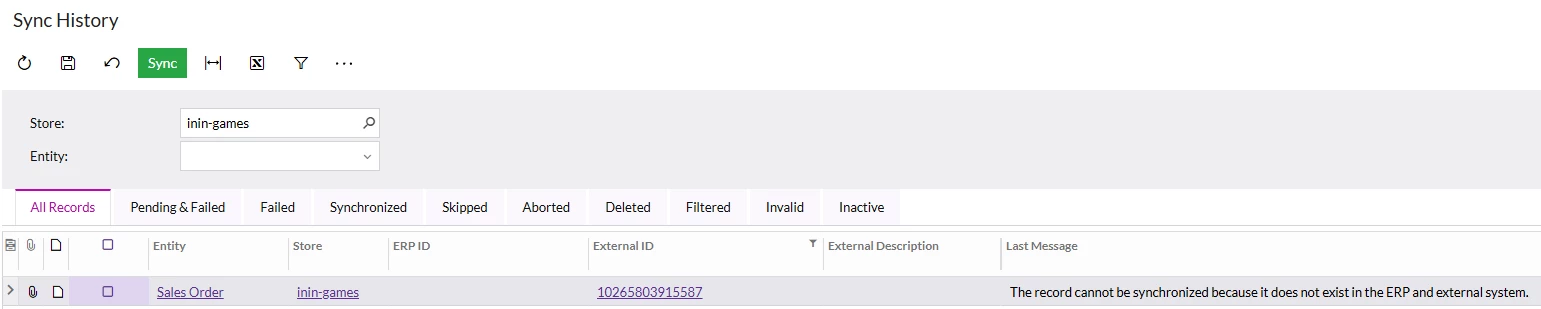
Order is not getting synched - The record cannot be synchronized because it does not exist in the ERP and external system.

  • October 31, 2025
  • 14 replies
  • 114 views

Hi there,

i hope you can help.

We’re imorting the objects customer, customer location and order from Shopify. The import of the objects customer and customer location was successfully and i can see the data in the ERP, but i do get this error message for some orders: The record cannot be synchronized because it does not exist in the ERP and external system.

I do not understand what’s the issue of those orders. The items and IDs of the products exist in the ERP and other orders with the same products were succesfully imported.
I see in the synch overview that the external ID exists and it forwards me to the correct order in shopify.

Any ideas how i can proceed in getting those orders imported?

Best answer by TamaraW

ok, so the solution was to uninstall the app in shopify and reinitialize the system.
I had to do it twice. 

After the first time, i’ve got the error message that the API has not enough rights and the new connection caused and error as well.
After the second time connecting the systems worked and i’ve got everything synched.

14 replies

Manikanta Dhulipudi
Captain II
Forum|alt.badge.img+15

@TamaraW Is this order contains matrix items?


  • Author
  • Jr Varsity I
  • October 31, 2025

@Manikanta Dhulipudi what do you mean with matrix items?


Manikanta Dhulipudi
Captain II
Forum|alt.badge.img+15

  • Author
  • Jr Varsity I
  • October 31, 2025

@Manikanta Dhulipudi i see. No the order does not contain matrix items


Forum|alt.badge.img+1
  • Semi-Pro III
  • October 31, 2025

@TamaraW 

If the order isn’t syncing, please try deleting the records from the screen and then resync to check if the issue persists.

Could you also share a screenshot of the exact error message you’re seeing in Acumatica?


  • Author
  • Jr Varsity I
  • October 31, 2025

@svwk05 i’ve deleted the record and resynced it.

Got the same issue.

I made this screenshot after deletion and resync:
 

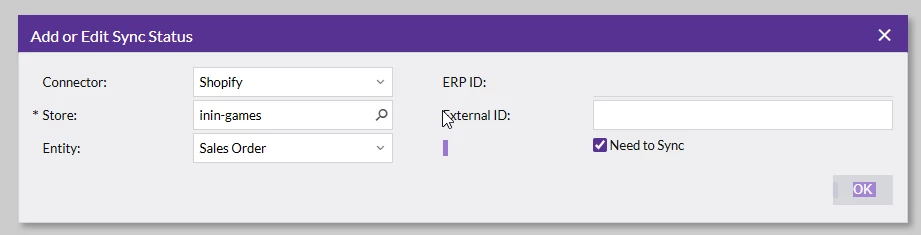
I’ve added the external ID manually in this screen:

The only difference is that the external description is now missing. Usually i see the order name from shopify there. As you can see in the first screenshot, it’s missing.


kkeating24
Varsity III
Forum|alt.badge.img+1
  • Varsity III
  • October 31, 2025

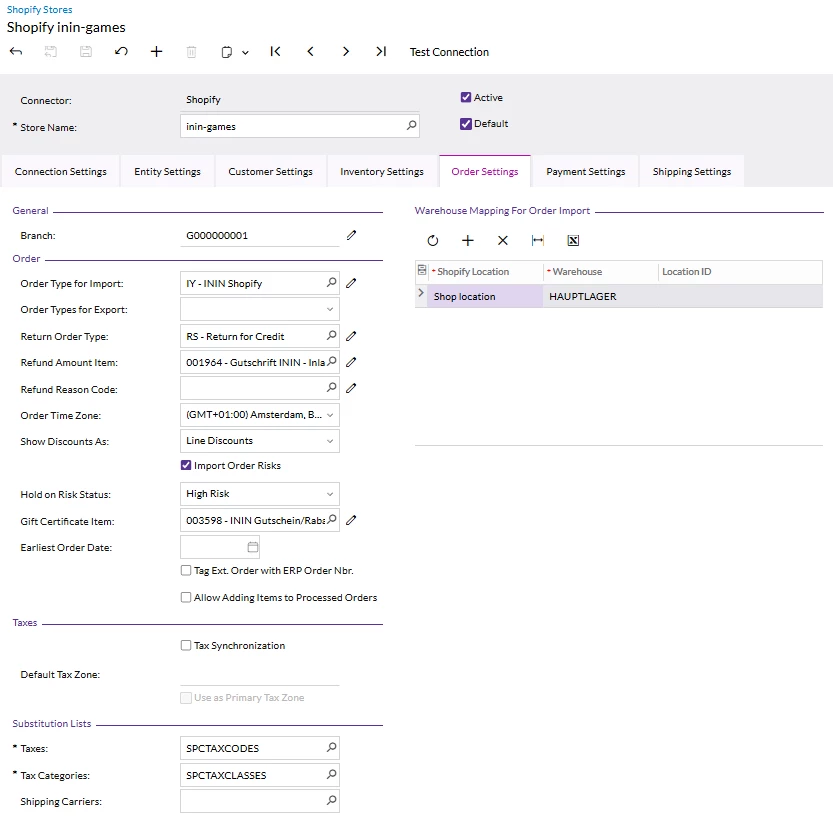
Can you provide a screenshot of your Store Settings > Order Tab. 


  • Author
  • Jr Varsity I
  • October 31, 2025

@kkeating24 


kkeating24
Varsity III
Forum|alt.badge.img+1
  • Varsity III
  • October 31, 2025

ok, so I assume the “IY” order type is active. 

Have you tried the Prepare & Process screens instead of the “Add or Edit Sync Status” method? 


  • Author
  • Jr Varsity I
  • October 31, 2025

@kkeating24 yes i did this before i tried to add it manually. 
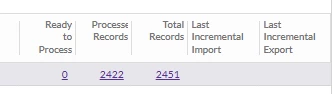
But there were no new entries which were ready to process.
 

Yes IY is active


kkeating24
Varsity III
Forum|alt.badge.img+1
  • Varsity III
  • October 31, 2025

hmm might be a case for acu.  If you can click on that external id and get to the order (and the order is not ‘archived’) then it should pull it in. 


  • Author
  • Jr Varsity I
  • November 3, 2025

Thanks ​@kkeating24 
Yes, the external ID leads to the order and the status is not archived. 


kkeating24
Varsity III
Forum|alt.badge.img+1
  • Varsity III
  • November 3, 2025

I hate to think we’re missing something simple here, but seems like a case for ACU. 


  • Author
  • Jr Varsity I
  • Answer
  • November 14, 2025

ok, so the solution was to uninstall the app in shopify and reinitialize the system.
I had to do it twice. 

After the first time, i’ve got the error message that the API has not enough rights and the new connection caused and error as well.
After the second time connecting the systems worked and i’ve got everything synched.