Solved

Multiple Base Currencies and Retail Commerce Compatibility

  • February 6, 2026
  • 3 replies
  • 42 views

Forum|alt.badge.img

Hi everyone,

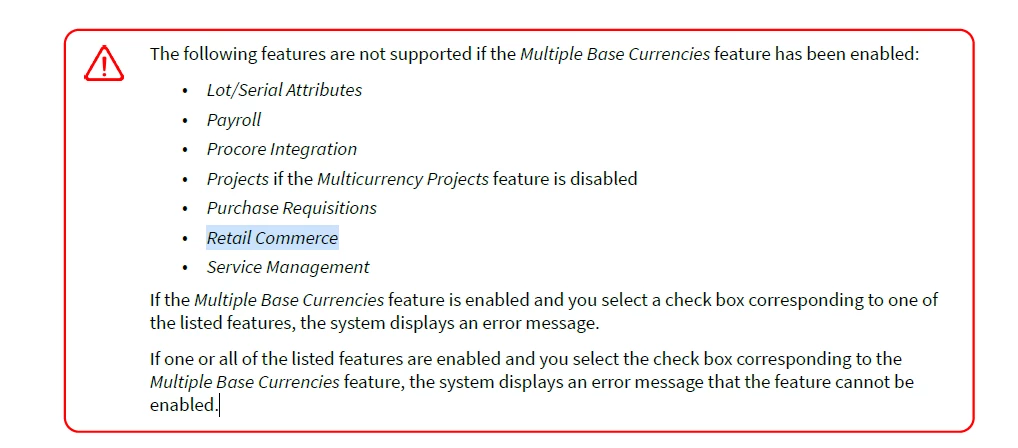
I’m reviewing the documentation regarding the Multiple Base Currencies feature. It states that Retail Commerce is not supported when Multiple Base Currencies is enabled.

I would like to clarify the practical impact of this restriction.

If a company operates in multiple countries with different base currencies and requires the Multiple Base Currencies feature, does this mean Retail Commerce (Shopify, BigCommerce, etc.) cannot be used in that same tenant?
In that case, would the recommended approach be separate tenants per country?

I’m also trying to understand whether there is still value in enabling Multiple Base Currencies for a company that plans to use Retail Commerce, or whether the two features are fundamentally incompatible within a single tenant.

Any insight on best practice architecture for multi-country companies using eCommerce would be greatly appreciated.
Best answer by KarthikGajendran

@jvarughese23  Like ​@kkeating24 mentioned it is supported. We are supporting this from 22R1. There is a mistake in the documentation. We have asked the documentation team to correct it. Thank you for pointing out. 

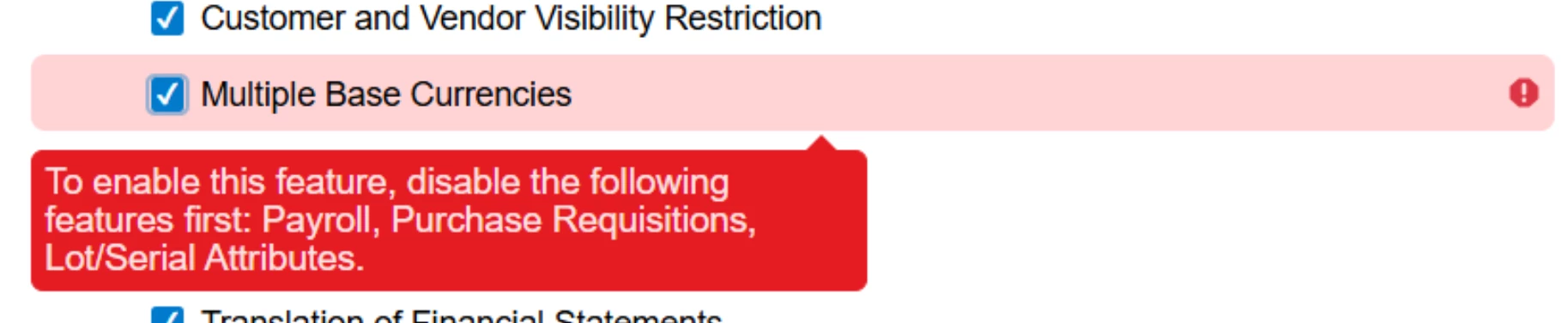
If you enabled the Multiple Base Currencies features in ERP, it gives the below warning. You can notice that there is nothing about Retail Commerce. 


You can have multiple currencies in Acumatica and create multiple sites in Shopify/BigCommerce with different base currencies for each site and import into Acumatica ERP without any issues. 

Each store in Acumatica ERP is associated with a Branch and this Branch can have any Base currency. 

When the orders are synced, you have the ability to choose whether to sync with the Shopify/BC Base currency or Customer payment currency for each store in ERP. The currency rates are brought from Shopify/BC to the sales orders in ERP because that is where the customer actually paid. The Payment will be created with the currency the order has created. 

It is very flexible, we have some customers where they have business in USA but sell the products in Canada. Shopify payouts to them in USD. So even though the customer paid using CAD they want the orders to be created in USD because of the easy Payment Reconciliation with Shopify Payouts. 


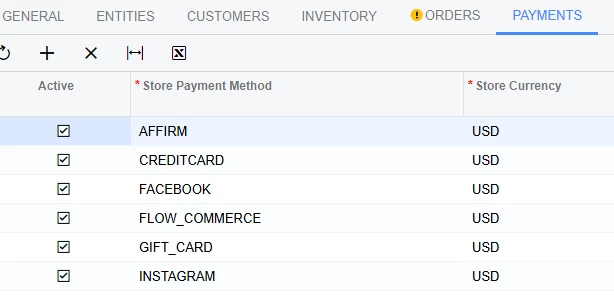
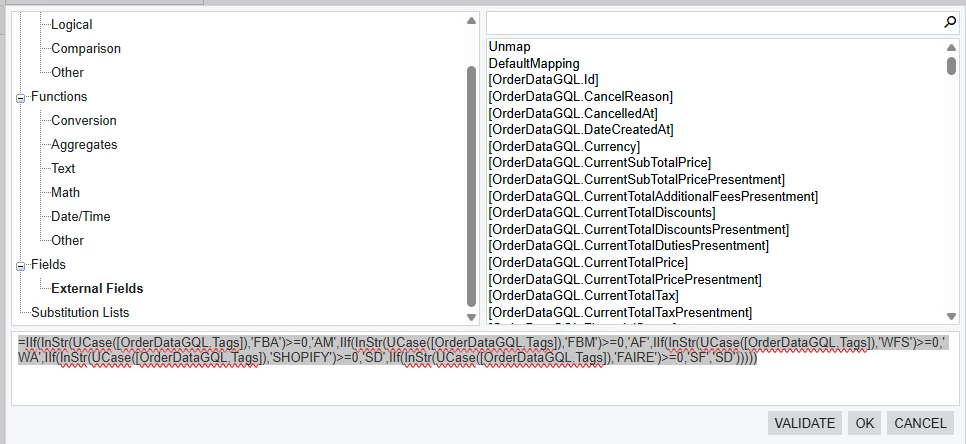
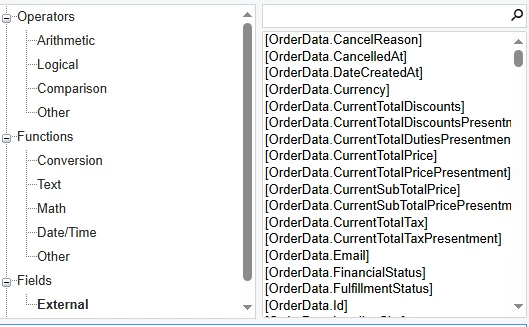
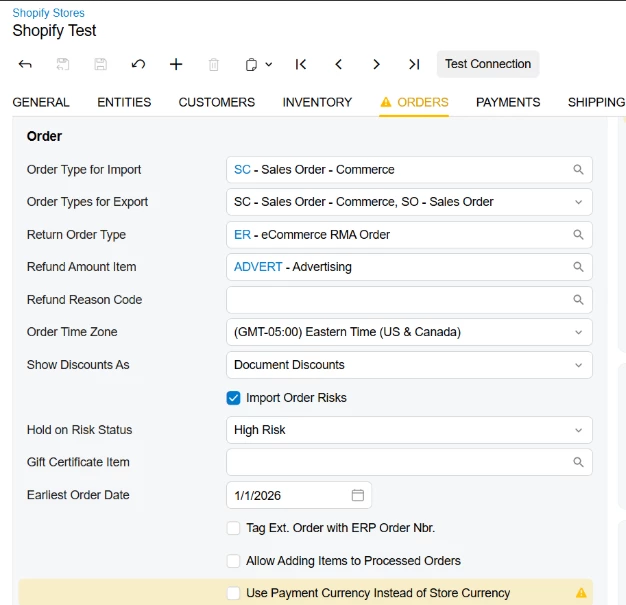
Below you can find the settings to decide how the orders to be imported. Either Shopify/BC base currency or customer payment currency. 


cc ​@BorisRudi56 

3 replies

Yuri Karpenko
Captain II
Forum|alt.badge.img+7

@jvarughese23 , wow, that’s an unexpected twist. ​@KarthikGajendran , what do you know about this?


kkeating24
Semi-Pro I
Forum|alt.badge.img+1
  • Semi-Pro I
  • February 6, 2026

I thought in SHopify you can accept payments in multiple currencies, and there is a new option that allowed us to determine the store ‘base’ currency and import with the conversion not requiring translation.  I haven’t worked with it yet, but I remember the conversations.


KarthikGajendran
Acumatica Moderator
Forum|alt.badge.img+3
  • Acumatica Moderator
  • Answer
  • February 6, 2026

@jvarughese23  Like ​@kkeating24 mentioned it is supported. We are supporting this from 22R1. There is a mistake in the documentation. We have asked the documentation team to correct it. Thank you for pointing out. 

If you enabled the Multiple Base Currencies features in ERP, it gives the below warning. You can notice that there is nothing about Retail Commerce. 


You can have multiple currencies in Acumatica and create multiple sites in Shopify/BigCommerce with different base currencies for each site and import into Acumatica ERP without any issues. 

Each store in Acumatica ERP is associated with a Branch and this Branch can have any Base currency. 

When the orders are synced, you have the ability to choose whether to sync with the Shopify/BC Base currency or Customer payment currency for each store in ERP. The currency rates are brought from Shopify/BC to the sales orders in ERP because that is where the customer actually paid. The Payment will be created with the currency the order has created. 

It is very flexible, we have some customers where they have business in USA but sell the products in Canada. Shopify payouts to them in USD. So even though the customer paid using CAD they want the orders to be created in USD because of the easy Payment Reconciliation with Shopify Payouts. 


Below you can find the settings to decide how the orders to be imported. Either Shopify/BC base currency or customer payment currency. 


cc ​@BorisRudi56