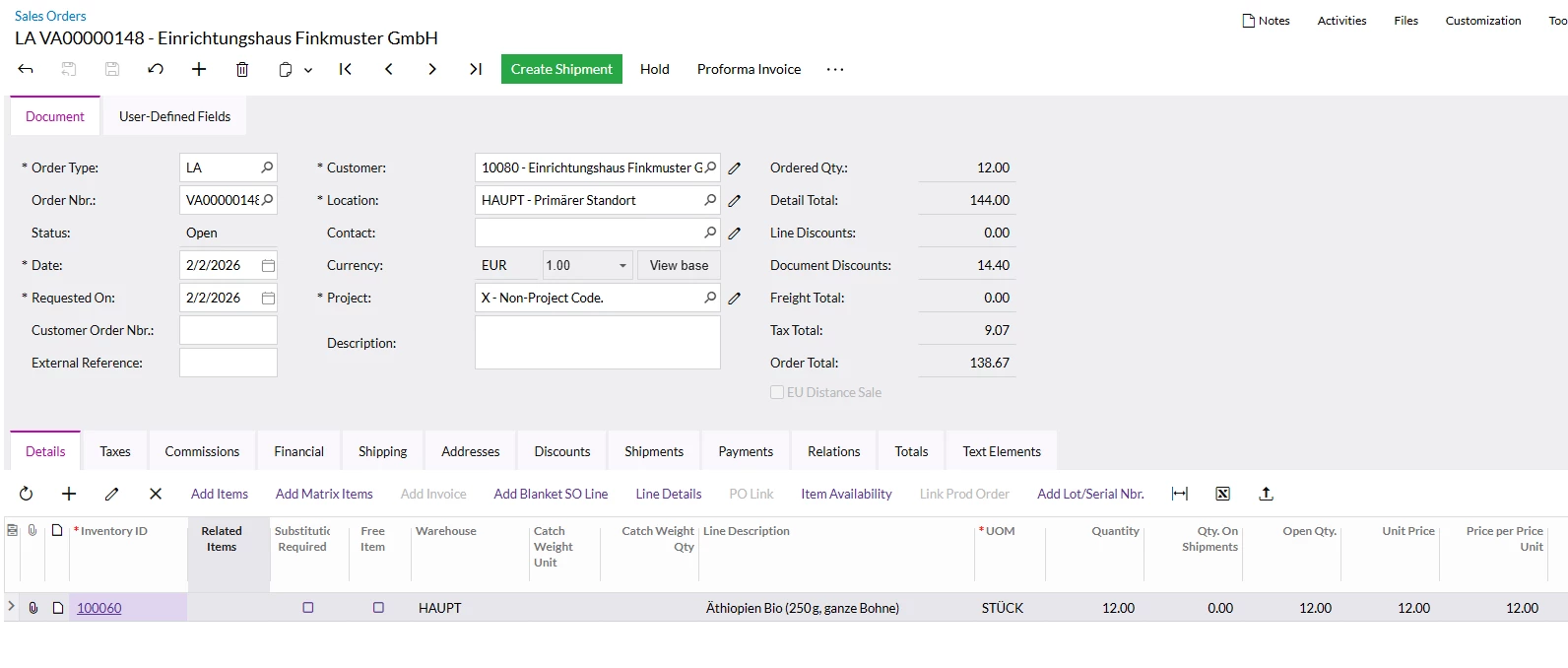
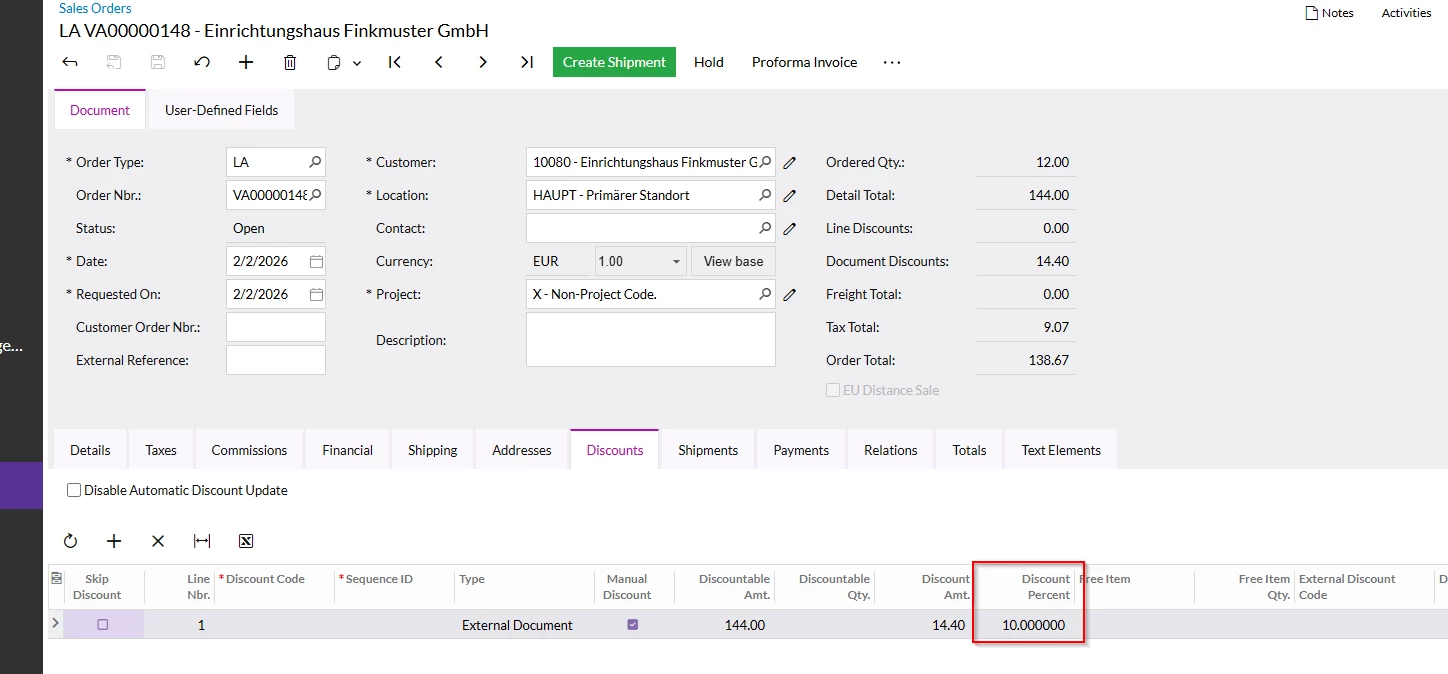
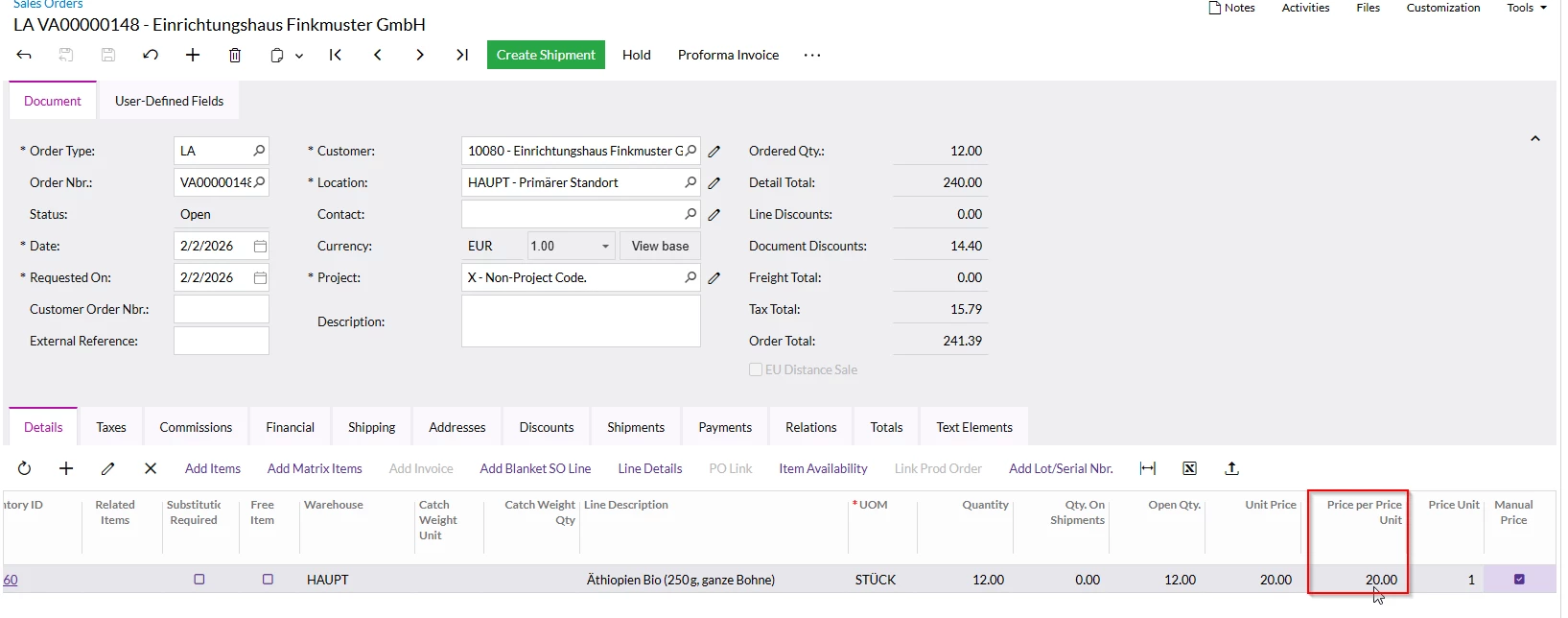
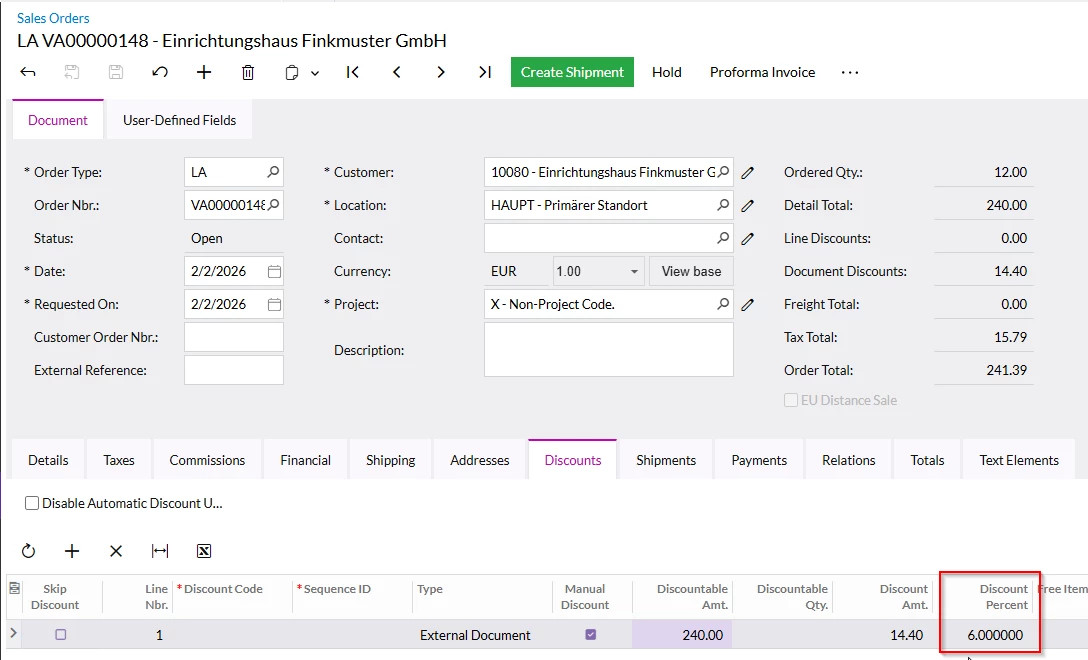
This behavior is expected in Acumatica when you use manual discounts tied to the amount rather than the percentage field.
When a discount is entered manually on a sales order line, Acumatica stores the discount amount, not the discount percentage as a locked value. Because of that, when the unit price or line total changes, the system recalculates the percentage so the discount amount stays constant. That is why you see the percentage change after updating the unit price or adjusting the order.
A few approaches you could consider:
1. Use a Discount Code instead of a manual discount
If the goal is to keep the discount rate fixed, the most reliable method is to create a Customer Discount or Line Discount Code that defines the percentage (for example 10%). When applied through the discount engine, Acumatica keeps the rate constant and recalculates the discount amount as the price or quantity changes.
2. Enter the discount in the Discount % field rather than overriding the amount
If the discount is entered through the Discount % column, Acumatica will typically preserve the percentage and recalc the amount. If the amount is overridden afterward, the system shifts to protecting the amount instead.
3. Consider using a pricing rule instead of a manual adjustment
If these discounts occur frequently, defining them in the pricing or discount engine will reduce manual adjustments and prevent this type of behavior.
4. Customization or pricing extensions
Some organizations that rely heavily on ad hoc discounts implement a customization that forces the percentage to remain authoritative rather than the amount.
For customers that deal with a lot of complex pricing scenarios, there are also pricing extensions that store the logic behind the discount (rules, margins, percentages, etc.) rather than just the resulting amount. For example, tools like Rockton Pricing Management (RPM) calculate pricing and discounts dynamically and can keep percentage based logic intact even as quantities or prices change. But even without something like that, moving the discount into Acumatica’s discount codes or pricing rules is usually the first step to stabilizing the behavior.
In short, the key is making sure the percentage is the source of truth in the pricing engine rather than a manually overridden amount.
Curious how often the users are applying these discounts manually today. If it is frequent, it might be worth shifting those into rules so the system maintains them automatically.