I have a question for any Entity mapping expert out there:
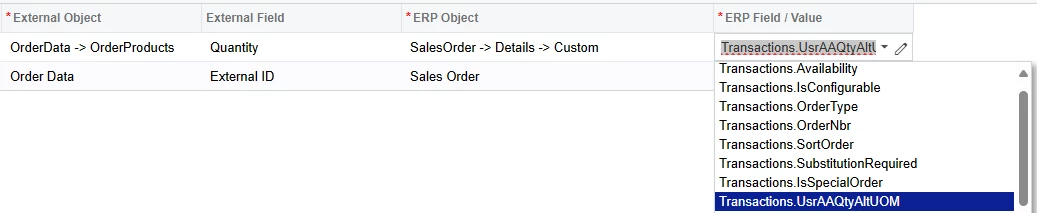
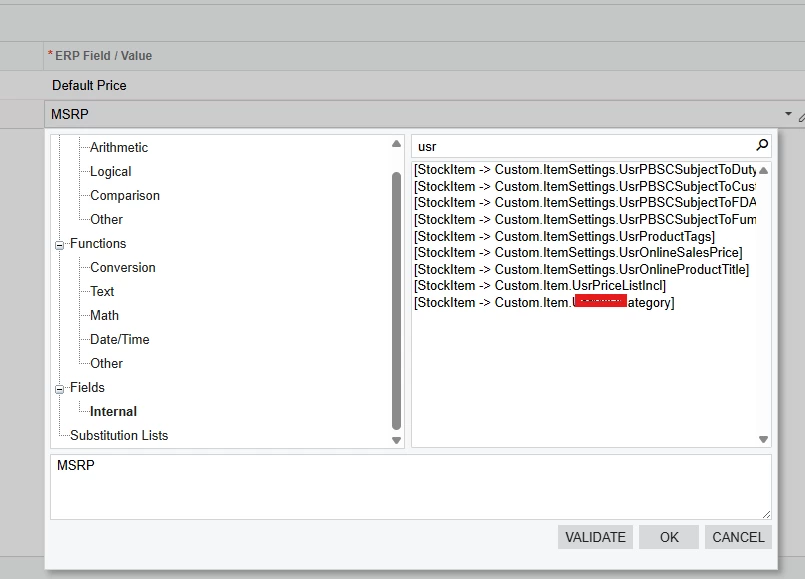
I’m running into an unusual asymmetry between how the import and export entity mappings are for Sales Orders. We have an Acumatica line-level custom field - AltQuantity for short - which we want to link to the BigCommerce Quantity value of each respective item on a sales order. The Import mapping works as expected, even though the custom field isn’t available from the drop down in the ERP Field column.

I expected the Export mapping to be able to be set up as the mirror of the Import mapping.

Now, I know I’m getting off the expected path here because I had to type in the Objects and Fields manually without spaces instead of being able to select from a drop down. Surprisingly, it works - well - half works. The system recognizes OrderData.OrderProducts.Quantity just fine and I can map to it normally (ex ‘Sales Order -> Details -> Open Qty’). However, my issue/lack of knowledge is around the “-> Advanced” part and Transactions view of the Sales Order.
I can access the custom field if I use ‘Sales Order -> Advanced Transactions.Usr...’ but mapping it without Details makes it so the first item’s value is populated to every item on the order. However, with ‘Sales Order -> Details -> Advanced Transactions.Usr...’ for the custom field I get the error on sync: “The system failed to convert value PX.Commerce.Core.API.SalesOrderDetail to type Int32 during the mapping processing. Please make sure that custom field mappings are correct.” but I can use a non-custom field like ‘Sales Order -> Details -> Advanced Transactions.OpenQty’, but then, even though it should be at the detail level, it maps the first OpenQty to every item on the order.
Can anyone explain what’s going on and how I can export the line-level custom field? The whole process of creating these mappings is rather opaque and undocumented, so if anyone knows of a good resource for learning about this screen’s inner workings then I’d appreciate that, too!