Answer

Amazon connector Sync Issues

  • September 1, 2025
  • 5 replies
  • 89 views

Manikanta Dhulipudi
Captain II
Forum|alt.badge.img+15

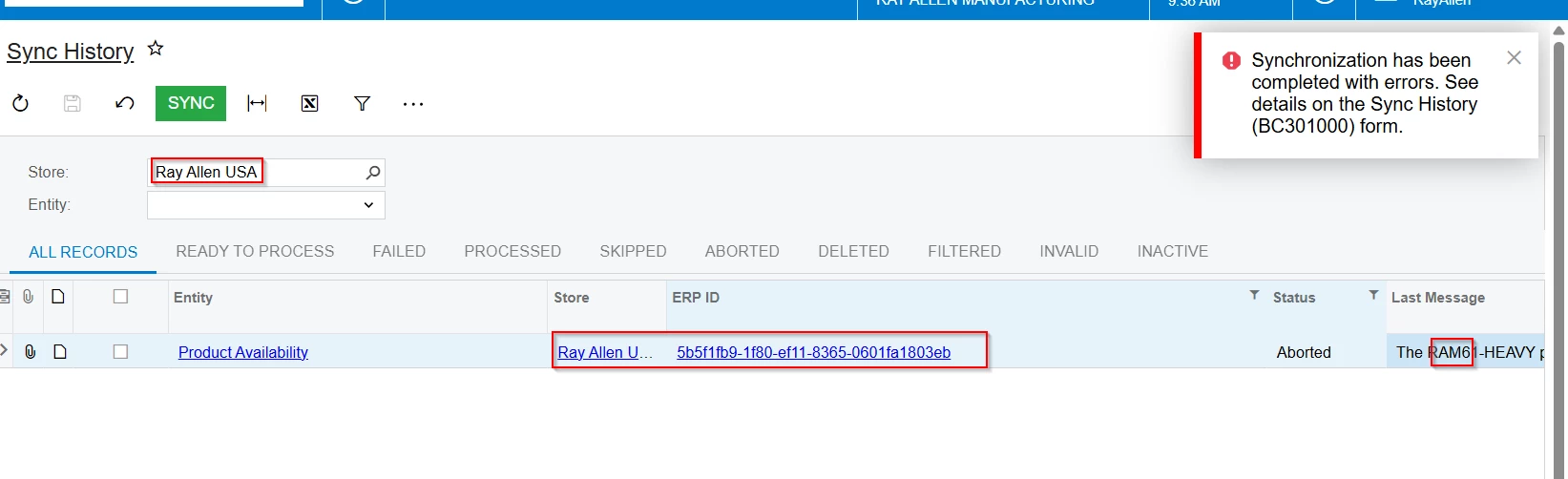
The XXX product availability cannot be exported because of the following error(s): Unexpected error(s) occurred while processing feed documents on Amazon. Feed processing status: FATAL


I am getting above error while syncing the Product availablity from Acumatica to Amazon.


Can some one assist on this.
Trace:    at PX.Commerce.Core.BCSyncHistoryMaint.<ProcessSync>d__45.MoveNext()
--- End of stack trace from previous location where exception was thrown ---
   at System.Runtime.ExceptionServices.ExceptionDispatchInfo.Throw()
   at PX.Concurrency.AsyncExtensions.PrepareForRethrow(Exception exception)
   at PX.Concurrency.AsyncExtensions.WaitAndUnwrapException(Func`2 method, CancellationToken cancellationToken)
   at PX.Concurrency.AsyncExtensions.<>c__DisplayClass2_0.<ToSync>b__0(CancellationToken cancellationToken)
   at PX.Concurrency.Internal.PXLongOperationPars.PopAndRunDelegate(CancellationToken cancellationToken)
   at PX.Concurrency.Internal.RuntimeLongOperationManager.PerformOperation(PXLongOperationPars p)


[COMMERCE]: Unexpected error(s) occurred while processing feed documents on Amazon. Feed processing status: FATAL

Connector: AZC, Binding: 11, Entity: PA, SyncID: 1406869, LocalID: , ExternID: 
System.Exception: Unexpected error(s) occurred while processing feed documents on Amazon. Feed processing status: FATAL


Best answer by KarthikGajendran

@Manikanta Dhulipudi This is because Amazon deprecated the API that used in your ERP version(24.109.0016) . We have updated the API in the 24R112, 24R202 a year back. 

Please update to 24R112 or upgrade to any new release. 


CC ​@Yuri Karpenko 

5 replies

Yuri Karpenko
Captain II
Forum|alt.badge.img+6
  • Captain II
  • September 2, 2025

@Manikanta Dhulipudi , in the screenshot above, the ERP ID is a GUID, not an actual Inventory ID, that leads me to believe you need to re-establish the connection between the Amazon product and Acumatica stock item first, and then try to sync the inventory quantity.


Manikanta Dhulipudi
Captain II
Forum|alt.badge.img+15

@Yuri Karpenko  I performed below steps but still the issue remain same.

  1. Clear Sync History from Entity screen.
  2. Updated the Dummy save in Stock items.
  3. Prepare and process data for Product availablity, product linking only.

Yuri Karpenko
Captain II
Forum|alt.badge.img+6
  • Captain II
  • September 2, 2025

@Manikanta Dhulipudi if the ERP ID is still a GUID, there is a problem on the product linking stage. If you can’t resolve that, I would probably try to manually map Acumatica product to Amazon product. So that when you go to Product Availability sync, you can see an actual product ID, not a GUID.


KarthikGajendran
Acumatica Moderator
Forum|alt.badge.img+3
  • Acumatica Moderator
  • Answer
  • September 2, 2025

@Manikanta Dhulipudi This is because Amazon deprecated the API that used in your ERP version(24.109.0016) . We have updated the API in the 24R112, 24R202 a year back. 

Please update to 24R112 or upgrade to any new release. 


CC ​@Yuri Karpenko 


Manikanta Dhulipudi
Captain II
Forum|alt.badge.img+15

@KarthikGajendran  

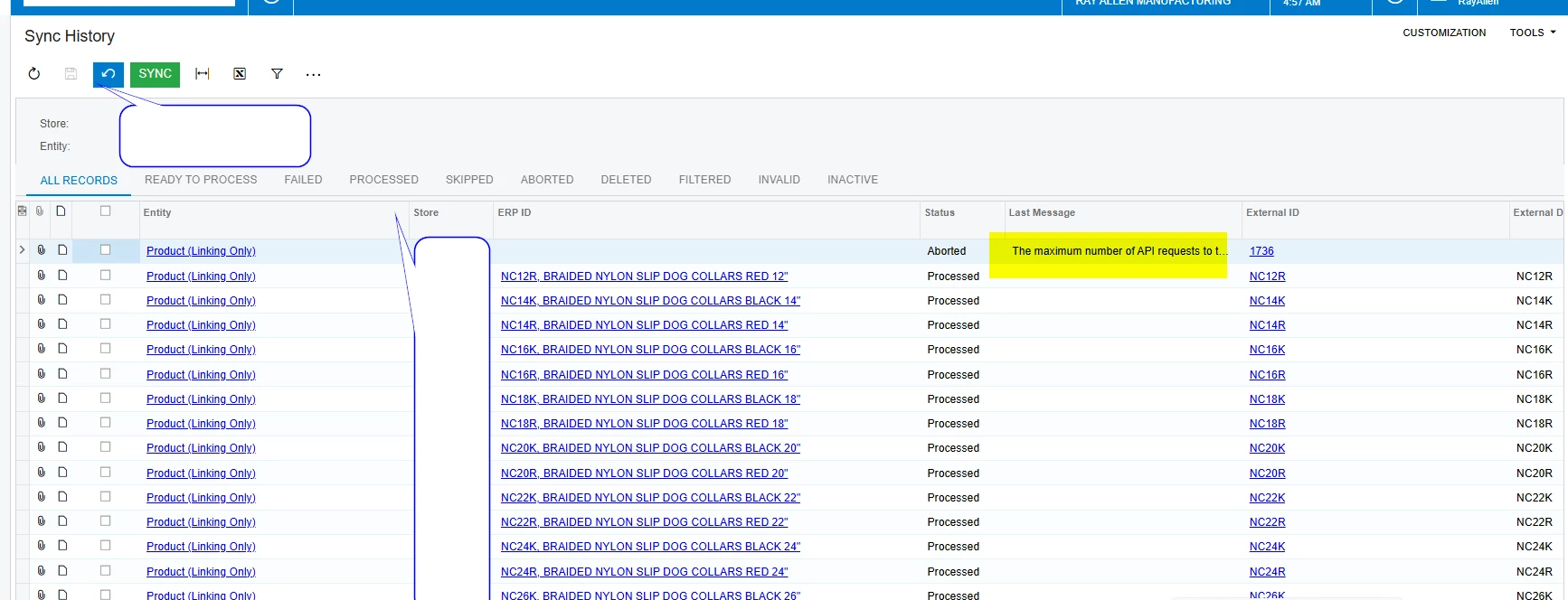
I am getting new issue after Upgrade? Any thoughts?


The maximum number of API requests to the external system has been exceeded because of an unstable Internet connection or a high load on the store API endpoint.