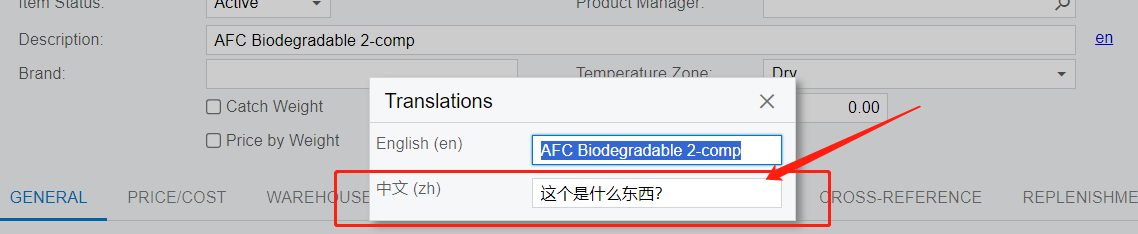
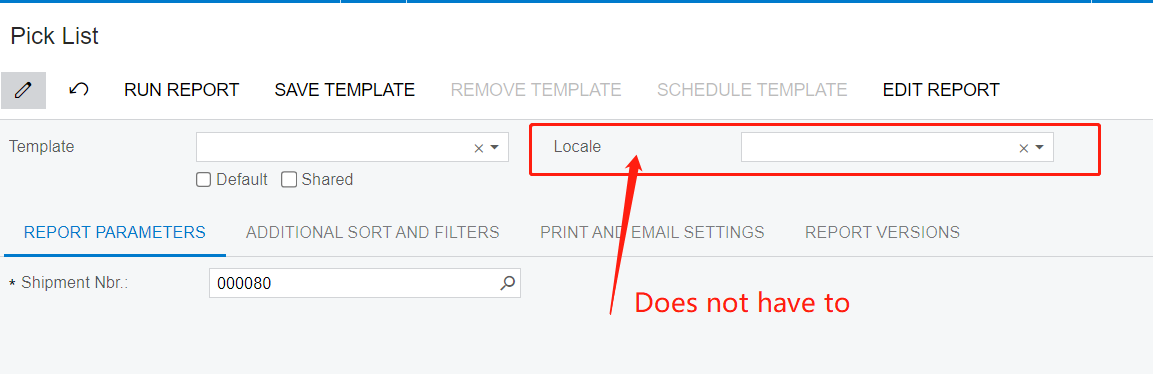
Does someone know how can I use the translation directly on report?
I mean the user does NOT have to select the run with locales,
Every time, he run the report by default, the item description will display both Chinese and English
Best answer by Ralph
We are going to be implementing Acumatica at our China based factories. What I am planning on doing for the Chinese descriptions is to create attributes for a Chinese Description and use that field as a way to have the Chinese Description added when needed. This will also allow us to manage the date for users on the items Inquires so they can view the description in the language they are most comfortable. This will also allow us to keep the English item code descriptions consistent across tenants.
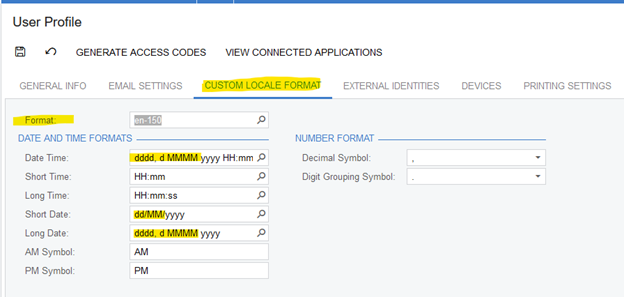
Has the user already selected a Custom Locale Format in the User Profile? When custom locale format is selected, reports will automatically use the Custom Locale. (Locale field still appears on report parameters & user can skip it.)
@Laura02 Thank you for sharing this, I am glad to learn this. But this is not exactly what I want. The user might deal with English native speak customer and chinese native speaker customer at the same time. So the solution we are looking forward to is put both English and Chinese in the item description at the same time. It is almost OK for us, besides a little bit issue.
@Laura02 Thank you for sharing this, I am glad to learn this. But this is not exactly what I want. The user might deal with English native speak customer and chinese native speaker customer at the same time. So the solution we are looking forward to is put both English and Chinese in the item description at the same time. It is almost OK for us, besides a little bit issue.
@ray20 were you able to find a solution? Thank you!
@Laura02 Thank you for sharing this, I am glad to learn this. But this is not exactly what I want. The user might deal with English native speak customer and chinese native speaker customer at the same time. So the solution we are looking forward to is put both English and Chinese in the item description at the same time. It is almost OK for us, besides a little bit issue.
@ray20 were you able to find a solution? Thank you!
@dilys I am sorry, nobody give me a direction to find the stored “translation words”. The only workround I am using is to type english and Chinese together in a same field. And displaying them separated when needed. you can separate them with “||” and so on.
We are going to be implementing Acumatica at our China based factories. What I am planning on doing for the Chinese descriptions is to create attributes for a Chinese Description and use that field as a way to have the Chinese Description added when needed. This will also allow us to manage the date for users on the items Inquires so they can view the description in the language they are most comfortable. This will also allow us to keep the English item code descriptions consistent across tenants.