Answer

Using Numeric Attribute Value in GI

  • September 19, 2025
  • 4 replies
  • 44 views

Hi Community,

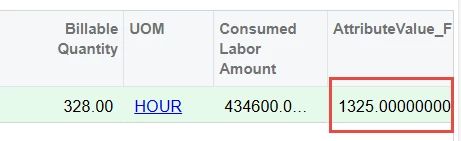
Your help is needed. In 25R1 Numeric type of Attributes was introdused. When enter the value for such an attribute, it really shows up as numeric.

However, in DAC PX.Objects.CS.CSAnswers Attribute Value is stored as VARCHAR.
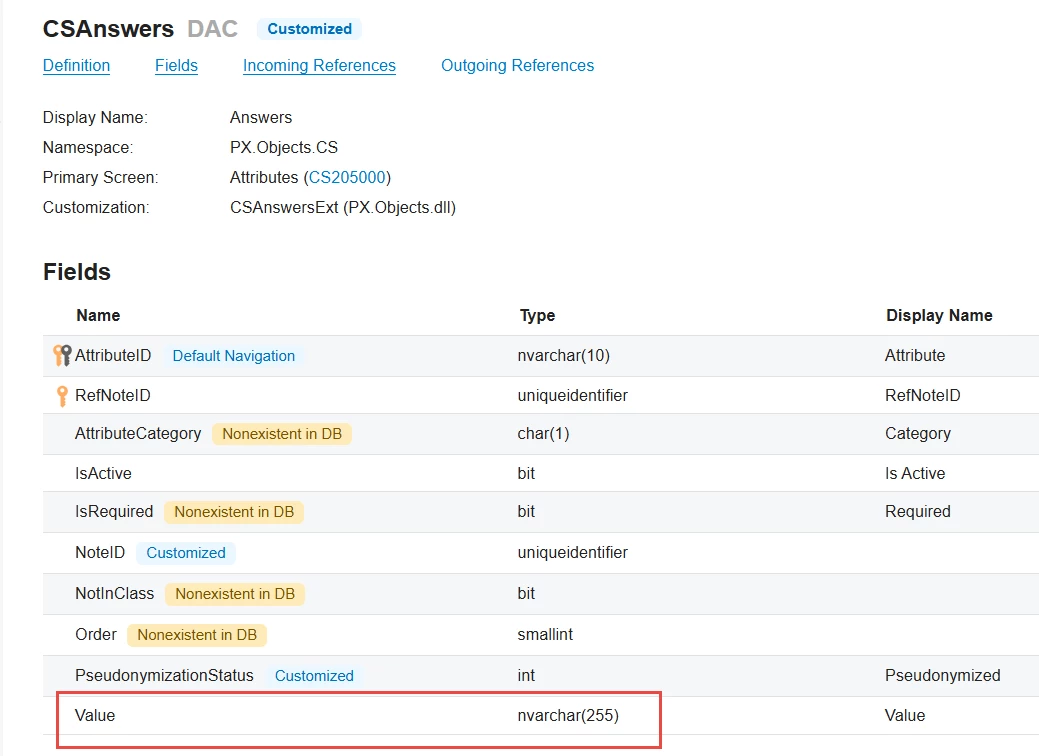
This results in fetching an attribute value in GI as Text. When you use it in formula, you get a correct value but it shows as Text value (General type in Excel spreadsheet) instead of Numeric.
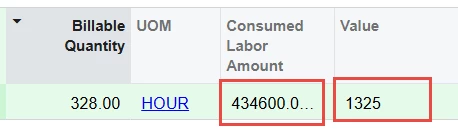
I can get the same attribute value from the correspondent entity DAC (PROJRATE_Attribute) where it is represented as numeric, but it cannot be used in formulas due the error: The virtual field PROJRATE_Attributes cannot be used in a condition expression.
Any ideas on how to overcome this obstacle? Any workaround?

Best answer by darylbowman

Set the Schema Field for the formula as well.

Also, I’m not aware that CDec takes a second parameter.

I think it should be: =[PMTran.BillableQty]*CDec([AttributeValue.Value])

4 replies

darylbowman
Captain II
Forum|alt.badge.img+15
  • September 19, 2025

Have you tried specifying the ‘Schema Field’ on the GI for that field as an appropriately formatted number field? It should take on that field’s properties (including the column name, so set ‘Caption’ as well).

Alternatively, use a formula =CDec([Your.Field]) to force it to be converted to a decimal.


  • Author
  • September 19, 2025

Applying Cdec doesn’t solve the issue. It’s still not a number
 

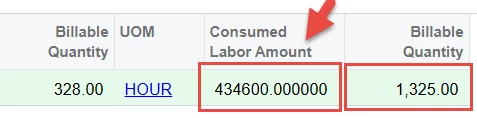
Specifying Schema Field does makes it more like a number. However the ultimate goal is to get the result of a formula in numeric format
 

Any idea on how to pass that Format into the formula?


darylbowman
Captain II
Forum|alt.badge.img+15
  • Answer
  • September 19, 2025

Set the Schema Field for the formula as well.

Also, I’m not aware that CDec takes a second parameter.

I think it should be: =[PMTran.BillableQty]*CDec([AttributeValue.Value])


  • Author
  • September 19, 2025

@darylbowman Much appriciated!!

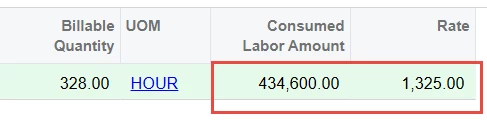
That Schema Field format really applicable to formulas as well.
Now it looks exactly as required
 

Thank you!!