



We are designing a new form where by we need to have a FROM: and a TO: using the first of the current year and the last of current year for the period. We would like to use @YearStart, and @YearEnd but are not quite sure where and how to code it in the Report Designer, or if parameters need to be stated first in the Schema. Most, if not all, of our reports have a date already associated with the type of report needed, but in this case, none of that is present. The initial form will be a “blanket” form just to get started. My code in the groupHeaderSection1: I have one text box: [=’FROM:’ + [@DateFrom]], another text box: [=’TO:’ + [@DateTo]]. but these are not showing up on the report in preview at all. My Parameter Schema has DateFrom as Name, Data Type Date Time, Prompt: Start Date, Default Value @YearStart, Visible, Required, and the DateTo has its’ appropriate parameters set up also basically the same way.
Solved
Using @YearStart and @YearEnd in Report Designer as a FROM and TO date without using any date fields
Best answer by Laura03
Hi,
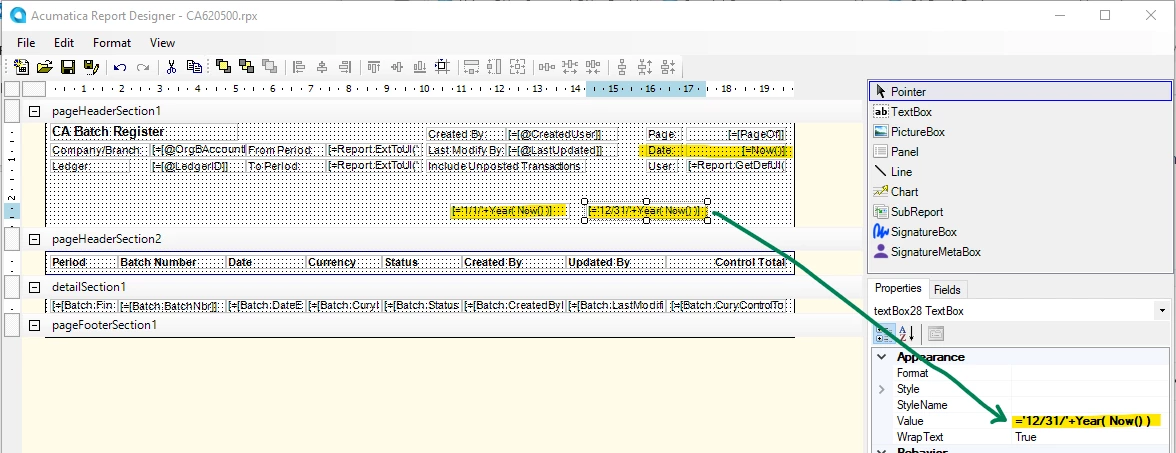
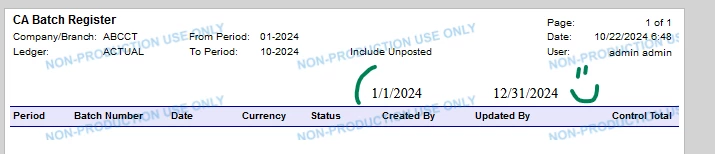
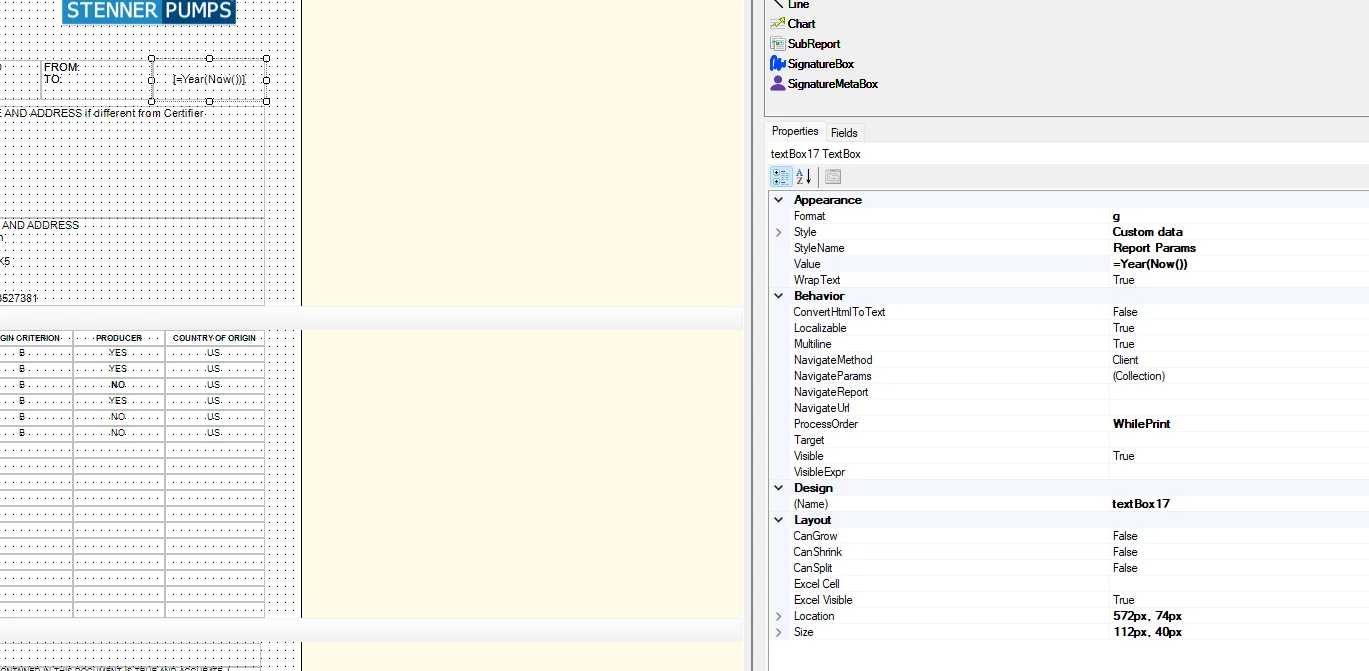
I performed additional tests for you, to hide and then to remove the printed Now() date in the corner of this Acumatica report. My test report still prints year beginning and year end dates,
- When Now() date is hidden and
- When is completely removed from the report, and
- It prints in any section of the report.
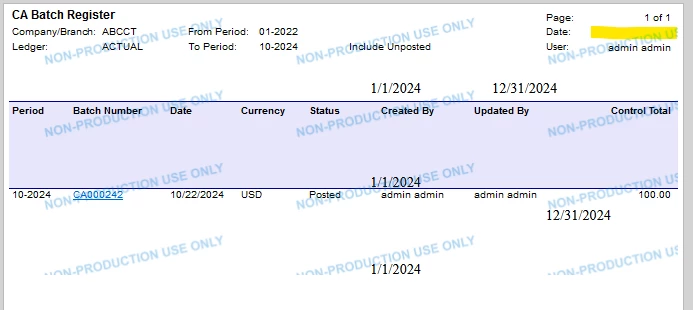
My test was performed in version 2024 R1 Build 24.112.0026 .
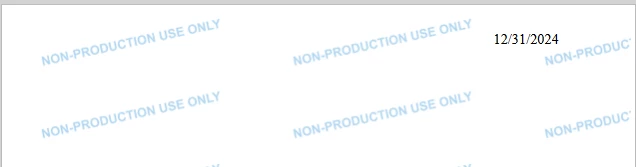
Last, I started a completely blank report: with No Tables/DACs in the report, date calculations shown above do not work. My “Only Year End Date” report printed nothing.
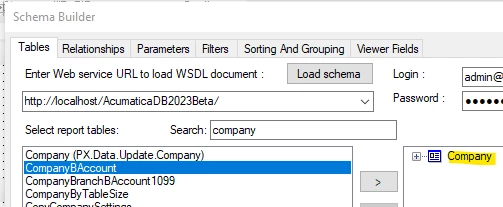
As soon as I add one table, even if I don’t display any fields from the table, my date works (I selected Company):
Laura



Enter your E-mail address. We'll send you an e-mail with instructions to reset your password.