Answer

Using a generic inquiry as a data source in another generic inquiry - Data Field Links for Active relation error

  • September 12, 2025
  • 9 replies
  • 97 views

Forum|alt.badge.img

I created a generic inquiry that is a custom WIP report that pulls data from the construction module -PMProject and PM Budget Tables. 


I wanted to add a column that shows payment made to date for each project.  To avoid it duplicating the contract amounts etc for every invoice, I create a separate GI that just provides a list of Active projects ID, Description and total amount paid to date.
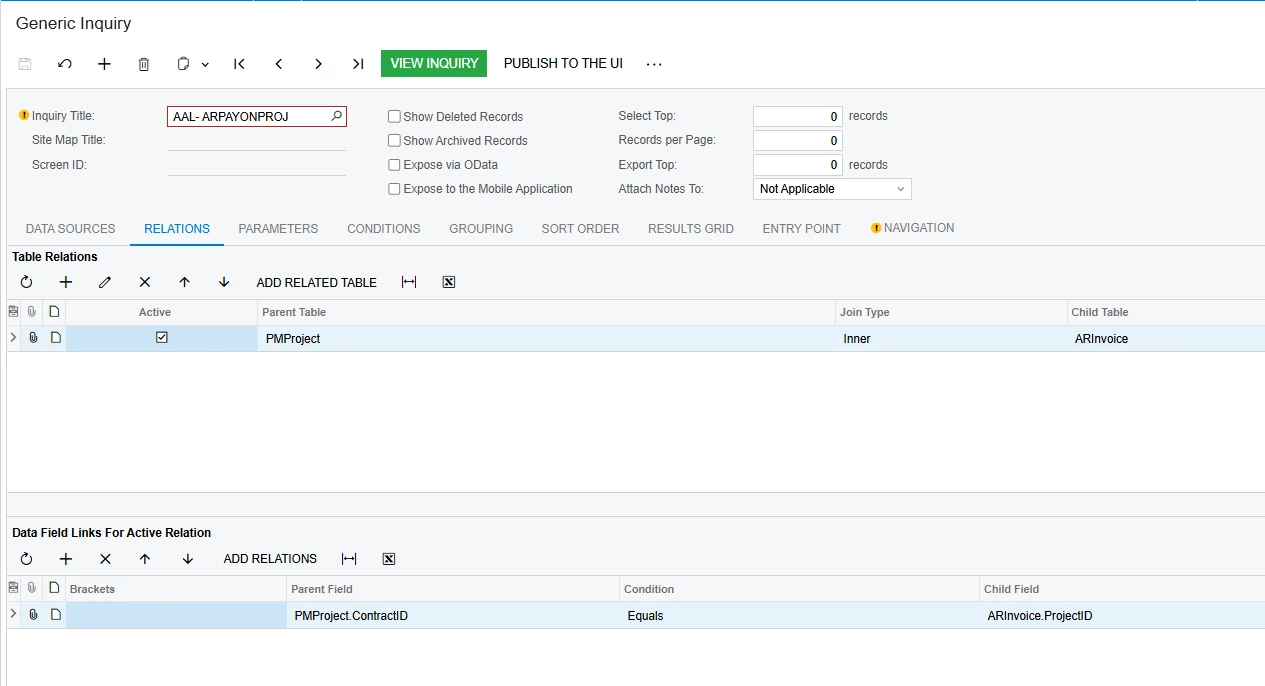
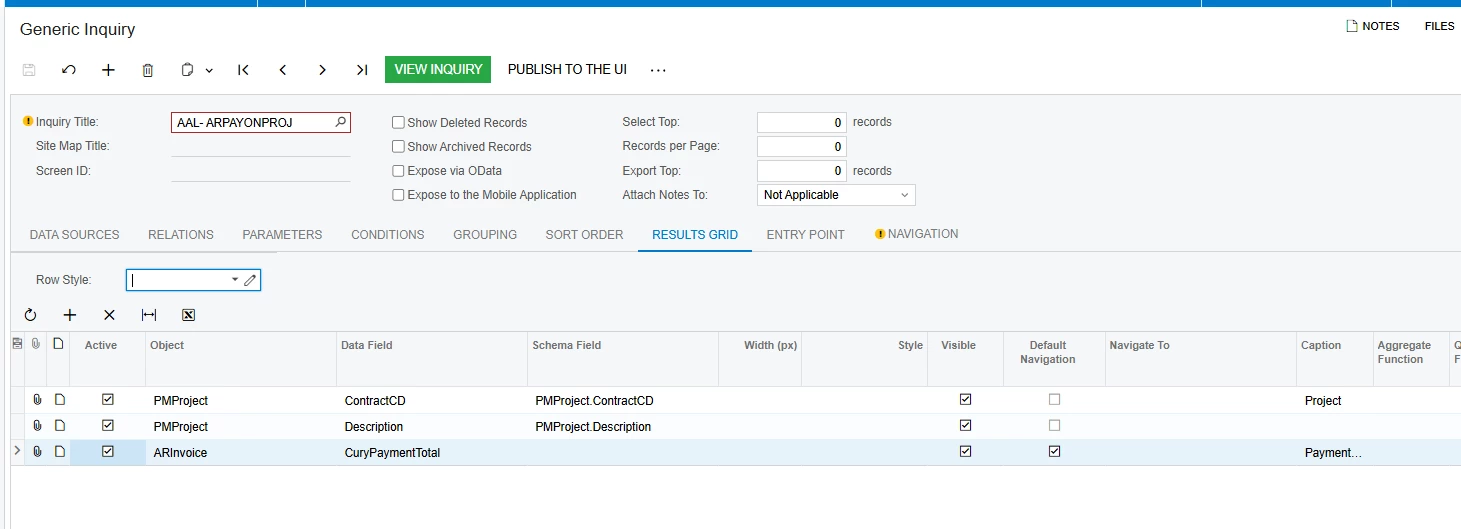
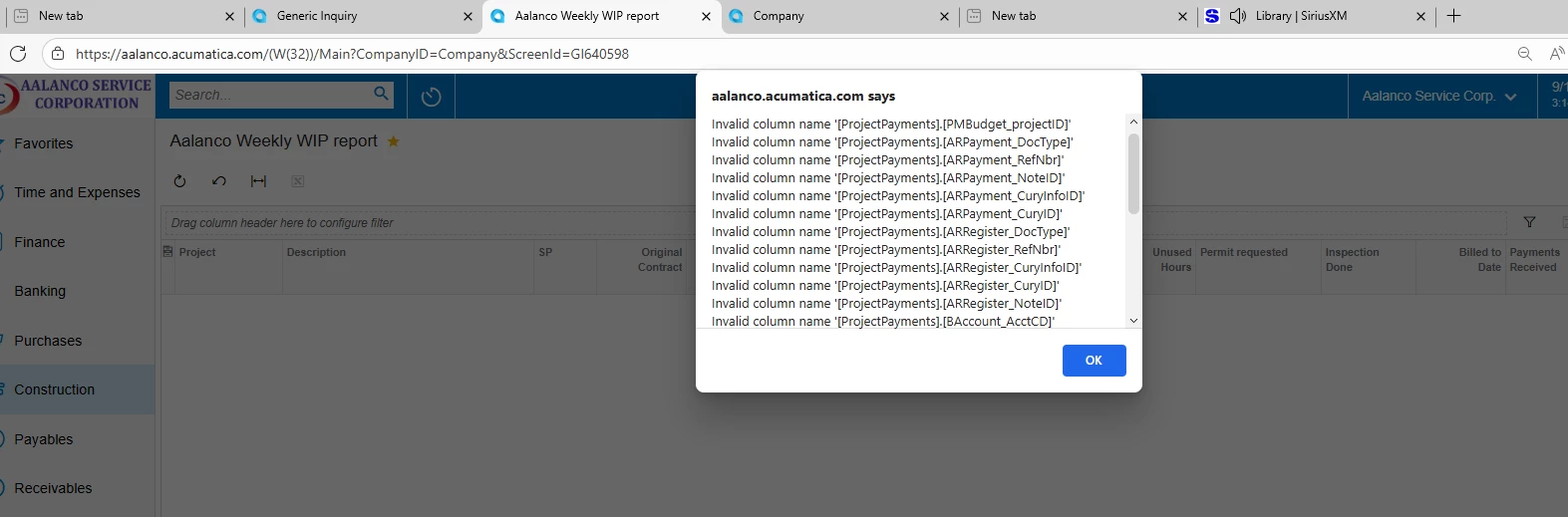
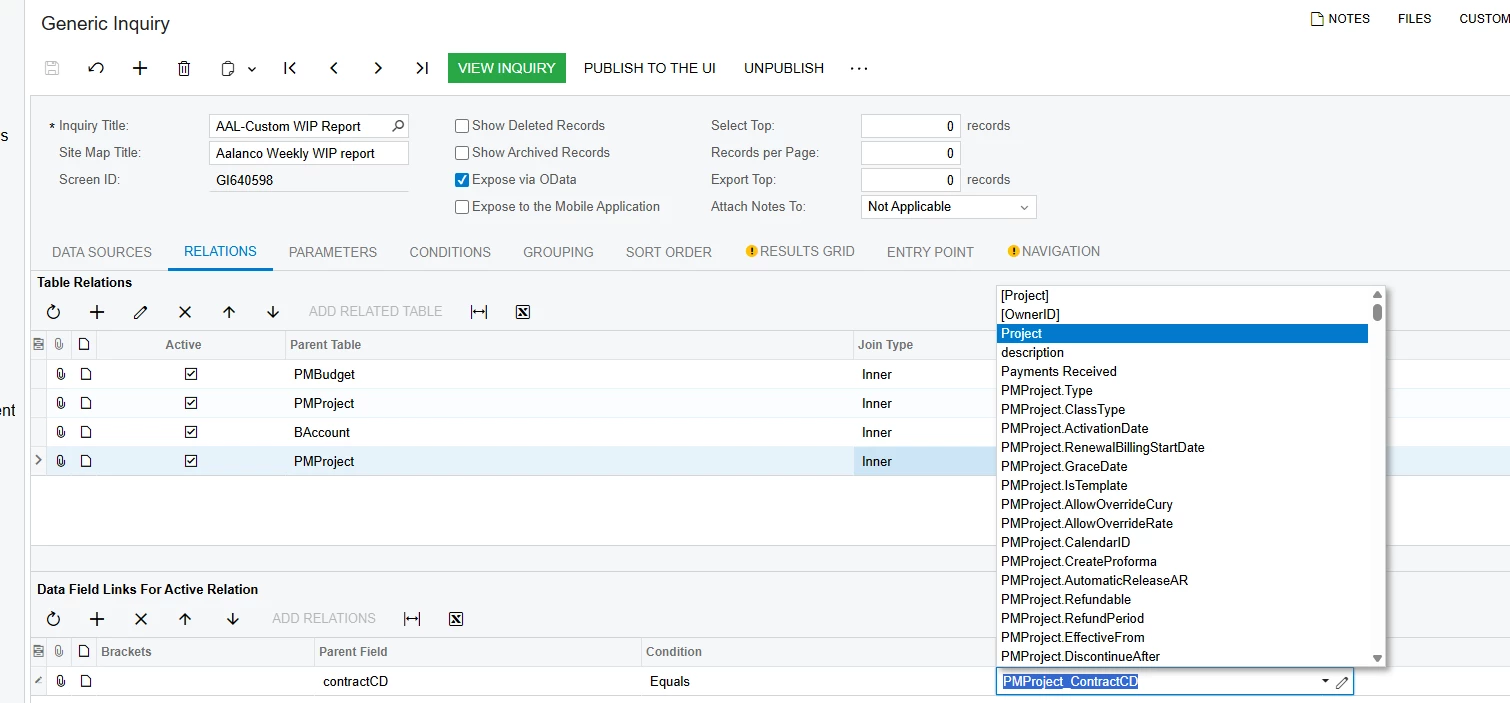
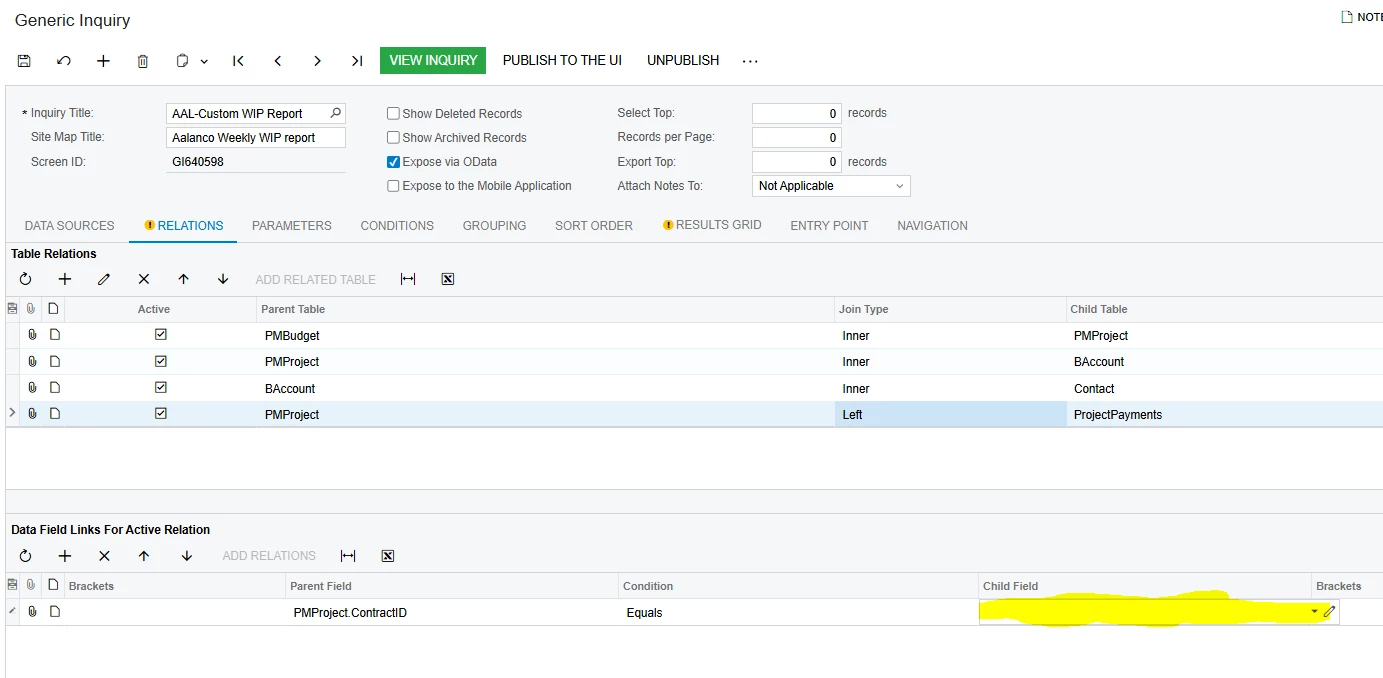
I added the GI above to my tables for the WIP report but what I can’t figure out is how to link them in the Data field Links for Active relation window.   The parent field is would be contractID but in the child field there are no options for the GI Table.  I tried just ContracID or picking the PMProject.ContractID field which is on the GI being used as a table but all I get is error messages. 


Best answer by dcomerford

@eucciferri35 Fields display just fine for me. Try using the Publish to the UI on the GI and set to Granted for all Roles.


9 replies

dcomerford
Captain II
Forum|alt.badge.img+15
  • Captain II
  • September 15, 2025

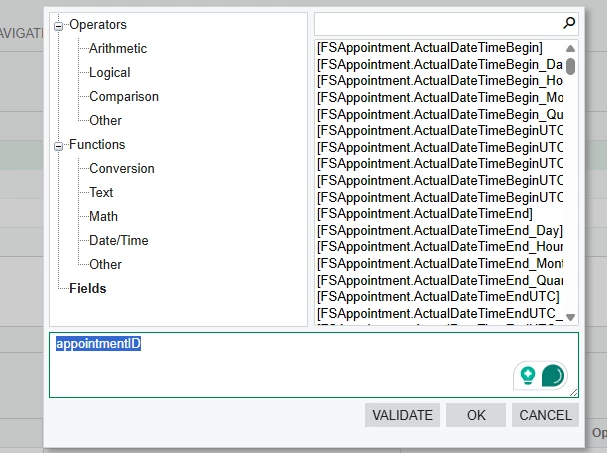
@eucciferri35 To confirm when you click on the pencil where you have highlighted in yellow you cannot see anything under the fielda for the ProjectPayments GI.

My example below is apppointments


Forum|alt.badge.img
  • Author
  • Varsity I
  • September 15, 2025

No it’s not showing any fields from the ProjectPayments GI I created. 


dcomerford
Captain II
Forum|alt.badge.img+15
  • Captain II
  • September 15, 2025

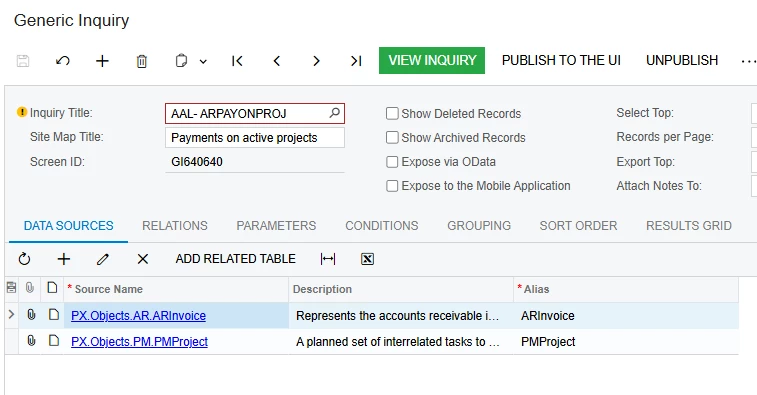
@eucciferri35 Could you send me screenshot of the data sources tab.


Forum|alt.badge.img
  • Author
  • Varsity I
  • September 15, 2025


dcomerford
Captain II
Forum|alt.badge.img+15
  • Captain II
  • September 15, 2025

@eucciferri35 Sorry the other one the GI for the Custom WIP Report in fact if you can share both GI here i can look at them on my local


Forum|alt.badge.img
  • Author
  • Varsity I
  • September 15, 2025

Attached are both of the GIs


dcomerford
Captain II
Forum|alt.badge.img+15
  • Captain II
  • Answer
  • September 15, 2025

@eucciferri35 Fields display just fine for me. Try using the Publish to the UI on the GI and set to Granted for all Roles.


Forum|alt.badge.img
  • Author
  • Varsity I
  • September 15, 2025

HI Dermot,

That did work I can now see the field and I was able to get that column from the GI into my report.  It now doing something strange that I have never seen before.  It’s taking the value from the GI that I am using as a table (ProjectPayments) and multiplying the value by 11 for every row so if the total payments in Project Payments is $4000 it’s showing $44,000

I have seen issue with duplication which is why I pulled from the GI but I am not sure how it’s multiplying each one exactly by 11. 

Any thoughts?


Forum|alt.badge.img
  • Author
  • Varsity I
  • September 15, 2025

I’m all set.  I was able to get it to work. I had to adjust the field name.  Instead of using the default name that was coming up in the list Payments Received column from my GI I had to use the formula field and specify the full field name  [ProjectPayments.ARInvoice_curyPaymentTotal].


Thank you for your help!