Answer

Total QTY and Warehouse QTY on same GI?

  • July 25, 2025
  • 8 replies
  • 85 views

Forum|alt.badge.img

I have a GI that outputs QtyAvail for each of our two warehouses on separate rows from the INLocationStatus table. I know to get the total QTY I can group the report by item.

In this same GI however, I need to also output the total QtyAvail from both warehouses in the following format:

Item - Warehouse - QtyAvail - Total QtyAvail

ABC - WHS1 - 10 - 50

ABC - WHS2 - 40 - 50

Is this possible?

Best answer by vincea11

I was able to solve for this! I created a GI with the InventoryID’s grouped and outputted the QtyAvail from each location with a sum to get the total QTY available. Then, in my primary report, I joined this table to the InventoryItem table by InventoryID and am able to output the total QtyAvail on any GI.

8 replies

nhatnghetinh
Captain II
Forum|alt.badge.img+11
  • Captain II
  • July 25, 2025

Hi ​@hammervince 

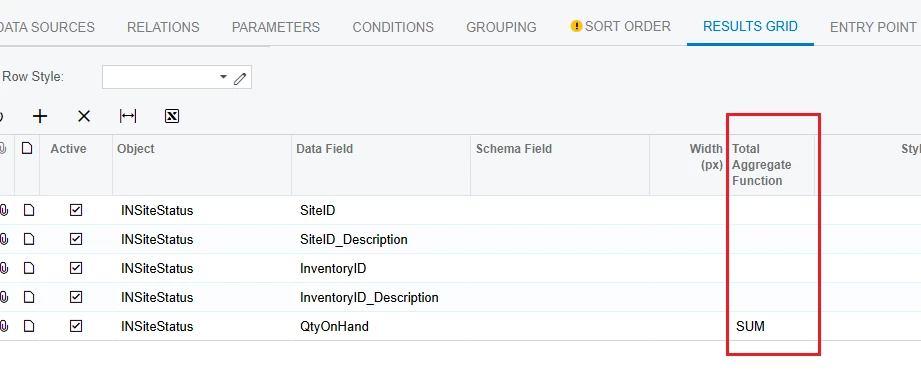
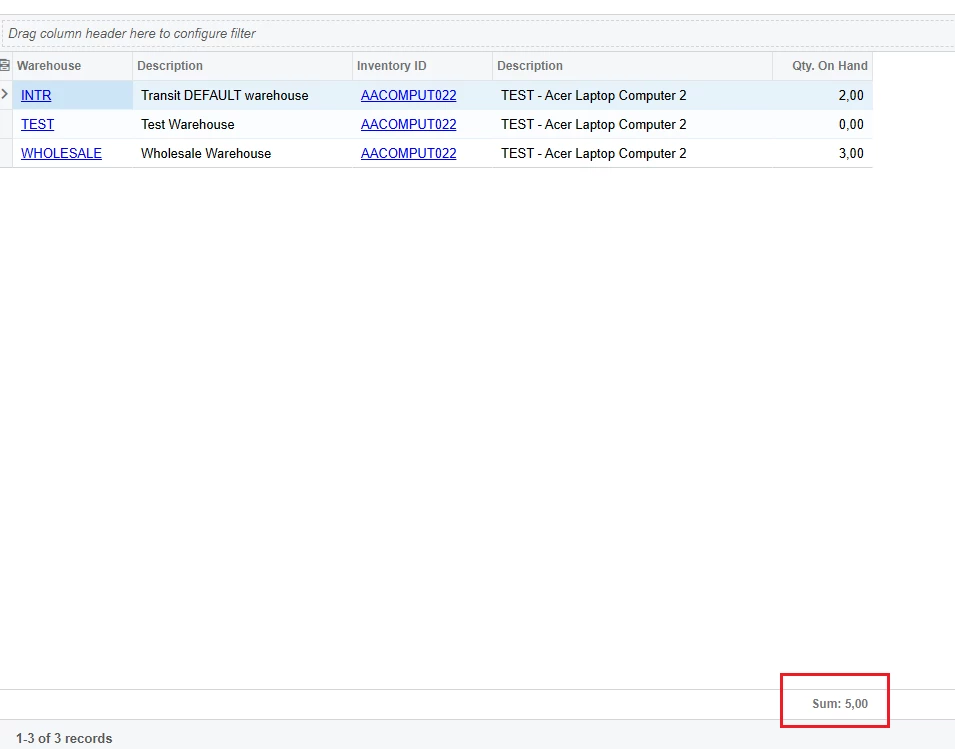
Have you used "Total Aggregate Function" in GI?


Best Regards,

NNT


Forum|alt.badge.img
  • Author
  • July 25, 2025

Hello NNT, thank you for your reply but unfortunately that does not work for our needs.

Our report is a listing of multiple stock items and I need to calculate on a per-line level the warehouse qty against the total qty like this:

Item - Warehouse - QtyAvail - Total QtyAvail - % of Total

ABC - WHS1 - 10 - 50 - 20%

ABC - WHS2 - 40 - 50 - 80%

ABC2 - WHS1 - 20 - 50 - 40%

ABC2 - WHS2 - 30 - 50 - 60%


Forum|alt.badge.img+2
  • Captain II
  • July 25, 2025

Check out the INItemCost table - I’ve used INItemCost.QtyOnHand a lot when I want to get a total qty on hand without too much complexity in groupings and joins


Forum|alt.badge.img
  • Author
  • July 25, 2025

@kyle90 thank you - that’s handy, though I am trying to get QtyAvail, not QtyOnHand. Any similar tables have that data?


Forum|alt.badge.img+2
  • Captain II
  • July 25, 2025

I’m not aware of a table that has a total for QtyAvail across all sites - depending on how many warehouses you might have, I think your best approach is just to write a simple sum formula to get the Qty available at each


Forum|alt.badge.img
  • Author
  • Answer
  • July 25, 2025

I was able to solve for this! I created a GI with the InventoryID’s grouped and outputted the QtyAvail from each location with a sum to get the total QTY available. Then, in my primary report, I joined this table to the InventoryItem table by InventoryID and am able to output the total QtyAvail on any GI.


Chris Hackett
Community Manager
Forum|alt.badge.img
  • Acumatica Community Manager
  • July 25, 2025

Thank you for sharing your solution with the community ​@hammervince!


Forum|alt.badge.img
  • Author
  • July 31, 2025

So it’s known - I hear this is a new feature not previously available. We are on 2025 R1