

Solved

Subreport Not Showing PMTimeActivity When Using Date Range from Invoice Custom Fields

  • February 20, 2026
  • 4 replies
  • 38 views

Hello everyone,

i would like to link a subreport to the invoice document.

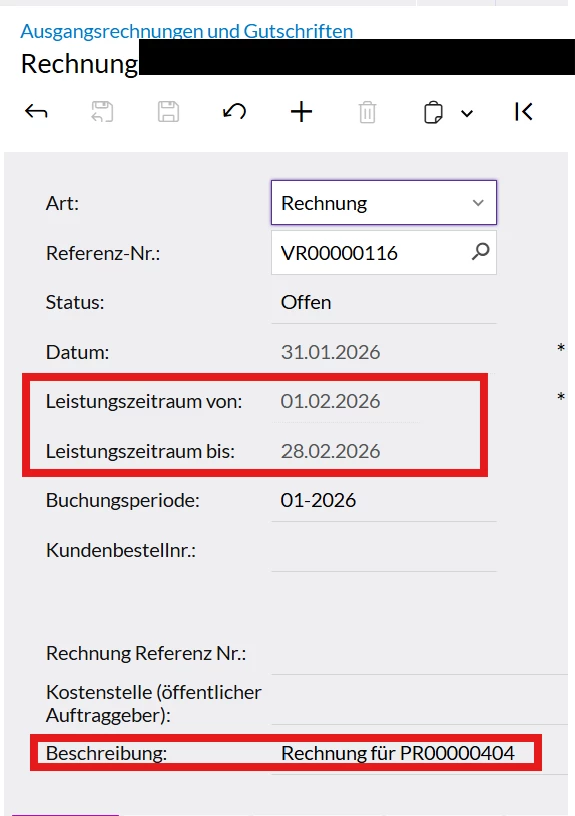
This subreport is intended to display activities that fall within the date range defined by two custom fields on the invoice screen (a start date and an end date).

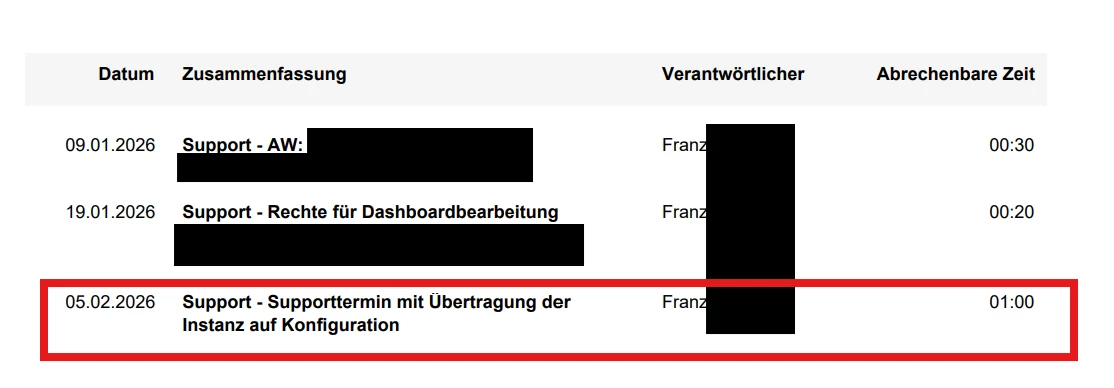
Without applying the date filters, the subreport correctly displays all activities. However, as soon as the date parameters (FromDate / ToDate) are applied, the subreport returns no results, even though there are activities within the date range defined by the custom fields.

I have attached some screenshots to illustrate the issue. Could someone help me identify the cause of this problem?

Thank you in advance for your assistance.

Best regards,
Pantea


Invoice-Screen:
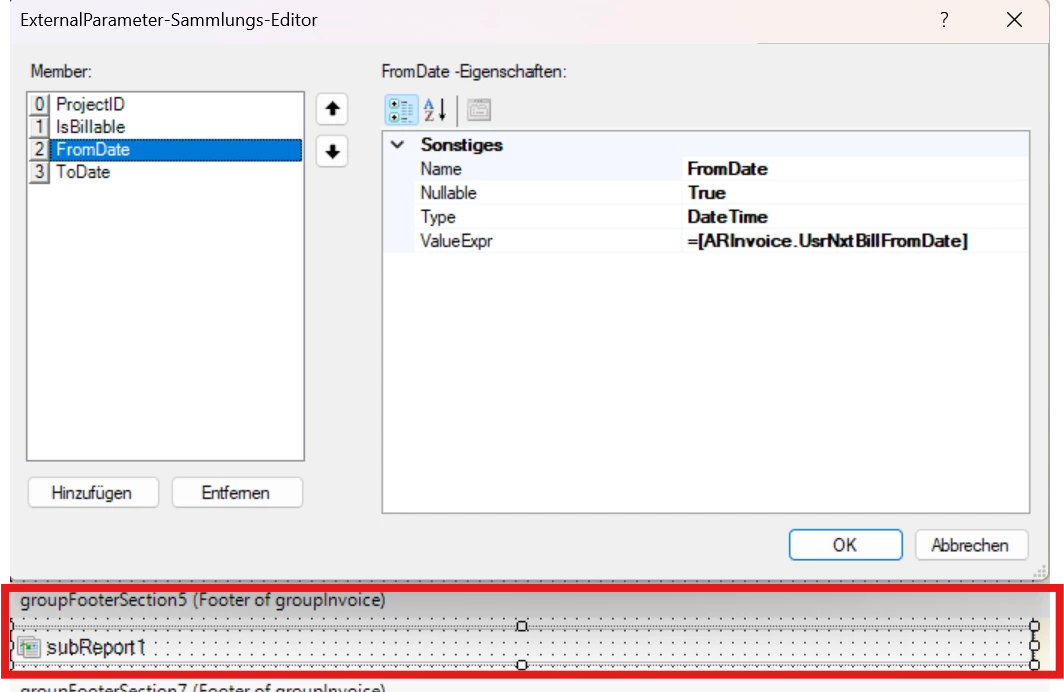
Hauptreport:
 

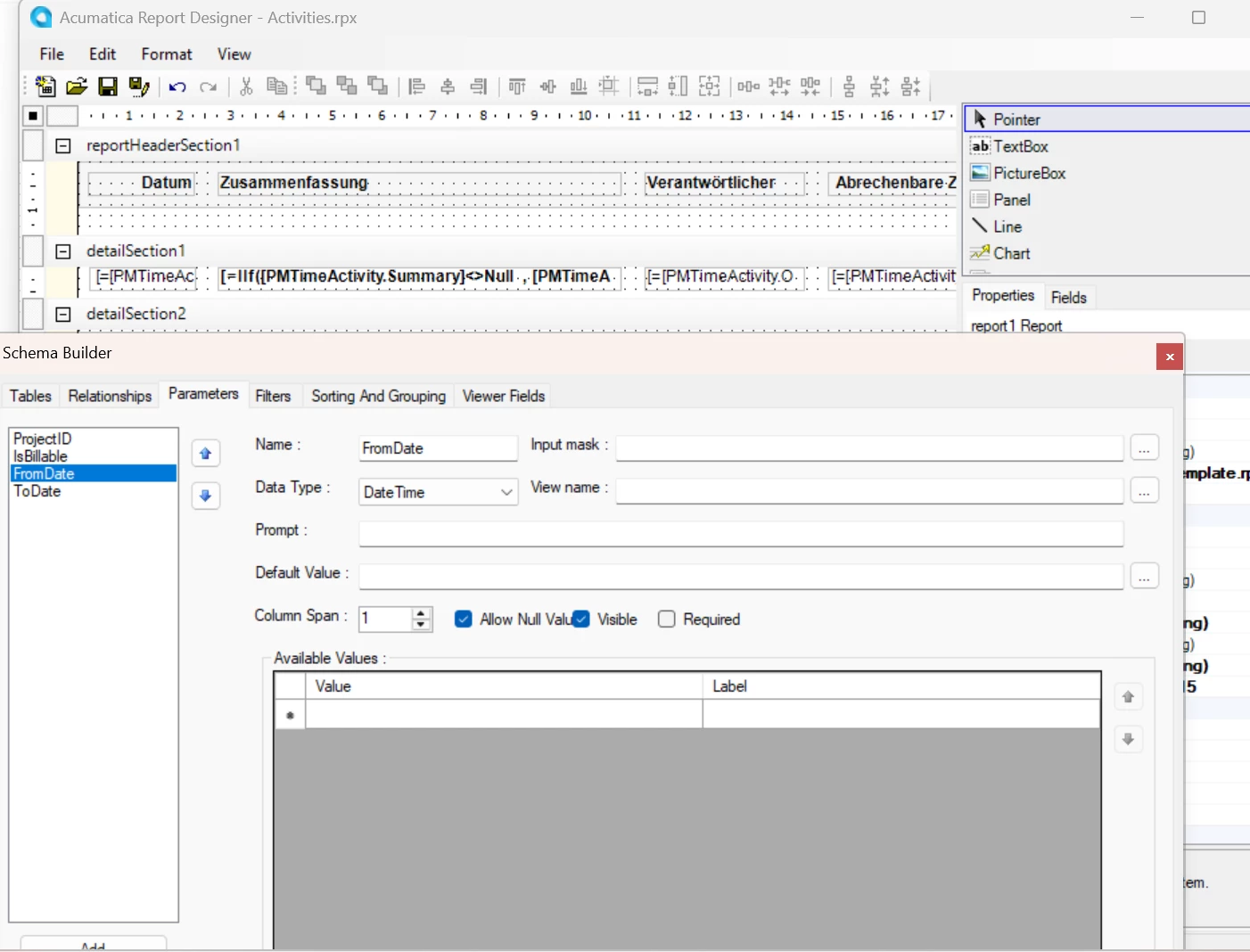
Subreport-Parameter:
 

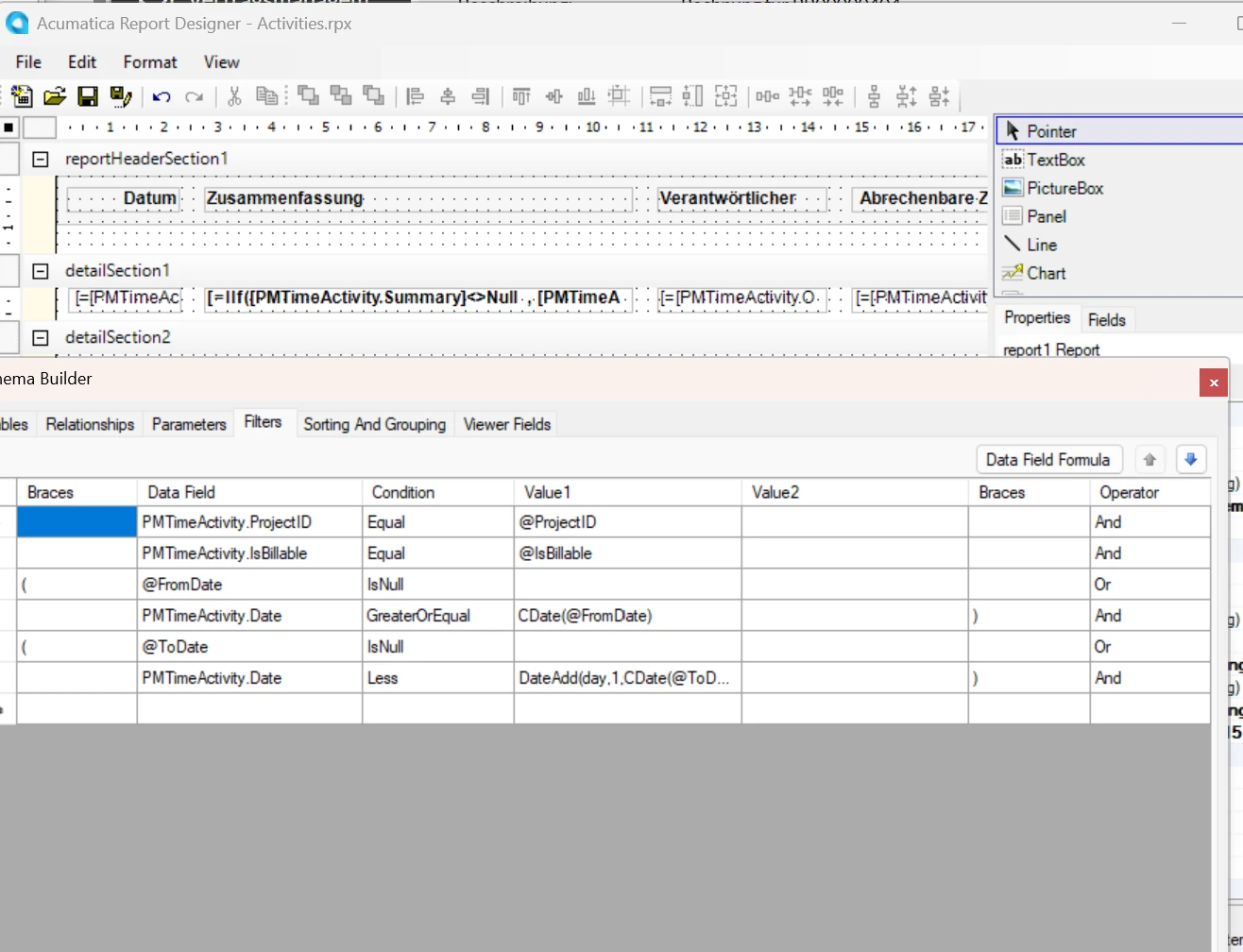
Subreport-Filter:
 

subreport in Invoice without Date Filter:
subreport in Invoice with Date Filter:
 

Best answer by PanteaSh

@lauraj46 ​@harshitasethia74 

Thanks to both of you. The issue is actually resolved, I found my mistake:

  1. Syntax errors in the main report (e.g., an extra space in FromDate and a missing = in the ToDate assignment).

  2. I also corrected the data types in both the subreport and main report.

4 replies

Forum|alt.badge.img+1

hey ​@PanteaSh , 

Can you share the rpx format of your report including the sub-report?


  • Author
  • Freshman II
  • February 20, 2026

This is my invoice and subreport.
Sorry, I couldn’t upload them as .rpx files, so I put them in a zip file instead.


lauraj46
Captain II
Forum|alt.badge.img+9
  • Captain II
  • February 20, 2026

Hi ​@PanteaSh ,

In the Report Designer, the signature for the DateAdd function is DateAdd(date, interval, number).  Formulas should also start with an equal sign, for example =DateAdd(CDate(@DateTo, 'd', 1).

You could also consider making this calculation in the main report and passing the parameter value already calculated.

To debug, it can be helpful to display a control on the main or subreport with the result of this calculation, or the parameter that has been passed.  It also can be useful to run the subreport separately for testing purposes.

Hope this helps!

Laura 


  • Author
  • Freshman II
  • Answer
  • February 20, 2026

@lauraj46 ​@harshitasethia74 

Thanks to both of you. The issue is actually resolved, I found my mistake:

  1. Syntax errors in the main report (e.g., an extra space in FromDate and a missing = in the ToDate assignment).

  2. I also corrected the data types in both the subreport and main report.

