Answer

Sub Report not working and breaks main report when pulled into it

  • November 11, 2025
  • 3 replies
  • 55 views

Hi Everyone

This is my first time creating a report in report designer and I am in need of some guidance.

I have created a sub report (or tried to) I can’t see what I’m missing but when I populate the parameters I just get a blank page. When it is pulled into my main report (which runs without the link but without the information I need - obviously), the main report also becomes a blank page!

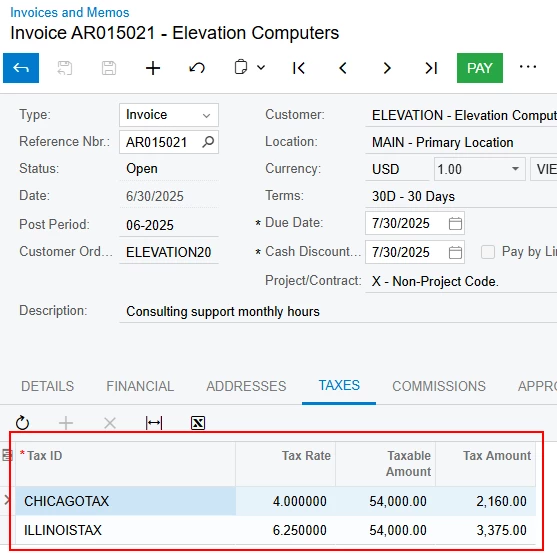
My company often provide services which are charged at different rates of tax. Therefore, we want to show how much in total is charged at each rate. Essentially all I am trying to do is list all the different VAT information which when in Acumatica is shown on the Tax Tab in the invoice screen (screenshot added). I want it to display once on the invoice above the total due information.

I know this information is available as I’ve been able to draw it out but it doesn’t show how I want it and I believed creating a sub report and linking this in a footer group would work. However, creating the sub report is proving a bit more difficult than I thought. I’ve spent an entire day going over and over it and finally I give in and beg for your help. I’m sure its something really obvious but I am just not seeing it.

I have attached the main report and the sub report for your reference.

Thanks in advance for your help
Best answer by aleksandrsechin

Hi, ​@kmtaylor83

SO643000 Report
 
1. I’m a bit confused why you added this join in the report. I don’t think you need it, since you need to select ARTaxTran records in the SubReport — so remove it.


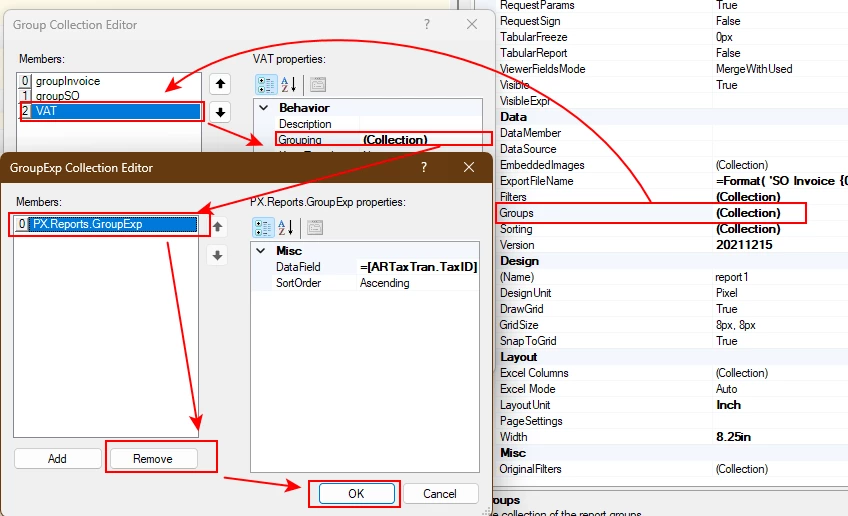
2. The same goes for this unnecessary grouping by ARTaxTran.TaxID — remove it.


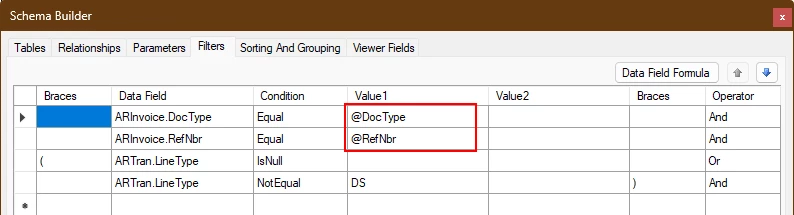
3. Don’t forget to bring back these parameters.


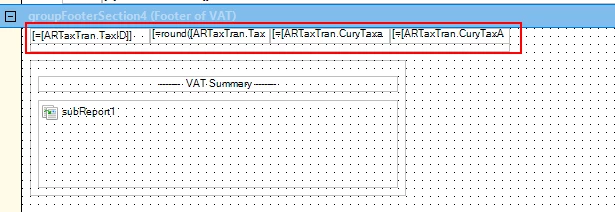
4. Remove these fields, since they should be located in the Subreport.


va0001kt Subreport

5. Again, don’t forget to take back these parameters.


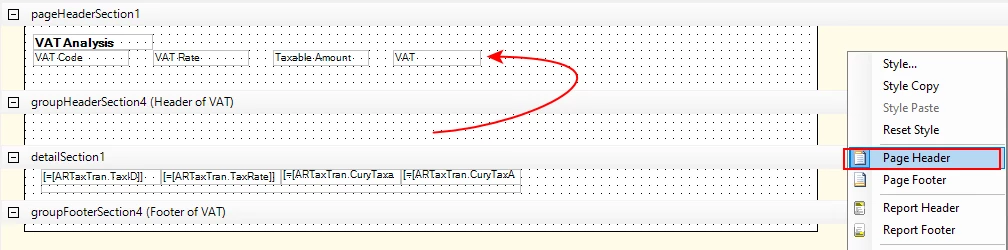
6. Move your captions to the Header section.


7. Remove this unnecessary grouping by ARTaxTran.TaxID.


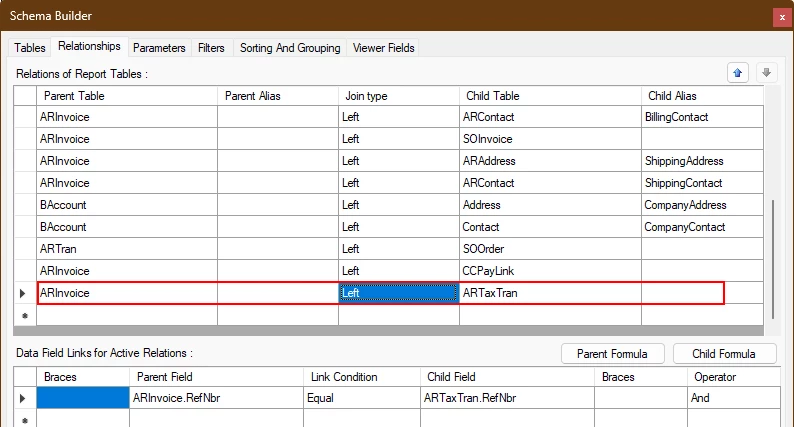
8. Do you really need the ARTran and SOInvoice tables? I don’t see you using them anywhere, so delete them if not.
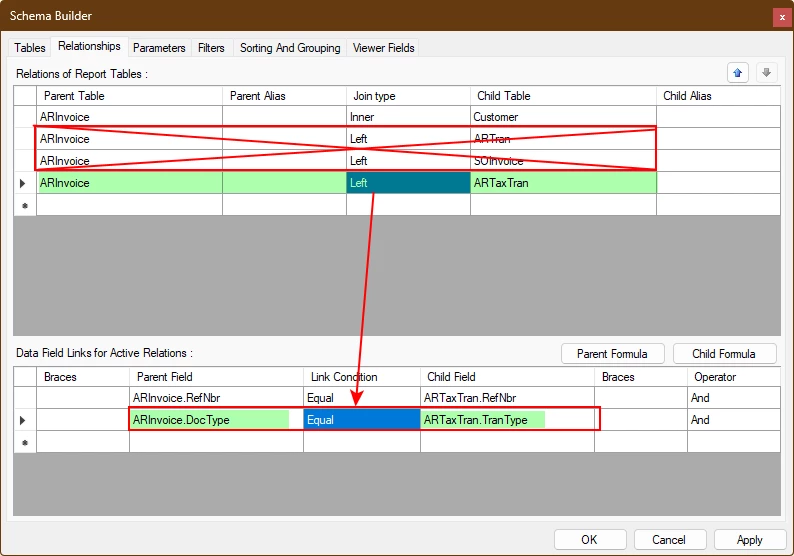
Also, fix the connection between ARInvoice and ARTaxTran as follows:


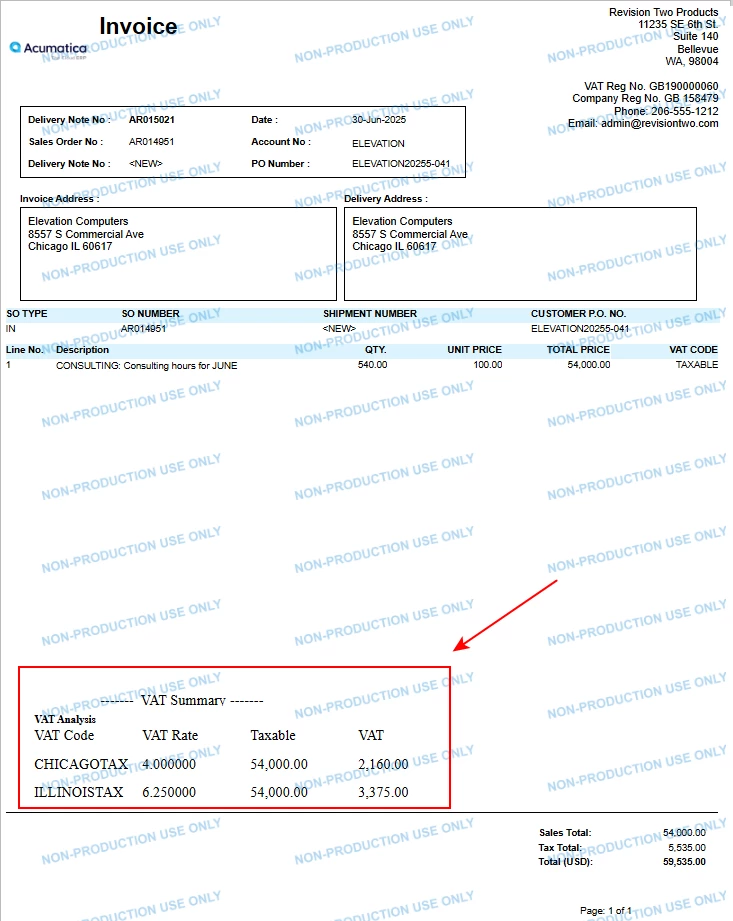
Result: 


Source invoice:


3 replies

lauraj46
Captain II
Forum|alt.badge.img+8
  • Captain II
  • November 11, 2025

Hi ​@kmtaylor83 ,

Not sure if this was part of your debugging process, but it looks like you’ve hardcoded some values on the subreport filters instead of using the parameters.

The subreport will expand widthwise and overlap with other controls on your main report.  This is likely why parts of your main report are disappearing.

I would recommend resizing the subreport and allowing it plenty of space to expand.  Also testing the subreport separately can be a useful debugging technique.

Hope this helps!

Laura


  • Author
  • Freshman I
  • November 12, 2025

Hi ​@lauraj46 

Thanks for pointing that out - yes those were there to try and help with the investigation - like I said my sub report was just showing a blank page and I thought this was an issue with the referencing of the parameters - perhaps I had it wrong - so I hard coded them in. I thought I had put them back to @DocType and @RefNbr.


When I put them back in both reports - I still got the same issue with both reports - I get a blank page… :/


Even just adding in a text field with generic text in still didnt rendered and when this happened I decided to just start from scratch again on the sub report. I’ve now managed to get the sub report displaying as I wanted in the main report. 


Forum|alt.badge.img+3
  • Jr Varsity I
  • Answer
  • November 12, 2025

Hi, ​@kmtaylor83

SO643000 Report
 
1. I’m a bit confused why you added this join in the report. I don’t think you need it, since you need to select ARTaxTran records in the SubReport — so remove it.


2. The same goes for this unnecessary grouping by ARTaxTran.TaxID — remove it.


3. Don’t forget to bring back these parameters.


4. Remove these fields, since they should be located in the Subreport.


va0001kt Subreport

5. Again, don’t forget to take back these parameters.


6. Move your captions to the Header section.


7. Remove this unnecessary grouping by ARTaxTran.TaxID.


8. Do you really need the ARTran and SOInvoice tables? I don’t see you using them anywhere, so delete them if not.
Also, fix the connection between ARInvoice and ARTaxTran as follows:


Result: 


Source invoice: