Question

Sub-report in Report Designer - correct placement

  • February 25, 2026
  • 21 replies
  • 93 views

Forum|alt.badge.img


@lauraj46 Looking for assistance with placement of the attached sub-report within the main report so that all the fields line up within the main report. Still trying to navigate all the data fields accurately, so always welcome to better ideas. I could whip this out easier in even an older version of SSRS.


21 replies

lauraj46
Captain II
Forum|alt.badge.img+9
  • Captain II
  • February 25, 2026

Hi ​@bwaldie ,

Your zip file contains the .rps files which are just links.  Please save the .rpx files locally and then zip and attach them to this thread.

Thanks,

Laura


Forum|alt.badge.img
  • Author
  • Freshman II
  • February 25, 2026

sorry i did that from my mac and realized acu doesn’t like mac os. here are the rpx versions.


lauraj46
Captain II
Forum|alt.badge.img+9
  • Captain II
  • February 25, 2026

Hi ​@bwaldie ,

Thanks for sharing the files.  These are my suggestions:

On the subreport:

  • Add a salesperson parameter and filter.
  • Remove all of the controls, headings, labels, and other whitespace from the subreport except for the total which you want displayed on the main report.
  • Resize the subreport so that it is only as large as the one textbox that contains the value you want to display on the main report.  The subreport will expand on the main report and if it overlaps with other fields then they will disappear when your main report is rendered, 

On the main report:

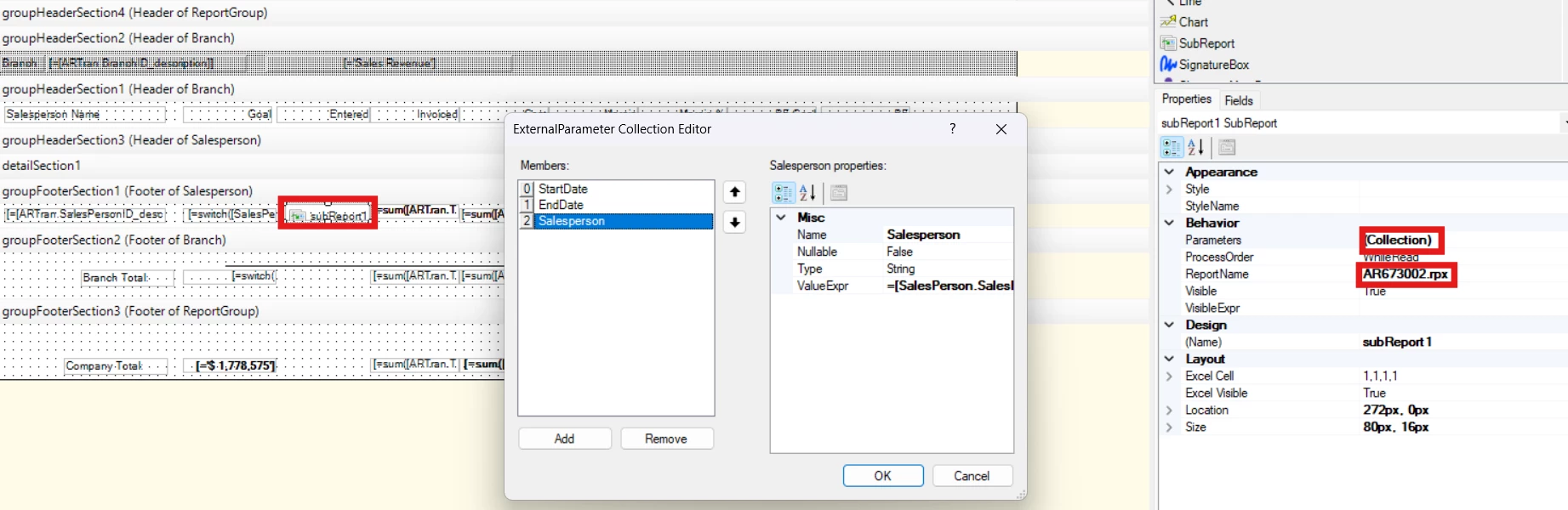
  • Add a subreport control and specify the ReportName for the subreport
  • Specify the parameters in the Parameter collection.  You can pass through the StartDate and EndDate from the main report.  The SalespersonID value will be a data field since it will be different for each group.  

I hope this makes sense.  Give it a try and feel free to followup if you have other questions.

Hope this helps!

Laura


Forum|alt.badge.img
  • Author
  • Freshman II
  • February 26, 2026

@lauraj46 i must be doing

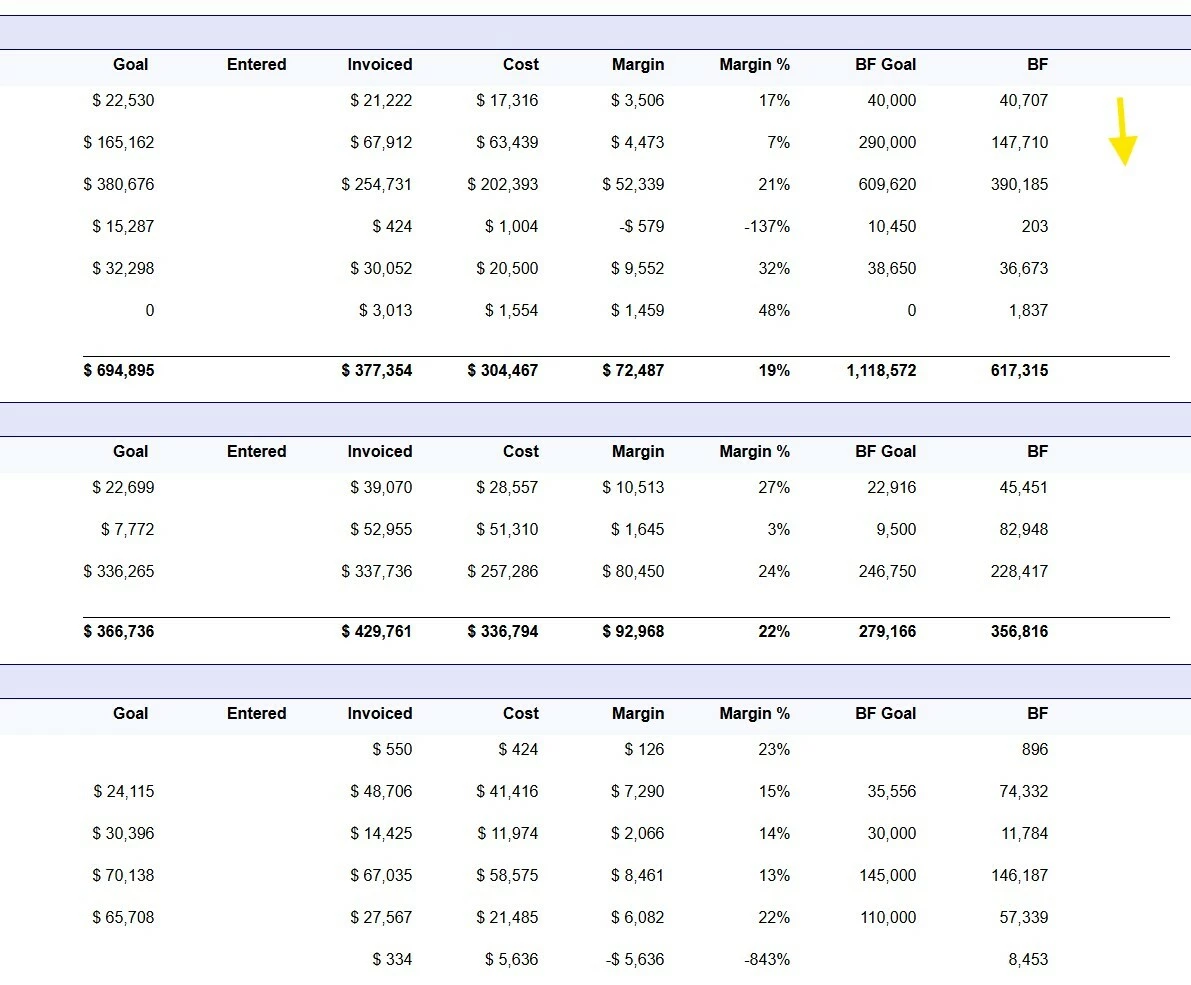
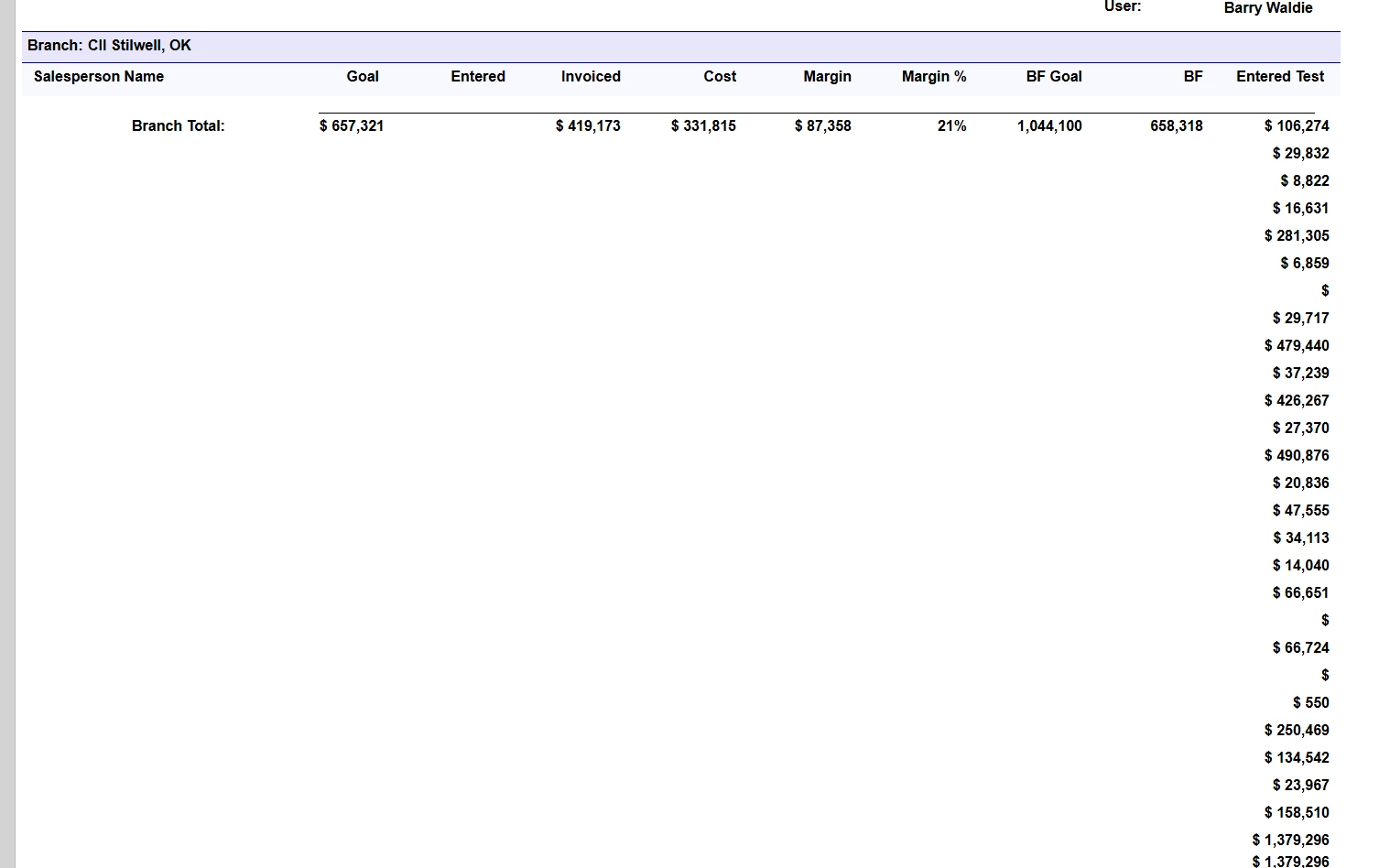
something incorrectly. Doesn't want to show in the main report. i added to the end so it would not overlap as i test.


lauraj46
Captain II
Forum|alt.badge.img+9
  • Captain II
  • February 26, 2026

Hi ​@bwaldie ,

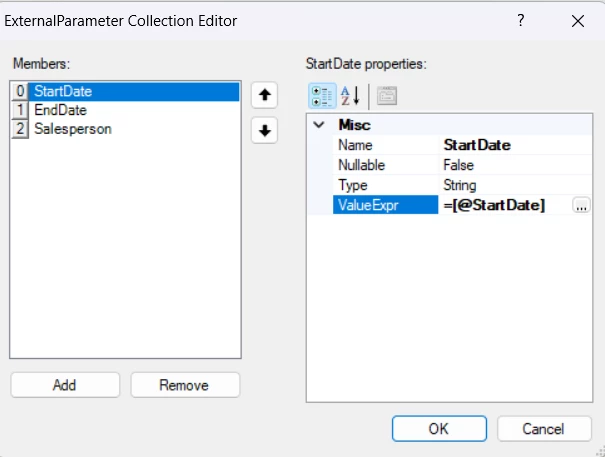
You should pass the date parameter values from the main report to the subreport like this:


Also, in your subreport the total should be in the report footer section rather than the detail section.  Be sure to make the detail section not visible.

Hope this helps!

Laura


Forum|alt.badge.img
  • Author
  • Freshman II
  • February 26, 2026

@lauraj46 i know this is probably a dumb question, but how do i add the footer back on the sub? and will it group together within the main report where the group by is branch, salesperson, etc?


Forum|alt.badge.img
  • Author
  • Freshman II
  • February 26, 2026

i think i found it :)


Forum|alt.badge.img
  • Author
  • Freshman II
  • February 26, 2026

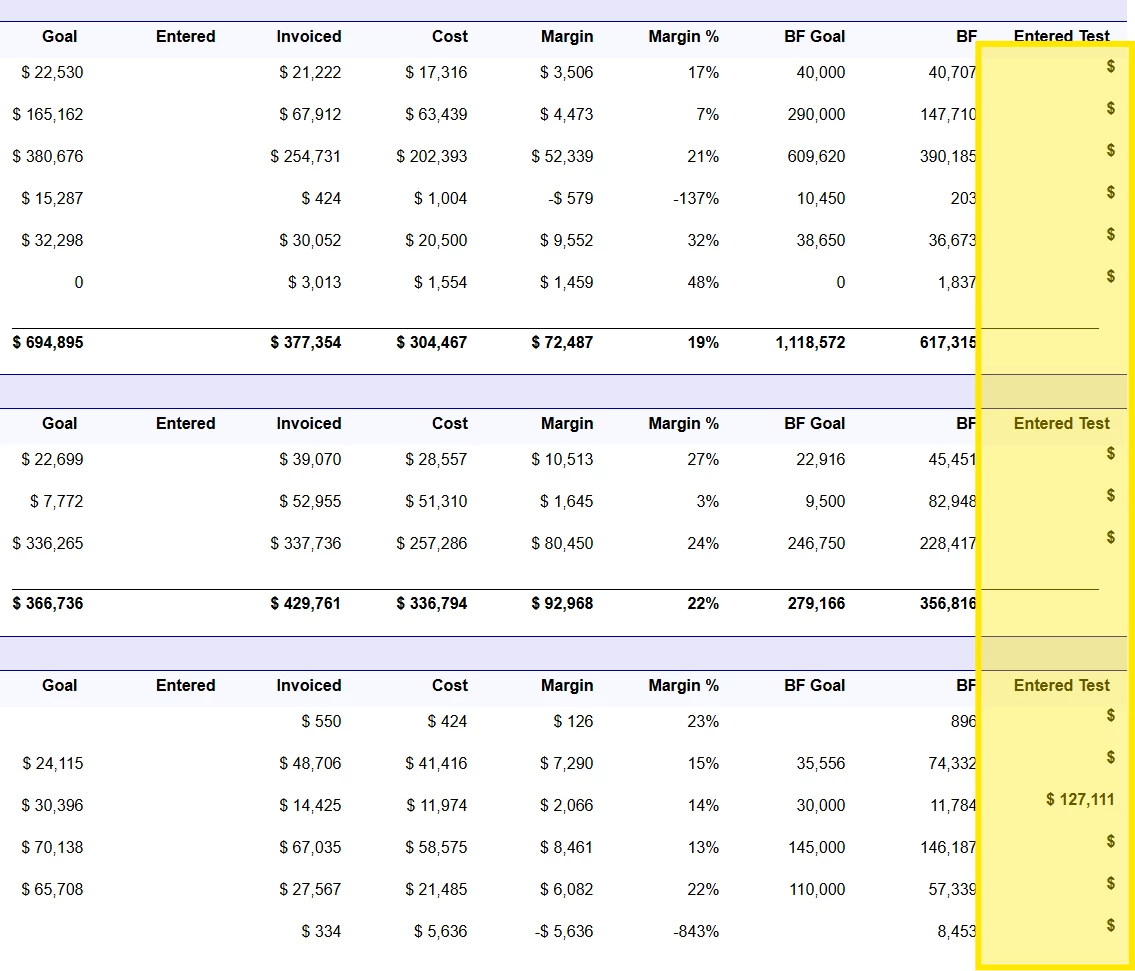
@lauraj46 i’m so close…..i’m guessing the salesperson isn't passing down correctly or grouping? my format is picking up on each salesperson line but not on the branch or company totals.


lauraj46
Captain II
Forum|alt.badge.img+9
  • Captain II
  • February 26, 2026

Hi ​@bwaldie ,

Looks like you are really close!  All of the groupings that you are using on your main report (salesperson and branch) should be passed to the subreport parameters and applied to the subreport as filters.  

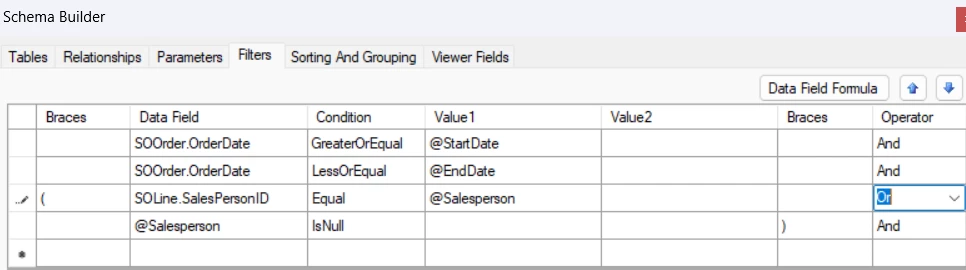
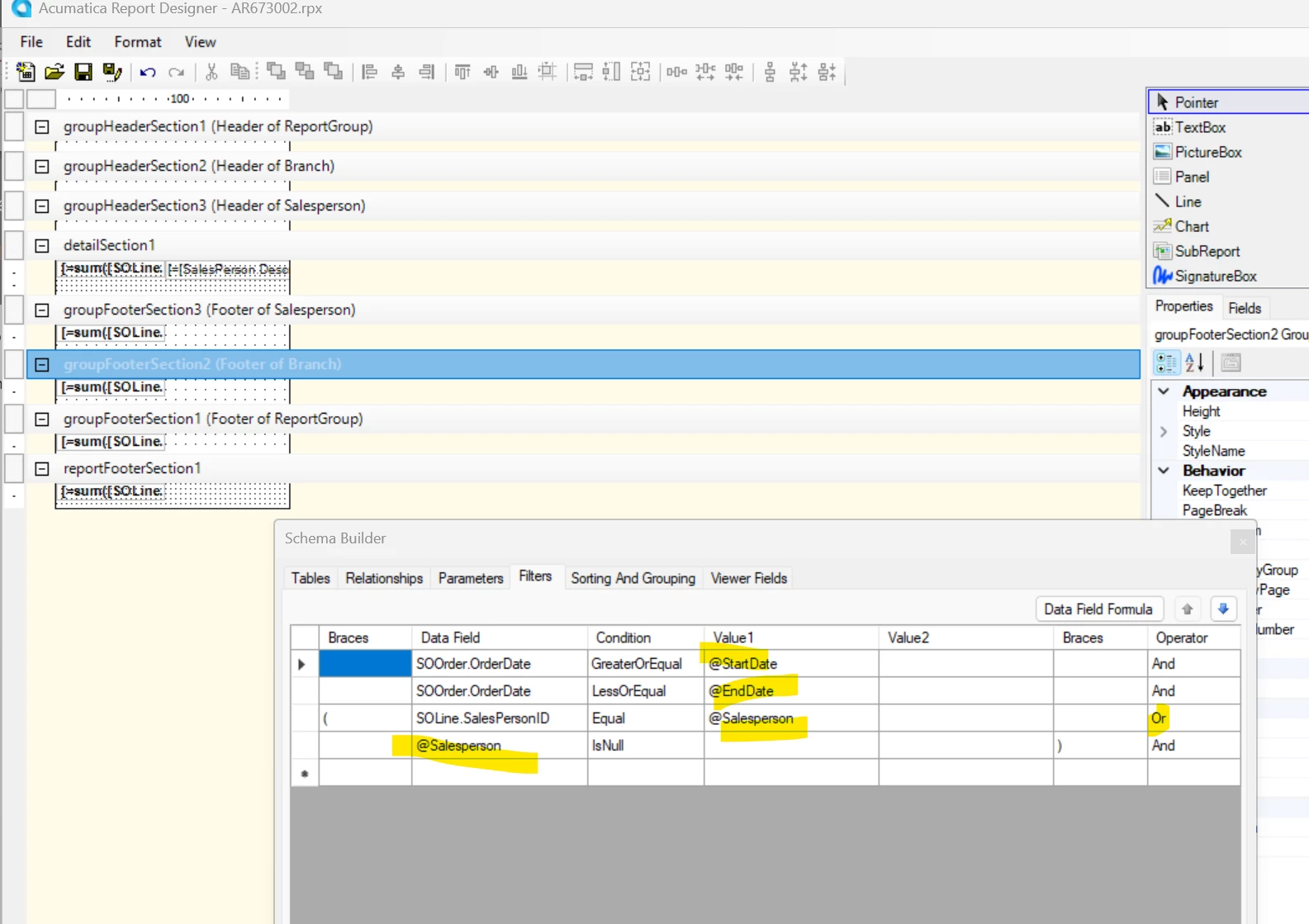
For the totals you can call the subreport with the salesperson or the branch blank and adjust your subreport filters to select records where the salesperson = $salesperson or $salesperson is null.


Hope this helps!

Laura


KrunalDoshi
Freshman II
Forum|alt.badge.img
  • Freshman II
  • March 2, 2026

Hi ​@bwaldie,

I am sure you must have got the solution by now. But just want to suggest my personal experience with subreport. I always add the subreport to the site map and try to run it individually to check if it runs correctly and gives desired result. For a subreport, parameters and group by you should pass from the main report in the same order as it is in the main report, possibly give the same name. I have also observed passing the value from corresponding DAC instead of the parameter directly to subreport, behaves incorrectly in some scenario, so maybe you can check that too. Hopefully, these tips will help you.


Forum|alt.badge.img
  • Author
  • Freshman II
  • March 2, 2026

@KrunalDoshi yep, that is exactly what i did to see the details. ​@lauraj46 is always a great help, I am just rushing through trying to get this finished by today and am likely overlooking something miniscule.


KrunalDoshi
Freshman II
Forum|alt.badge.img
  • Freshman II
  • March 2, 2026

Hi ​@bwaldie,

Thanks for the clarification, glad it is helpful. So, I assume, that you are able to run the subreport individually and get the desired result correct. However, from the main report you are not able to get the correct result. Let me know if I am missing anything.


Forum|alt.badge.img
  • Author
  • Freshman II
  • March 2, 2026

@KrunalDoshi probably easier just to show you. attached are the two report files (latest version).


lauraj46
Captain II
Forum|alt.badge.img+9
  • Captain II
  • March 2, 2026

@bwaldie - To get a total for the branch or company, you could embed the subreport again on the branch footer and pass an empty value for the salesperson parameter in your call to the subreport.  On the subreport you would need to adjust the filters as described in my earlier post so that the subreport will include and total the sales across all salespeople.  

I hope this makes sense and helps!

Laura


Forum|alt.badge.img
  • Author
  • Freshman II
  • March 2, 2026

@lauraj46 here is what i have in the subreport for filters.


lauraj46
Captain II
Forum|alt.badge.img+9
  • Captain II
  • March 2, 2026

Hi ​@bwaldie ,

That looks good, but on your main report I don’t see the subreport control in the footer for the branch.


Forum|alt.badge.img
  • Author
  • Freshman II
  • March 2, 2026

@lauraj46 i can just copy/paste?


lauraj46
Captain II
Forum|alt.badge.img+9
  • Captain II
  • March 2, 2026

@bwaldie Yes, you can copy/paste and then edit the parameter collection so that you are not passing the salesperson in the branch footer.


Forum|alt.badge.img
  • Author
  • Freshman II
  • March 2, 2026

@lauraj46 must me mismatching on the $salesperson.


lauraj46
Captain II
Forum|alt.badge.img+9
  • Captain II
  • March 2, 2026

@bwaldie 

In your subreport, display the total in the Report Footer instead of the group footer.  Set the salesperson group footer to not visible.


KrunalDoshi
Freshman II
Forum|alt.badge.img
  • Freshman II
  • March 2, 2026

Hi ​@bwaldie,

Thanks for uploading the report. I have reviewed both the reports. In my opinion, you should add the BranchID parameter to your subreport and pass it from the main report as =[ARTran.BranchID]. In order to get the Branch total, you should use the variable from your subreport into main report as @Subreport_Variable. Refer to below link for it.

Passing a subtotal from a subreport back to a main report

Hope this will be helpful.