Question

Space between the rows in generated excel

  • December 8, 2023
  • 4 replies
  • 96 views

Forum|alt.badge.img

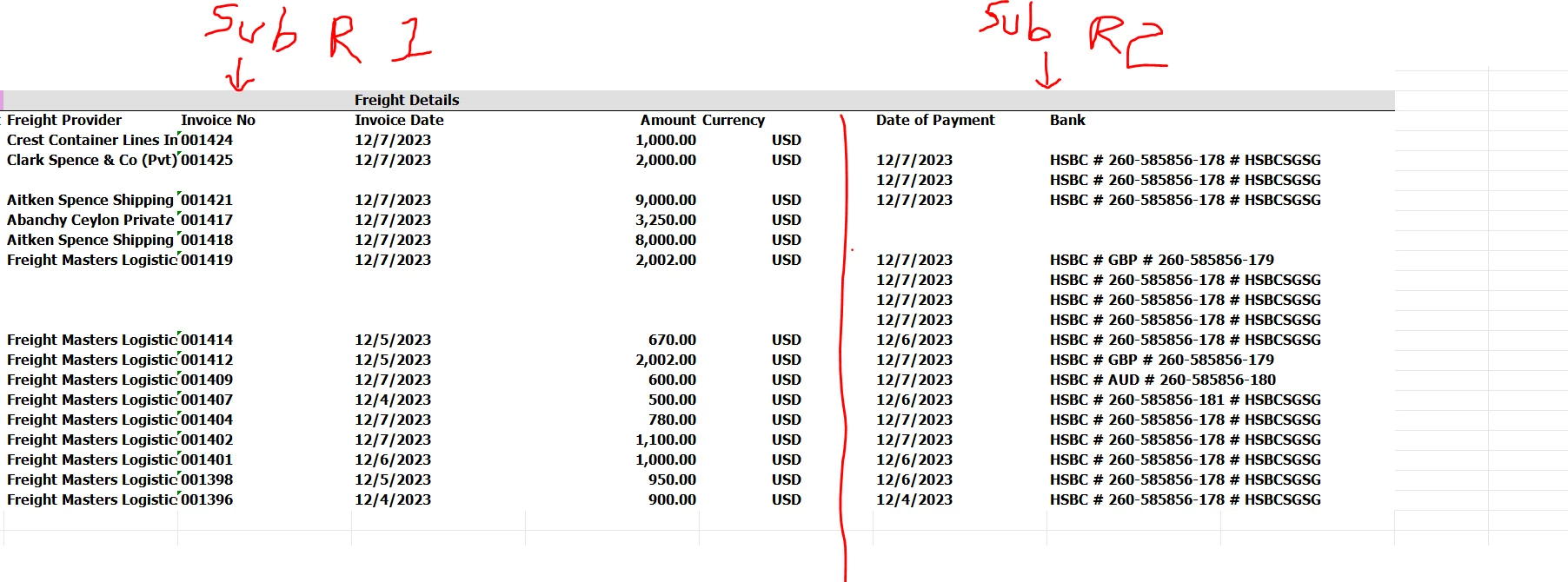
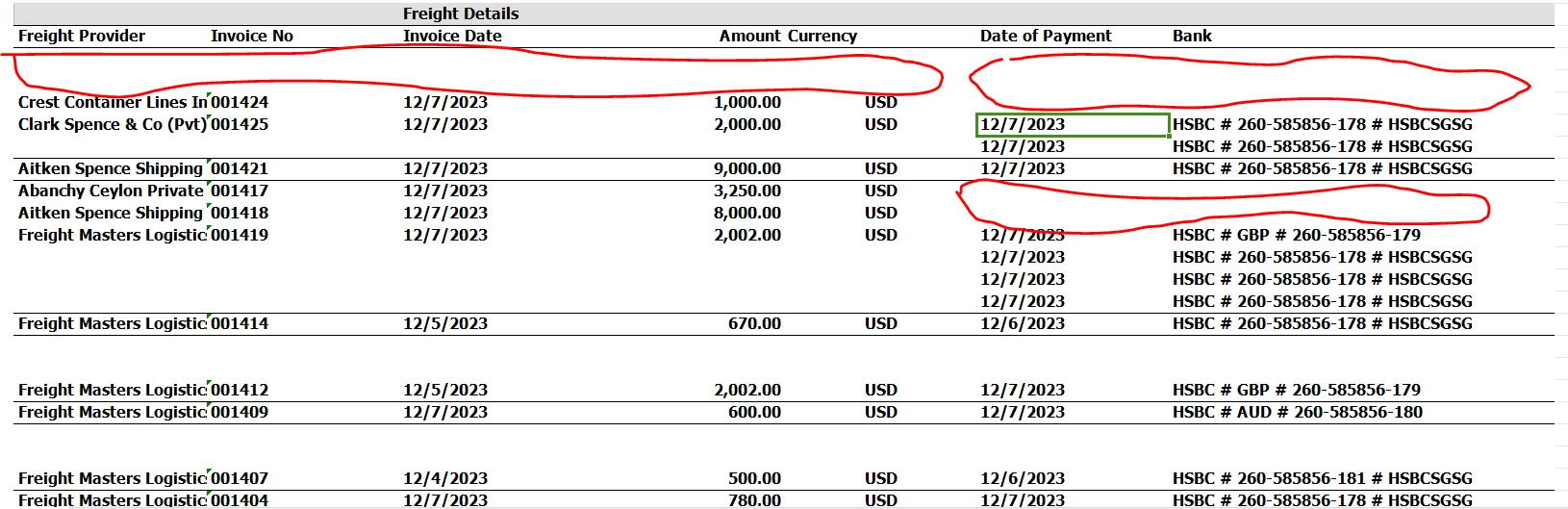
When i generate my report as excel i get these spaces between rows. How can i fix this. In some sections of the report there isn’t any space. but in the last section of the report i get these spaces. 
 

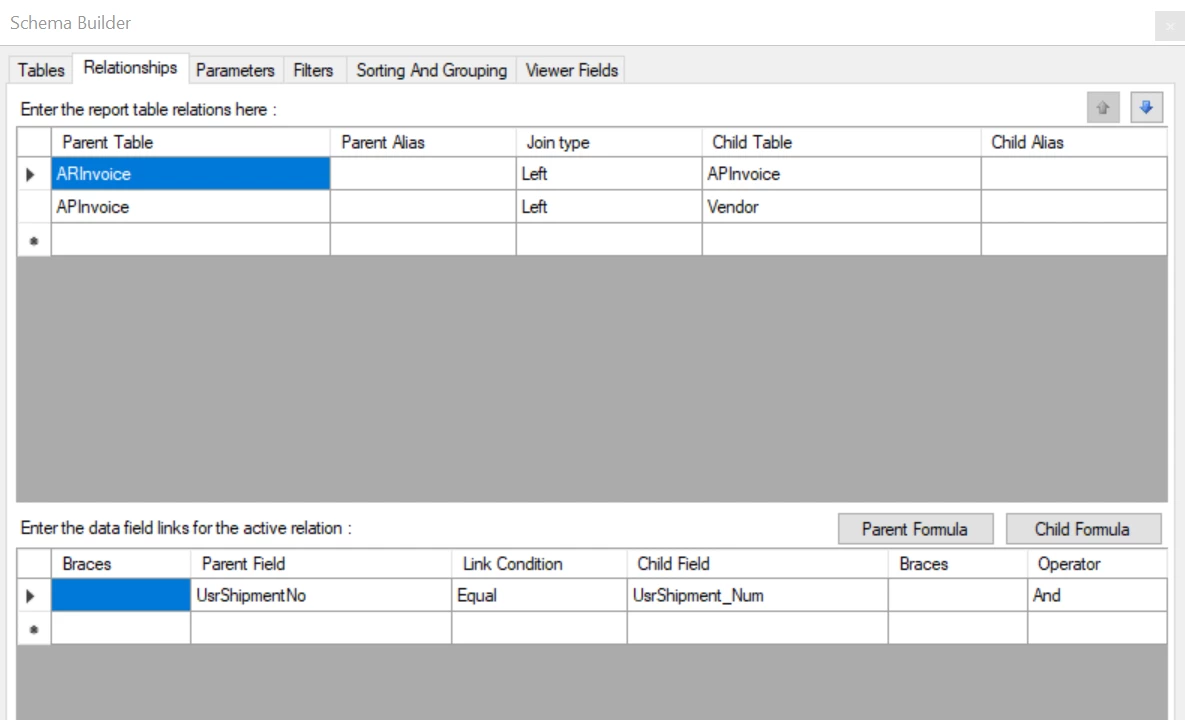
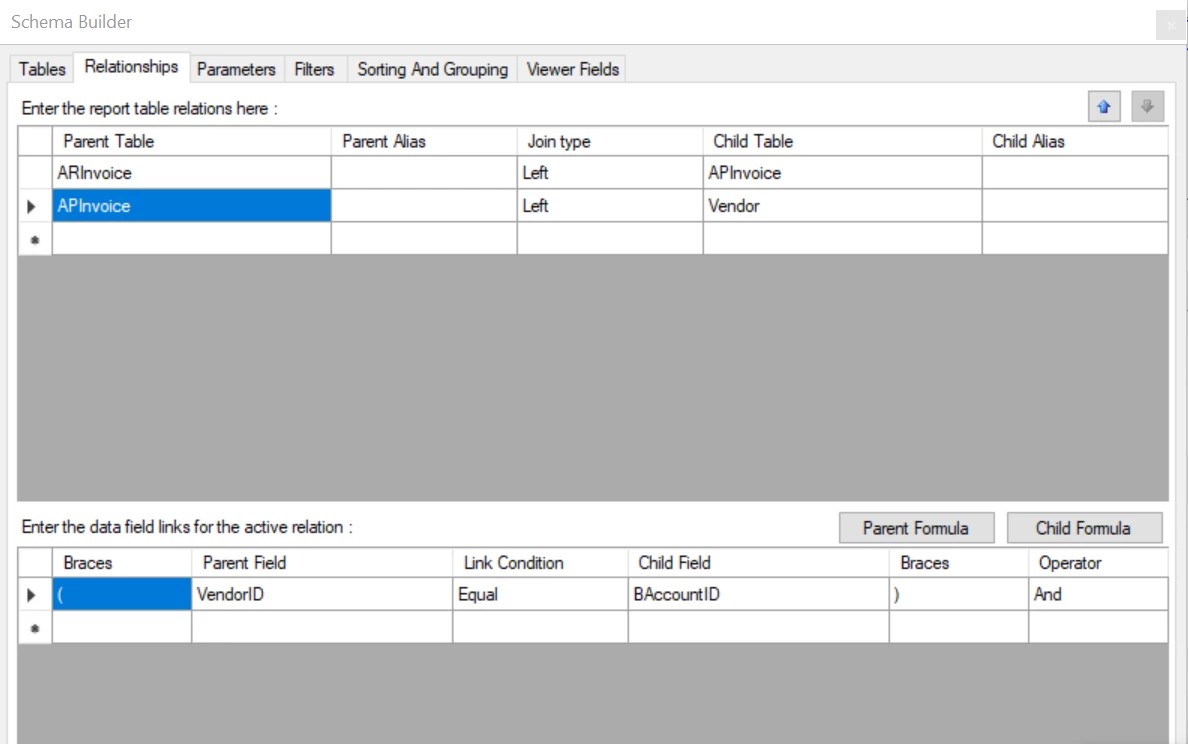
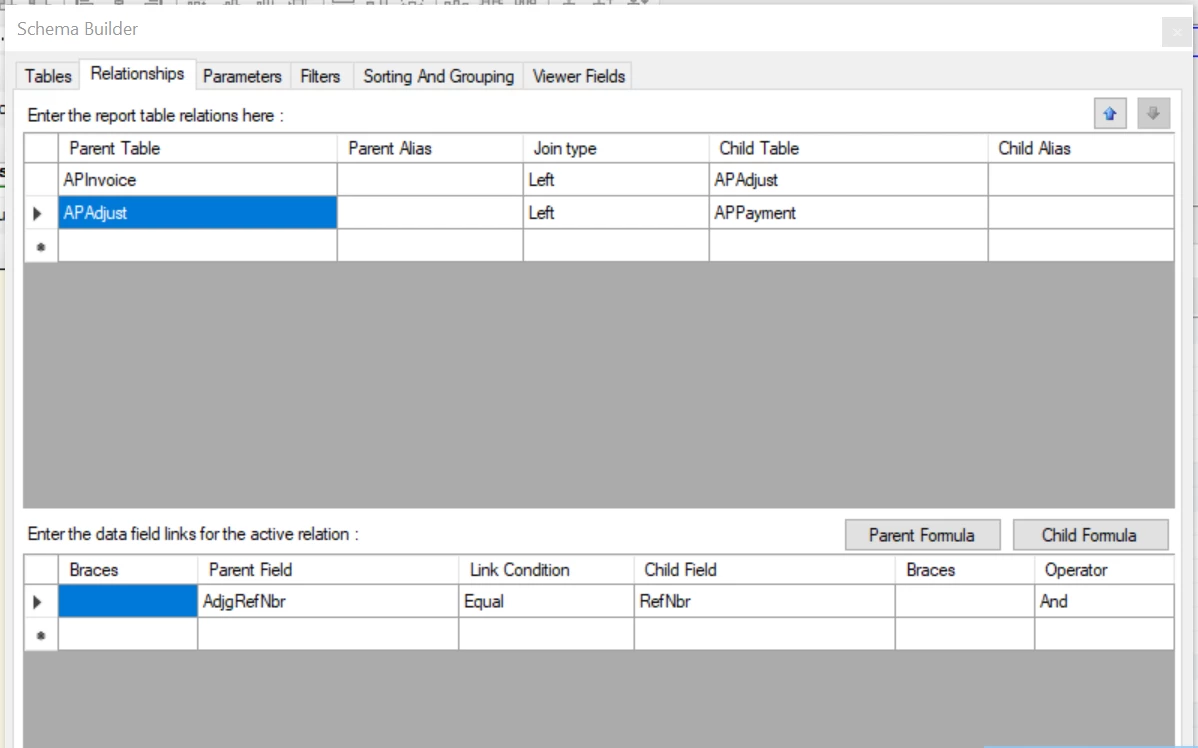
Here are the joins used. Date of payment and bank belongs to subreport 4 and the other details belongs to subreport 2

sub report 4
sub report 4
sub report 2
sub report 2


4 replies

Manikanta Dhulipudi
Captain II
Forum|alt.badge.img+15

Hi @ifelix 

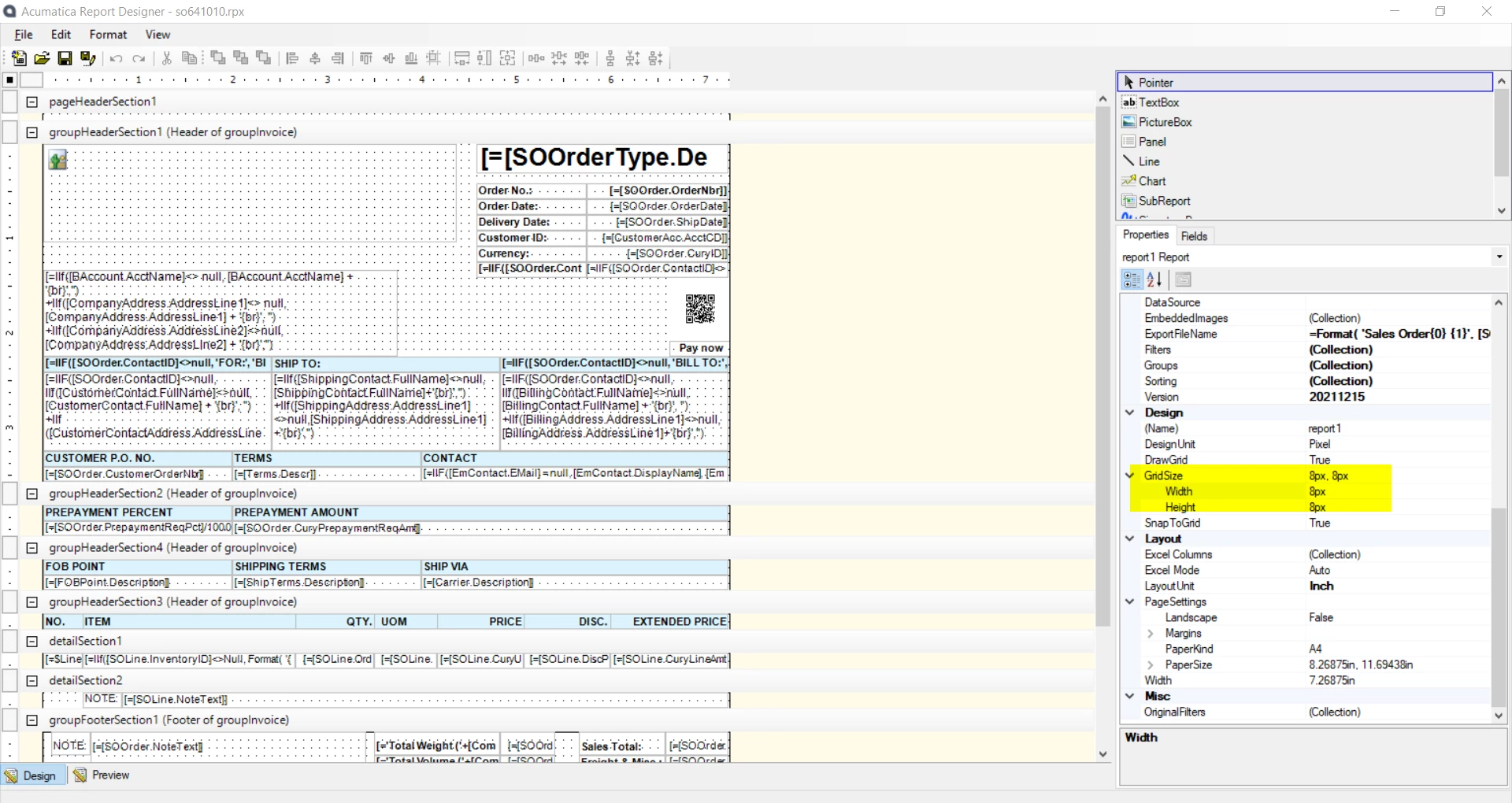
I believe you need to adjust columns 

Please review the help guide attached


Laura03
Captain II
Forum|alt.badge.img+19
  • Captain II
  • December 8, 2023

Hello@ifelix ,

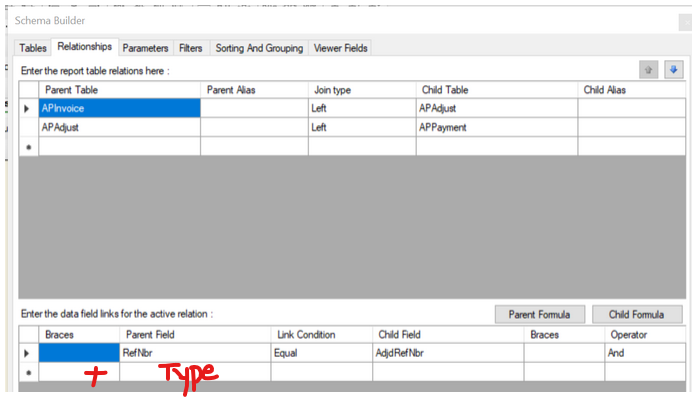
Please add Document Type join on AP Invoice to APAdjust.

APInvoice.DocType Equal AdjdDocType.


To control Excel alignment, Adjust the Excel Row and Column # for each field:


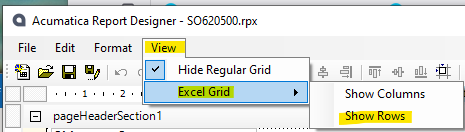
To see Default Excel Alignment in your report, expose the Excel details. Seeing default alignment will help you identify which fields need Row or Column # adjusted.

Laura


Forum|alt.badge.img
  • Author
  • Freshman I
  • December 13, 2023

@Laura02 I added the joins and I have added the excel rows and columns. I noted that this happens when i use two subreports together next to each other. When i use the sub report only it prints properly starting from the first line. When i include a second sub report, the first sub report print one row below and not in line. Any idea why could this happen ? 


Hello@ifelix ,

Please add Document Type join on AP Invoice to APAdjust.

APInvoice.DocType Equal AdjdDocType.


To control Excel alignment, Adjust the Excel Row and Column # for each field:


To see Default Excel Alignment in your report, expose the Excel details. Seeing default alignment will help you identify which fields need Row or Column # adjusted.

Laura


Chris Hackett
Community Manager
Forum|alt.badge.img
  • Acumatica Community Manager
  • January 11, 2024

Hi @ifelix were you able to find a solution? Thank you!