Question

Someone Explain the Generic Inquiry Engine to me

  • December 23, 2025
  • 9 replies
  • 43 views

Forum|alt.badge.img

I feel like I know nothing about SQL even after spending 10 plus years using it on other systems when it comes to trying to use Generic Inquiries to create reports. Which I have to do because Acumatica does not have the ability to write SQL directly against the database and produce results (This is a massive feature that I can’t believe is missing and hope 2025R2 addresses it). 

I need to create a Generic Inquiry that looks at Customer records takes a parameter for CreatedDateTime FROM and CreatedDateTime TO. 

All I need to do is look at Customers whose CreatedDateTime field falls between those two parameters and run a simply COUNT function to see how many customers were created between those two dates. 

This seems literally impossible to do via Generic Inquiry. 

In SQL all I would write is 
SELECT COUNT(*) 
FROM Customers
WHERE CreatedDateTime>=1/1/2014 AND CreatedDateTime<=1/31/2014

Though if you look at the database you would actually need to query BAccount table to get this CreatedDateTime and then add TYPE to the where Clause. 
 

REGARDLESS, how to do you write a simple Generic Inquiry to COUNT the number of customer records with a created date between 2 date parameters. 

I should only get a single row response but Acumatica wants a GROUP BY defined even though for this it shouldn’t need it. Very confused on the logic of Generic Inquiries especially because if you go to the TRACE and see the SQL generated it includes TONS of fields and groups and order by logic that I didn’t include in my generic inquiry. 

9 replies

Forum|alt.badge.img+1
  • Varsity I
  • December 23, 2025

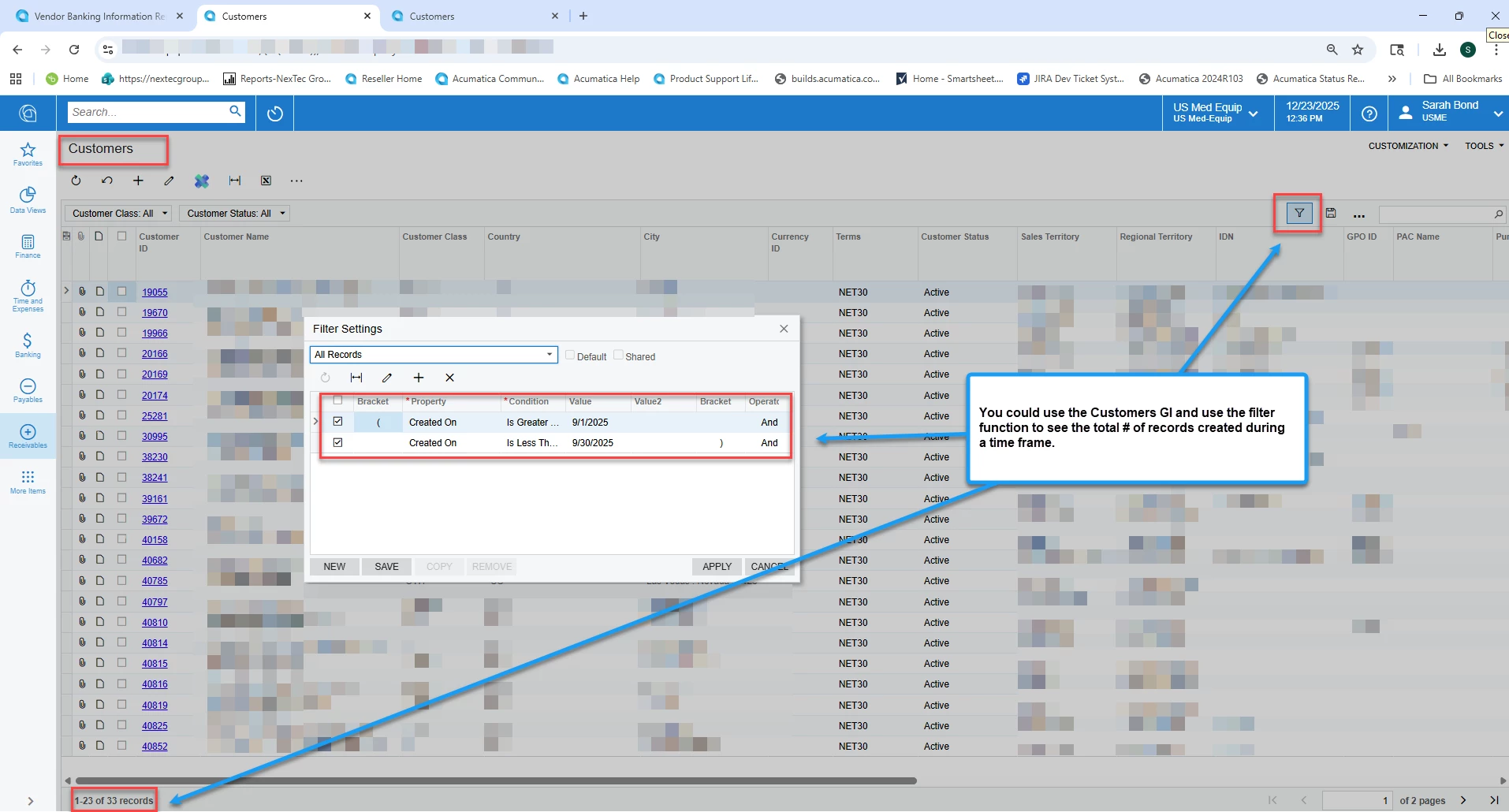
If you want to see a # of customers created within a certain time frame, you could use the Customers GI and filter that screen using the Created On filter - I hope this screenshot helps.


Forum|alt.badge.img
  • Author
  • Freshman II
  • December 23, 2025

If you want to see a # of customers created within a certain time frame, you could use the Customers GI and filter that screen using the Created On filter - I hope this screenshot helps.

Yes I know that functionality but it doesn’t serve the purpose I need. The GI I am trying to create will be a source for another GI and it needs to have parameters that can be entered. 

Further your solution will just give me a list of customers, not a count like I need. 


lauraj46
Captain II
Forum|alt.badge.img+8
  • Captain II
  • December 23, 2025

Hi ​@bgrassi ,

You could also consider grouping on a field that is the same for all of the records, for example if you have one branch defined that field might be BranchID or if not you could use any setting that is in common.

Hope this helps!

Laura 


npetrosov31
Freshman III
Forum|alt.badge.img
  • Freshman III
  • December 23, 2025

Hi ​@bgrassi,


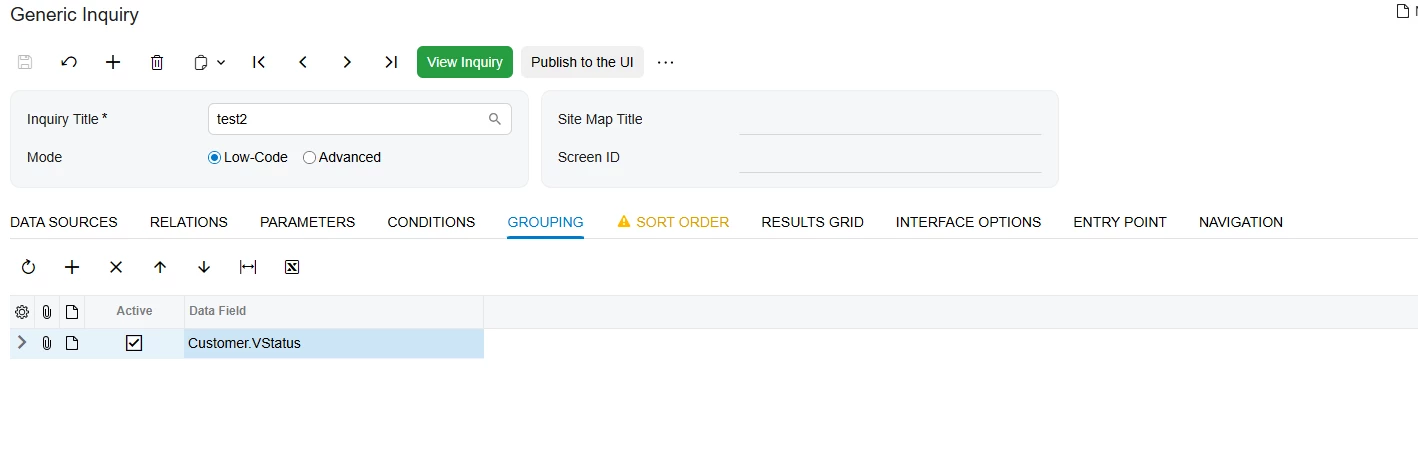
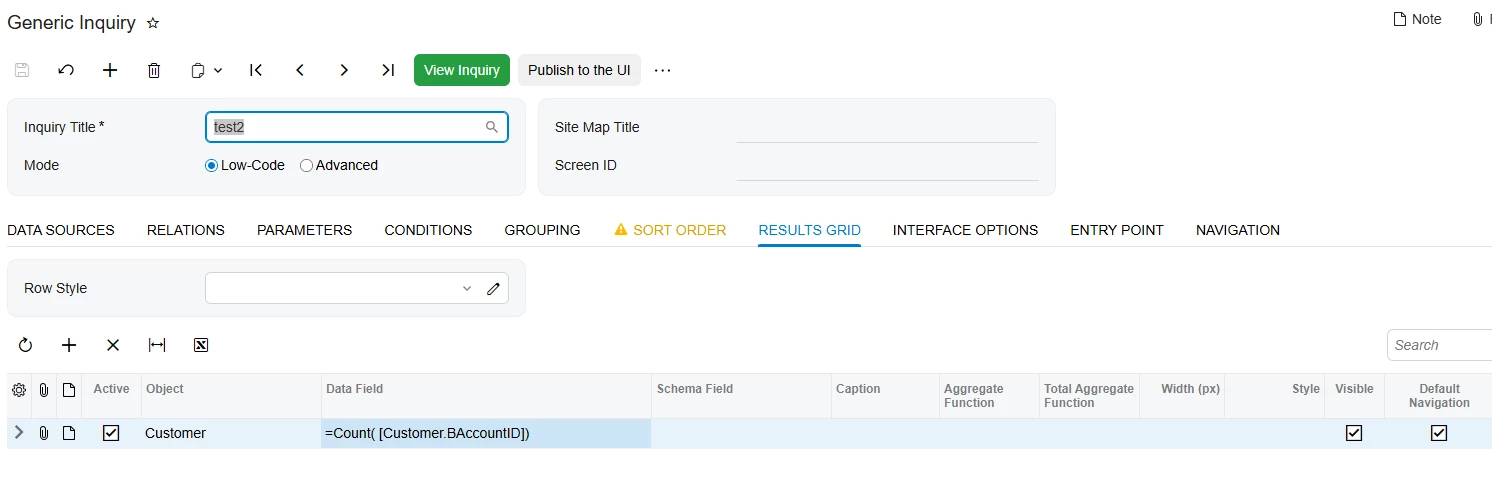
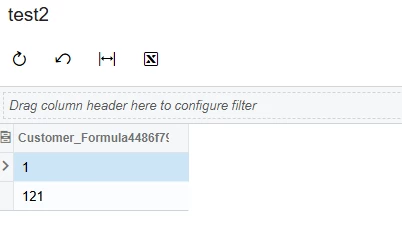
In addition to previous comment I can recommend grouping by VStatus field. It will give you the numbers of active/other status customers and looks usable.


result: 1 inactive, 121 active


Forum|alt.badge.img
  • Author
  • Freshman II
  • December 23, 2025

Hi ​@bgrassi ,

You could also consider grouping on a field that is the same for all of the records, for example if you have one branch defined that field might be BranchID or if not you could use any setting that is in common.

Hope this helps!

Laura 

Looked for that field but BRANCHID doesn’t exist as an option for grouping for some reason. The field ISBRANCH does and that gave me the result I want but doesn’t see reliable. 


Forum|alt.badge.img
  • Author
  • Freshman II
  • December 23, 2025

Hi ​@bgrassi,


In addition to previous comment I can recommend grouping by VStatus field. It will give you the numbers of active/other status customers and looks usable.


result: 1 inactive, 121 active


I thought of this but I just need a singular row return to be able to pull the data into the next GI I need to build. That 3rd GI will incorporate this GI and another that are unrelated so I will just do a CROSS JOIN so they both need a single row return. 

Now if I can add a condition to exclude Inactive Customers then this might work but still feels unreliable. 


npetrosov31
Freshman III
Forum|alt.badge.img
  • Freshman III
  • December 23, 2025

@bgrassi,

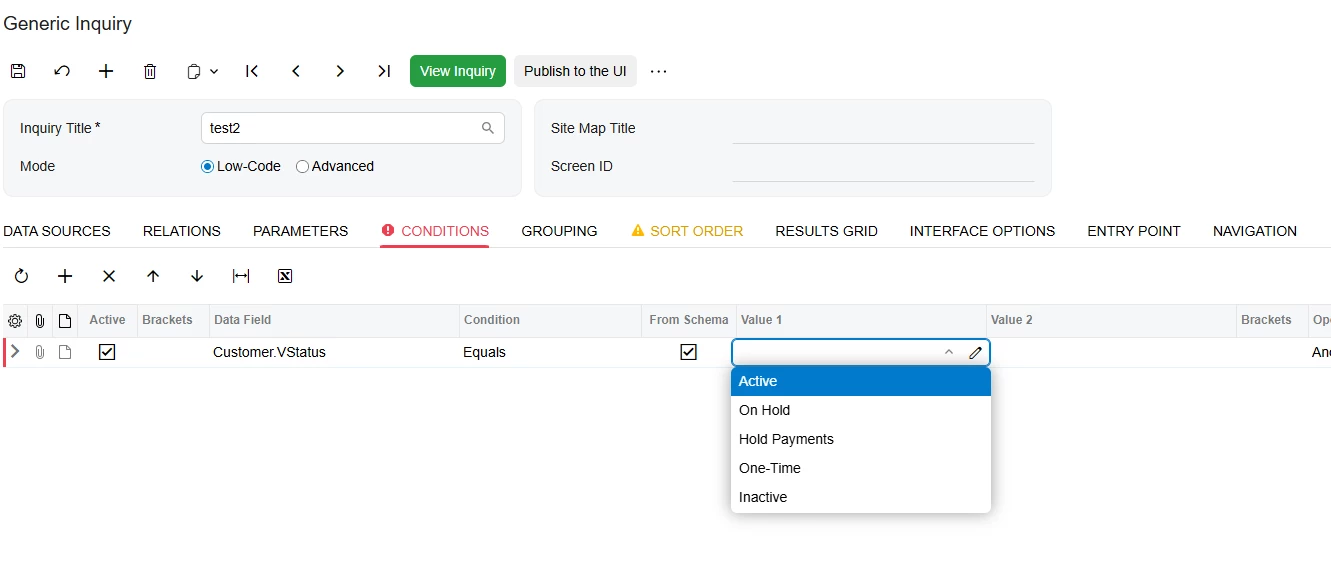
You can add a condition, but if you want to always get only one row you will need to exclude every status other than active:

It will be reliable until the point when you need to add the customers with other statuses to that GI.


lauraj46
Captain II
Forum|alt.badge.img+8
  • Captain II
  • December 23, 2025

Hi ​@bgrassi ,

You could also consider grouping on a field that is the same for all of the records, for example if you have one branch defined that field might be BranchID or if not you could use any setting that is in common.

Hope this helps!

Laura 

Looked for that field but BRANCHID doesn’t exist as an option for grouping for some reason. The field ISBRANCH does and that gave me the result I want but doesn’t see reliable. 


Sorry, BranchID is not a field on Customers.  If you are not multicurrency you could consider BaseCuryID.

Hope this helps!

Laura 


YasasWithanage76
Acumatica Employee
Forum|alt.badge.img+4

Hello ​@bgrassi 

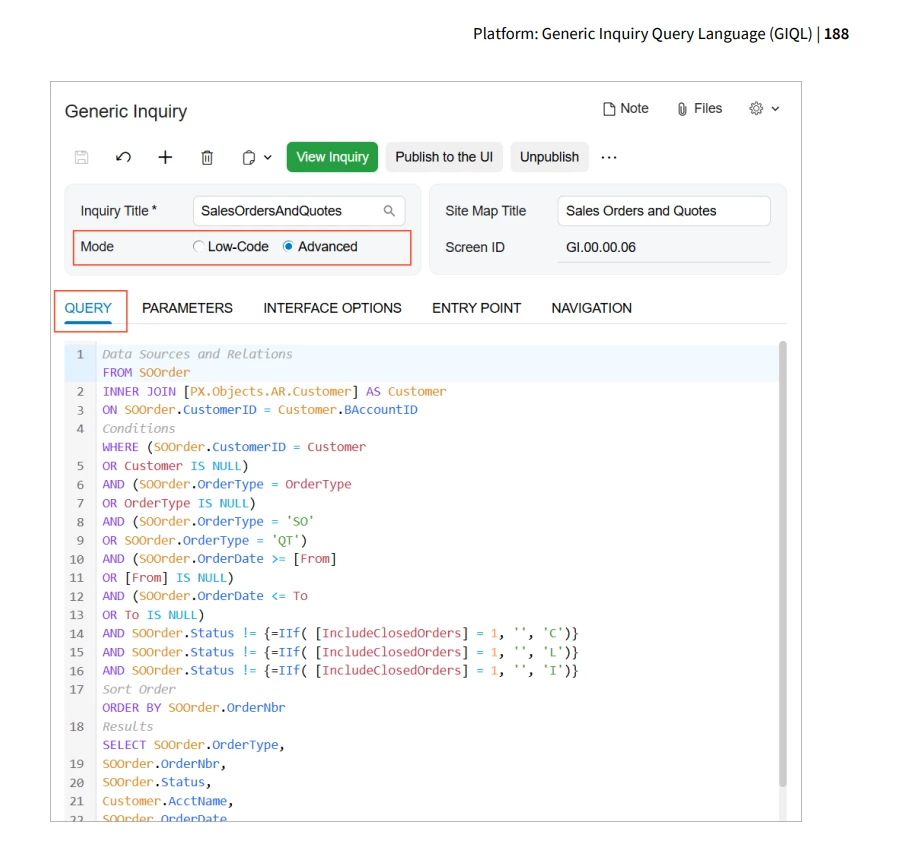
In addition to the above valuable suggestions, the Acumatica ERP 2025 R2 introduces Generic Inquiry Query Language (GIQL) in the GI screen. Same as SQL. You can try that also.

Release notes - https://acumatica-builds.s3.amazonaws.com/builds/25.2/ReleaseNotes/AcumaticaERP_2025R2_ReleaseNotes.pdf


Thanks