Answer

Signature on Check printing while processing the combination of Quick Checks and Checks

  • April 9, 2021
  • 5 replies
  • 451 views

KrunalDoshi
Freshman II


Hi,

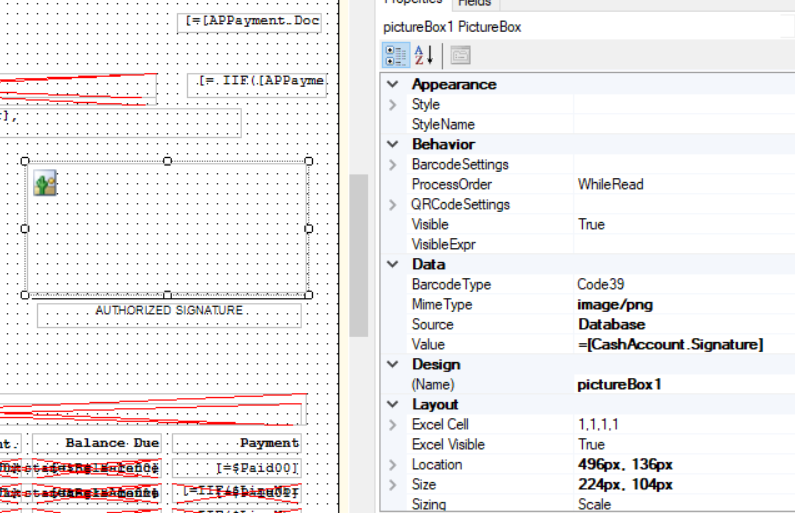
I have updated the check (AP641000) to include the signature on Checks from Cash Account. 

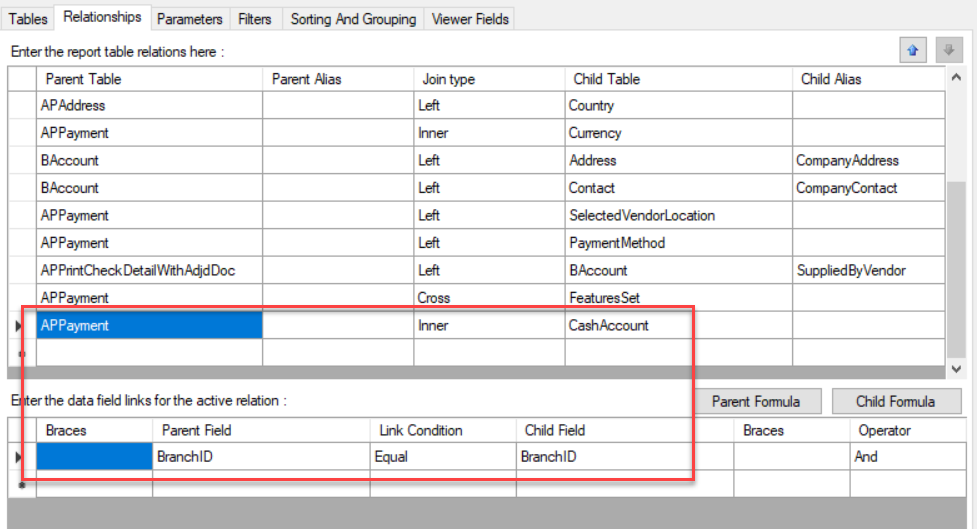
Relationship: -
Picture box property set: - 
 

However, when I print the check from process screen (AP505000) with multiple checks and combinations of Quick Checks and Checks, it does not print signature on all checks.
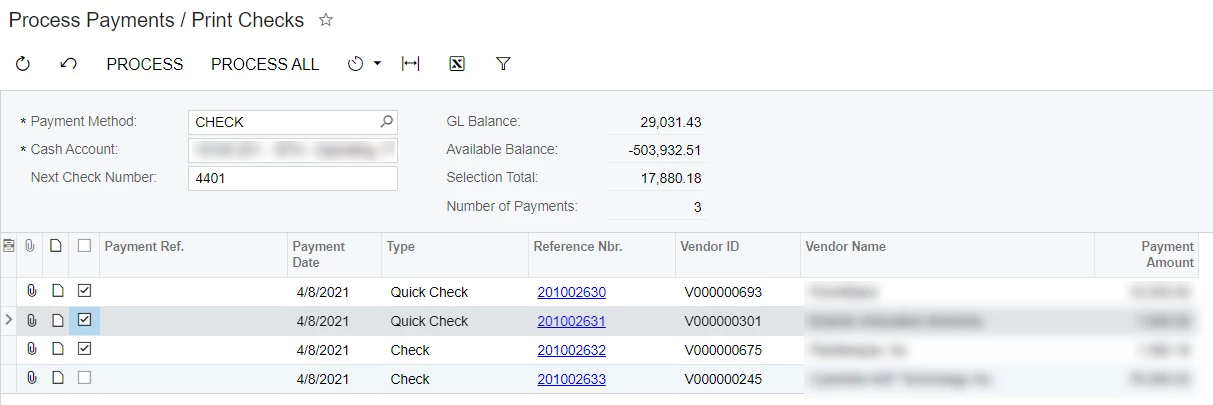
Not sure if that is the bug or if I am missing anything.

Please suggest.


Best answer by ChandraM

Hi Krunal, The last inner join in your screenshot between the tables APPAYMENT and CASHACCOUNT should also include the relation APPAYMENT.CashAccount=CASHACCOUNT.CashAcocunt. Please try adding this relation.

Thanks


5 replies

Forum|alt.badge.img+8
  • Semi-Pro I
  • Answer
  • April 9, 2021

Hi Krunal, The last inner join in your screenshot between the tables APPAYMENT and CASHACCOUNT should also include the relation APPAYMENT.CashAccount=CASHACCOUNT.CashAcocunt. Please try adding this relation.

Thanks


KrunalDoshi
Freshman II
  • Author
  • Freshman II
  • April 9, 2021

Thanks @ChandrasekharM, that has worked. I thought of once but most of place I looked at was not saying to join the cash account. But I guess in my case it was necessary because of multiple branches.

Thanks.


Forum|alt.badge.img+8
  • Semi-Pro I
  • April 9, 2021

Hi @Krunal, Thanks for the update. Wonderful!!


roberts40
Freshman II
  • Freshman II
  • October 5, 2021

Quick update to this topic.  The missing join is now


APPayment.CashAccountID = CashAccount.CashAccountID


Forum|alt.badge.img+8
  • Semi-Pro I
  • October 5, 2021

Hi @roberts40  Thanks for the update.