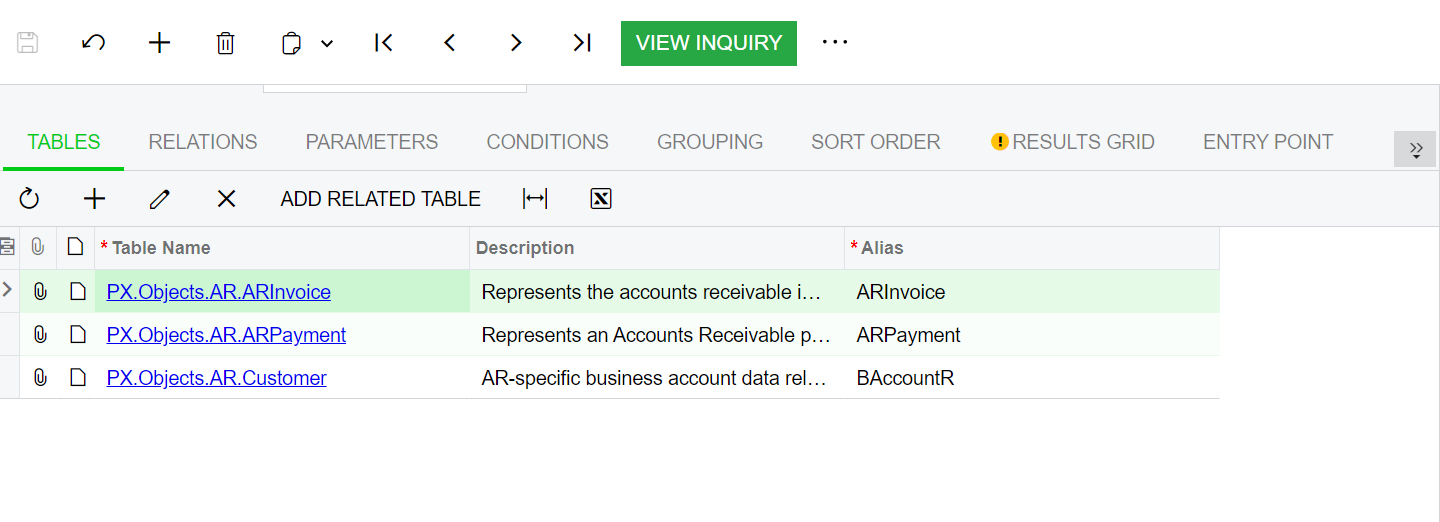
I have a client that wants to show the current A/R balance owed on the Payments and Applications screen. I am trying to modify the GI but keep on getting errors. What table do I need to join to show the current A/R balance on the Payments and Applications screen. Any help would be appreciated.
Thanks,
Frances
Best answer by Laura03
Hello Frances,
I don’t think the customer balance is a stored field that can easily be shown in the Preview List GI. I think Aging reports, Customer Balance report and Customer Profiles screen are doing calculations when screens are opened and reports are run, to add/subtract all open documents for the customer and dynamically produce a calculated Customer Balance.
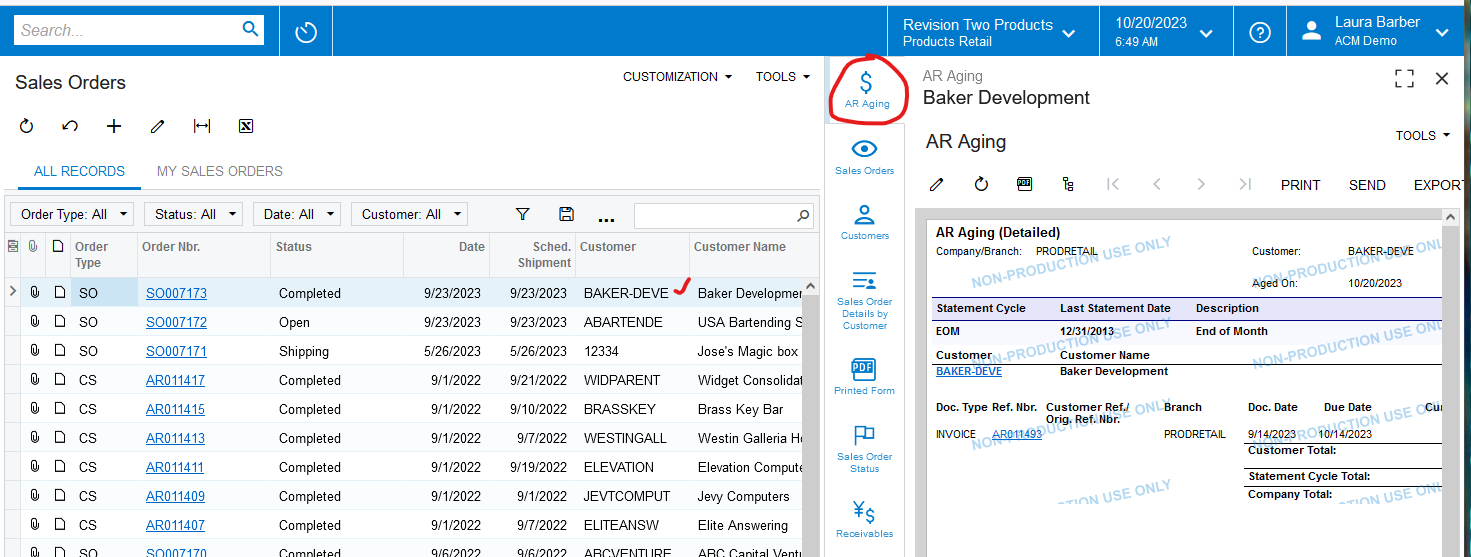
That said, I think it may be easier to take advantage of side panels, to give your client the option to view the Customer Balance or Aging Report easily, while viewing the Payments and Applications GI. Below is an example from Acumatica Sales Demo, showing the AR Aging exposed on the Sales Orders Preview List GI. We can click on any Sales Order, click “AR Aging” and view the Aging report for the one customer whose record is selected on the left side:
I don’t think the customer balance is a stored field that can easily be shown in the Preview List GI. I think Aging reports, Customer Balance report and Customer Profiles screen are doing calculations when screens are opened and reports are run, to add/subtract all open documents for the customer and dynamically produce a calculated Customer Balance.
That said, I think it may be easier to take advantage of side panels, to give your client the option to view the Customer Balance or Aging Report easily, while viewing the Payments and Applications GI. Below is an example from Acumatica Sales Demo, showing the AR Aging exposed on the Sales Orders Preview List GI. We can click on any Sales Order, click “AR Aging” and view the Aging report for the one customer whose record is selected on the left side: