Answer

Screen ID's and common names

  • April 11, 2023
  • 5 replies
  • 1532 views

Our company is in the process of converting over from Macola 10 to Acumatica. We have about fifteen  Crystal Reports that were modified for our companies needs. Moving forward with our conversion I will at some point have to modifiy some of the reports that Acumatica has to meet our companies needs. I would like to know where I can go to find what the screen ID’s are their associated forms. For example, SO641010.rpx (I know SO is for Sales Order) is associated with Order Type, but that is as far as I was able to get. Also, some of the reports/forms have SO641010.ca.rpx. What does the ca indicate?

Best answer by iqraharrison

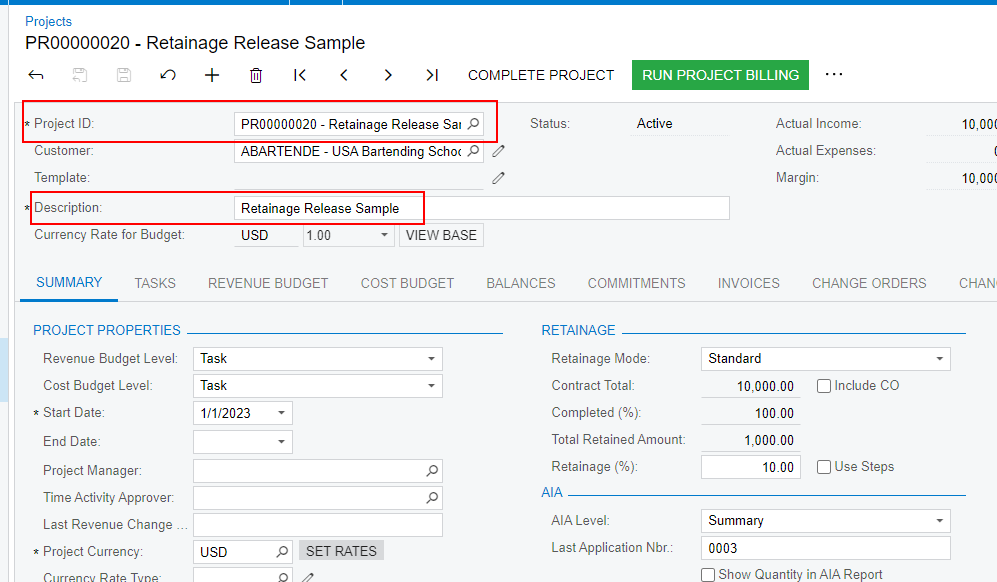
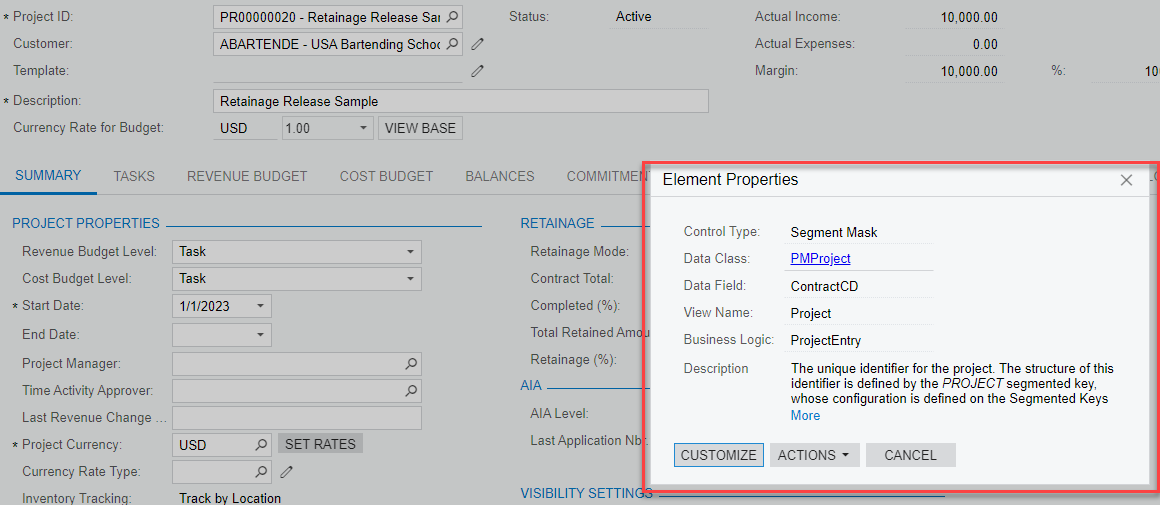
@stennerpumps i’m not huge into report designer/GIs but i’ve dabbled a little and some things along with the site map and DAC scheme browser, that helped me was having the inspect elements function really helped me.  this allows you to hover over columns on entry screens to find out key element properties that helped streamline creating certain reports/GIs. 

say you want to know what field to reference for the Project ID or description:
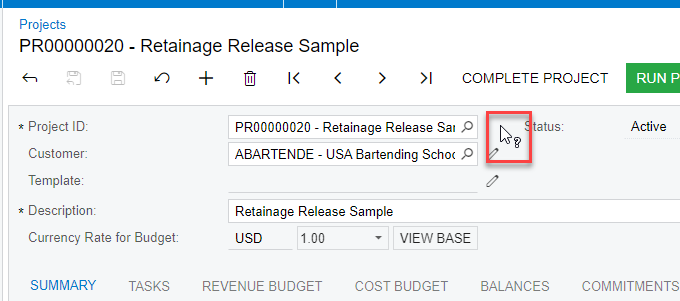
you can press Ctrl Alt (i noticed it works better pressing CTRL down first and then Alt).  when you do this you will see a small ? near your mouse and you can then click on the fields you need more info on: 
Thanks,

Iqra

5 replies

Laura03
Captain II
Forum|alt.badge.img+19
  • Captain II
  • April 11, 2023

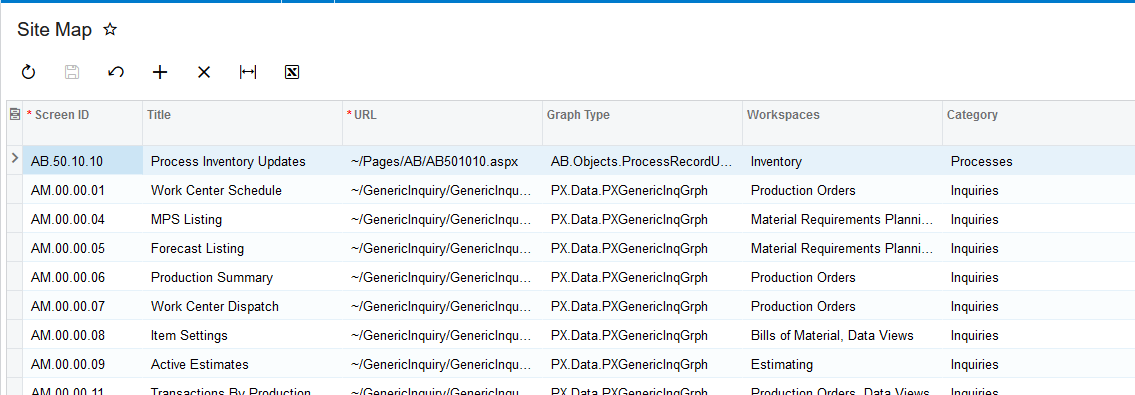
Hello, The Site Map is a good place to start. It’s a list of all screens & reports with descriptions.

More Items → Customization → Site Map. Filter by Category to focus on reports (there are multiple categories of reports: Reports, Projection Reports, Annual Reports, etc.).

When a screen is open, the ScreenID is included in the URL.


I’m not finding .ca.rpx in the Site Map. Do you remember on what report you saw the .ca extension?


Forum|alt.badge.img
  • Jr Varsity II
  • April 11, 2023

Hello, the DAC Schema Browser is where all the *.ca.rpx’s are listed. They may not be directly related to

anything that I am attempting.


iqraharrison
Captain II
Forum|alt.badge.img+8
  • Captain II
  • Answer
  • April 11, 2023

@stennerpumps i’m not huge into report designer/GIs but i’ve dabbled a little and some things along with the site map and DAC scheme browser, that helped me was having the inspect elements function really helped me.  this allows you to hover over columns on entry screens to find out key element properties that helped streamline creating certain reports/GIs. 

say you want to know what field to reference for the Project ID or description:

you can press Ctrl Alt (i noticed it works better pressing CTRL down first and then Alt).  when you do this you will see a small ? near your mouse and you can then click on the fields you need more info on: 
Thanks,

Iqra


Forum|alt.badge.img
  • Jr Varsity II
  • April 11, 2023

Best answer


jo70
Freshman II
Forum|alt.badge.img
  • Freshman II
  • February 24, 2024

I think the “ca.rpx” are for CANADA localization tenants perhaps.

If anyone knows if this is true - Can someone confirm please?